
Automation and Agents
Copilot Autopilot: What to Check Before Delegating Recurring Work
Microsoft describes Autopilot as an agent for recurring work. This proposed trial helps teams check its output, access, memory, cost, and stop controls before expanding an assignment.
On this page
- What Microsoft announced, and what access remains uncertain
- Choose a job that can fail safely
- Write the trial brief before seeing the output
- Check the evidence behind each update
- Map identity and permissions to actual actions
- Treat memory as a behavior and a data question
- Rehearse stopping and recovery
- Count usage and human review together
- Make a decision for this job
Imagine a supplier review with two unanswered requests and a deadline that changes after the first status update. You could give an assistant the current records, ask for a summary, check it, and repeat next week. Or you could assign an agent to keep track of the project between reviews. The second arrangement could save repeated setup, but the agent would also encounter changed facts, incomplete replies, and decisions that belong to a person.
In a September 25, 2026 announcement, Microsoft described Copilot Autopilot as a cloud-hosted agent that can monitor channels, run recurring work, and resume a project days later. Microsoft says it has its own identity, memory, computer, and workspace inside a customer tenant. Rise Productive has not tested Autopilot. The announcement does not show how accurately it would handle a particular project, what that project would cost, or which controls a particular organization could enforce.
For an operations leader, the decision is whether a specific recurring job is ready for delegation. Start with a disposable practice project and an agreed standard for its output. Then inspect what the agent does across changes, what it can access, what context carries forward, what it costs, and whether the team can stop and recover the work. A good first summary answers only one part of that question.
What Microsoft announced, and what access remains uncertain
Microsoft describes Chat as conversational help for questions and drafts, Cowork as a way to delegate a task through to a result, and Autopilot as an agent that continues working without another prompt. Those are Microsoft’s descriptions in the announcement, not workflows Rise has compared in a tenant. They suggest different evaluation periods. You can inspect a prompted result when it arrives. To judge a continuing assignment, you need to inspect what happens after the initial request, including changes and interruptions.
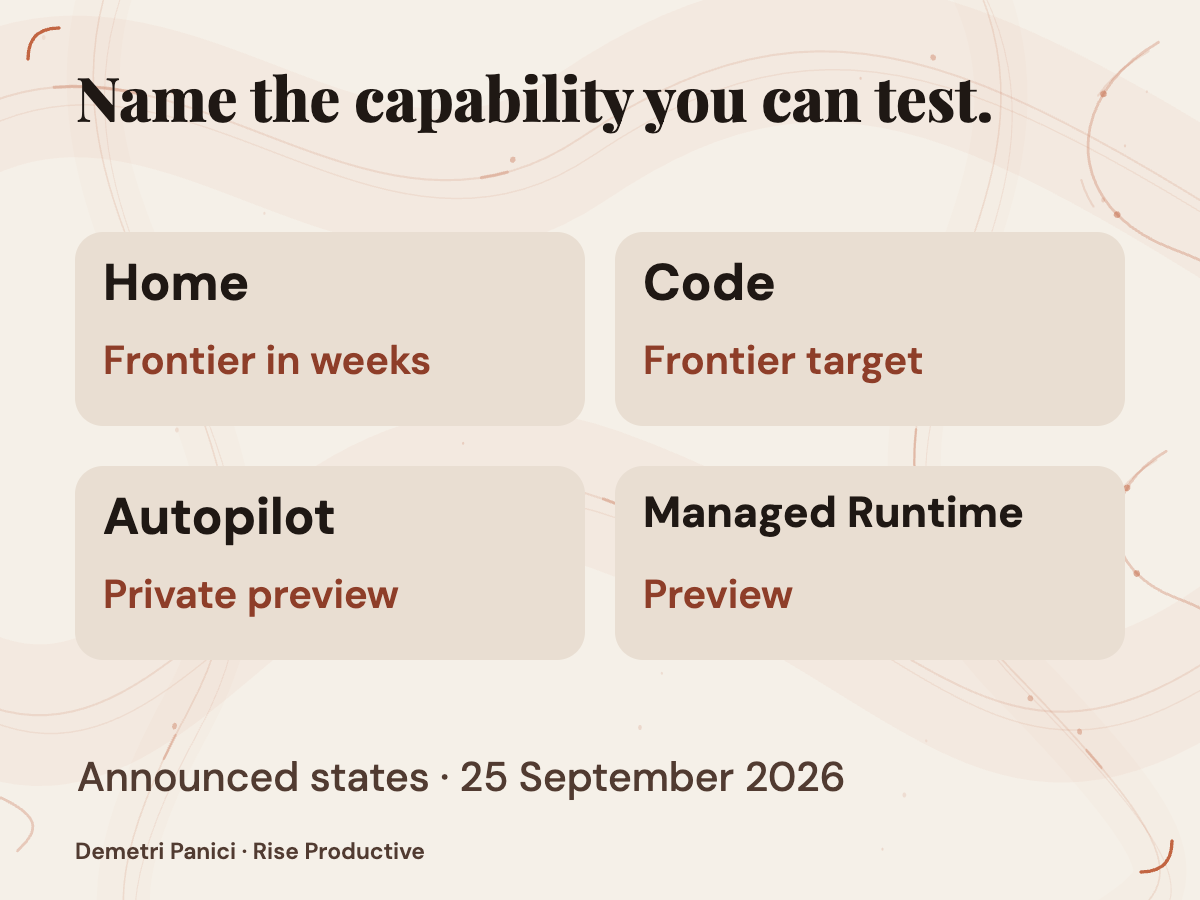
The access picture needs careful dating. On September 25, Microsoft said Home and Code would start rolling out through its Frontier program in the following weeks. In the Code section, it more specifically said Code would roll out to Frontier at the end of September, with broad availability in the weeks that followed. It also said Code would enter preview for Microsoft 365 Premium and Pro subscribers later in 2026. In the same announcement, Microsoft said Copilot Managed Runtime was then in preview. Autopilot’s private preview was set to expand at the end of September. The announcement was captured on September 28, 2026. Neither that capture nor the announcement’s forecast confirms access for a particular tenant, plan, or region, or establishes that a forecast rollout had begun by September 28.
Code and Managed Runtime appear beside Autopilot in the announcement, but Microsoft describes different jobs for them. Microsoft says Code can build apps and workflows from natural language, runs in a sandboxed environment, and can be hosted within a customer tenant. Microsoft describes Managed Runtime as hosting infrastructure for code inside a company’s Microsoft 365 environment and says it will also be accessible inside Code. Neither description establishes Autopilot’s permission model, memory retention, audit coverage, or stop behavior. Those questions need applicable technical documentation and inspection of the organization’s own tenant.
Other Copilot capabilities have their own schedules. Microsoft described Fabric IQ grounding as generally available in Chat and Cowork on September 25, while Code integration was still coming through Frontier. That statement does not establish equivalent grounding for an Autopilot assignment. A feature’s appearance in the same announcement does not tell an administrator whether it is available on the same plan or in the same surface.
The exercise below is therefore a proposed evaluation, not a report of a completed comparison. It becomes useful when an organization has authorized access and can establish appropriate boundaries. Until then, Microsoft’s dated announcement supports an assessment of what to verify, not a performance verdict.
Choose a job that can fail safely
A recurring task is not automatically a good task for a persistent agent. Frequency tells you how often the task appears. It says little about whether the inputs are stable, the result can be checked, or an error can be contained. A daily message involving a sensitive customer decision may be a poor first candidate. A less frequent internal update using disposable records and a clear reviewer may be easier to evaluate.
Describe the work before choosing a feature. Which records arrive, and which facts can change? What must the output contain? Who can recognize an omission or a wrong conclusion? Where would the result go? What happens if it is late, inaccurate, or sent to the wrong place? These questions reveal the work the owner would still have to do. They also expose whether continuous attention would remove a useful handoff or make an important handoff less visible.
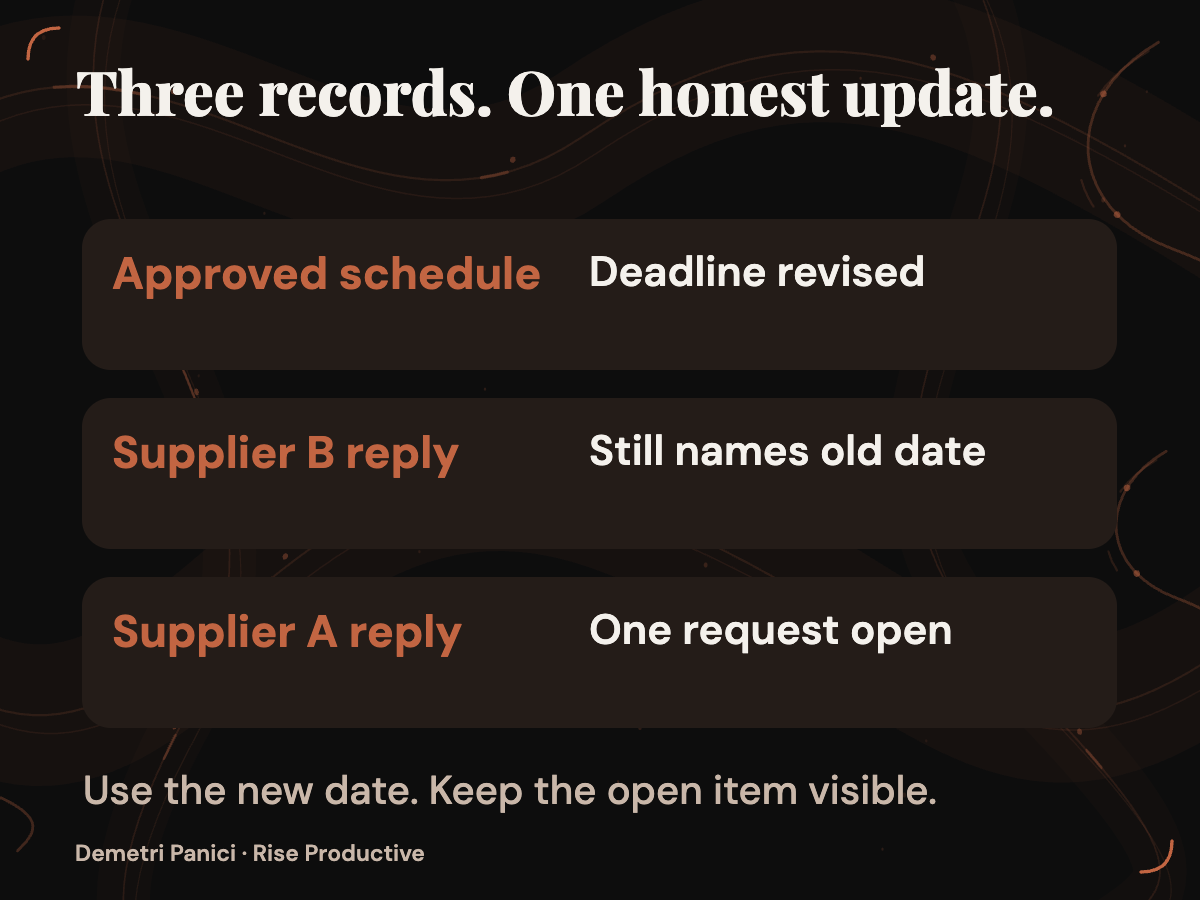
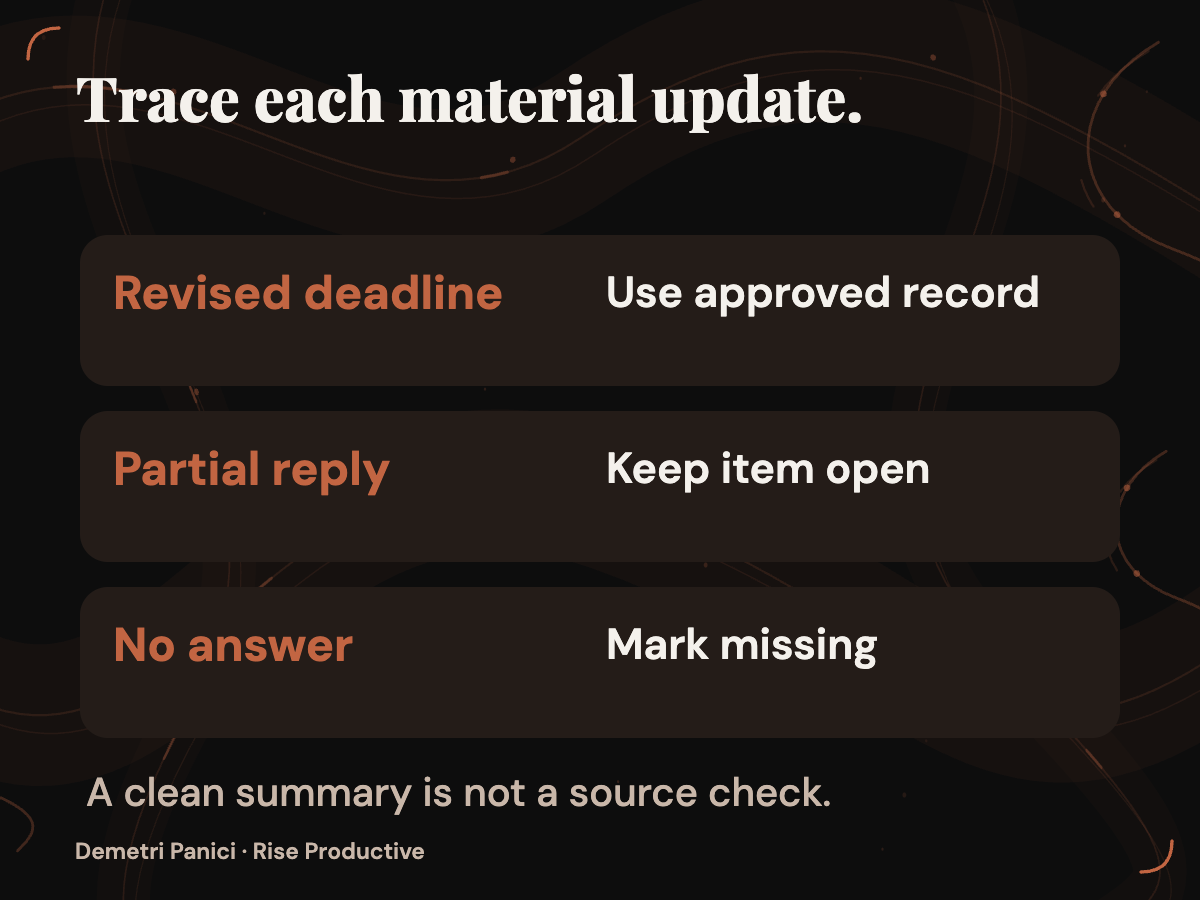
For a fictional supplier review, create a practice folder with an approved schedule and two invented supplier updates. Supplier A has answered one of two requested questions. Supplier B’s reply names the original deadline. After that reply, the project owner changes the approved deadline in the schedule. An acceptable status update would use the revised approved date, show that Supplier A’s request remains partly open, identify the old date in Supplier B’s reply, and point to the practice records behind those statements. It would leave the decision about incomplete responses with the owner.
This example involves no real suppliers, sensitive records, or stakeholder outreach. Its details are invented for evaluation, and no trial has been performed. The conflict between the schedule and a supplier reply has a purpose: a folder in which every record agrees would be a weak test of how an assignment handles changing information.
The project should also have an answer to a simpler question: would a prompted task already meet the need? If an owner can provide current records each week and review one summary quickly, a continuing agent may add permission management, usage charges, and a process to monitor without removing much work. If gathering updates and preserving context consumes substantial time, persistence may be worth investigating. Neither conclusion follows from the product announcement. The proposed trial is meant to establish which applies to this job.
Write the trial brief before seeing the output
A polished update can distract from what it omitted. Write the brief first so the team can judge results against agreed requirements. For the practice review, specify the records, initial deadline, later change, review interval, permitted actions, output location, reviewer, and conditions that end the exercise. Define failure in observable terms: an outdated deadline, a partial answer marked complete, a material statement without support in the records, or an action outside the assignment.
A task brief could read: “At each review interval, prepare a status update using the approved schedule and the two supplier records. List completed and unresolved requests, identify the current deadline, and name the record supporting each consequential statement. You may draft a proposed follow-up for the owner. Do not send messages or alter a real project record. Mark missing or conflicting information for review.” This is an example of the owner’s requested boundary. It is not evidence that the Autopilot preview can enforce every instruction.
The brief also needs a reviewer rule. The owner checks the update against the current schedule and both supplier records before treating it as usable. A draft follow-up remains a draft until a person approves it. If the update cannot identify the current deadline or account for a required record, the owner does not advance the review. These requirements give the team a reason to stop or revise the trial that is more specific than whether the report sounds convincing.
If the organization can access Autopilot and set suitable boundaries, a comparison could give a prompted Chat workflow and an Autopilot assignment the same practice job. Record the conditions for each. The products may receive different context, have different permissions, and incur different charges. Those differences belong in the result rather than being hidden behind a single winner.
- Starting material: Prompted Chat workflow: Provide the practice records and acceptance criteria with the request.; Proposed Autopilot workflow: Provide the same project facts and criteria through an authorized assignment.
- Change to inspect: Prompted Chat workflow: After the deadline changes, provide the current record and request another update.; Proposed Autopilot workflow: Change the authorized project record, then inspect the next update if the assignment can access it.
- Allowed action: Prompted Chat workflow: Request a draft status update; a person handles follow-up.; Proposed Autopilot workflow: Permit only actions the tenant can actually restrict; a person handles follow-up.
- Result to review: Prompted Chat workflow: Check accuracy, omissions, corrections, and time spent supplying context.; Proposed Autopilot workflow: Apply the same output checks, then inspect continuity and human intervention across intervals.
- Conditions to record: Prompted Chat workflow: Note the plan, supplied context, review time, and applicable charges.; Proposed Autopilot workflow: Note preview access, tenant settings, permissions, review time, and applicable usage charges.
The table describes a proposed method, not observed behavior. If Autopilot can read a changing project record while Chat receives a static copy, note that difference when interpreting the updates. If the preview cannot restrict access or actions as the brief requires, stop the comparison at that point and record the limitation. An instruction to “stay within scope” is not proof that the system enforces the scope.
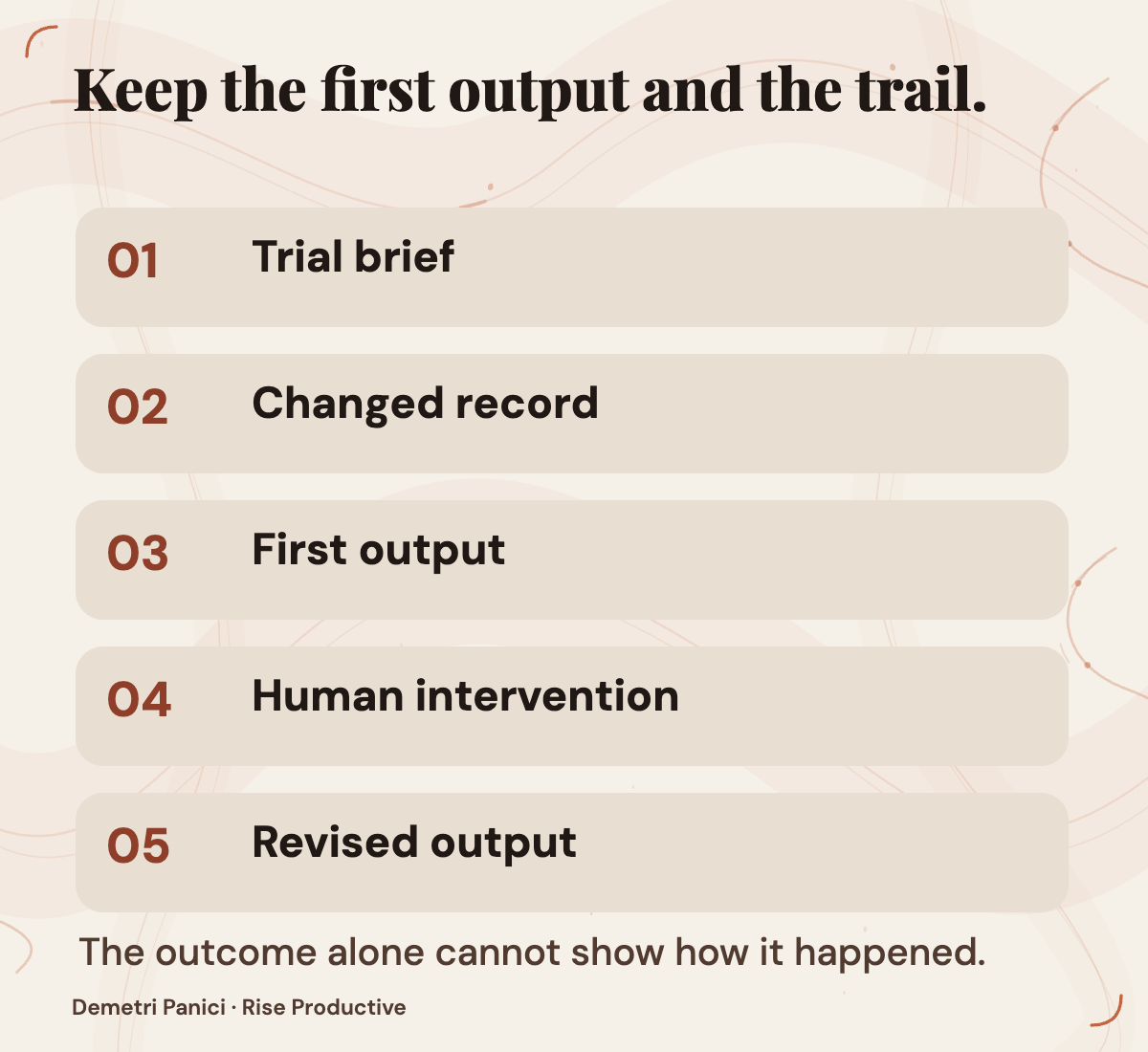
Keep the first outputs as well as revisions. Record the source records, assignment text, changes to those records, review times, human interventions, and resulting artifacts. A single speed figure would conceal whether a faster update was complete, whether a person repaired it, or whether the two workflows had different information.
Check the evidence behind each update
A tidy status report can still be wrong. In the practice example, check whether the update uses the revised approved deadline rather than Supplier B’s old date. Check whether Supplier A’s partial answer remains open. Check that an unanswered request has not disappeared simply because the report describes only items it can summarize confidently.
For every material statement, ask which record supports it and whether that record is current. This is a stronger check than asking whether the prose sounds plausible. An update that says “all requests complete” fails if one of Supplier A’s two questions remains unanswered, even if every statement about Supplier B is accurate. An update that identifies the missing answer and leaves the decision to the owner may be less polished and more useful.
Omissions need their own check. Compare the report with the brief’s required contents, not only with the claims the report chose to make. If a required record is unavailable, an explicit statement that the item cannot be verified would be useful. A confident report that silently drops the item would fail the proposed exercise. This is an acceptance criterion, not a prediction about how Autopilot responds.
Keep corrections beside the finished document. If a person catches an old deadline and requests a revision, the repaired update may be usable. The initial error and the time spent finding it still belong in the delegation decision. A team considering less supervision needs to know which mistakes the reviewer must catch, how much intervention is needed, and whether a correction carries into later work.
A failed interval can have several causes. The brief may have been unclear. The agent may not have had access to the approved schedule. It may have had the record but used an older date anyway. Preserve enough evidence to distinguish those cases because each calls for a different response: refine the task, fix access, or question the quality of the work. Without that record, the team may repeatedly rewrite the prompt while overlooking a missing permission, or expand access when the problem was an incorrect conclusion.
One successful interval supports a narrow observation: under those conditions, that workflow produced that update. It says little about the next deadline change, permission change, or interruption. Repeated observations would give a stronger basis for this job, but they would still be observations of that configured workflow rather than proof that persistent agents are dependable in general.
Map identity and permissions to actual actions
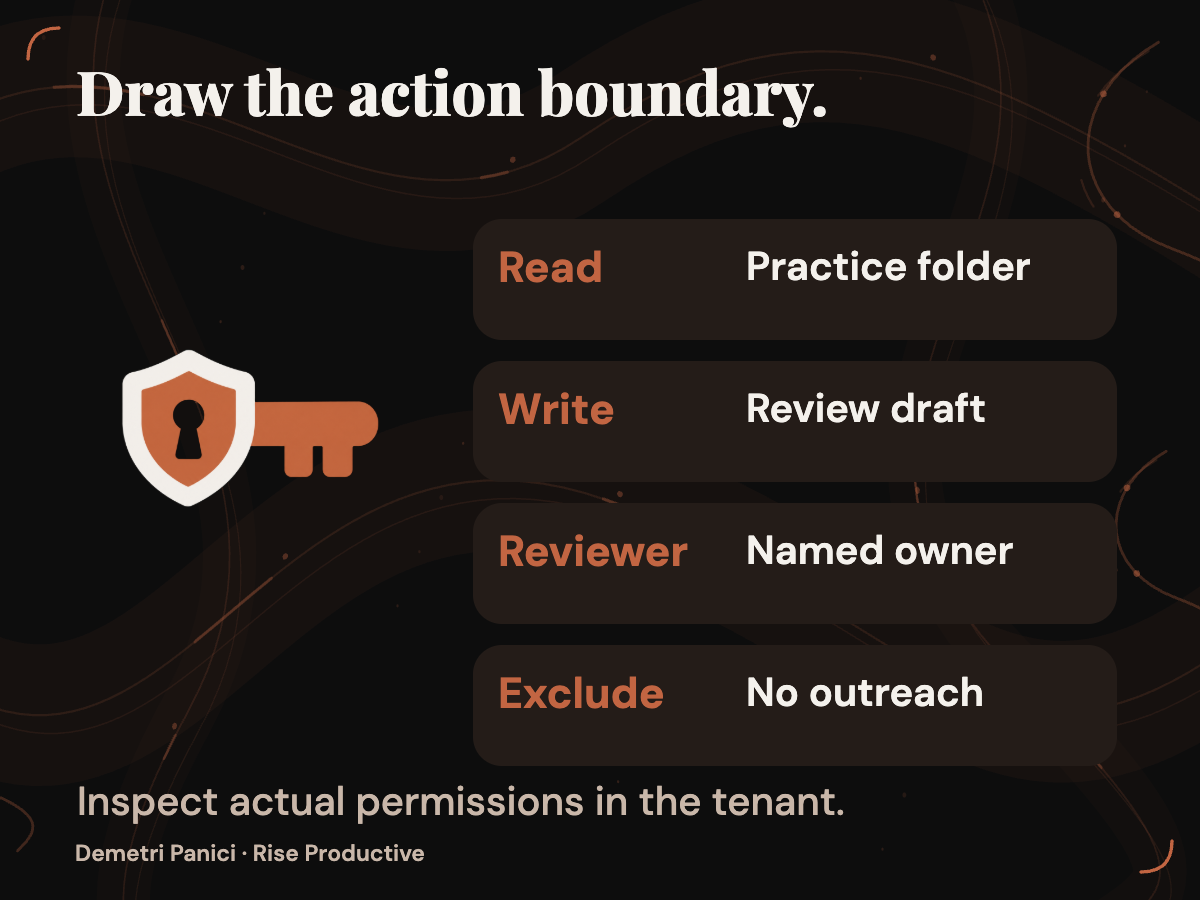
Microsoft says Autopilot lives in a tenant with its own identity and operates with permissions, audit, and governance. The September 25 announcement does not specify the complete permission model. Before assigning real work, an administrator needs applicable documentation or an inspected tenant view to answer practical questions. How is the identity created? Which channels, documents, and messages can it reach? Can access be limited to one project? Which actions require approval? How is access revoked?
Translate those answers into the candidate job. The practice review needs a defined source folder and a designated place for draft updates. It does not need an agency’s client folders, financial records, or live communications. List each source and destination the assignment requires. If a future version needs more access, name the action that requires it and the person who decides whether that action is justified.
Microsoft’s supplier review example includes following up with stakeholders. Preparing a follow-up draft for an owner, sending a note to a colleague, and contacting an outside supplier are different grants of authority. The proposed practice exercise excludes outreach. If a later project requires it, define who may receive messages, what kinds of message are allowed, when approval is required, and who handles an unexpected reply. The supplied announcement does not establish which of those limits the preview can enforce.
An agent identity may help distinguish actions when relevant records are available. It does not transfer business accountability to software. Name the person who approves the assignment, reviews exceptions, decides whether access may expand, and ends the work. That person needs enough visibility to perform those duties. If nobody knows who would see an unexpected action, the project is not ready for consequential actions.
Permissions also change over the life of a project. A folder may gain a new document, a participant may leave, or the work may end while the agent still has access. The evaluation should include a way to review the assignment’s scope after a change and to remove access when the job ends. Whether the available preview supports the needed review and revocation steps remains a question for documentation and tenant inspection.
Treat memory as a behavior and a data question
Microsoft describes Autopilot as able to resume a project days later and says it has memory. Continuity could reduce the need to restate a goal and recent decisions. It also creates questions that a prompted update may avoid: What information persists? Does a correction replace an old assumption? Can the owner inspect retained context? How long does it remain, and who can remove it?
The announcement does not answer those questions. If preview access exists, the practice project could test one visible behavior. Start with an approved deadline, change it in the authorized record, and inspect the next update. Does it use the new date and identify its source? If it uses the old date, what correction is needed? Does a later update reflect that correction without another reminder?
Even a successful sequence would show only that the assignment handled those changes in that setting. It would not reveal where context was stored, its retention period, or whether an administrator can delete it. Those points require applicable product documentation or direct inspection of available controls. Keep practice data disposable while the answers remain open.
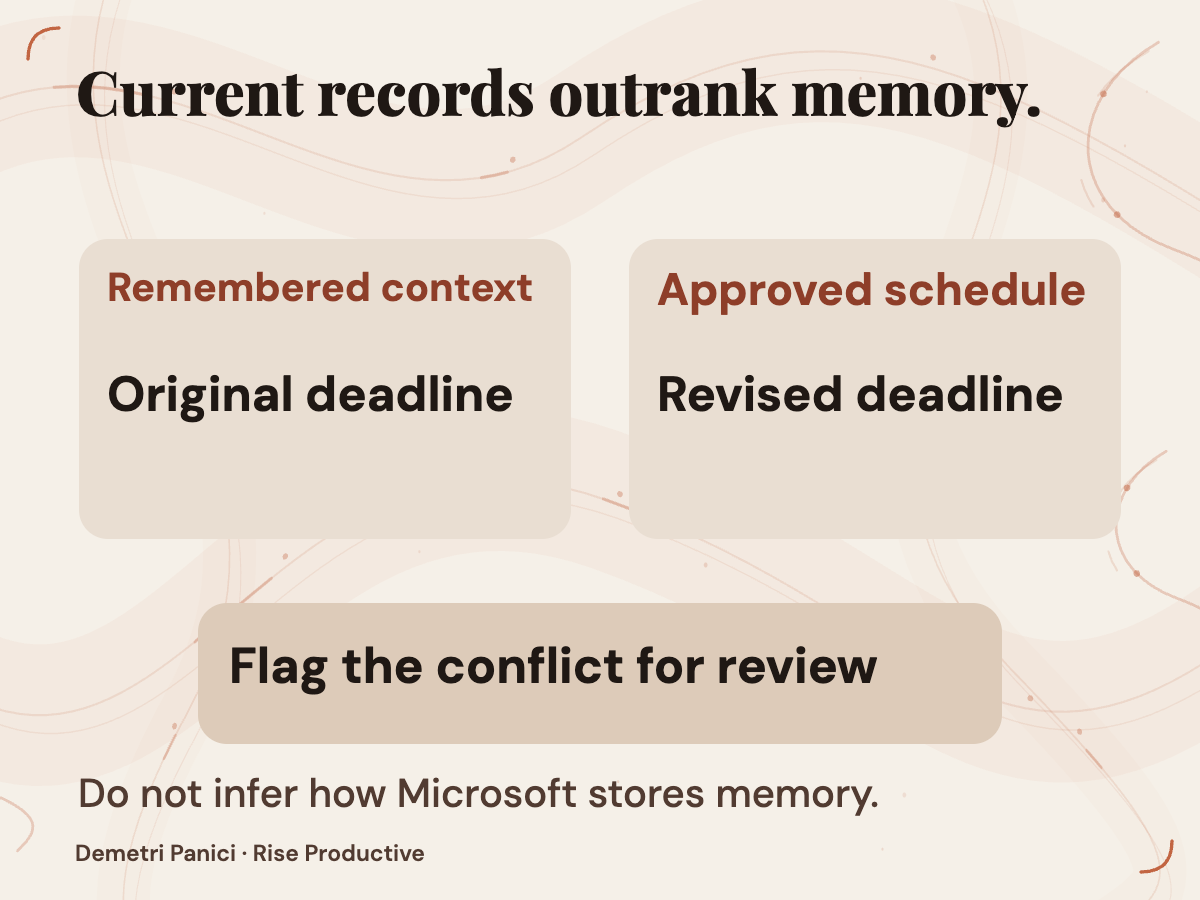
The team also needs a source of truth. A remembered conversation may provide context, but the current approved schedule should govern the deadline in this example. If remembered context and a newer record disagree, the update should expose the conflict for review. That is a requirement the owner can check in an output without claiming to know how Microsoft implements memory.
This distinction matters when a project ends. An agent that can resume work days later should have an explicit end condition as well as a start condition. The owner should know which records and permissions remain after the assignment ends and which documented process removes them. A satisfactory final update is not, by itself, evidence that retained context or access has been cleared.
Rehearse stopping and recovery
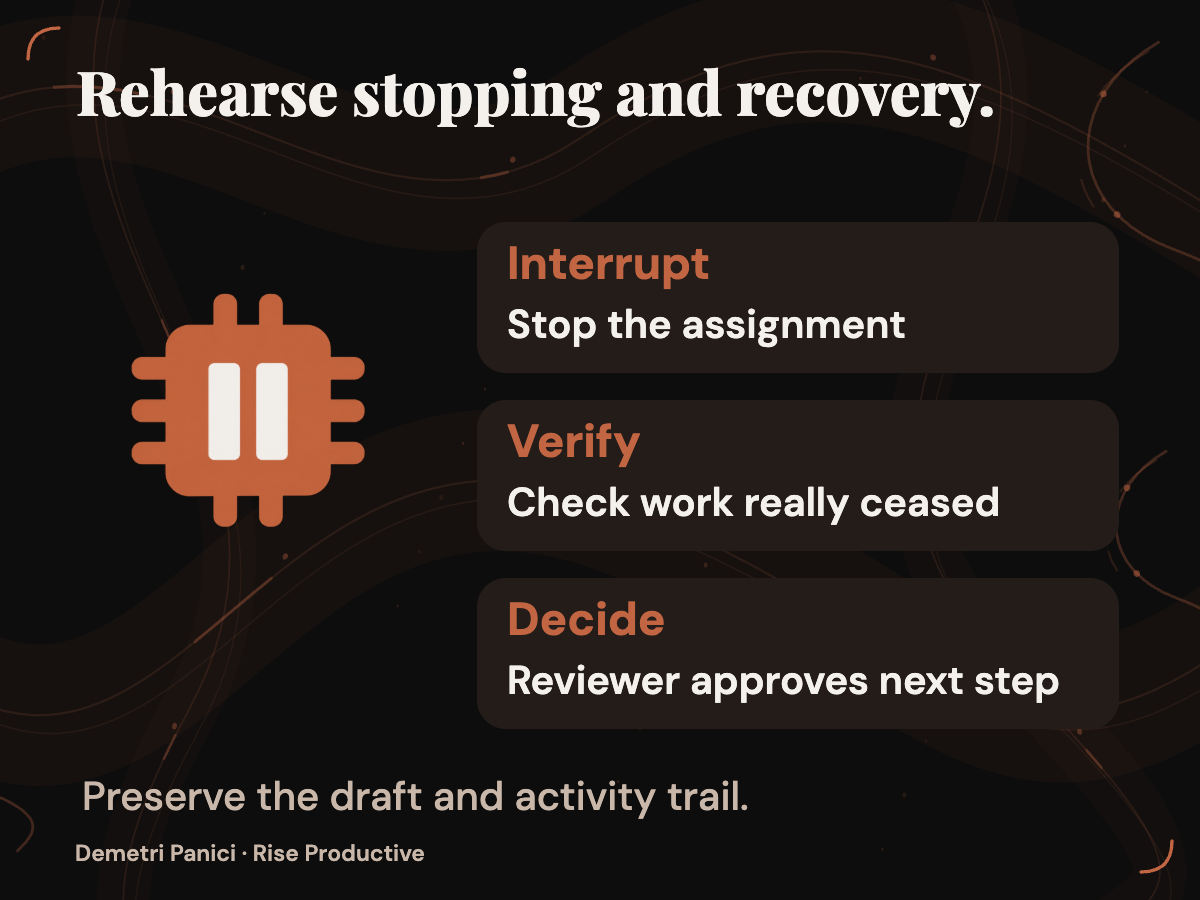
A continuing assignment needs an exit procedure before it needs a broader job. Determine who can stop it, what the available control is documented to affect, and how the owner can verify that work has ceased. Microsoft describes audit and governance, but the supplied announcement does not identify the stop controls or audit events available to a particular tenant. A button label alone would not establish what happens to work already queued.
In the proposed practice exercise, an authorized administrator would use a documented control available in that tenant to pause or stop the assignment. Record the time, inspect whether further work or action appears, and find the relevant record if one is exposed. If the preview provides no suitable way to verify the stop, record that limitation. Do not turn an untested control into a promise about unattended work.
Then consider an interruption. Suppose the assignment loses access to the approved schedule or misses an update. Who would notice? What signal would they receive? Can the owner identify the failed interval? Before work resumes, what must be checked against the current brief and deadline? These are questions for a future exercise, not reported Autopilot behavior.
Set an escalation rule before the interruption occurs. If a required record is unavailable, an acceptable draft might identify the missing record and state that the status cannot be verified. Claiming the review is complete would fail. Count the time needed to discover, explain, and repair a problem. Persistence helps only when the useful work it saves outweighs the supervision and recovery this job requires.
A recovery check also protects against duplicate work. If an interrupted assignment resumes, the reviewer should be able to tell whether it repeated a draft, skipped an interval, or used an outdated brief. The announcement does not say how Autopilot handles those cases. They belong on the evaluation sheet because a recurring workflow can produce an apparently normal update after something went wrong earlier.
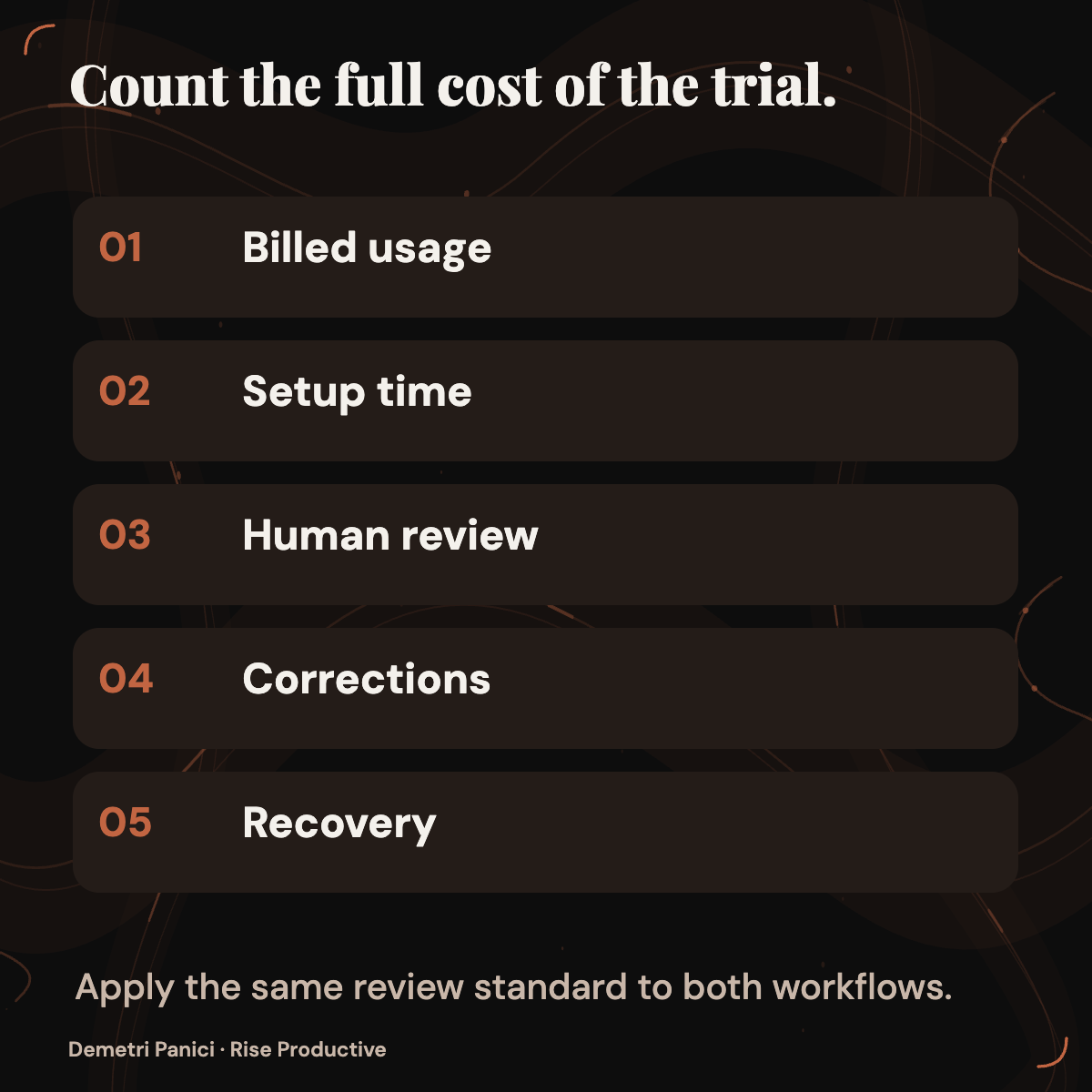
Count usage and human review together
Microsoft says everyday Copilot uses such as quick answers, drafts, summaries, and analysis are covered by a user subscription license. It says Cowork, Code, and Autopilot run on usage-based billing. Its September 25 announcement also describes spending-management capabilities, including administrator policies and user views of credit usage, balances, and history. The captured article does not provide an Autopilot rate or a bill for this exercise, confirm when each control reaches a particular tenant, or show that a policy would limit this assignment as expected.
For a real trial, obtain the terms that apply to the tenant on the date of use. Record the billing unit, rate, assignment usage, and any other applicable charge. Ask which policy applies, what happens at a threshold, and how unusual consumption becomes visible. Inspect an actual usage record if the tenant exposes one. If a rate or unit cannot be established, mark it unknown. Entering zero would make the comparison look more certain than the evidence allows.
Human time belongs beside the usage record. Record the effort spent preparing records, reviewing updates, correcting errors, checking permissions, and handling interruptions. Compare that effort with the useful work completed. A recurring agent might remove routine coordination for a bounded job. It might also produce attractive drafts that take longer to verify than the original process. Microsoft’s announcement cannot determine which outcome applies to a team that has not tried the workflow.
The prompted task needs its own accounting. Count the time spent gathering current context and issuing each request, as well as the time spent reviewing the result. Otherwise, the recurring assignment receives credit for avoiding setup work that the comparison never measured. Use the same review standard for both workflows. A summary does not become more valuable because one route produced it automatically.
Set an early spending and supervision decision point. An annual savings estimate would be premature before the team has reviewed outputs and charges. A practical stopping condition is easier to define: end or redesign the trial if costs cannot be inspected, the assignment exceeds its scope, or the reviewer must reconstruct the entire project to validate every update. The next decision can then rest on records rather than enthusiasm for the feature.
Make a decision for this job
Keep the work as a prompted task if a person can supply current context and review one deliverable with little friction. That may be the best result when the project changes unpredictably, most actions need human approval, or persistent access creates more oversight than it saves. This is a decision about the candidate job, not a verdict on every use of Autopilot.
Continue a supervised, low-risk Autopilot trial only if authorized preview access exists, the assignment stays within narrow permissions, and its outputs prove useful under review. Keep intervals short and preserve corrections, interventions, usage, and control observations. An early success would justify gathering more evidence within the same boundary. It would not justify immediately adding live outreach or sensitive data.
Consider broader recurring work only after this job produces consistently acceptable updates and the owner can inspect access, spending, relevant audit records, the stop path, and recovery. Expansion should follow the evidence collected for the workflow. A different task with different people, data, or consequences needs a new brief.
If preview access is unavailable, the performance decision remains open. The September 25 rollout language and September 28 capture cannot confirm eligibility or supply a result for your tenant. The team can still prepare a useful brief. Name the source records, review interval, allowed actions, exceptions that go to a person, evidence required for material claims, access and spending boundaries, stopping conditions, reviewer, and criteria for continuing. That brief gives an administrator concrete questions to answer when access becomes possible.
A persistent assignment earns a larger role through a record of work and controls the owner can inspect. Start with a reversible practice project. Keep mistakes, corrections, usage, and interruptions beside the finished updates. If that record shows useful work within boundaries the team can enforce, expand one part of the job at a time.
Checked for this article
Sources
Keep going
Related notes.
Systems and Workflows
Should Your Team Build an Internal App with Copilot Code?
Microsoft says Copilot Code can build internal apps from natural-language requests. Here is how to decide whether your team needs one and what to verify before live use.
Read the article
AI in Practice
What does an AI task really cost? GPT-6 vs Claude vs Gemini
A dated comparison of four AI API rate cards, hypothetical ticket workloads and the measurements needed to find the cost of accepted work.
Read the article
AI in Practice
It's a race to the bottom: GPT-6, Claude & Gemini API prices
OpenAI, Anthropic and Google have published lower or introductory API rates. Here is what those prices change for builders and how to decide whether a workflow deserves a new model pilot.
Read the article