
Automation and Agents
GitHub Copilot in Slack and Teams: Turn Threads into Reviewed Tasks
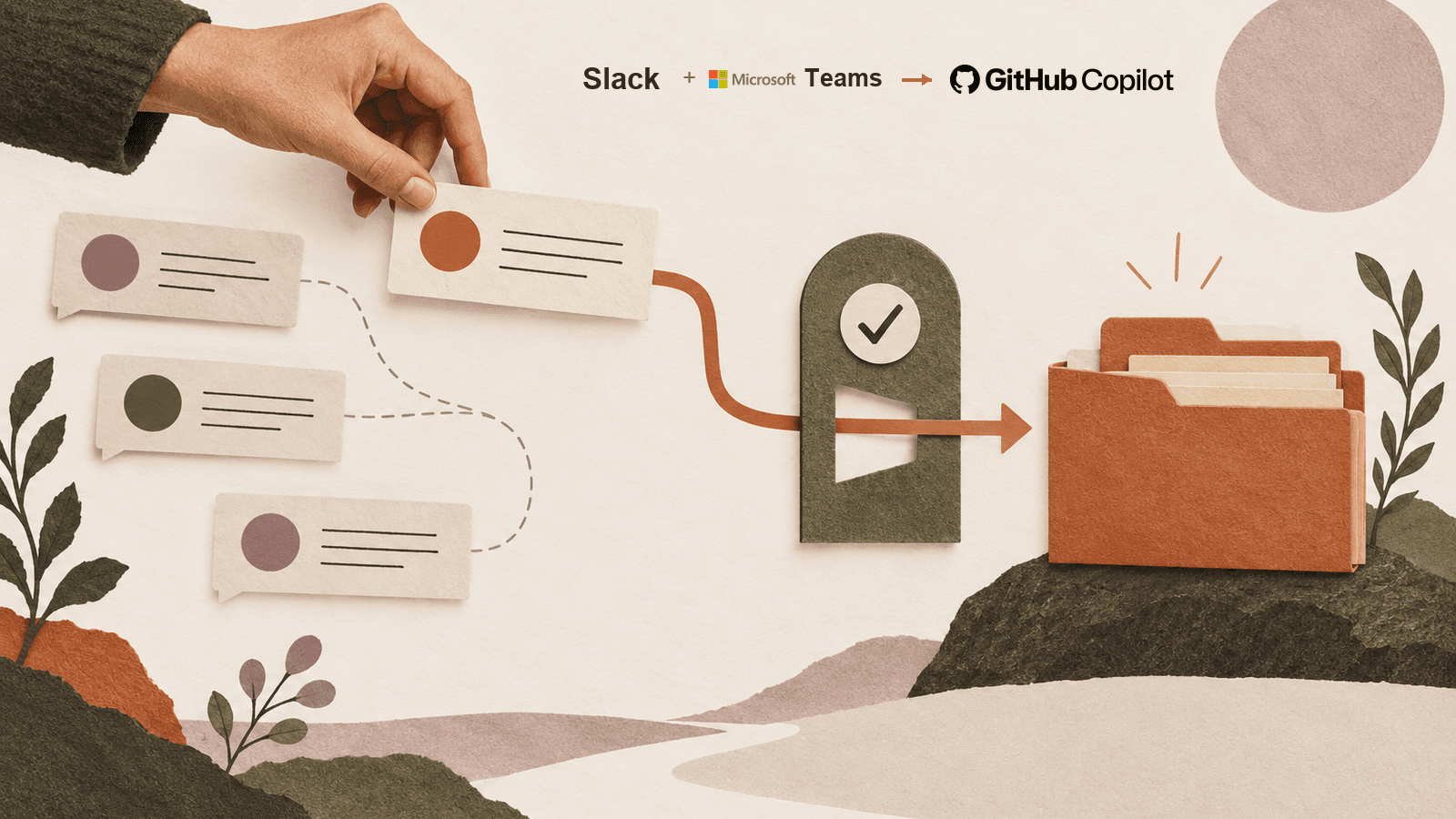
A chat mention is an intake decision. Use this practical test to turn a bounded thread into traceable GitHub work without handing an agent more context than the task needs.
On this page
- What changed, and what was already there
- Treat a mention as an intake decision
- Decide whether the thread is good context
- Use the source conversation to open a task, not to skip issue hygiene
- Choose Slack or Teams by the actual discussion
- Keep the human review boundary visible
- Run a small, honest trial
- Know when to keep the task out of the agent path
- Frequently asked questions about GitHub Copilot in Slack and Teams
- Did GitHub launch Copilot in Slack and Teams on September 25?
- Does mentioning @GitHub send only the message I wrote?
- Can anyone in the conversation trigger a code change?
- Does the similar-issue check guarantee the agent will not duplicate work?
- Is Slack better than Teams for Copilot?
- The handoff decision
Short answer: Mention GitHub Copilot in a Slack or Microsoft Teams conversation when the discussion points to one specific repository task, someone with the right repository access can trigger it, and the team can say what a correct result must contain. Keep the work in its existing ticket or start a clean direct message when the conversation is still exploratory, mixes sensitive topics, or cannot yet be turned into a testable request. A mention is not a neutral shortcut: GitHub documents that the entire thread may become agent context and stay in generated artifacts.
GitHub Copilot cloud agent is the coding agent behind these integrations. GitHub says it can investigate, plan, write code, and create issues or pull requests using conversation context. Its Slack guide and Teams guide explain the supported setup and controls.
On September 25, 2026, GitHub described improvements to its existing Slack and Teams integrations: more kinds of conversation material can inform a task, issue creation can check for similar issues, and generated work can link back to the source discussion. The changes do not mark the original launch of GitHub Copilot in Slack or Slack Code. GitHub called the updated capabilities a public preview for Business and Enterprise organizations, with some features rolling out gradually. Its dated announcement is the authority for that release wording.
The useful question for a team is not whether a conversation is “AI-ready.” It is whether the conversation already contains a bounded job that benefits from a coding agent, and whether the team is ready to inspect the work it returns. This guide offers a practical handoff test, explains what the integration changes, and shows a small trial you can run without treating a preview as a production guarantee. Before handing any work to an agent, apply the broader Work Worth Doing test: first check whether the task deserves automation at all.
What changed, and what was already there
GitHub’s September update is a capability improvement, not the start of the story. GitHub announced Copilot’s Slack integration in public preview on August 21. Slack had introduced Slack Code on August 20, a dedicated channel concept for agent work. The September post adds that Slack can use supported files, attachments and message links; Teams can use inline images, forwarded-message context, and channel and thread history. GitHub also says Copilot checks for similar issues before creating one, links to resulting work, and retains a link to the originating discussion. Availability is limited to organizations on Copilot Business and Enterprise, usage counts against existing entitlements and can be managed through cloud-agent budgets; some features may not have rolled out to every workspace yet. GitHub’s August Slack announcement, Slack’s own Code announcement and The Register’s contemporaneous coverage establish the earlier timeline.
The distinction matters because a release note can sound like a new product even when it is a set of changes to a feature teams already use. It also matters for rollout planning. A team might have access to the earlier integration but not to a capability that GitHub is still rolling out. Verify the actual behavior in your own workspace instead of assuming that the date on the changelog guarantees the feature is visible to every user.
The update improves the path from “we discussed a bug” to “there is an issue or pull request attached to that discussion.” It does not prove that any particular task will be completed faster, that a duplicate will never be created, or that a model will understand a channel perfectly. Those are outcomes to test against your own current path.
Treat a mention as an intake decision
A conventional ticket form asks a person to convert a conversation into a title, description, repository, owner and acceptance criteria. Copilot’s integration lowers the friction of starting from the conversation itself. That is useful when the thread already contains the relevant facts. It is risky when the agent inherits a large discussion simply because no one paused to select context deliberately.
Before invoking the agent, answer four questions in plain language:
- What one change is being requested? A bug with an affected component is narrower than “fix the rollout” or “make the experience better.”
- Which repository should receive the work? A channel’s default repository can affect where issues and pull requests go, so name the target when there is any ambiguity.
- Who is authorized to start changes? GitHub says the person triggering Copilot must have write access to the repository. Other people in the conversation may contribute input, but that does not mean they have the same trigger authority.
- What evidence would show the result is acceptable? Identify a test, observed behavior, required source link, or a clearly stated reason the agent should stop.
If the team cannot answer those questions yet, the next useful action may be to clarify the ticket, not to summon an agent. The agent cannot create a missing product decision on behalf of the people discussing it. It can produce a confident implementation for an ambiguous target, which makes the missing decision harder to notice.
Decide whether the thread is good context
GitHub’s Slack and Teams documentation warns that the entire thread becomes decision-making context and is stored in artifacts the agent generates. GitHub recommends a direct message to its app when a person wants to limit shared-thread context. That should change the way a team chooses a starting point. A thread is not a tiny prompt just because the visible mention is one line.
Read back through the discussion with the proposed task in mind. Is there customer information, an unrelated security issue, personal data, another repository’s implementation detail, or a suggestion that the group later rejected? Would a new participant understand which messages are current and which are obsolete? If the answer is unclear, make a short task summary and include only source messages or files that the integration supports and the task needs. Where the product does not provide a mechanism to choose a smaller thread context, move to a suitable direct message or keep the work in the existing ticket flow.
Slack and Teams both have documentation describing whole-thread context capture. That is a shared behavior worth planning for, not a reason to infer that every other integration detail is identical. The September changelog lists different types of supported source material for each: Slack files, attachments and message links, versus Teams inline images, forwarded messages and channel/thread history. It does not promise universal support for every file, image, linked document, or tenant policy. Check the relevant Slack integration guide or Teams integration guide before relying on an input type.
There is a difference between asking for less context and trying to conceal context after the agent has already received it. A team should decide before the mention whether the channel is an appropriate place for the task. If the conversation contains material the agent should not use, do not start the session there and hope a later sentence will outweigh the earlier history.
Use the source conversation to open a task, not to skip issue hygiene
GitHub says the updated experience checks for similar issues before creating a new one. That can help surface overlap, but it is not the same as a guarantee that the new request is unique. Two reports can use different terms for the same failure. A similar-title match can also point to an issue that is related but not equivalent. Someone still needs to confirm the repository, affected behavior, status and scope before deciding whether to create another issue.
A useful prompt for an issue or agent session should state the target repository and the outcome requested. For example, a team might say: “In owner/repo, inspect this failure report, first search for an existing issue that covers the same behavior, and report the closest match before opening anything new. If there is no matching issue, prepare a draft issue with the reproduction steps below. Do not change code until a maintainer confirms the issue and acceptance test.” This is a proposed task pattern, not a claim that we ran it or that the integration supports every detail of that exact wording.
For a coding change, the brief should distinguish facts from hypotheses. “The importer rejects this attached file” is an observation if the thread contains a reproduction. “The parser is broken because the locale is wrong” may be a theory. Ask the agent to test the theory instead of encoding it as an instruction. Include a minimal reproduction, expected result, actual result and a source link back to the discussion. Keep the discussion itself available to the human reviewer, because context may matter when the implementation surprises the team.
The new back-links improve traceability: reviewers can return to the conversation that initiated the work. A link is not a full decision record by itself. It does not tell the reviewer which message in a long thread supplied the current requirement, which statement was superseded, or why the team chose one option. A concise task summary that names the relevant message or source is still valuable.
Choose Slack or Teams by the actual discussion
It is tempting to turn a cross-platform update into a ranking: Slack is for one kind of team, Teams for another. The source does not support that. GitHub’s changelog describes supported context types and reliability fixes, but it does not compare the two integrations on code quality, latency, adoption, or task completion.
Instead, begin with where the decision already lives. If a product team maintains the bug discussion in a Slack thread and the thread contains the needed reproducer, that is a natural place to evaluate the Slack path. If the engineering group uses a Teams channel with forwarded customer context and a relevant inline image, the Teams path may preserve information the team already uses. Those are workflow-fit hypotheses; the actual integration behavior, permissions and workspace policy need to be checked in the target tenant.
On September 25, GitHub also described model selection for the next message and retention of that choice through the conversation, plus default owner and repository choices in Slack. Do not generalize the Slack-specific owner/repository controls to Teams unless current Teams documentation confirms the same. Confirm which model choices are available in the tenant, whether the model preference persists as expected and where a default repository is configured. A UI label in one workspace is not proof of a feature in another.
Use the platform’s official app and integration guides to verify setup prerequisites. The Slack and Teams guides describe paid Copilot eligibility, administrator-enabled cloud-agent policy and cloud sandbox requirements, with organization-owner involvement potentially required. They also describe how the app is installed and linked to a GitHub account. Those setup details can change, and the feature remains a public preview, so a historical article is not a substitute for the live instructions.
Keep the human review boundary visible
An agent can investigate, propose a plan, create issues, work in a sandbox and open a pull request. The output still needs review. A smooth handoff from conversation to a PR does not answer whether the PR implements the decision the team intended, uses a safe dependency, passes required tests, or follows repository policy.
The identity of the actor changes with the interaction context. The official guides say that a direct message can use the linked person’s GitHub permissions, while work in a shared context creates artifacts under the Copilot app identity. GitHub notes that a shared-context pull request under the app identity can require one additional approval before merge when repository rulesets already require at least one approval; GitHub says this is enabled by default. That is a specific ruleset interaction, not a claim that all teams automatically have a meaningful code review policy.
For a team, this makes the reviewer’s path worth rehearsing. Can the reviewer see who requested the work, what source thread led to it, which repository received it and what checks ran? Does a PR from the app identity appear in the right queue? Will the required approval still come from someone who understands the task? What happens if the original thread author leaves the team or cannot approve the result?
The September improvements make result and conversation links easier to trace, which is a useful design choice. The responsibility to assess code remains with the repository’s human review process. For a broader discussion of where review should remain with a person when coding agents act asynchronously, see Rise Productive’s guide to unattended coding and review boundaries. Use that as a companion principle, not evidence about GitHub’s exact controls.
Run a small, honest trial
Before a team tries this on live work, select one issue that is low-risk, representative and reversible. Use a test repository or a scope the organization has already approved. Verify the app, repository, sandbox and cloud-agent policies. Write the task’s acceptance rule before invoking the agent. Record what the team currently does manually so you have a comparison point.
For one trial, record these things:
- Context fit: Did the agent get the necessary discussion and avoid irrelevant thread history? Which files, images, links or messages were recognized?
- Task trace: Could the team follow the conversation link, issue or PR and identify the requested repository and task?
- Issue hygiene: Did a similar-issue check reveal a real duplicate, a false match, or nothing useful? Did a person make the final create/reuse decision?
- Result acceptance: Did the change meet the acceptance rule and required test? Did the reviewer find a meaningful defect?
- Review load: How long did setup, correction and review take? This is a measurement you collect, not an outcome the product announcement promises.
- Safe stop: Could the user or administrator stop a stalled session or prevent a proposed change from continuing in an old repository?
Do not calculate a reliability percentage from one task. A single successful pilot can show that a path is plausible. It cannot tell the team how often it will succeed or whether it beats the existing issue-and-PR process across different work. If the trial exposed a confusing context boundary, fix the policy before expanding the user group.
Know when to keep the task out of the agent path
Keep the discussion in the ticket flow if no one can own the work, the target repository is unclear, or the task depends on a product decision that has not been made. Do not convert an exploratory thread with several competing suggestions into an implementation request until the team selects one direction.
Keep the task out of a shared conversation if the thread includes information that should not be included in the agent context. GitHub explicitly warns that whole-thread contents become context and are stored in agent artifacts. An administrator may need to clarify approved classifications and retention requirements with security and legal teams. This article does not provide a security audit or replace an organization's own rules.
Keep consequential changes behind normal repository review. Agent identity and cloud sandboxing are controls to understand, not substitutes for permissions, branch rules or reviewer judgment. If the integration's preview state or gradual rollout makes a required behavior unavailable, use the established workflow until the tenant has the needed feature.
And keep a person in the loop when the team cannot define “done.” Agent output should not become the mechanism that decides what success means. That choice belongs in the product requirement, acceptance test or authorized reviewer decision.
The final pilot decision can stay simple: if traceability, task acceptance and reviewer effort are visible, continue with the next narrow use case; if one is unclear, repair that part before expanding. This does not need a score. A short written note about what the team actually saw is more useful than a single red/green badge.
Frequently asked questions about GitHub Copilot in Slack and Teams
Did GitHub launch Copilot in Slack and Teams on September 25?
No. The September 25 post describes improvements to existing integrations. GitHub announced the Slack Copilot experience in public preview on August 21; Slack announced Slack Code on August 20. The Teams experience also existed before the September improvement. The relevant official guide remains the best place to confirm the present availability for a specific organization.
Does mentioning @GitHub send only the message I wrote?
The Slack and Teams integration guides say the whole thread can become the decision-making context and be stored in generated artifacts. GitHub recommends a direct message to its app when you want to limit shared thread context. Check the live documentation for the exact behavior and available context controls in your workspace.
Can anyone in the conversation trigger a code change?
GitHub’s guides say the triggering user needs write access to the target repository. Other participants can provide context in the shared conversation, but that does not give them the trigger user’s permission. Guests and outside collaborators are restricted from starting or steering sessions as described in the platform guides.
Does the similar-issue check guarantee the agent will not duplicate work?
No. GitHub says Copilot checks for similar issues before creating a new one. That is a useful signal. A person should still confirm whether the existing issue describes the same behavior, repository, state and scope.
Is Slack better than Teams for Copilot?
The September update does not provide comparative quality or performance evidence. Choose based on where the relevant discussion lives, which inputs the integration supports, organization settings and the review path your team can verify.
The handoff decision
Use Copilot from Slack or Teams when the conversation has become one bounded repository task, the context is suitable to share with the agent, a user with write permission can trigger it, and a reviewer can define acceptance. Otherwise, write or clarify the issue first. The September 25 changes make more of the discussion available to the workflow and make its resulting GitHub work easier to trace. That is valuable only when the team chooses its context and review boundary deliberately.
The right trial is not a showcase prompt. It is a small task that the team already knows how to evaluate, with the same source, expected result and human check in both the agent path and the current process. If it reduces handoff friction without weakening context discipline or review, widen the experiment gradually. If it does not, keep the useful issue link and leave the code with the workflow that currently gives your team more control.
Checked for this article
Sources
Keep going
Related notes.
Automation and Agents
GitHub Copilot in Slack and Teams: Admin Controls Checklist
Before widening a shared-channel coding-agent preview, test the context boundary, trigger permissions, app identity, repository scope, budget and human review path.
Read the article
Automation and Agents
OpenAI Dots: What to Delegate to an Always-On AI Agent
Start an OpenAI Dot with one recurring, reviewable responsibility. Define its sources, stop conditions, and approval boundaries, then pilot it on known work.
Read the article
Automation and Agents
Notion Agent MCP Connections: Decide What It Can Access and Approve
A decision guide for Notion Agent MCP connections: check access and account permissions, inspect evidence, and review a proposed external write.
Read the article