
AI in Practice
What Is Work Worth Doing? A Practical Test for What to Automate
A five-part test for deciding whether repeated work should be removed, simplified, automated with review, or kept human.
On this page
- Start with the job, not the tool
- Use five tests before you automate
- 1. Frequency
- 2. Input stability
- 3. Judgment
- 4. Failure consequences
- 5. Maintenance
- Choose one of four outcomes
- Remove it
- Simplify it
- Automate it with review
- Keep it human
- A practical decision guide
- Where the 80/20 flip fits
- Run a small test before building the full system
- Protect the work that needs you
Automation is useful when it removes repeatable work without hiding a decision that still needs a person. The practical test is simple: look at how often the task repeats, how stable its inputs are, how much judgment it needs, what happens when it fails, and how much attention it will take to maintain.
That test matters because “Can this be automated?” is usually the wrong first question. A great deal of work can be automated. Some of it should be deleted. Some should be simplified. Some should remain deliberately human. The goal is not to hand every visible task to software. The goal is to make room for work that benefits from judgment, creativity, relationships, and responsibility.
New tools make it tempting to begin with a feature list. An agent can browse. A workflow can trigger. A model can summarize. Then we walk backward, looking for something to make it do.
Start with the annoying Tuesday instead.
Which task keeps returning? Where does the work slow down? Which handoff requires someone to copy the same facts from one place into another? Where does a person spend ten minutes proving that nothing changed?
That kind of observation produces a real automation candidate. “Use AI in operations” does not. A good candidate has a recognizable starting state, a repeatable transformation, and a result someone can inspect.
For example, consider a weekly content status update. The weak description is “automate reporting.” The useful description is: every Friday, collect the current status, owner, due date, and blocker for each active item, format the information in a consistent summary, and send the draft to the project owner for review.
Now there is something to evaluate. We know the inputs, the output, the cadence, and the point where judgment returns.
No single score decides whether a task deserves automation. These five tests expose the tradeoffs.
How often does the task happen?
A task that takes four minutes but happens thirty times a week may be a better candidate than a two-hour task that happens once a year. Repetition creates both cost and consistency. It also gives you enough examples to understand the normal path before you encode it.
Do not confuse frequency with importance. A frequent task can still be too risky to run without review. Frequency only tells you that improvement may compound.
Do the same kinds of information arrive in roughly the same shape?
Stable inputs do not have to be perfectly clean. They need to be recognizable. A form with named fields is stable. A folder of contracts from six vendors is less stable. A request that arrives through email, text, a hallway conversation, and somebody’s memory is not ready for automation. It is barely ready for Tuesday.
If the input keeps changing, fix the intake before building the workflow. A short form, a required field, or one source of truth often creates more value than a complicated agent trying to interpret disorder.
What part of the task requires context, taste, negotiation, or accountability?
Judgment is not a reason to abandon automation. It is a reason to put the boundary in the right place. Software can gather options, check completeness, prepare a first pass, or surface an exception. A person can decide what the result means and what should happen next.
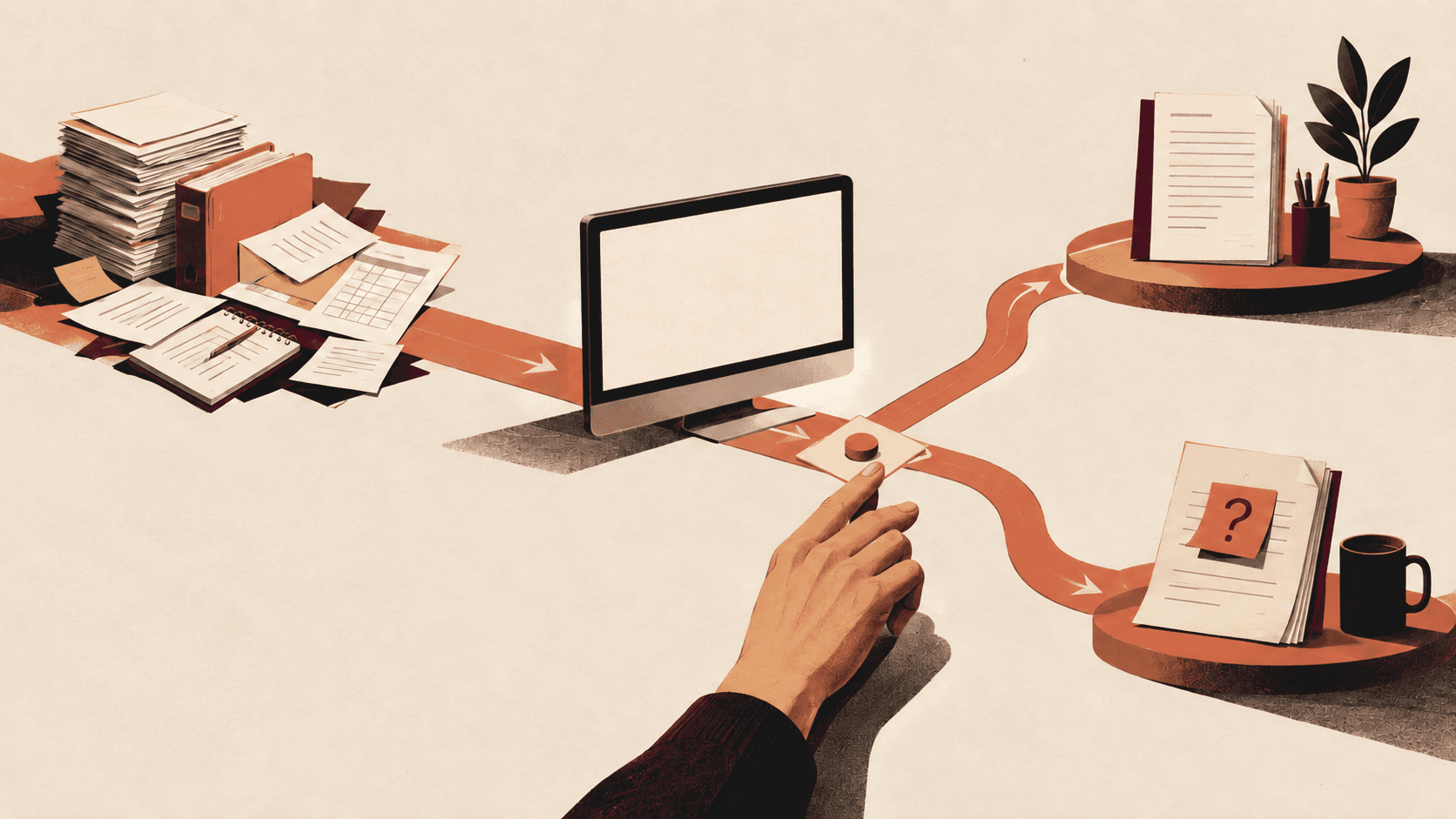
This is the human approval gate: the system moves the routine parts to the reviewer, and the reviewer owns the consequential choice.
What happens when the system is wrong?
If a failed run produces a draft with an obvious warning, recovery is cheap. If it sends the wrong price, deletes a record, publishes a false claim, or changes a customer commitment, recovery may be expensive or impossible.
The greater the consequence, the more the workflow needs previews, permissions, logs, limits, and explicit approval. Some actions should remain manual even when every preceding step is automated.
Who will notice when the system becomes stale?
Automation is not a one-time exchange of setup work for permanent free time. APIs change. field names move. people invent new exceptions. A useful system has an owner, a visible failure state, and a simple way to test it.
If nobody owns the workflow after launch, the organization has not removed work. It has hidden work inside a machine.
After the five tests, place the task in one of four buckets.
Some repeated work exists because it has always existed. Nobody reads the report. Nobody needs the duplicate record. The approval adds no information. Delete the work before making it faster.
The task may need a better template, fewer fields, one shared location, or a clearer rule. Simplification is often the missing step between frustration and automation.
This is the best home for work that repeats but still contains a meaningful decision. Let the system collect, transform, compare, or draft. Let a person approve the result or handle the exception.
The same test applies to persistent AI agents. Our Copilot Autopilot preflight shows how to define the assignment, reviewer, stop rule, and recovery checks before recurring work is delegated.
Work should remain human when its value comes from the relationship, the judgment, or the act itself. A difficult conversation is not waste because it cannot be reduced to fields. Creative direction is not inefficient because the answer is not known in advance. Responsibility cannot be delegated by making a button green.
- Frequent, stable, and low consequence: This is a strong automation candidate. Automate the normal path and log each run.
- Frequent and stable, with judgment at the end: Build a human-in-the-loop workflow. Prepare a draft, then require approval.
- Frequent, with unstable inputs: Treat it as an intake problem. Standardize the request before automating.
- Rare and high consequence: This is a weak full-automation candidate. Use a checklist or assisted review.
- No clear reader or owner: The task may be waste. Remove it or define its purpose.
- Many exceptions and no pattern: The process is still being learned. Keep it human and collect examples.
The table is a starting point. It cannot know your risk tolerance, your data, or the people affected by a decision. Its job is to make the tradeoff visible.
I use the phrase “80/20 flip” to describe a direction for designing work: move more routine execution to systems so people can spend more of their attention on judgment and meaningful contribution.
It is a philosophy, not a measured guarantee. It does not mean every role can or should become 80 percent creative work. It gives us a question to ask while redesigning a task: are people spending their limited attention on the part that actually benefits from having a person there?
The same is true of the “1% Rule” in this body of work. It is a practice idea: keep making small, useful improvements instead of waiting for a perfect transformation. It is not a promise that every system produces a mathematically verified one-percent gain.
These concepts are helpful when they guide better choices. They become unhelpful when the numbers are treated as proof.
Pick one task and observe it for a week.
- Write down what starts the task.
- Record the inputs that are actually used.
- Separate the fixed steps from the decisions.
- List the common exceptions.
- Define what a safe draft or preview looks like.
- Decide who approves the result.
- Decide how a failed run becomes visible.
Then automate the smallest stable section. Do not begin with every possible branch. Run the system beside the current process, compare the outputs, and keep the review point visible until the normal path is boring.
Boring is good here. Boring means the workflow is understandable enough to trust within its limits.
The point of automation is not to become impressively busy building automations. It is to remove click-clack work that consumes attention without using the best of it.
A good system gives people clearer inputs, fewer repeated transfers, and a better moment to apply judgment. It also makes its limits obvious. You can see what it did, what it skipped, and where a person took responsibility.
That is work worth doing: the part where attention changes the outcome.
If you want to see the practical building blocks behind these systems, explore the [courses](/courses), browse the [templates and systems](/products), or watch the latest demonstrations on the [Rise Productive video library](/watch).
Keep reading
Related posts
AI in Practice
GPT-6 Astra Computer Use: When Is It Better Than an API?
GPT-6 Astra can use computer-use tools, but the model does not supply the environment or decide whether a user-interface route is better than an API. Use it when the interface is part of the work, then compare it with the narrowest reliable
18 min read

Productivity
What an Energy-Aware Calendar Needs to Know About Your Day
The inputs, limits, and human review points that make energy-aware scheduling more useful than filling empty time slots.
7 min read

AI in Practice
A Practical Atlassian MCP Pilot for ChatGPT and Codex Administrators
Use Atlassian's Read, Write, and Search controls to stage an MCP pilot, test real permissions, and decide what to expand.
18 min read