
AI in Practice
GPT-6 Astra Computer Use: When Is It Better Than an API?
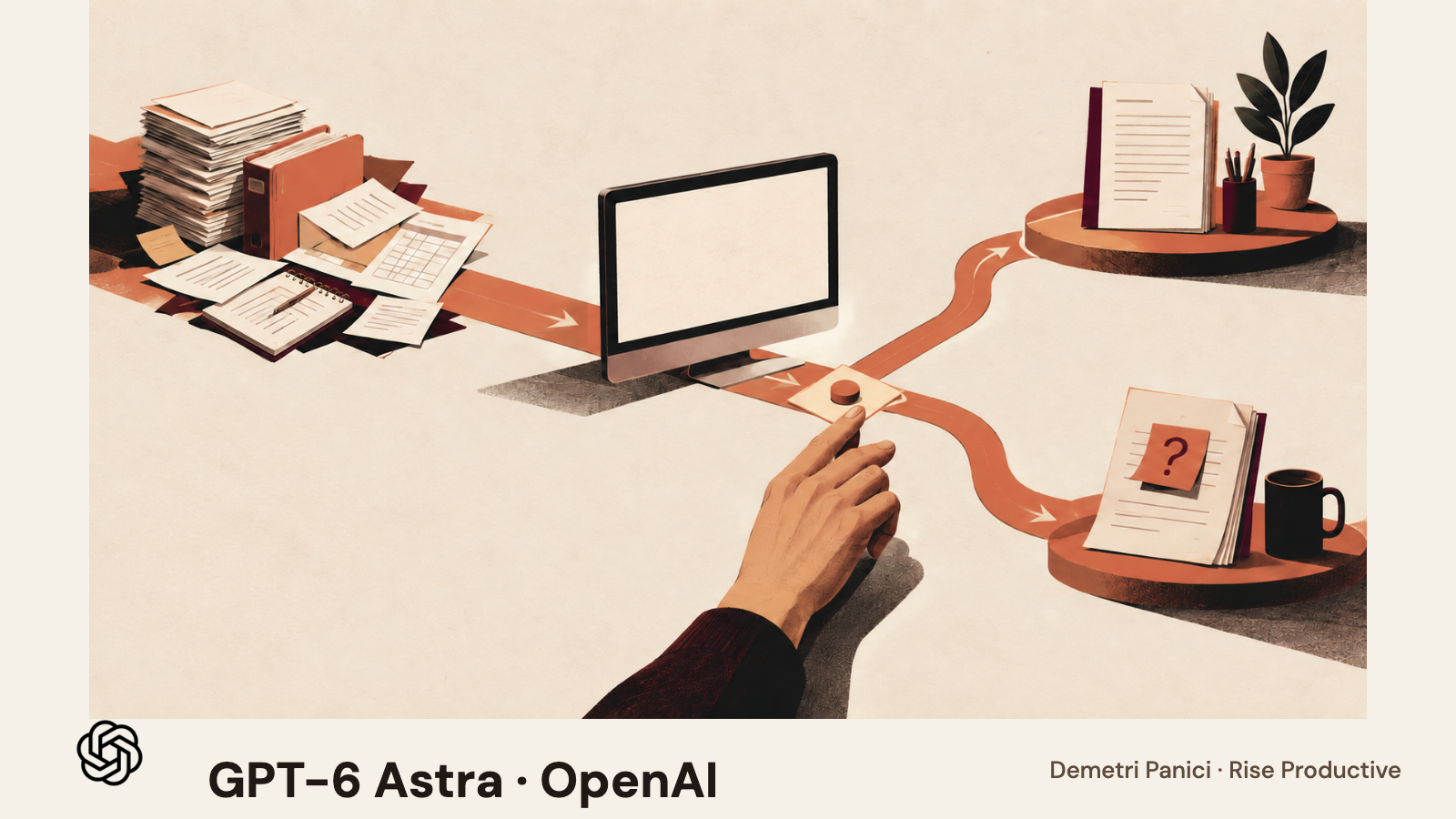
GPT-6 Astra can use computer-use tools, but the model does not supply the environment or decide whether a user-interface route is better than an API. Use it when the interface is part of the work, then compare it with the narrowest reliable
On this page
- What “computer use” means in the API
- When an API is the simpler choice
- A useful fit test starts with the task, not the model
- Which workflows are promising candidates?
- Turn “seems promising” into a bounded pilot
- Measure accepted work, not clicks
- Add the full cost before calling a route economical
- Prefer the narrowest route that passes your standard
- Stop conditions belong in the system around the model
- What to decide before expanding beyond the first task
- Frequently asked questions
- Can GPT-6 Astra use my computer directly?
- Is computer use better than an API?
- Should I use Astra instead of GPT-6.1 Sol?
- Does the OSWorld 2.0 result predict my task success?
- What should the first computer-use pilot avoid?
- The decision to make
If a reliable API or narrow integration already performs the job, start there. Test GPT-6 Astra computer use when the interface supplies context the API cannot, or when no suitable integration exposes a required step. Compare both routes on the same task and acceptance rule, including access limits and human review. OpenAI’s GPT-6 Astra model page lists computer use as a supported Responses API tool. Its computer-use guide says your application supplies and operates the environment. Supporting the tool does not make the model a ready-made desktop automation system.
The decision is whether a computer-use route completes this particular job accurately enough, with acceptable review effort and a safe failure path. OpenAI’s current model guidance positions GPT-6.1 Sol as a lower-cost, near-Astra option for complex work. That is a vendor description, so compare candidates on your own task. Our model task-cost comparison explains why a rate card alone cannot determine the cost of accepted work.
Key Takeaways- Astra supports computer use as a Responses API tool, but your application supplies the environment, executes the actions, and enforces access.- Start from the narrowest reliable route. Test a screen route when the interface supplies context the API cannot, or when no integration exposes a required step.- Compare routes on one task with the same starting state, permissions, and a written acceptance rule agreed before the run.- Cost the route as tokens plus runtime, tool calls, retries, setup, review, and repair, divided by accepted outcomes rather than attempted runs.- OpenAI’s reported 72.6 percent partial OSWorld 2.0 score, from the August 8, 2026 offline set, describes its own published setup, not your browser, account, or data.
What “computer use” means in the API
A computer-use model receives a view of a task environment and proposes actions. A host application or runtime executes those actions, captures the resulting state, and returns the next observation. The model reasons through that loop, while the application decides which environment exists, what accounts are signed in, how tools are exposed, which actions may run, and how to stop or recover.
OpenAI’s current computer-use guide describes two broad ways to provide this interaction. In a code-execution setup, the model writes code that operates the interface through a library such as Playwright or PyAutoGUI. In the computer tool path, the model returns structured mouse and keyboard actions that the application translates into browser or desktop input. OpenAI recommends code execution for Astra, while retaining the structured computer tool as an alternative. These are different integration patterns. The guide does not say that Astra arrives with a general-purpose computer that can access a reader’s accounts.
A complete route therefore includes more than a model call. It has an environment that can be created and isolated, a way to present screen state, an execution mechanism, a policy for permitted actions, a method for returning observations, a limit on time or steps, and a person or system that can inspect the outcome. For a browser task, this may be a fresh browser session with only the necessary domains available. For a desktop workflow, it may be a virtual machine or controlled workstation. The host should keep its own record of what it opened, what the model asked it to do, what actually ran, and what state changed.
This is why claims about a model’s computer-use ability cannot answer deployment questions by themselves. A model may support the tool, but the product team still has to implement the loop and decide what access it receives. A hosted demonstration may also use a different runtime, account, dataset, or review policy than the system a company plans to ship. Treat the model specification as one dependency in a larger service design.
When an API is the simpler choice
An API or purpose-built integration is usually easier to evaluate when the task has a stable structure. If the work is “look up this customer record by its unique identifier, update one field, and return the audit ID,” a narrow function can expose exactly those operations. It can validate the identifier, check authorization, reject an invalid field, and return a predictable result. A computer-use agent might be able to navigate the same CRM, but that extra freedom does not automatically make the workflow better.
Structured integrations are also easier to constrain. A function that can read one table and write one approved field offers less capability than a browser account that can open a suite of applications. Fewer permissions make the allowed behavior easier to explain and test. The team can write ordinary software checks around inputs and outputs, and can often reproduce the exact request without needing to reconstruct a screen state.
Visual routes can still fit a stable interface when no API is available or the vendor does not expose the operation you need. But the test should compare against the strongest realistic alternative, not against doing nothing. Sometimes a small manual step, a supported export, a webhook, or a vendor connector is the more sensible baseline. A screen can be automated, but it can also change, display stale data, require authentication, show a confirmation dialog, or expose a result that is difficult to verify later.
An API has its own limits. A formal endpoint may omit a human-only review screen or may not support a workflow spanning multiple products. It may be expensive to build and maintain. A computer-use path can bridge that gap when the UI provides the only practical route. The decision is specific to the work: use the least complex route that meets the actual requirement and leaves enough evidence to review it.
A useful fit test starts with the task, not the model
Write down the user’s request as an outcome someone can inspect. Avoid starting with a list of clicks. “Open the customer page and press Save” describes a motion. “Update the account’s renewal date to the date in the signed amendment, preserve the prior value in the change record, and leave the account unchanged if the document conflicts with the CRM” describes a job with a result and a boundary.
Next, record how the information reaches the system. Does the task begin in a structured database, a PDF, an email, a web page, or a person’s request? Is the input authoritative? Which source wins if two values disagree? If the task relies on a visual screen, identify what the interface contributes that a direct call would not. Maybe the screen combines context from two systems. Maybe a person must choose among options represented only in a product UI. Or the UI may simply be a convenient front end to an available API. That last case is a warning that visual navigation might be adding steps without adding value.
Then describe the acceptable state after the task. A result is not “the agent reached the last page.” It may require the right record, the correct value, an unchanged set of unrelated fields, a stored confirmation, and a useful explanation of uncertainty. Include failed cases. If the record is missing, should the route stop? If the page displays a warning, should it ask? If the session expires after the Save action, how will you tell whether the change succeeded before retrying?
Finally, name the actions the route may take and the actions it cannot take. A test might permit reading records and preparing a draft while prohibiting sending an email, submitting a payment, changing access, deleting data, or publishing. A clear task contract gives the evaluator something to measure and gives the host a basis for limiting tools. It also gives a reviewer a reason to reject an output when it looks plausible but violates the task boundary.
Which workflows are promising candidates?
A computer-use pilot is more plausible when the interface is essential, the job is repeatable enough to describe, the result is observable, and a mistaken action can be detected before it causes lasting harm. These conditions do not prove that an agent will succeed. They help decide whether a test is worthwhile.
Consider a research assistant that collects public information from a few authenticated websites and prepares a draft summary. If no supported search endpoint covers the sources, a browser path may fit. Keep the output as a draft, cite source pages, and require a person to check key details. If the same sources provide reliable APIs, compare those first. The browser version may still be useful for a review step that depends on page layout, but it should not inherit access to unrelated accounts simply because the runtime has a broad browser.
Another candidate is an internal operations task that prepares changes across multiple web applications. The agent could locate a record, check its status, and prepare a proposed update. This becomes a stronger test if the first phase ends before any consequential save. A reviewer can compare the proposed changes with the source, and the host can store the session evidence. If the task eventually needs a committed change, add that capability only after the draft route proves reliable and the approval control has been implemented outside the model’s free-form reasoning.
A task is a weaker candidate if the desired result cannot be independently verified, if the UI is unpredictable, if one mistake is costly and hard to reverse, or if a deterministic API already does the job. It is also a poor first test when the task spans many accounts or exposes sensitive information without a clear necessity. “It would save time” is not enough if no one can tell whether the action was correct or undo it when it was not.
Astra may be worth including when the task is unusually complex or requires a longer chain of visual and reasoning steps. The fact that it supports computer use does not mean every screen task requires Astra. GPT-6.1 Sol is now positioned in OpenAI’s own model guidance as a lower-cost model with near-Astra performance on complex work. That is a vendor description, not a matched result for your task. A fair shortlist could include Astra, Sol, the most capable API or integration available, and the current manual route. Remove candidates that cannot meet the task’s access, reliability, or review requirements before spending time on performance comparisons.
Turn “seems promising” into a bounded pilot
Choose one task that a person can review and that will not send, publish, purchase, delete, or change production data during the first pass. Use representative examples, including ordinary cases and the exceptions most likely to break the route. Keep real customer or employee data out of the pilot unless its use is approved and the environment has the necessary controls. Synthetic or sanitized examples can help test the workflow shape before an authorized environment is connected.
Make the starting state identical for each route. Use the same request, the same source documents, the same account permissions, and the same definition of success. If the UI path gets access to more information than the API path, state that difference. If one option uses a human pre-check that the other does not, record it. Without a comparable basis, the result describes two setups, not the model choice alone.
Decide what counts as a pass before the run begins. For a CRM update, a pass could require the correct target, an exact field value, a source link, no unapproved side effects, and an audit entry that matches the change. For a document task, it could require every named section, correct facts, a retained source list, and an editable file in the expected location. Include a “stop and ask” criterion for a conflict, an ambiguous identity, or an unexpected confirmation dialog. That criterion should not be inferred after seeing which route finished faster.
Record the path’s complete cost. Include model input and output, computer or browser runtime, tool calls, retries, human setup, reviewer time, repair time, and any work needed to restore the test state. Keep speed as a separate observation. The longest wait may not be the highest-cost part: a brief run that creates a difficult-to-review output can consume more staff time than a slower run that leaves a clean record.
For a small pilot, the sample is a diagnostic, not a universal estimate. If you test six cases, report six cases. Keep each attempt, including failures and abandoned sessions. Don’t discard a failure because the next run succeeded; the retry is part of the workload and the rate at which retries occur affects operating cost. Note changes to the prompt, model, page, tool, account, or starting state. A change can make the next run a different experiment.
Before increasing permissions, inspect the recorded sessions. Confirm what the model saw, what actions were requested, which ones the host executed, and what happened afterward. Confirm that the output references the right source and the right record. A final answer that says “done” does not prove the site changed correctly. The runtime should verify the resulting state and return an explicit failure if it cannot do so.
Measure accepted work, not clicks
A computer-use route can move quickly through a page and still fail the user’s request. Completion rate is more useful when it is tied to the acceptance rule, and cost is more useful when it is divided by accepted outcomes rather than attempted runs.
For a pilot, track at least these separate observations:
- accepted results, according to the written rule
- incomplete or incorrect results, including the failure category
- actions that reached the wrong record or went beyond the requested scope
- retries and recovery steps
- time spent configuring and restoring the environment
- reviewer and repair time
- model, tool, and runtime charges
- steps where the route paused or requested clarification
Don’t collapse those into a single “agent score” unless the team understands the weighting. A route with slightly more accepted results may not be preferable if the errors are concentrated in high-impact actions. A route with fewer errors may still be too costly if every result requires extensive review. Use thresholds that reflect the task’s consequences, not a generic industry benchmark.
OpenAI reports that Astra achieved a 72.6 percent partial score on the August 8, 2026 offline set of its cited OSWorld 2.0 evaluation and compares it with a different model under the published setup. That is a vendor-reported evaluation, not a prediction for your environment. The independent OSWorld 2.0 paper describes 108 long-horizon computer-use workflows and notes that current agents still lose track of constraints, miss information that arrives mid-task, guess instead of asking, and skip verification. That research is context for why end-to-end tests matter. It is not a direct benchmark of your browser, task, account, or deployment.
Add the full cost before calling a route economical
GPT-6 Astra’s current Standard text rates below the long-input threshold are $10 per million input tokens and $50 per million output tokens, according to the model pricing table. The model page separately lists cached-input and cache-write prices, a long-input threshold, and tool-specific charges. GPT-6.1 Sol is listed at $2 and $10 per million input and output tokens on its model pricing page. Those rates are useful for estimating model charges, but they do not tell you whether computer use costs less than an API task overall.
Consider a hypothetical route that uses 60,000 uncached input tokens and 8,000 output tokens on one Standard Astra attempt. The text-token estimate is $0.60 for input plus $0.40 for output, before computer-use calls, hosting, cache treatment, regional processing, or other applicable charges. This is arithmetic from listed rates, not a measurement of an actual task. An identical second attempt would double that model-token portion; a different retry needs its own token count. If a person spends eight minutes reviewing and another ten repairing a mistaken field, those staff costs remain separate from the token bill. The example says nothing about how many tokens Astra would actually use for a particular screen task.
A fair estimate uses the task’s observed token counts, applicable pricing mode, tool charges, infrastructure, retries, and acceptance rate. It also keeps work time visible. Don’t compare an API call’s token estimate with a computer-use workflow’s full price and conclude that one model is cheaper. Match the cost basis first. Our guide to the “race to the bottom” in API prices uses the same principle: price per token is not cost per accepted job.
Prefer the narrowest route that passes your standard
After the pilot, choose among four outcomes. Keep the existing process if the tested routes do not meet the acceptance rule. Use an API or specific integration when it produces the same accepted result with simpler control and inspection. Keep a human in the loop when a screen decision is useful but the consequence or ambiguity needs judgment. Use computer use for a bounded part of the work when the interface is genuinely necessary and the route proves it can meet the written criteria.
A mixed workflow can be more sensible than handing everything to a computer-use model. That principle also appears in our guide to checking what an AI should prove before you delegate recurring work: define the reviewable outcome and evidence first, then decide which steps can be delegated. An API may retrieve an authoritative record, the model may summarize or prepare a draft, and a reviewer may approve the one action that changes the source system. A browser can be limited to a step the API cannot handle. The system should make that boundary visible. It should not quietly switch from a structured endpoint to a broad browser because one route returned an error.
Choose the model after the route has passed the functional and access checks. If the API or UI environment is incorrect, a model comparison will measure the wrong thing. If the workflow is simple and stable, test a lower-cost option before assuming Astra is needed. OpenAI itself recommends comparing GPT-6.1 Sol with Astra on your tasks to assess quality and cost. Don’t convert “near-Astra performance” into “the same performance” or “Astra is always worth the premium.” Keep the decision scoped to the data, task, constraints, and approval setup you actually tested.
Stop conditions belong in the system around the model
The host should be able to stop for a missing or conflicting source, an unexpected page, a changed permission, an expired login, an action outside the task contract, an unclear success state, or a step limit. These are examples of conditions to implement and test, not controls that appear automatically because a model supports computer use. OpenAI’s guidance says to restrict the environment, treat screen content as untrusted, confirm consequential actions, set bounds, and verify the result.
Make the stop state useful to the reviewer. Instead of returning a vague failure, the system can identify the last verified state, the proposed next action, the reason for pausing, and what a person must decide. Preserve enough information to continue safely without repeating a successful action or guessing whether an earlier write happened. When the outcome cannot be determined, the default should be to inspect before retrying.
A computer-use run is easier to maintain when the team owns the environment, policy, connector versions, permissions, and support path. A changed browser, new dialog, moved button, revoked session, or updated policy can alter the result. Assign an owner to examine those dependencies and stop the automation when a needed check fails. That work belongs in the route’s cost, even if it does not appear on the model invoice. The separate design question of where the host should require a human is covered in our approval-boundary guide for Astra computer use.
What to decide before expanding beyond the first task
The first pilot should answer a narrow question: can this specific route produce this specific accepted result with a review process your team can sustain? It should not be used to certify other pages, accounts, task types, or release paths. If it passes, expand in steps. Add a second task only after you have written its own acceptance rule and checked that the environment and permissions still match the intended job.
Before expanding, ask what the first pilot actually proved. Name the environment, task version, permissions, cases, and acceptance rule that passed. List what remains untested, including other record types, exception dialogs, and failure recovery. Keep the pilot small when its result is mixed, and revise only one part of the route at a time so the next run still explains what changed. A model benchmark can guide the shortlist, but it cannot answer those deployment questions for you.
Frequently asked questions
Can GPT-6 Astra use my computer directly?
The API provides computer-use capabilities, but the developer supplies and operates the environment. An application has to connect the tool to a browser or desktop, carry out requested actions, return observations, and enforce its own access and confirmation rules. The model page alone does not grant Astra access to a reader’s computer or account.
Is computer use better than an API?
Not by default. For a stable task with a reliable endpoint, a narrow API or function is often easier to constrain and inspect. Computer use is worth testing when the user interface is necessary or no suitable integration exists. Compare both routes on the same task and acceptance rule.
Should I use Astra instead of GPT-6.1 Sol?
The answer depends on the workload. Current OpenAI guidance describes GPT-6.1 Sol as a lower-cost, near-Astra option and recommends comparing the two on your own tasks. The published description does not establish which model performs better on a particular workflow. Test the candidates with the same inputs, permissions, settings, and review criteria.
Does the OSWorld 2.0 result predict my task success?
No. A benchmark is evidence about its stated evaluation setup. The independent OSWorld 2.0 paper and OpenAI’s reported Astra result provide context, but neither measures your app, account, data, runtime, or acceptance rule. Use a local pilot to answer that question.
What should the first computer-use pilot avoid?
Start with a reversible task that can be inspected. Avoid unsupervised sending, publishing, payments, deletion, access changes, or production updates until the system has specific permissions, confirmation behavior, stop conditions, and recovery tests for those actions.
The decision to make
Use GPT-6 Astra computer use when a screen is a necessary part of a workflow and a controlled pilot can show that it meets a written acceptance rule. Keep the host, environment, permissions, review, and recovery plan in the comparison. If a simpler API or a lower-cost model reaches the same accepted result, there may be no reason to pay for the additional route. If the task cannot be independently checked or safely stopped, it is not ready for unattended execution. Choose one reviewable task, compare realistic routes, and expand only when your own evidence supports the next step. If the decision is also about what deserves automation in the first place, start with the Work Worth Doing principle.
Checked for this article
Sources
Keep going
Related notes.
AI in Practice
What Does an AI Task Cost? GPT-6.1 Sol, Claude and Gemini
A dated comparison of GPT-6.1 Sol, GPT-6 Sol, Luna, Opus 5.5 and Gemini rates, hypothetical ticket costs, and the measurements needed to price accepted work.
Read the article
AI in Practice
GPT-6.1 Sol, Claude & Gemini API Prices: The Race to the Bottom
GPT-6.1 Sol adds a new price-performance signal. Compare OpenAI, Anthropic and Google API rates, then decide what a workflow pilot should measure.
Read the article
AI in Practice
What Is Work Worth Doing? A Practical Test for What to Automate
A five-part test for deciding whether repeated work should be removed, simplified, automated with review, or kept human.
Read the article