
Systems and Workflows
ChatGPT Team Tasks Permissions: Who Owns Connections and Runs?
A shared task needs more than a creator. Map who owns its connections, who reviews its run, and who resolves access or source failures before the team depends on it.
On this page
- Shared task ownership is not the same as shared access
- Map the roles before connecting a source
- Treat the service account as an operating identity
- Separate reading from preparing and acting
- Design a review handoff that survives absence
- Route exceptions to a person with authority
- Run a permission and ownership pilot before broad reliance
- Keep team control attached to the work
- Frequently asked questions
- Does joining a ChatGPT team give me access to every team task?
- Do team members need to connect their own provider account?
- Who should review a team task’s output?
- What should happen when a connection changes or stops working?
- Can a team task send messages or change shared records?
- Sources and related reading
A shared task creates a continuity question before it creates an automation question: who can keep the work understandable when its creator is away? OpenAI says ChatGPT team tasks run in the cloud under the team’s service account, using saved task instructions and connections configured for the team. Workspace admins set up approved company-tool connections and control who can use them. The team owner selects which eligible connections to enable for the team, and the designated account’s permissions determine what data and actions are available. Team members can reuse approved access without connecting their personal account individually. The company lists team tasks for Business and Enterprise, while its help page says the rollout is gradual and workspace permissions determine what people can create or manage. Those are documented product conditions, not proof of how your organization’s workspace is configured. (OpenAI team-task guide; DevDay 2026 recap, checked October 1, 2026.)
Before a team relies on a task, name the person who owns its purpose, the account and connections it uses, the reviewer who checks its output, and the person who receives exceptions. Those jobs may belong to one person in a small team, but they are still different responsibilities. If they remain implicit, a task that once worked for its creator can become an unexplained dependency for everyone else.
This is an operating recommendation based on the published access model, not a claim that I inspected a workspace or ran a ChatGPT team task. The pages describe access boundaries and administration. They do not report a security assessment, productivity measurement, or successful handoff when an owner leaves.
 View image detail
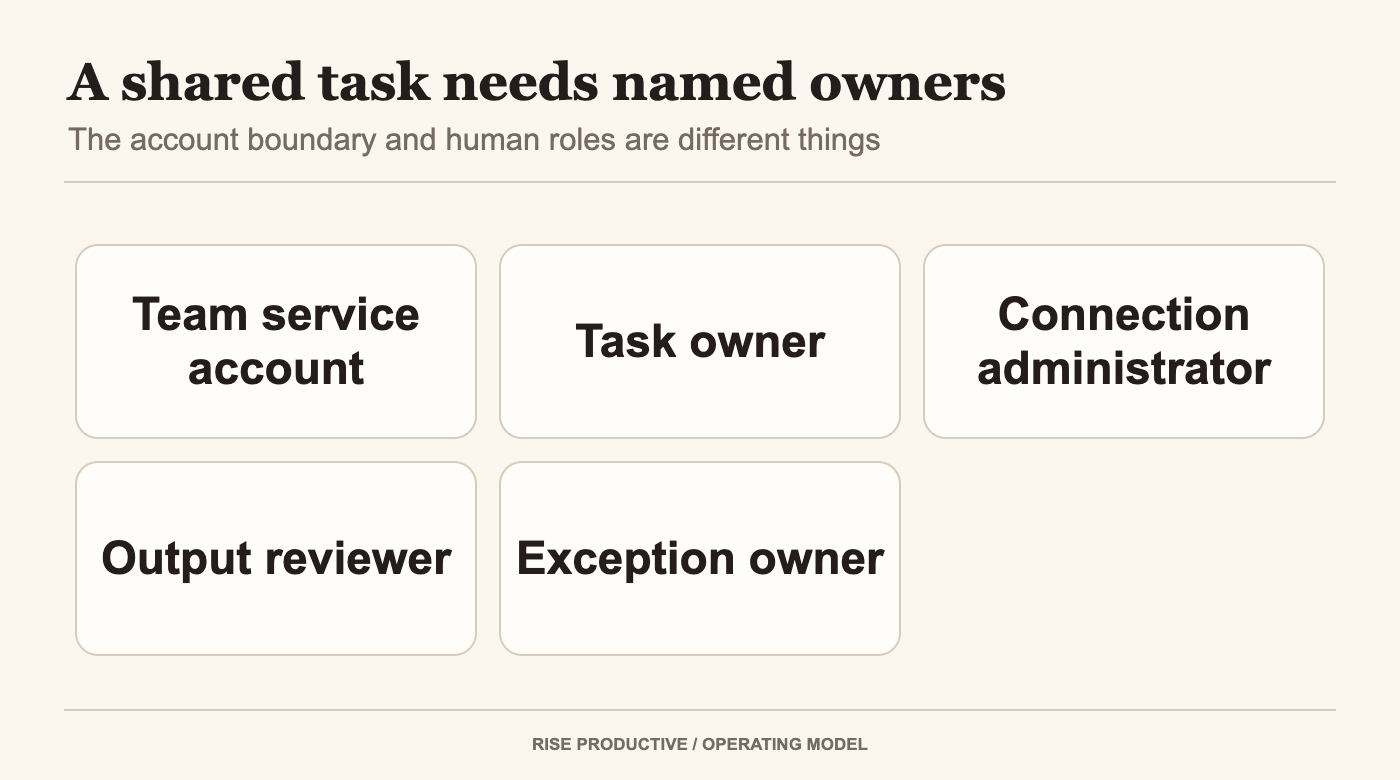
A team service account and configured connections sit alongside named instruction owner, access administrator, reviewer, and exception owner.
Shared task ownership is not the same as shared access
A team can see a task and still lack the access needed to maintain every part of it. The task creator, team member, workspace administrator, connection owner, and person reviewing a run may have different roles. OpenAI’s help page says management depends on team membership and workspace permissions. It describes team tasks as operating with team-configured connections and a service account. Its Teams guide separately covers membership and shared resources. (Creating and managing team tasks; Teams in ChatGPT.)
That language matters. The fact that a colleague belongs to a team does not mean they can automatically create, change, pause, resume, or delete every task. A workspace permission does not add someone to a team or grant access to every task. The docs describe service-account execution and configured connections, so the operating question is which identity and connected account are actually attached to this task.
OpenAI’s task guide also says the task does not automatically inherit its creator’s personal saved memories, Custom Instructions, or chat history. It distinguishes workspace connections from a personal sign-in: team members can reuse approved connection access without each person connecting a personal account. The actual outcome still depends on configured controls and the organization’s own permissions. (Teams in ChatGPT.)
 View image detail
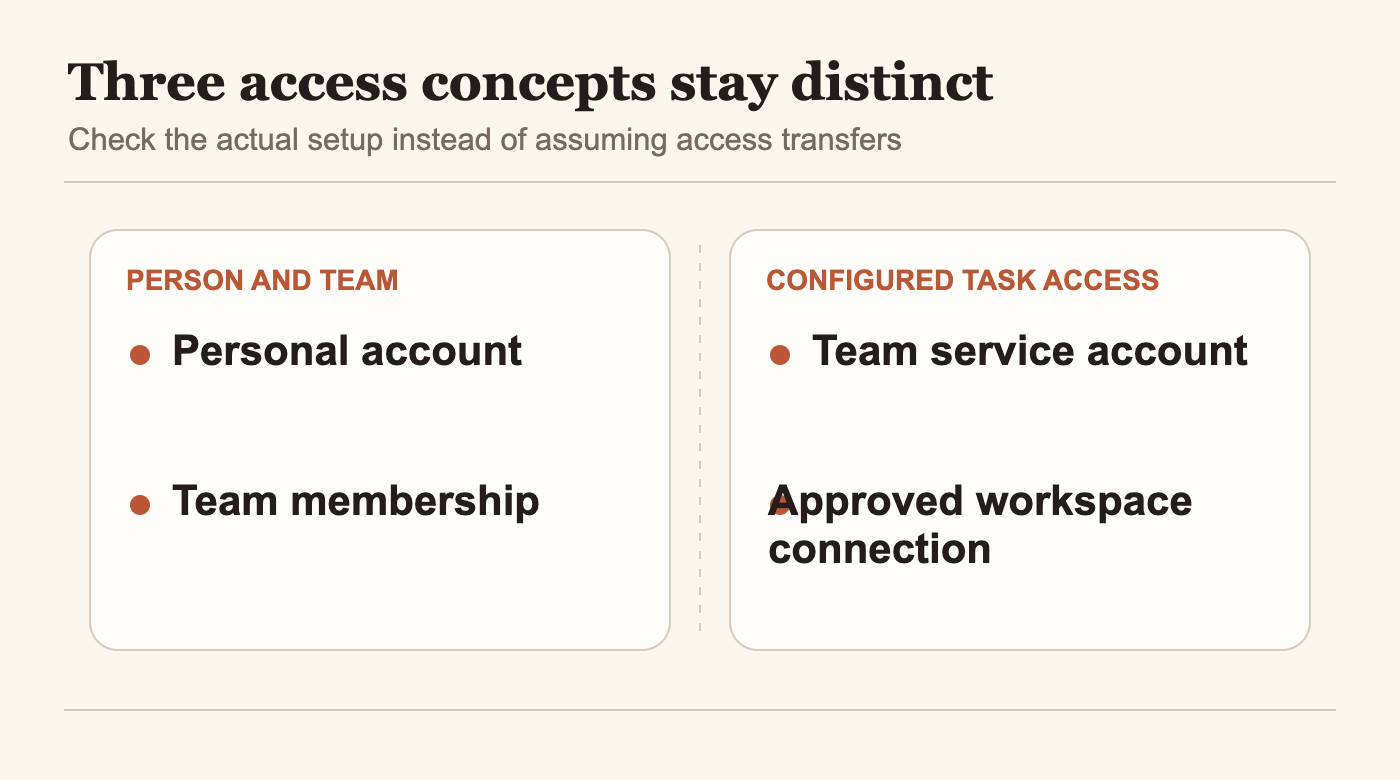
Personal account, team membership, and configured task connection are distinct concepts; one does not automatically imply the others.
The trigger answers when work starts. The harder team question is whether someone can trace the task from its purpose to its access, output, and accountable reviewer.
Map the roles before connecting a source
A responsibility map prevents “whoever made it” from becoming the answer to every question. OpenAI describes workspace-admin control over approved connections, a team owner selecting eligible connections, and a designated account whose permissions govern accessible data and actions. Those are different control points. The table turns them into questions a team can answer before relying on a task.
- Task owner: What that role owns: Purpose, saved instructions, and intended output; Check before the pilot: Can a teammate state what the task should and should not do?
- Workspace administrator: What that role owns: Approved company-tool connections and access policy; Check before the pilot: Is the source approved for this use, and who can change its access?
- Designated account: What that role owns: The permissions available when the task runs; Check before the pilot: Which account is connected, and what data or actions can it reach?
- Reviewer: What that role owns: The decision to accept or correct a result; Check before the pilot: Can the reviewer trace material claims to the source and see unresolved gaps?
- Exception owner: What that role owns: Access failures, conflicting records, or requests outside scope; Check before the pilot: Who has authority to resolve this case, and what should pause meanwhile?
 View image detail
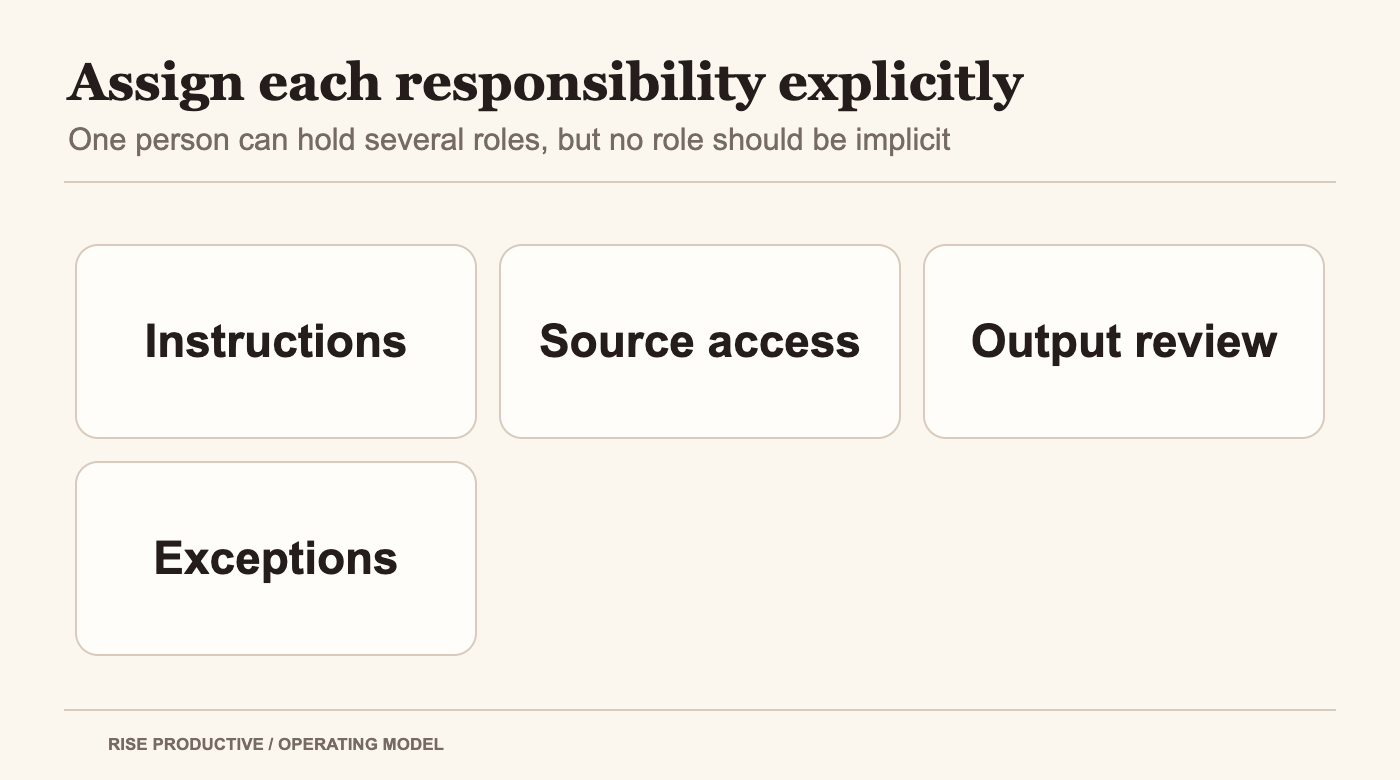
Assign each responsibility before the pilot; one person may hold several roles, but none should be implicit.
These responsibilities can be combined in a small team, but they should not disappear into a generic owner label. The task owner may maintain the instructions while an administrator handles connections. The person reviewing a digest may not be authorized to change a client commitment. Name the person responsible for each decision, then record a backup for any role that could block the workflow.
Consider a client-services team that wants a weekly account-status note from an approved project board. The task owner defines which accounts and fields count. The administrator confirms the shared connection and its approved scope. The designated account is recorded so the team does not assume the creator’s personal sign-in is in use. An analyst checks source links, stale statuses, and missing fields; an account lead handles any proposed promise to a client. If the analyst is away, the named backup can review the same evidence or hold the note. This is an illustrative operating design, not an observed workspace or task run.
The practical test is traceability: can a teammate follow the chain from purpose to connected identity, from identity to approved source, and from output to reviewer? If one step is invisible, the team should inspect that gap before expanding access or treating the result as approved. This is a synthesis of the documented role boundaries, not a claim that the product enforces this particular checklist.
Treat the service account as an operating identity
OpenAI’s help page says team tasks run in the cloud under the team’s service account. That is the identity boundary described by the documentation. A team should check which connections are configured for its task rather than borrowing assumptions from the creator’s personal ChatGPT account. (OpenAI team-task setup guide.)
Before enabling the workflow, record the connected account or service identity as shown in the workspace, the sources it can read, the destinations it can affect, and the person authorized to approve those connections. The exact interface may change during rollout, so use what the team can inspect today. Do not copy credentials into task instructions. Do not add a connection merely because the task could be more capable with broader access.
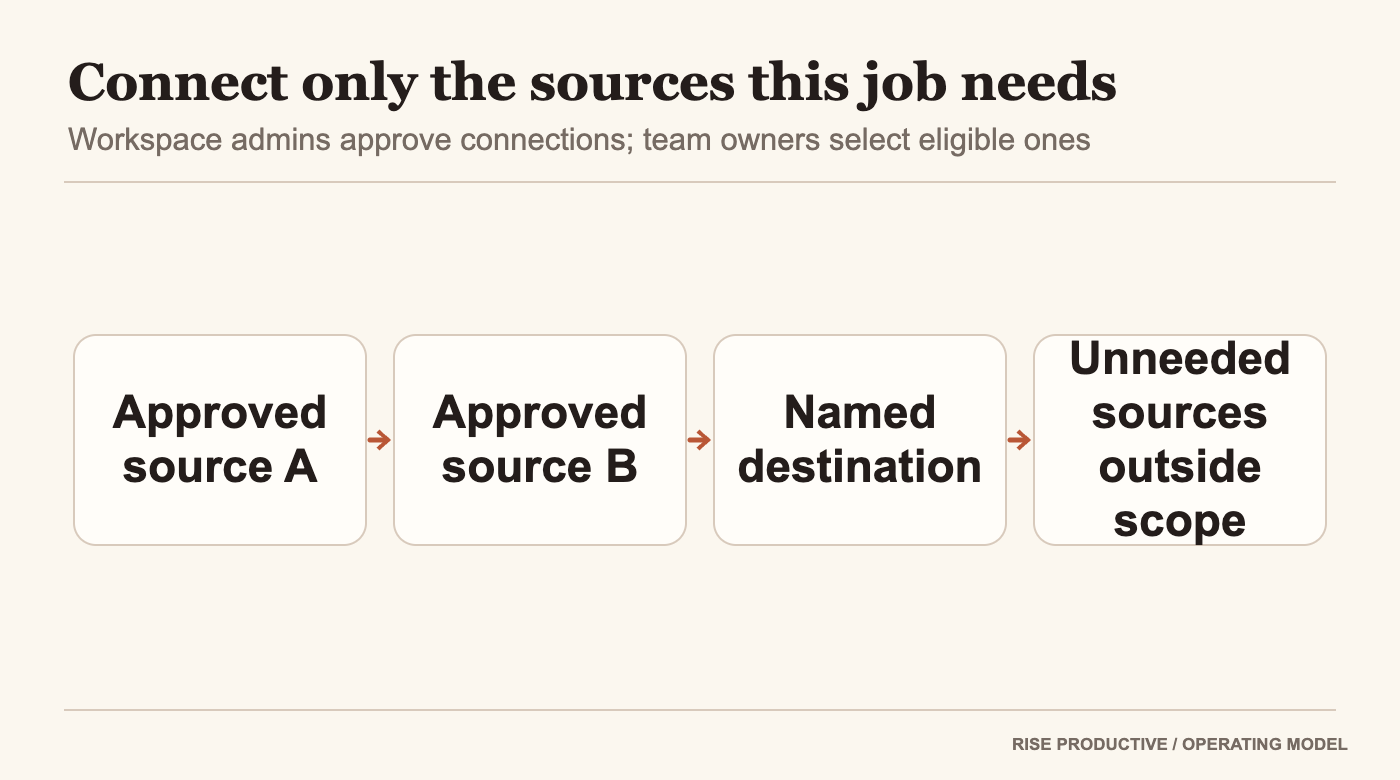
A useful question is not just “Can this task read our project board?” Ask which board, which team space, which record types, and what happens when the source contains personal or client material outside the task’s scope. A broad connection can make the workflow simpler to configure, but it may also give the task access it does not need. The task brief should identify the minimum source set that can answer its question.
 View image detail
Only approved sources and the named destination enter the task boundary; unrelated sources stay outside.
The documentation explains that connections and permissions matter. It does not certify that a specific connection is approved under your internal policy or limited to the scope you expect. The workspace administrator still needs to inspect the actual configuration and its consequences. Keep that statement near the access recommendation rather than turning it into a broad claim that OpenAI offers a specific least-privilege control.
Write down the service identity and connection owner where the team can find them. Include who to contact when a task stops reading a source or the underlying account changes. If the product exposes connection status or run details, record what the reviewer should check. If it does not expose a needed signal, the team has learned about a limitation that may change whether this is the right use case.
Separate reading from preparing and acting
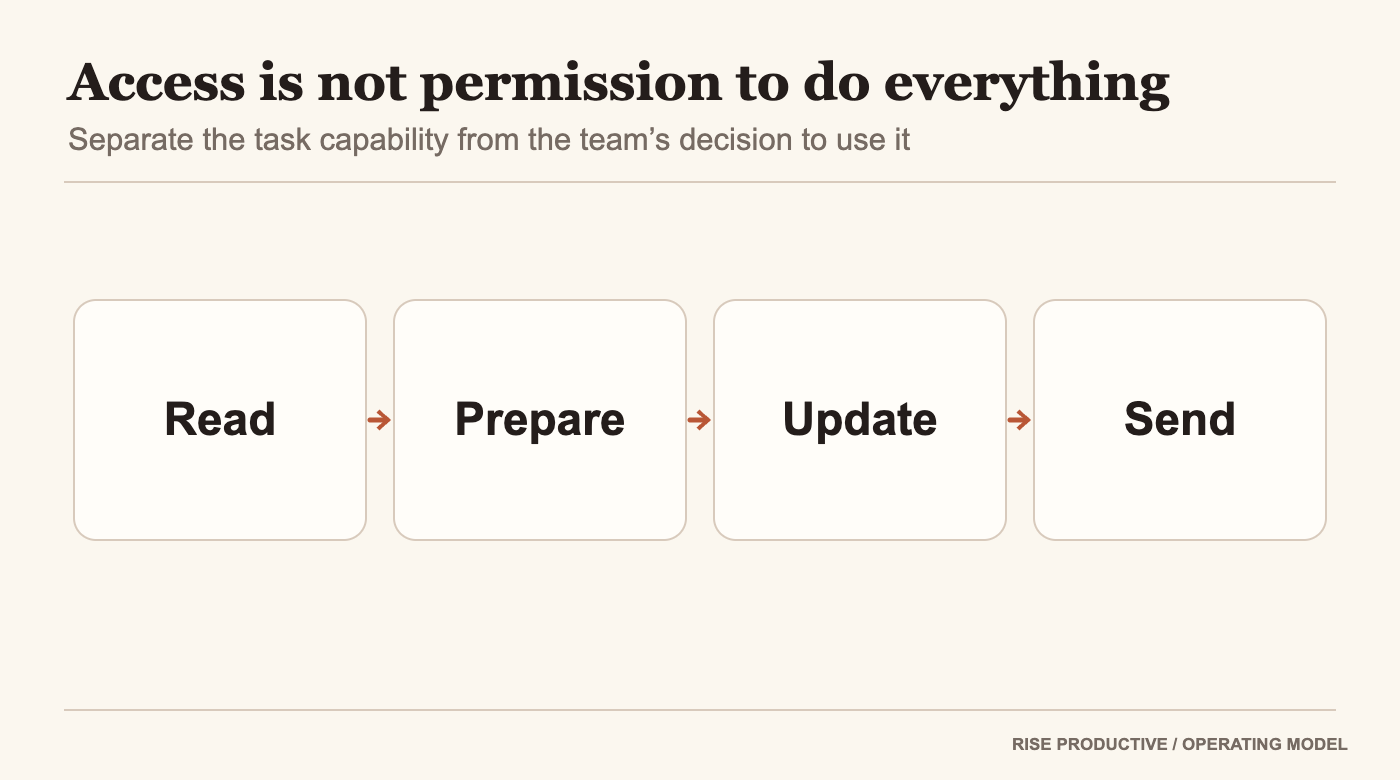
An access decision should follow the job the task performs. Reading records, preparing a summary, updating a shared system, and sending an external message have different consequences. A team that treats them as one permission can grant a task more authority than its first assignment needs.
Begin by stating which of those levels the selected workflow requires. If it is a weekly digest, reading named sources and creating a private summary may be enough. If the team expects the task to update a shared project board, it should define the exact fields and conditions that allow the change. If it might contact a client, the organization needs a clear approval boundary and an accountable sender. This is a risk-based operating framework, not a description of a particular undocumented approval feature.
 View image detail
Read, prepare, update, and send represent different action consequences and require separate decisions.
The launch recap says team tasks can use connected tools to gather information and take action. That does not make every action available in every workspace, and it does not mean the task should automatically take every action its connection permits. Confirm the configured tools and permissions in the actual workspace. Then decide which actions the task needs and which should remain with a person. (OpenAI DevDay recap.)
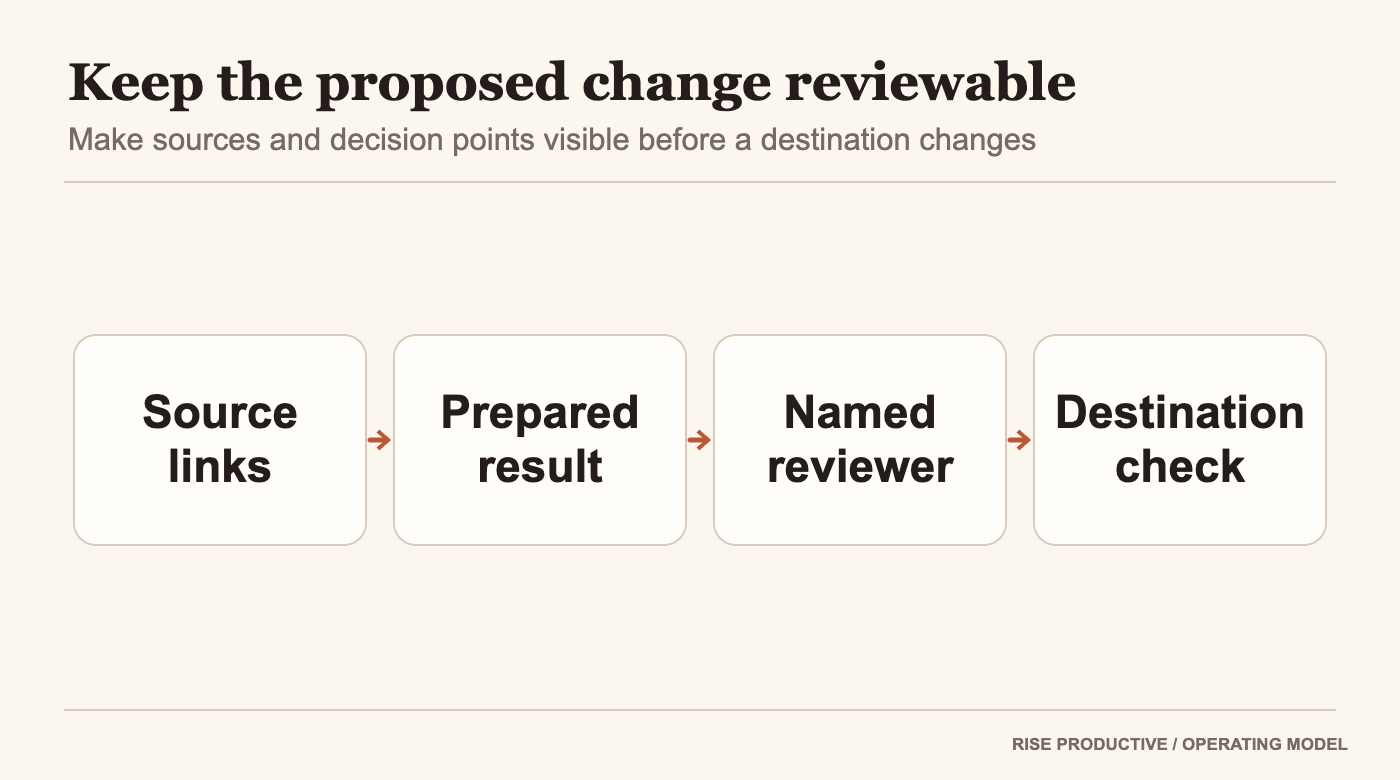
For a new workflow, a private preparation result gives the reviewer a concrete artifact to assess before depending on changes elsewhere. It is not a guarantee of correctness or a feature claim about a specific draft mode. If the workspace has a safe preview or approval control, test it. If it does not, choose a different low-consequence evaluation method or keep the action outside the task.
 View image detail
Source references and a prepared result go to a named reviewer, then the destination is checked.
External communication deserves a separate identity check. If a task drafts or sends information, the recipient, destination, and authorization must be clear. A summary prepared for internal review does not become client-ready simply because it reads smoothly. Someone needs authority to accept the language and send it through the approved channel.
This boundary also reduces confusion about who is accountable. If a task presents a recommendation, the person who approves the outcome should be identifiable. If it changes a shared record, the reviewer should know what field changed and why. If a task is not supposed to decide, its instructions should say how it returns the decision to the team.
Design a review handoff that survives absence
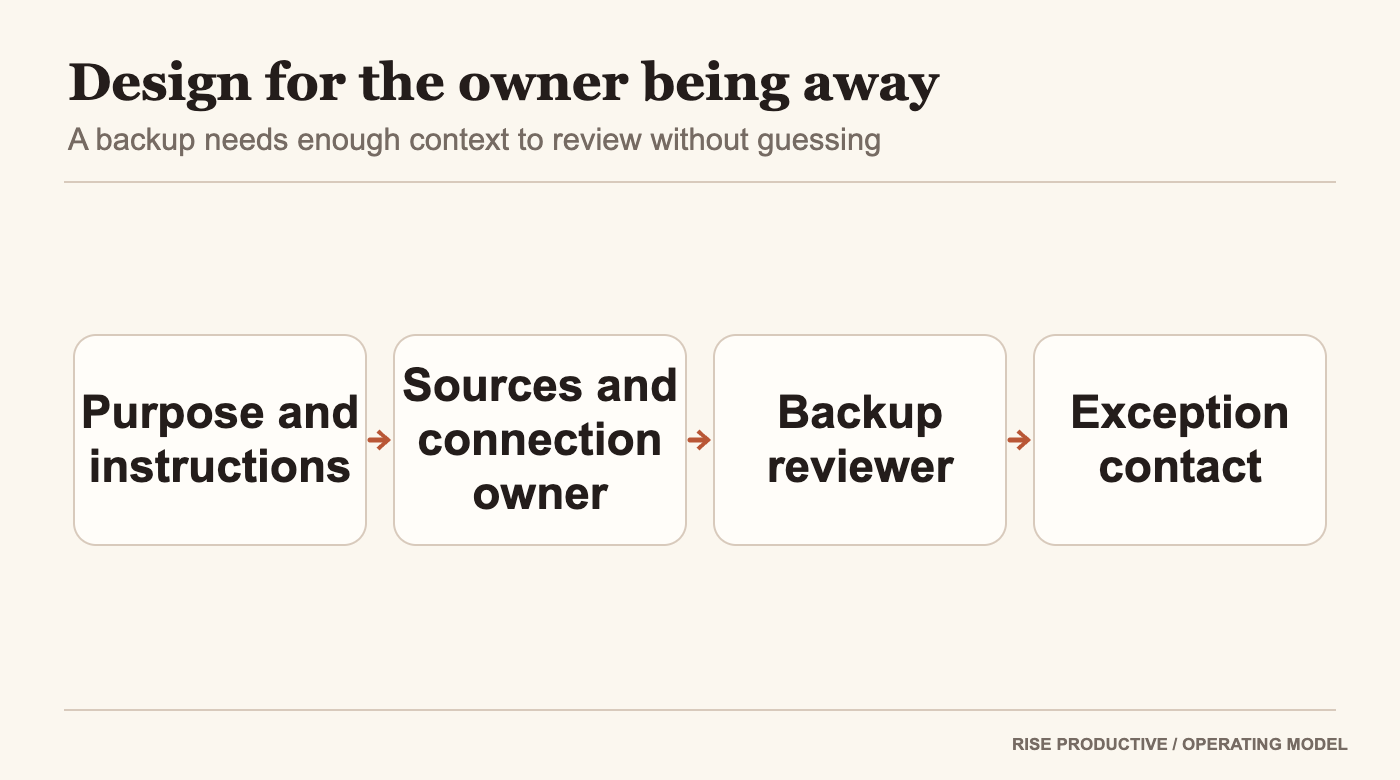
A task can be shared while the people who understand its setup remain unavailable. A durable handoff needs a small record of purpose, sources, instruction version, owner, reviewer, expected output, stop conditions, and the escalation contact. Keep it close to the task information rather than in a private note only its creator can reach.
A substitute should be able to answer three things without guessing: what the task is meant to produce, which sources it is allowed to use, and what should happen when it cannot finish. If those answers require the original creator to explain hidden assumptions, the task is not yet a stable team process.
 View image detail
Purpose and instructions, source owner, backup reviewer, and exception contact keep the work understandable during absence.
Use a simple change note whenever the team alters instructions or connected sources. Record who changed what and the reason. The goal is not bureaucratic ticketing for every typo. It is to help a reviewer distinguish a normal run from one performed after a change in scope, access, destination, or authority.
If the creator leaves or changes teams, transfer ownership deliberately. Confirm who can manage the task, whether the service account and connections remain valid, and who accepts the next run. The current help documentation explains how actions depend on permissions but the actual transfer path is something the team must verify. Do not promise that moving or deleting a user account preserves a task until the product documentation or observed controls confirm it.
Create a fallback for a missed or failed run. If the task normally prepares a Monday handoff brief and does not produce it, the recipient needs to know whether a human should build the brief, wait for a retry, or skip the cycle. Avoid duplicate work by checking the run history or source state before starting a manual replacement, where those details are available. OpenAI’s troubleshooting guidance tells administrators to inspect previous runs before retrying actions that change files or send messages. Use the current product instructions for the configured task type. If the task was meant to update a file or send a message, inspect that destination too. OpenAI says a Completed time-based schedule means there are no future runs scheduled; it does not confirm that a particular run successfully did the work.
The team should also decide when to pause the task. A source connection may change, an owner may leave, or a business process may be retired. A scheduled or event-triggered task can continue to be active after the reason for it has changed. The owner or administrator should check it at an agreed interval and after material changes to source access, destinations, or review rules.
Route exceptions to a person with authority
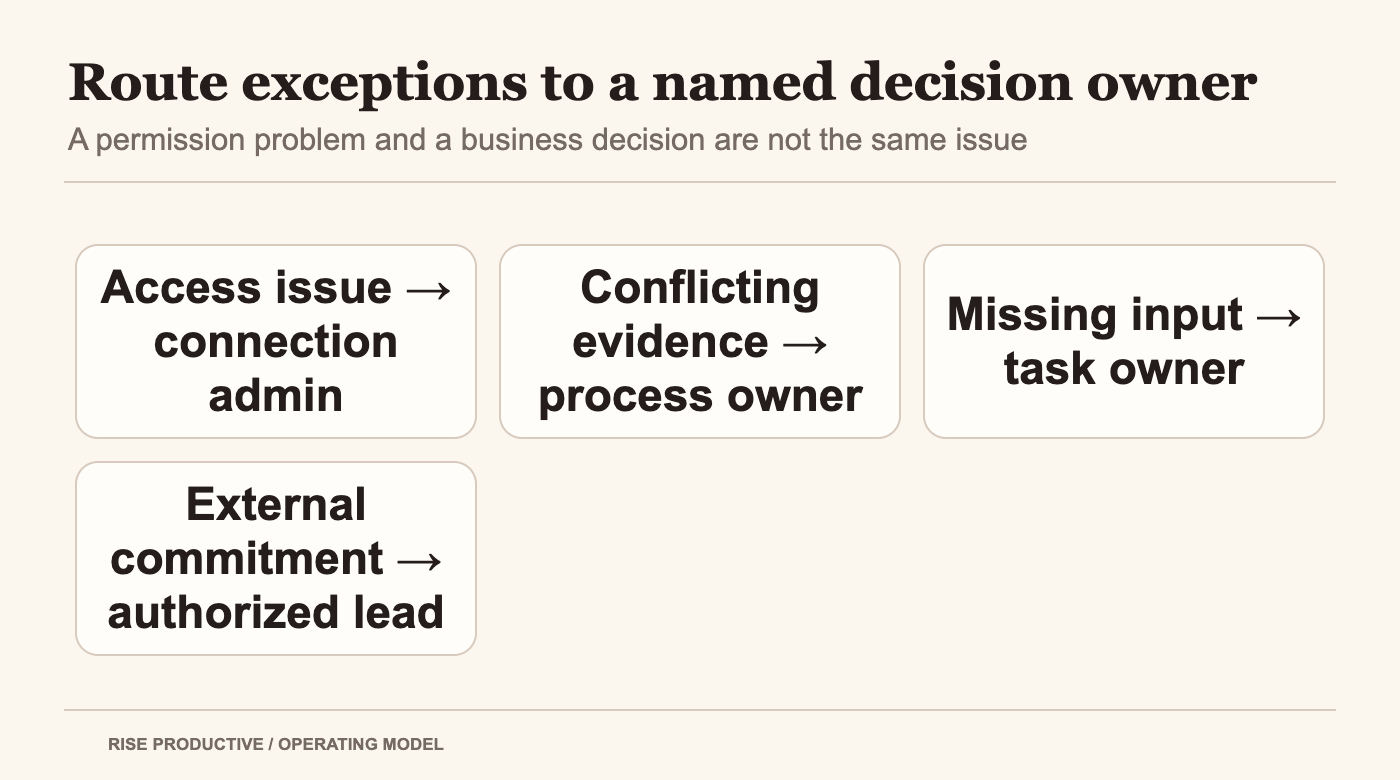
Not every exception is a technical error. Sometimes two records disagree; sometimes the task lacks a field; sometimes the source is accessible but does not answer the question. Other times the output would create a commitment that no one approved. Each situation needs a destination and a useful message.
A good exception record includes the task and run, the source that could not be read or the records that conflict, the decision needed, and the person who can make it. Avoid generic “please review” instructions that send every issue to the same overloaded inbox. If the owner cannot decide an access question, route it to the workspace administrator. If the administrator cannot resolve a business priority, route it to the process owner.
 View image detail
Route access problems, conflicting evidence, missing inputs, and external commitments to people authorized to resolve each one.
Separate a product failure from an instruction failure. An event might not be supported in the workspace, a connection might not be configured, or the task might not have permission to read a source. Those conditions call for access or configuration review. If the task has the right inputs but misunderstands what counts as current, the instructions or output checks may need revision.
Do not quietly broaden access to make an error disappear. If a file is missing, ask whether it belongs in scope. If a message is ambiguous, preserve the ambiguity and request a decision. If a task cannot reach a system, decide whether to approve another connection or to change the task. That choice belongs to the person responsible for the data and the workflow.
A useful operating record can distinguish three statuses: completed and reviewed, incomplete with a reason, and held for a person. The exact status behavior should be checked in the workspace. Even if the product does not offer those labels natively, the team can decide how to communicate them in its destination, provided that method does not create unsupported product claims.
Run a permission and ownership pilot before broad reliance
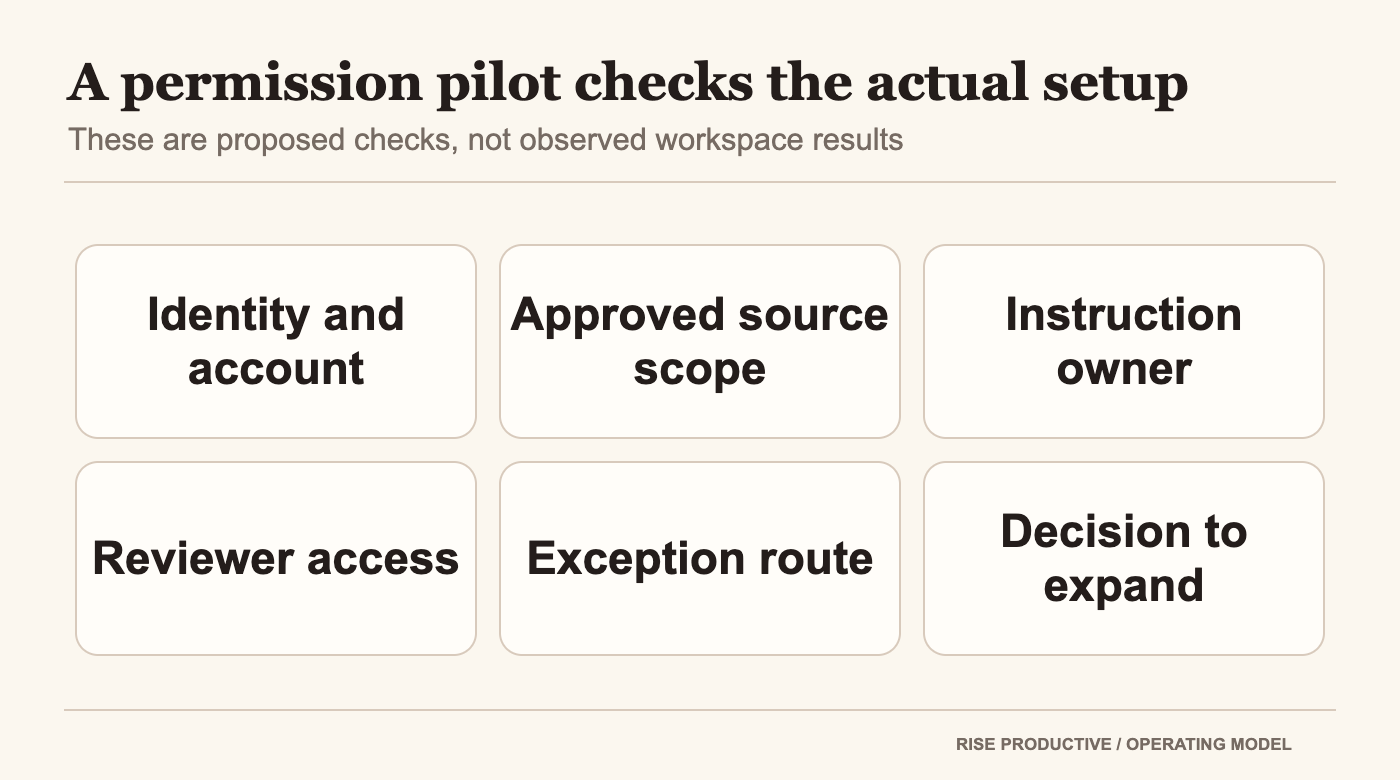
Choose one low-consequence task and map its roles before the first run. Have the administrator confirm the source connection and team account. Have the owner verify the instructions. Have the reviewer agree on a checklist. Then evaluate a known source change, an access failure or absent source, a conflicting record, and an output that requests an action outside the task’s authority.
These are proposed tests, not results from an authenticated ChatGPT workspace. Record the current workspace, task state, connected account as displayed, inputs, output, reviewer corrections, and unresolved permission questions. Keep private information out of any artifact that does not need it. If the workspace cannot show the identity or history necessary to evaluate your risk, that is relevant evidence about the fit of the workflow.
 View image detail
A permission pilot checks identity, scope, ownership, reviewer access, exception handling, and the decision to expand.
Expand only when the actual process has answered the important questions. Can the intended people manage the task? Does it use the account and connections the team approved? Can the reviewer inspect enough of each run? Can the task stop when a human judgment is required? Is there a maintainable handoff when the owner is absent? These answers may be different by plan, workspace, tool, and organization.
The team can choose to keep the workflow narrow. It may use one shared task to prepare a read-only digest while leaving every update and message to a person. That can still be worthwhile if it improves the path to a decision. Broader action is an operating decision, not a badge of sophistication.
Keep team control attached to the work
ChatGPT team tasks turn a recurring instruction into shared operational work. The valuable question is who can explain, maintain, review, and stop that work after the first setup. OpenAI’s documentation provides a starting boundary: gradual Business and Enterprise access, permission-dependent task management, and cloud runs under a team service account with configured connections. Your actual access and safeguards need to be checked inside your workspace.
Name the owner, connection administrator, reviewer, and exception route before the task becomes a dependency. Keep its inputs narrow, separate preparation from actions with consequences, and record the changes that affect scope or access. If a team cannot see enough to decide whether a run is ready, it should not treat the output as approved.
That kind of preparation is not red tape around the automation. It is how shared work remains understandable when the person who built it is no longer the only person in the room.
Frequently asked questions
Does joining a ChatGPT team give me access to every team task?
No. OpenAI’s task guide says the actions a member can take depend on team membership and workspace permissions. Confirm the task and your assigned role in the actual workspace. (OpenAI task guide.)
Do team members need to connect their own provider account?
OpenAI’s help guide says the workspace administrator configures approved connections and the team owner selects eligible connections. Each connection uses a designated account, whose permissions determine the available data and actions. Teammates can reuse the approved access without each connecting a personal account. Confirm the actual connected account and its scope before relying on a task. (OpenAI team-task guide.)
Who should review a team task’s output?
Assign a person who can verify the sources, resolve the relevant business question, and approve the intended destination. For a narrow digest, that may be its operations owner. If it affects a client commitment, route approval to the person authorized to make that commitment. This is a proposed operating model, not a product permission claim.
What should happen when a connection changes or stops working?
Route the issue to the person who administers that connection. The task owner should decide whether to pause the work, change the approved source, or use a manual fallback. Do not ask the task to fill an access gap from memory or guesswork.
Can a team task send messages or change shared records?
OpenAI says team tasks can use connected tools to take action, but which actions are available depends on configured tools and permissions. Decide separately whether your use case requires reading, drafting, updating, or communicating. Verify the actual workspace controls and organizational approval path before enabling an action. (OpenAI DevDay recap; task guide.)
Sources and related reading
- OpenAI Help Center, Creating and managing team tasks in ChatGPT, checked October 1, 2026.
- OpenAI Help Center, Teams in ChatGPT, checked October 1, 2026.
- OpenAI, DevDay 2026 Recap, September 29, 2026.
- Lucas Ropek, TechCrunch, OpenAI takes on Microsoft with the launch of what feels a whole lot like ChatGPT’s own office suite, September 29, 2026.
- Herb Scribner, Axios, The 5 biggest announcements from OpenAI’s blockbuster AI conference, September 29, 2026.
For adjacent context, compare what to delegate to an individual OpenAI Dot and using ChatGPT Pages for team review. These are different product decisions. A companion trigger-design article is planned, but no live URL exists yet, so it is not linked here.
Product documentation checked October 1, 2026. Availability, role controls, and connected-app support can vary by workspace. This article contains a proposed governance checklist, not a security audit or product test.
Checked for this article
Sources
Keep going
Related notes.
Systems and Workflows
How to Secure MCP Event Pipelines: Signatures, Nonces, Rate Limits
Opening inbound webhook ingress to autonomous AI agents creates severe attack surfaces. Here is how to secure MCP event pipelines with signatures, nonces, and gates.
Read the article
Systems and Workflows
How to Govern Autonomous Web Agents: Session State, Audit, Security
Allowing autonomous browser agents to navigate the open internet creates severe liability. Here is how to govern multi-session state, audit logs, and egress security.
Read the article
Systems and Workflows
How to Govern AI Music Assets: Licensing, Stems, and Ownership
Deploying generative music in commercial campaigns creates serious legal exposure. Here is how to govern licensing tiers, stem copyright, and voice likeness risks.
Read the article