
Automation and Agents
Cursor Rollouts: How to Monitor a Pull Request Through Production
Cursor Rollouts connects a pull request to deployment signals and reports a status for each environment. Here is the setup and review work that makes those signals useful.
On this page
- What Rollouts adds to the pull-request path
- Start with the deployment identity
- Connect telemetry that can answer the question
- Review the plan before deployment
- Decide how to read healthy, regression, and inconclusive
- Keep action authority explicit
- Run a pilot that tests your operating assumptions
- Common mistakes to avoid
- A practical readiness checklist
- Frequently asked questions
- Does Cursor Rollouts roll back a deployment automatically?
- What does Rollouts need before it can verify a deployment?
- Does a healthy status mean there are no bugs?
- Is the September launch still relevant?
A production status is only as useful as the chain of evidence behind it. Cursor Rollouts is Cursor’s pull-request monitoring feature. It links a change to deployment events and connected telemetry, then reports a state for each environment. The practical question is whether your team has supplied the right signal, a meaningful baseline, and a person who owns the response.
That is the practical adoption question behind Cursor's September 23, 2026 launch. The product is available on Teams and Enterprise plans according to Cursor. Its documentation says it creates a plan from the pull request, checks deployed changes against connected telemetry, tracks environments separately, and can flag a suspected regression. The same documentation sets a clear boundary: Rollouts does not merge, revert, or roll back a change by itself. Cursor's Rollouts documentation describes a monitor with a response path, not an autonomous release manager.
The distinction matters because teams often have plenty of telemetry but no agreement about what a particular change should do. More charts do not solve that gap. Before enabling a bot to watch changes, decide which changes it should monitor. Choose the signal that will count as evidence, where it comes from, and who receives an alert. Define the system’s authority after it reports a problem. This guide turns those questions into a readiness check.
 View image detail
What Rollouts adds to the pull-request path
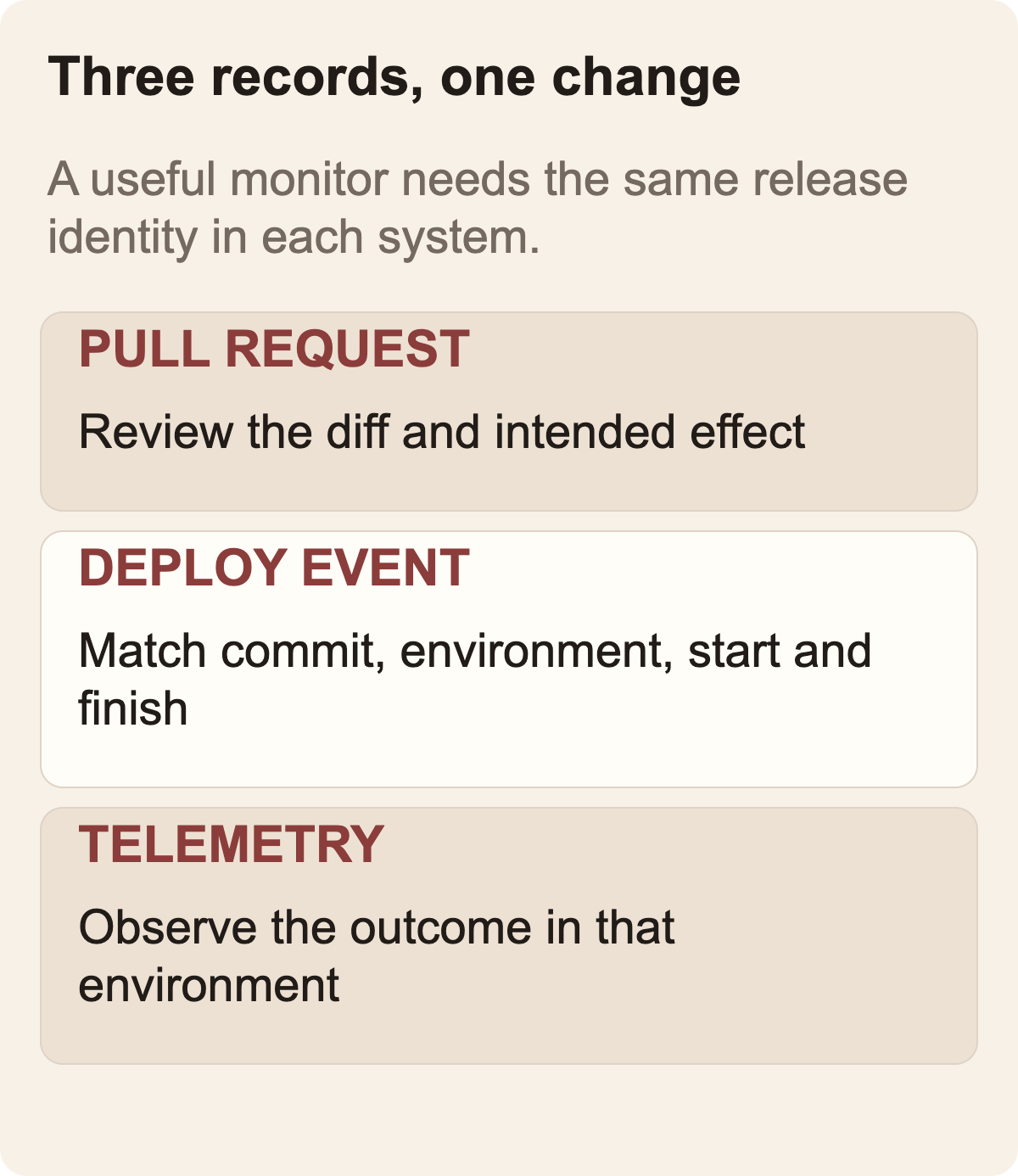
A normal pull request records a proposed change and its code review. A deployment system records the commit that moved into an environment. An observability system records metrics, logs, or traces. Rollouts connects these records to the change. The team can then ask whether that deployment appears to be behaving as expected.
Cursor says Rollouts reads the pull request diff and the systems it affects, then writes a monitoring plan. That plan can describe risks, intended effects, signals to inspect, and gaps in instrumentation. On supported source-control surfaces, the plan appears as a pull-request comment and can be edited by a person with write access. After deployment events arrive, Rollouts evaluates the plan against telemetry. It can report status per environment, so a change may look verified in staging but still be under observation or flagged in production.
This is a useful design because it keeps a specific change attached to its observation. In production, the useful question is not only “did an alert fire?” Ask which change could explain the behavior. Linking a deployment to its pull request and signals can focus the investigation. It does not prove causation. Several changes, a dependency, a traffic shift, or an external service can affect the same metric. A bot's suspected cause is a lead for an engineer to examine.
The status itself also needs interpretation. A healthy signal is only as meaningful as its baseline, coverage, and time window. A regression alert is a prompt to investigate, not automatic proof that the newest code caused the observation. “Inconclusive” is not a system failure to hide. It can be the most honest answer when the signal is noisy, the instrumentation is missing, traffic is too low, or an expected effect cannot be distinguished from other activity.
 View image detail
Start with the deployment identity
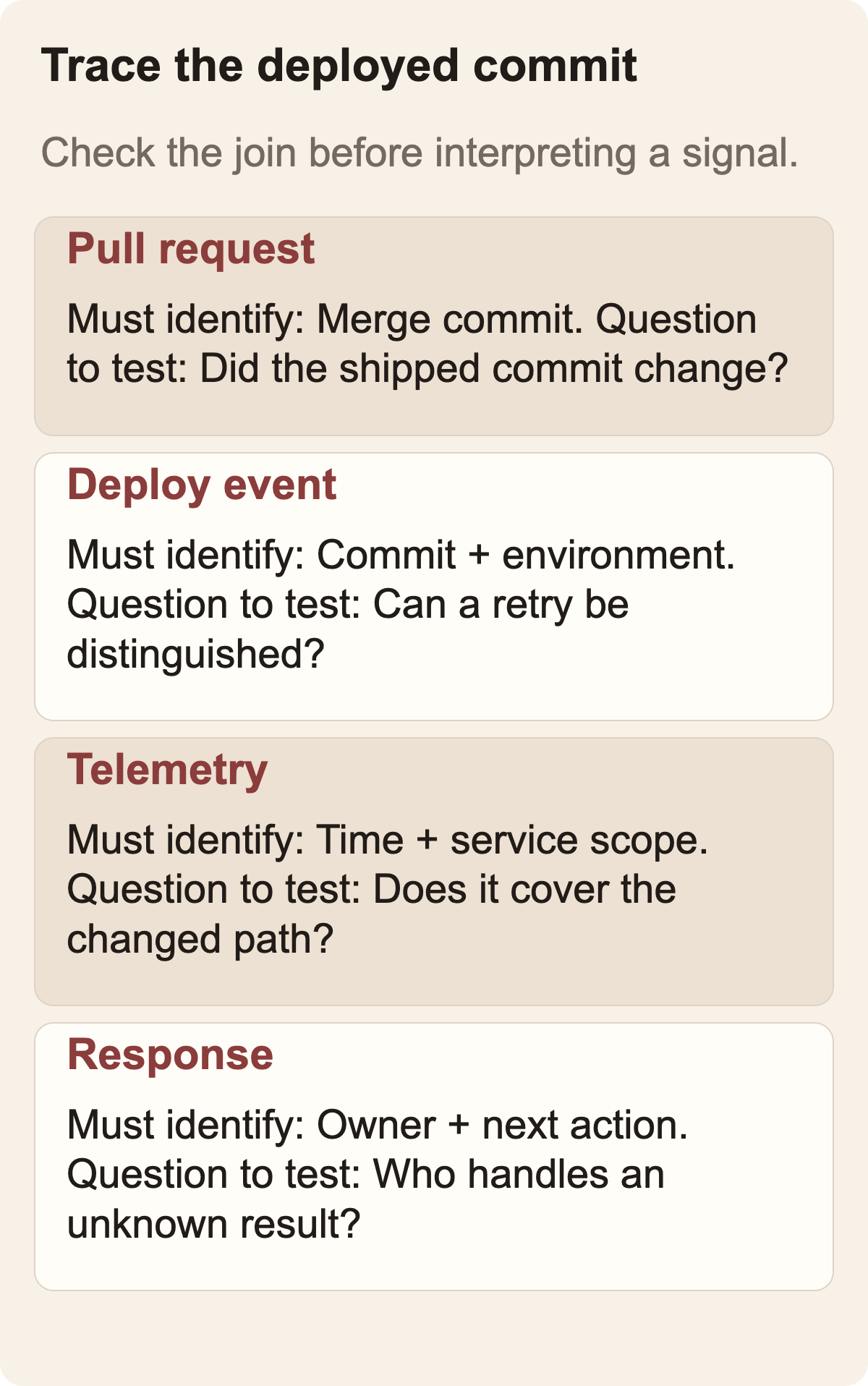
The first readiness check is whether a deployment event can be connected to the correct change. A pull request may merge one commit, but the running environment may deploy a later commit, bundle several changes, use a cherry-pick, or roll through multiple release stages. If the monitor does not know which code is running where, a signal can be attributed to the wrong change.
Cursor's setup documentation asks teams to send deployment events, including when a production deploy starts and finishes, with the relevant environment information. It describes a Cursor API key stored in CI secrets as part of the integration. The details of the CI pipeline are yours to verify. A safe setup exercise should answer several questions. Does the event identify the deployed commit? Can the system distinguish staging from production? Are retries represented accurately? What happens when a deploy fails or is cancelled? Can an engineer reconcile the event with the platform’s deployment record?
Do not assume that the happy-path event proves this mapping. Pick a low-risk test change and trace it end to end. Compare the pull-request identifier, commit SHA, deployment record, environment label, and telemetry time range. If your process deploys a batch of commits at once, write down that limitation. A monitor may still provide useful evidence, but it should not imply single-change attribution when the actual deployment did not isolate one change.
This check also catches a common organizational problem: teams may have reliable CI status but inconsistent release metadata. A status check says that a job passed. It does not necessarily identify the version currently running in every environment. If operators today rely on a spreadsheet, Slack post, or human memory to determine that mapping, formalize it before expecting an AI system to infer it from the pull request.
 View image detail
Connect telemetry that can answer the question
Cursor documents that Rollouts needs at least one connected telemetry tool. Without one, changes remain pending and the product cannot detect issues. A connection, however, is a technical prerequisite rather than evidence that the data is adequate. Ask whether the metric, log, or trace you connect can actually detect the behavior that the change was intended to alter.
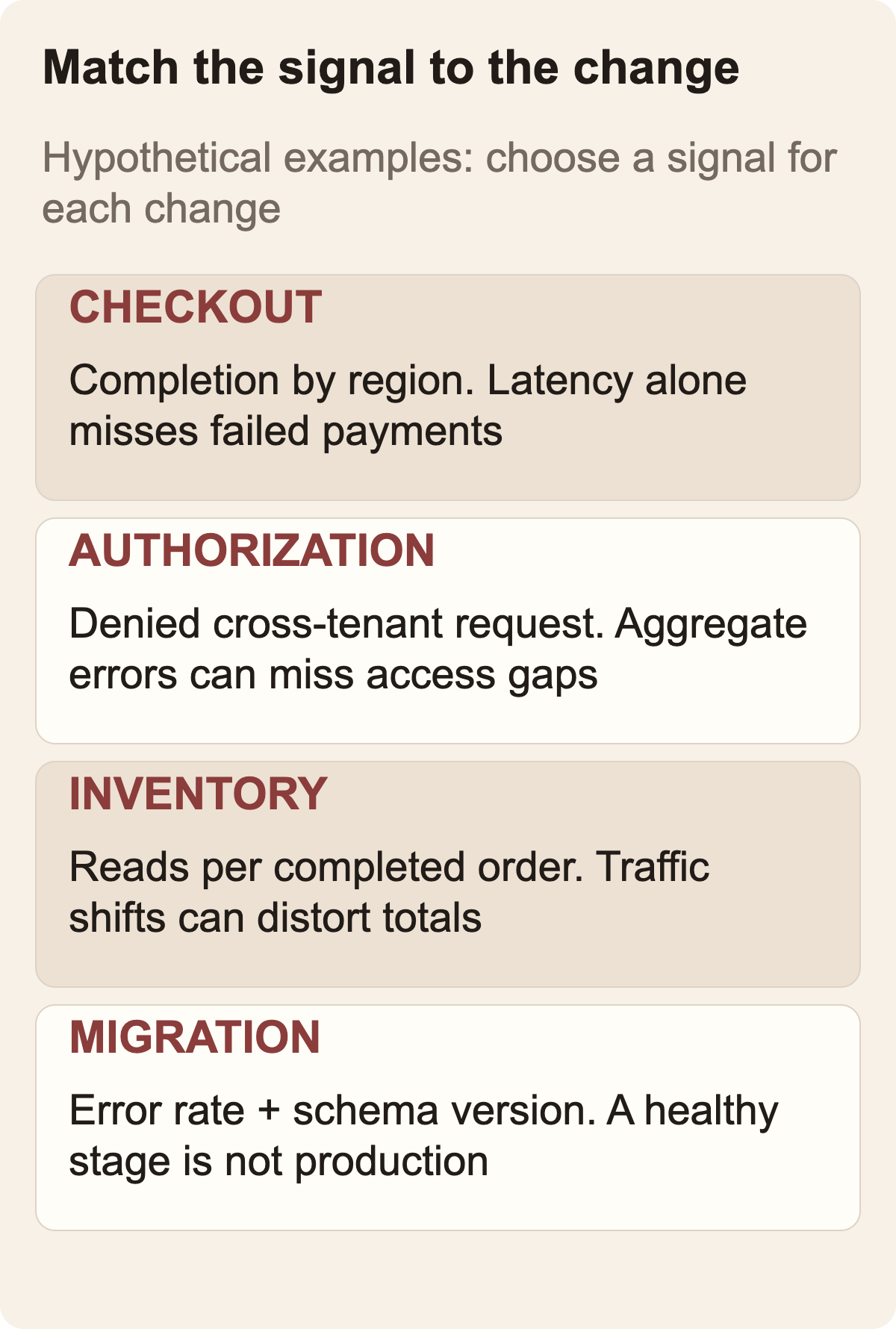
Suppose a pull request changes checkout validation. A rise in request latency might be relevant, but it cannot tell you whether invalid addresses are being accepted. For that, the team may need a validation outcome, error classification, or a traceable application event. If the change alters permissions, aggregate latency and error rates will not expose every authorization regression. The useful signal depends on the specific user-visible or security-relevant behavior.
Before the pilot, write down four things for every signal: its exact name and source, the population it covers, the expected range before the change, and the time window in which it should react. Add a fifth item when it matters: the main confounders. A deploy that coincides with a traffic campaign, upstream outage, or schema migration may make a before-and-after comparison hard to interpret. The point is not to model every possibility. It is to make the assumptions visible so a reviewer can see when the conclusion is too strong.
Avoid using a broad service-level alert as the only check for a narrowly scoped change. Aggregate metrics can dilute a local problem. On the other hand, a metric scoped too narrowly may be noisy or have so little traffic that one unusual request looks dramatic. The proper granularity is the one that matches the change and has enough observations to support a useful interpretation. If you do not know whether that is true, record the uncertainty as a pilot question, not as an established capability.
Cursor's current Rollouts documentation lists connected data sources and says the product checks deployments at the deploy event, then again after 20 minutes, one hour, one day, and three days. These checks give a team several observation points; they do not guarantee that every issue appears inside those windows. A slow-moving impact, rare edge case, seasonal workload, or delayed data pipeline may fall outside the useful observation range. Define what your own service needs before relying on the default cadence.
Google's SRE Workbook describes canarying as a release process with an evaluation step integrated into the rollout. It recommends comparing the changed version with a control using signals that can reveal the change, rather than relying only on a service-wide aggregate. That guidance supports the practice of defining an owner, signal, baseline, and response before a pilot. It is general release engineering guidance, not an evaluation of Cursor Rollouts. Google SRE Workbook: Canarying Releases
Signal shape matters too. OpenTelemetry describes metrics as statistical aggregates, and documents how metric-cardinality overflow can remove attributes used in a query. A dashboard can still show a total while a filtered view undercounts a particular case. During a pilot, check the exact query and dimensions used to support the decision, not just whether a telemetry connection is green. This is a general telemetry caveat, not a claim about Cursor's implementation. OpenTelemetry: Metrics
 View image detail
Review the plan before deployment
The monitoring plan is one of the more consequential parts of this workflow because it exposes the assumptions before a change ships. Cursor says the plan records risks, expected effects, signals and instrumentation gaps. That gives a reviewer a chance to catch a mismatch: the plan may discuss request latency while the meaningful outcome is failed payment authorization, or it may list a dashboard that no one can access during an incident.
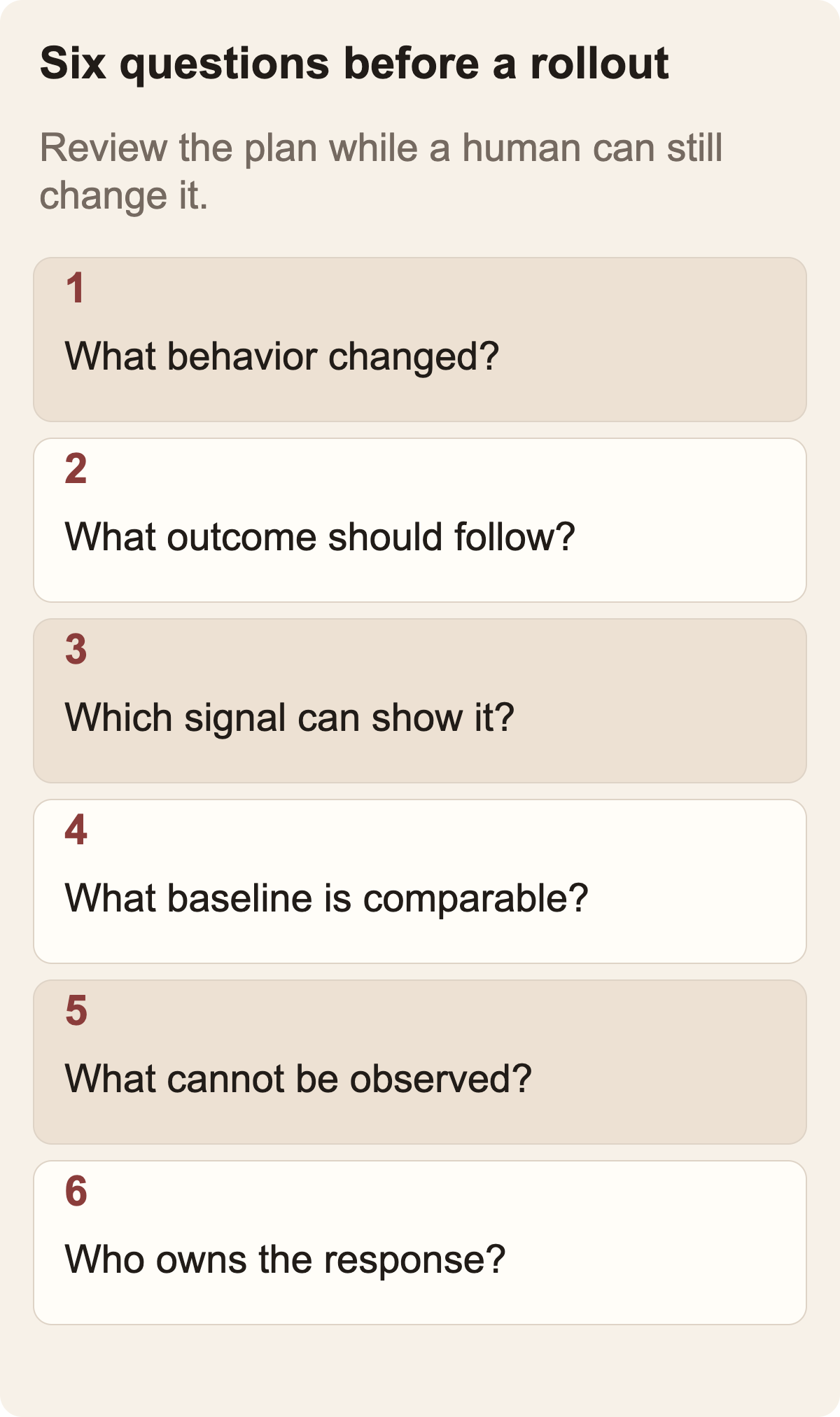
Use a short review rubric:
- Change: Does the plan identify the changed behavior and the systems it can affect?
- Expected effect: Does it state what the change should improve, preserve, or intentionally alter?
- Signal: Can the proposed metric or trace distinguish that effect from unrelated activity?
- Baseline: Is there a comparison period or reference state that accounts for normal variation?
- Gap: What cannot currently be observed, and does that limitation make the change hard to verify?
- Response: Who owns the investigation, and what decision is within their authority?
If the plan cannot answer these clearly, revise it or treat the monitor as advisory. “Looks healthy” should not be the outcome of an empty measurement plan. A missing signal is not evidence that no regression occurred. The same applies when the plan mentions a dashboard by name but does not say which series, environment, or period matters.
For a hypothetical example, imagine a team changes a checkout endpoint to reduce duplicate work. The intended effect is fewer repeated inventory reads without an increase in failed checkouts. A reasonable plan might check inventory-read volume per completed order, checkout completion by region, and error rate, with a window long enough to include typical traffic. It would also note that a large marketing campaign could alter load and conversion at the same time. This is a proposed example, not a test of Rollouts or a result achieved by a Rise workflow.
An effective monitoring plan usually has fewer, better signals. Listing every dashboard can make the plan look thorough while making the decision harder. Ask what observation would change the team's next action. If no possible value or pattern would change the response, that signal probably does not belong in the primary check. Keep diagnostic signals available for follow-up, but distinguish them from the few that drive the initial conclusion.
 View image detail
Decide how to read healthy, regression, and inconclusive
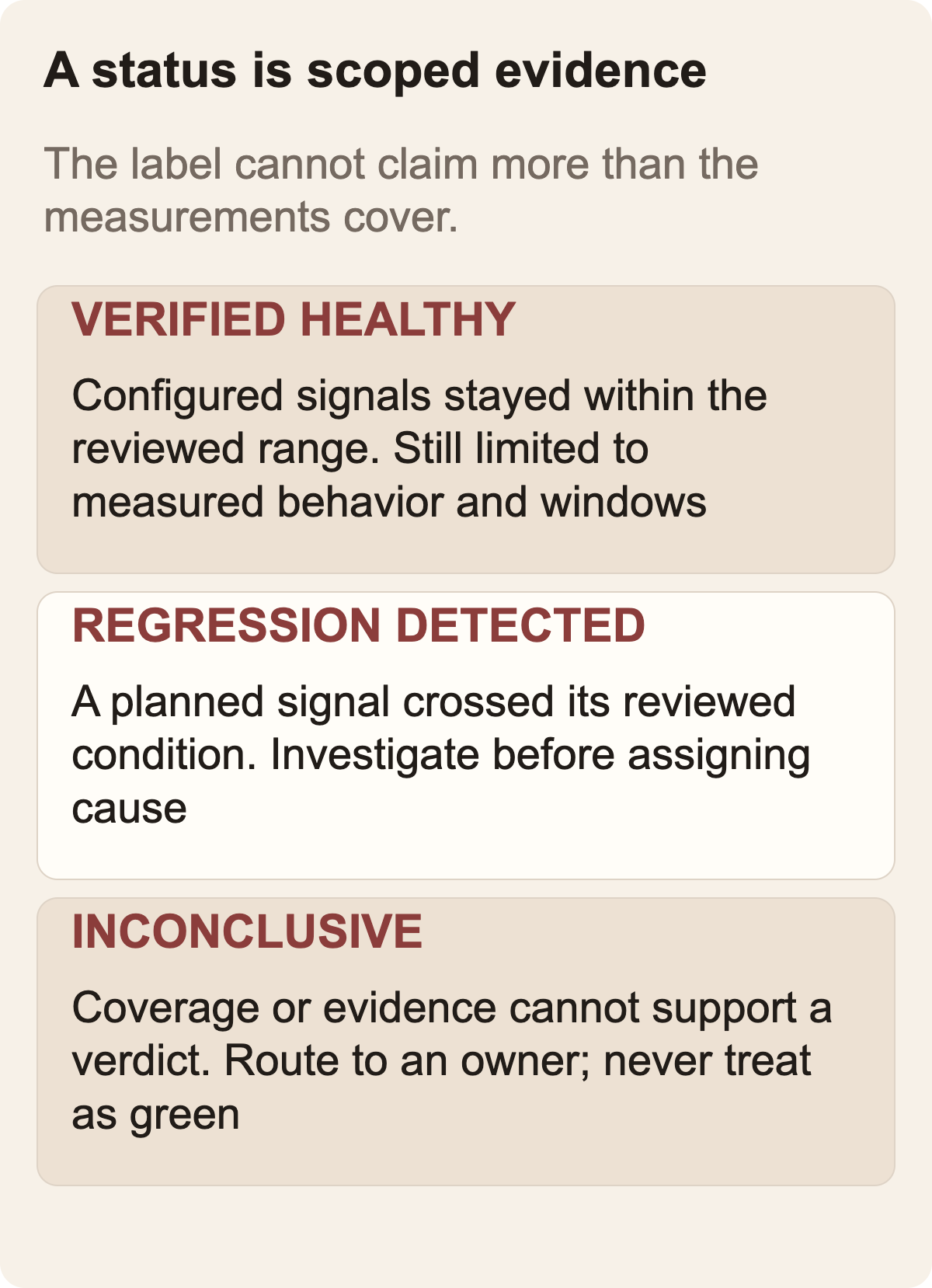
Cursor describes per-environment health states including verified healthy, regression detected, and inconclusive. These labels are easy to scan, but their semantics should be part of the team's operating agreement. What does “verified” verify? Which effects, signals, environments and time window have been covered? What evidence produces a regression state? When does the system choose inconclusive? A label without a scoped definition can create more certainty than the data supports.
A helpful internal definition of “verified healthy” is bounded: “the configured signals for this change stayed within the reviewed range across the checked environments and observation windows.” That statement does not say that every possible issue is absent. It also invites the team to ask whether the right signals and time frame were chosen. Be careful not to convert a product status into a security certification, service-level promise, or guarantee that an unmeasured behavior is safe.
“Regression detected” should start an investigation. Check the exact data points, compare against the planned baseline, confirm the environment and commit, inspect concurrent changes, and decide whether the alert reflects the intended behavior or an unintended effect. If the product names a suspected change, that is a useful narrowing signal. It is not necessarily causal proof when multiple changes share a release or upstream dependencies change at the same time.
“Inconclusive” deserves a path of its own. Perhaps no telemetry was received, the baseline is incomplete, an environment did not finish deploying, a service had too little traffic, or the expected result was not represented in the connected data. In each case, decide whether to gather more evidence, extend observation, inspect manually, pause a rollout, or close the issue with a reason. Do not convert unknown to healthy to clear a queue.
This distinction between status and decision is not unique to Cursor. Any automated monitor compresses evidence so that a person can decide where to look. The compression is useful when its scope is legible. If a team cannot explain what evidence underlies a green state, it should treat that green as a routing convenience, not as proof.
 View image detail
Keep action authority explicit
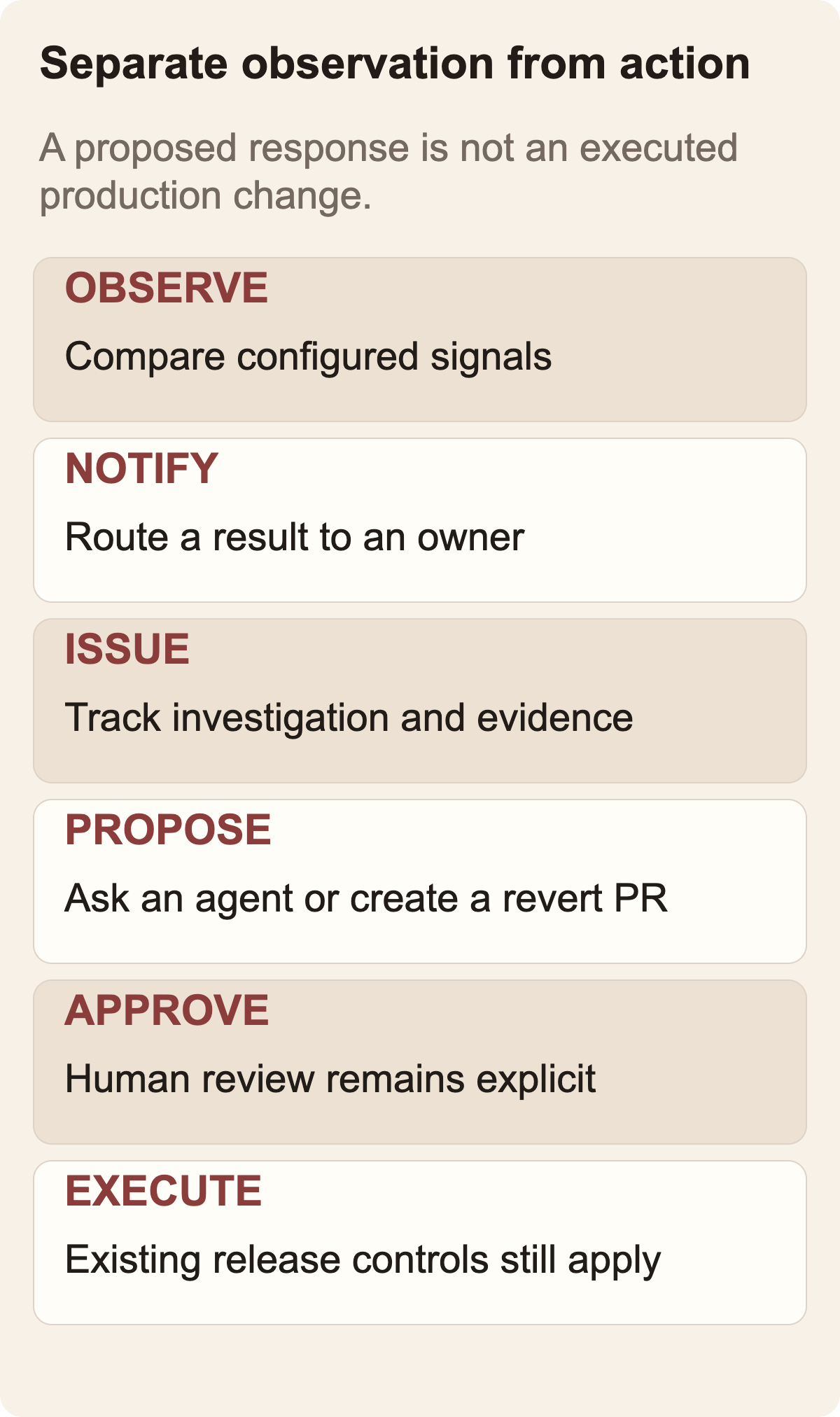
The product's authority boundary is important for rollout design. Cursor's September 23 launch announcement says that, depending on configuration, Rollouts can notify an author, pause a progressive rollout, or create a revert pull request for review. The changelog says Rollouts does not merge or roll back on its own, and current documentation describes opening an issue or asking a cloud agent to start a fix. The launch announcement lists feature-flag integration as coming soon.
The launch announcement's phrase “acts to restore a healthy state” can sound like full autonomy. Keep its configurable pause claim separate from the response paths documented in the changelog and current guide. Neither gives Rollouts authority to merge a reversal or roll back production on its own. Confirm the controls available in your account before assigning a response path.
Before setup, decide which actions are notifications, which create an issue, which pause a release, and which require a reviewed pull request. Then decide who can authorize each one. A low-risk internal service and a payment system should not necessarily have the same escalation path. A bot that can open an issue may need broad visibility; an action that pauses production rollout needs clearer ownership and recovery criteria.
There is also a difference between alerting a developer and owning the incident. If a message arrives at the right person but nobody is responsible for triage, the workflow still has a gap. Name the on-call or service owner, define how the alert reaches them, and specify what happens if the first person is unavailable. If an AI-generated fix is proposed, keep the normal tests, code review, deployment approval and rollback safeguards around that change. A proposed repair should not bypass the same controls used for human-authored code.
Teams sometimes want a tool to “close the loop.” That phrase can obscure several separate jobs: detect a signal, estimate its cause, pick a remediation, authorize a side effect, execute safely, and verify recovery. Rollouts can help with the first few jobs as described by the vendor. The team remains responsible for deciding which later jobs are permitted and what evidence proves recovery.
 View image detail
Run a pilot that tests your operating assumptions
Do not begin by enabling a monitoring agent across every repository and assuming configuration is complete. Start with a low-risk, well-understood service and one kind of change. Keep the existing alerts and review process in place. Choose an owner who can compare the product's status with the underlying evidence.
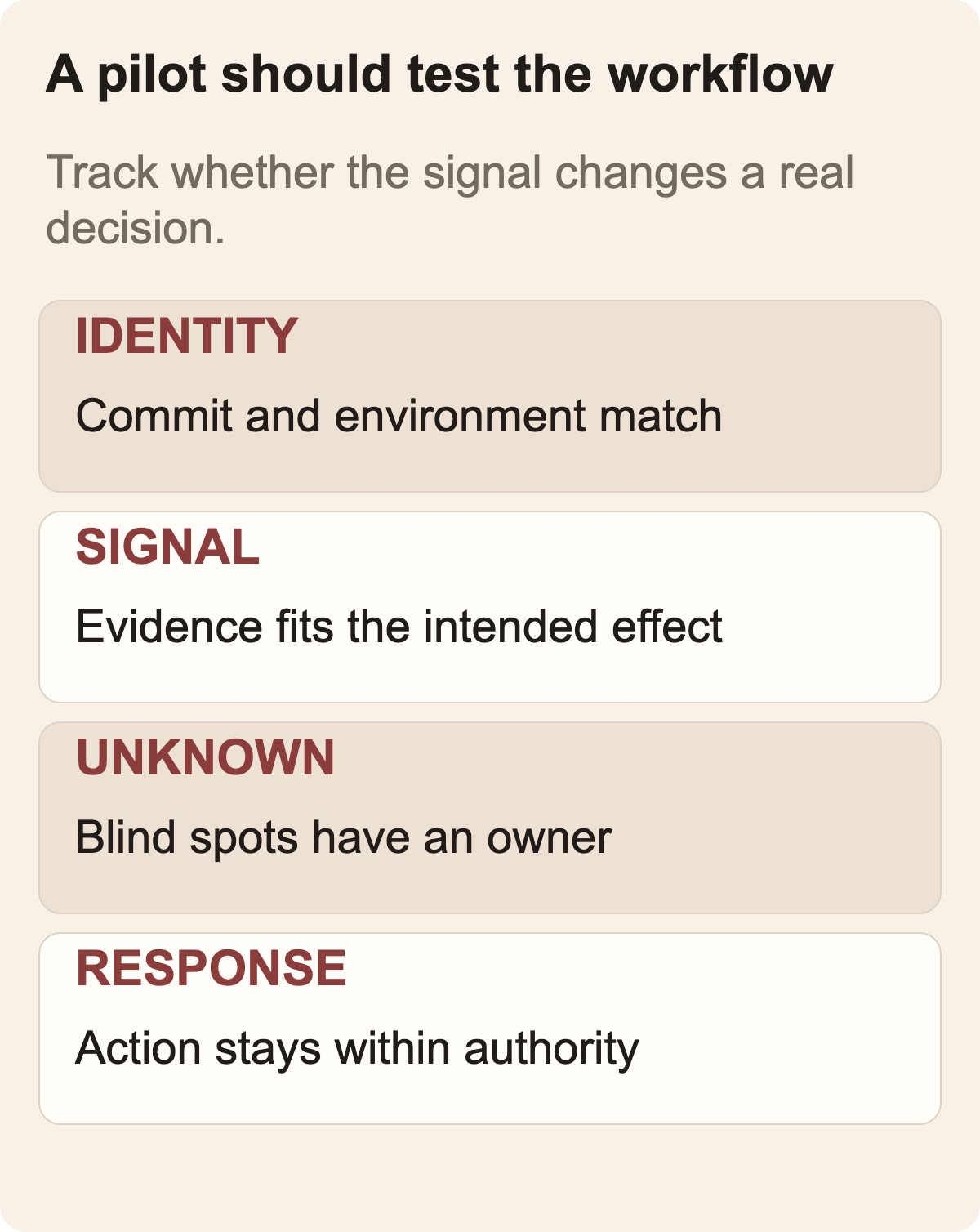
For the pilot, record the change identifier, relevant commit, deployment environments, intended effect, signals, baseline, observation windows and known blind spots. When Rollouts reports a state, log whether the evidence supports it, whether the suggested suspected change is plausible, how much human investigation was needed, and what action the team took. Also note missing data and any alert that did not change the response. These observations let you evaluate your own workflow rather than borrowing a vendor benchmark from a different context.
Cursor's launch post includes performance numbers for its Security Reviewer, but those figures do not measure Rollouts' production monitoring. Its claims about detecting regressions and instrumentation gaps are also vendor claims. The sources reviewed here do not establish detection precision, recall, reduced incident duration, or reliability across teams. Do not use those outcomes in a business case until you have relevant evidence from your own pilot or a credible independent study.
At the end of the pilot, ask whether the monitor changed a decision. Did the plan surface a missing signal before merge? Did a status reveal a real issue that existing monitoring missed? Was a “healthy” state properly scoped? Did inconclusive evidence route to the right person? Did the suggested response fit your controls? The answers may support wider use, further instrumentation work, or a decision that the current setup is not ready.
Measure the workflow without gaming it. Counting alerts alone can reward noise. Counting “verified” changes can reward an easy green status. Track whether pilot changes have adequate signals and how long it takes to identify the environment behind a result. Also record how often reviewers can explain the evidence. Keep the inconclusive cases and their known causes in the record. These are proposed measures for the team to evaluate, not metrics Cursor publishes as product results.
 View image detail
Common mistakes to avoid
Connecting telemetry without checking semantic fit. A dashboard connection may be technically successful while the chosen signal says little about the changed behavior. Map each signal to the change's intended effect before the first monitored deployment.
Treating every pull request as equally observable. Documentation-only changes, feature-flag changes and infrastructure edits create different monitoring needs. Cursor's docs allow teams to describe which changes to skip. Build that policy carefully and review false skips. An overly broad exclusion rule can hide a change that does affect runtime behavior.
Assuming staging verification proves production health. Cursor tracks environments separately. Use that separation. Staging and production can differ in traffic, data shape, dependencies and configuration. A good status in one environment is not a substitute for observing the other.
Ignoring “inconclusive.” A product cannot assess signals it does not receive. Missing telemetry, weak baselines and low traffic need an explicit human response. Otherwise the workflow teaches operators to equate no evidence with no risk.
Treating the suspected cause as established cause. Correlation around a release can help prioritize an investigation. It does not rule out a simultaneous change, external dependency, traffic pattern or unrelated infrastructure event.
Calling a proposed fix an approved fix. An issue, cloud-agent task or revert pull request is still part of the engineering process. Keep code review and deployment controls intact.
If your team is already deciding where agents should stop and a person should resume control, the related Rise guide, GPT-6 Astra Approvals: Where Should a Computer-Use Agent Stop?, offers a companion way to think about bounded authority. It addresses a different product, so use it as a decision principle rather than as documentation for Cursor.
A practical readiness checklist
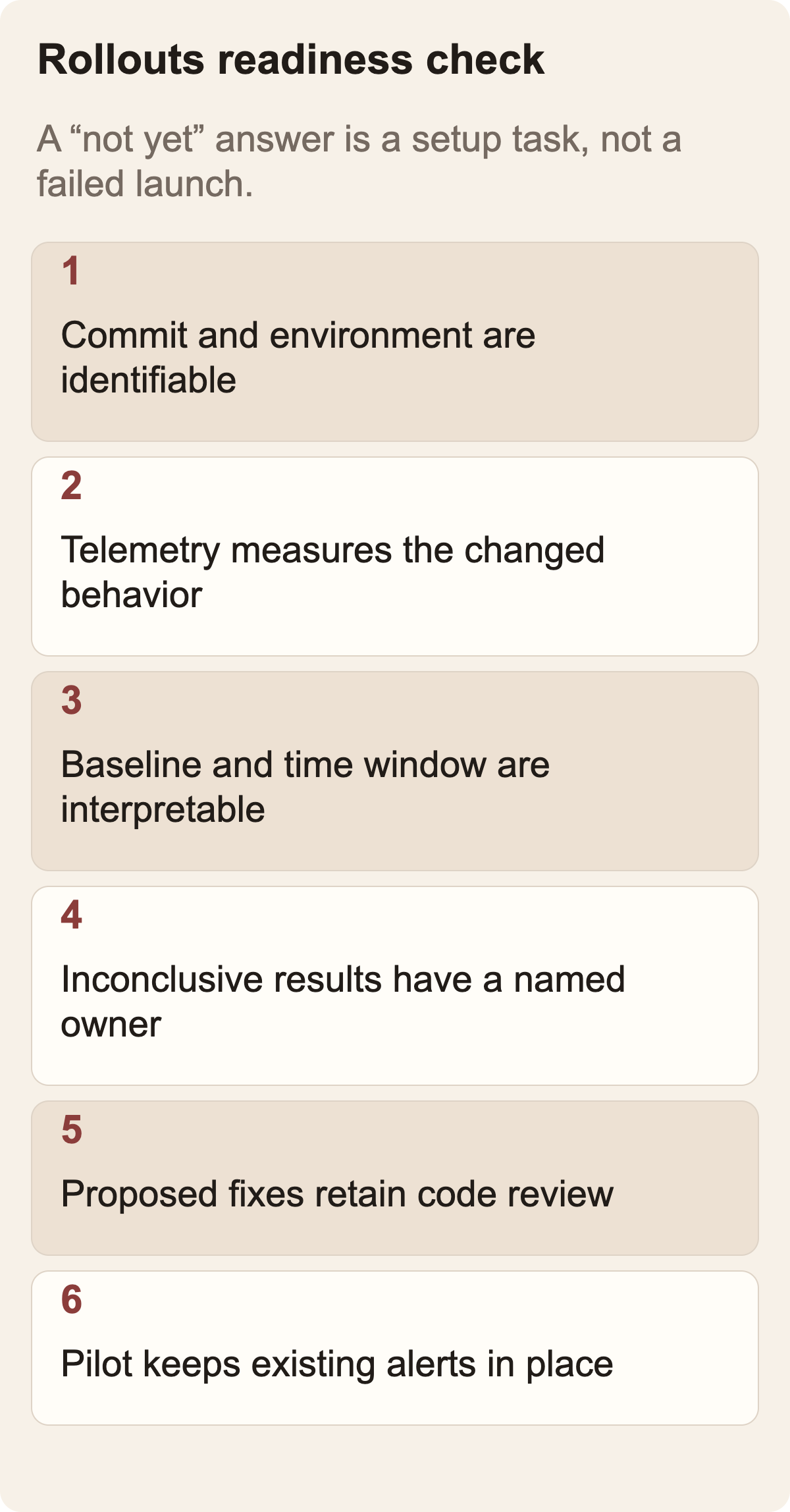
Before enabling Rollouts for a service, a team should be able to answer these questions without relying on a vendor demo:
- Can we identify the exact commit and environment in each deployment event?
- Does the connected telemetry observe the behavior this change should affect?
- Do we have an interpretable baseline and enough activity to assess the signal?
- Have we named the window and known confounders?
- Has someone reviewed the monitoring plan and its instrumentation gaps?
- Do people understand what each status means and what it does not establish?
- Does an inconclusive result have an owner and a next step?
- Are notification, pause, proposed fix, revert PR and production rollback authority separated?
- Can the on-call person reach the underlying evidence when a signal arrives?
- Will we compare the pilot with existing monitoring rather than disabling current safeguards?
If several answers are “not yet,” that is useful information. It says the first task is to improve deployment metadata, observability, or ownership, not to hope a new monitor fills the gap automatically. The product may still be worth piloting later, but the team should not interpret an unconfigured path as automated confidence.
Frequently asked questions
Does Cursor Rollouts roll back a deployment automatically?
The current Cursor documentation says Rollouts does not merge, revert, or roll back a change by itself. The launch changelog says it may open a revert pull request for review, depending on configuration. A proposed pull request is not an executed rollback.
What does Rollouts need before it can verify a deployment?
Cursor documents the need for repository access, deployment events and at least one connected telemetry tool. The team's signals still need to measure the intended outcome with an interpretable baseline.
Does a healthy status mean there are no bugs?
No. It can only summarize the configured signals, environments and observation windows. A behavior that is not measured, a later-emerging issue, or an unobserved environment is outside that evidence.
Is the September launch still relevant?
The September 23 launch remains a useful starting point for an adoption decision. This guide uses Cursor's current Rollouts documentation checked October 3, 2026. Confirm the latest controls and plan availability before enabling the feature for your team.
Cursor Rollouts answers the deployment-monitoring question. For the separate decision of how to verify an AI security finding before accepting it, see Cursor Security Review: How to Triage AI Findings Safely. The articles address adjacent steps in delivery and should not be read as one product evaluation.
Checked for this article
Sources
Keep going
Related notes.
Automation and Agents
Cursor Security Review: How to Triage AI Findings Safely
Cursor Security Review reports vulnerabilities on pull requests. Learn how to verify a finding, test a proposed fix, and keep human security ownership clear.
Read the article
Automation and Agents
Manus 2.0 Automations: How to Test Event-Triggered AI
Manus 2.0 can start AI tasks from events in connected services. Test one workflow, verify its permissions and judge the result.
Read the article
Automation and Agents
Supabase $150M Raise and Turso: What AI Builders Should Check
Supabase’s financing and Turso acquisition plan raise a practical question for AI builders: which agent state belongs locally, which needs sync and what makes a result ready for production?
Read the article