
Automation and Agents
Manus 2.0 Automations: How to Test Event-Triggered AI
Manus 2.0 can start AI tasks from events in connected services. Test one workflow, verify its permissions and judge the result.

On this page
- What changes when work starts from an event
- Separate the trigger from the work it authorizes
- Pick a job that can be inspected
- Decide where the run should live
- Make permissions smaller than the ambition
- Measure accepted work, not activity
- Use a stop rule before the first event arrives
- A decision guide for Manus Automations
- The practical first pilot
- Frequently asked questions
- What can start a Manus 2.0 Automation?
- Does an event trigger prove the workflow finished correctly?
- When does a Cloud Computer make sense?
- Should an automation publish or send on its own?
Manus 2.0 Automations are event-triggered AI workflows that start a task after a change in a connected service, such as a new email, advertising-performance change, calendar event, Slack message, or Notion update. Manus announced the feature on September 28, 2026. Investing.com and Bloomberg Law separately reported the release. Before relying on a trigger, check which services and controls your account exposes. The announcement does not specify filters, permission scopes, retry rules, duplicate-event handling, or downstream guarantees.
Rise Productive has not run Manus Automations hands-on. This guide uses the cited announcement and Help Center material, with independent reporting for launch context.
Automations launched alongside Manus Studio, the Cascade architecture, and Cue. This article focuses on the trigger and operating decision.
The operator's decision is whether an event-based start removes enough repeated work to justify its permissions and maintenance. Begin with one job whose input, output, and exception are already understandable. Compare a proposed automation with the process you use today. Connecting every inbox and asking an agent to “handle operations” turns a small pilot into a broad permission problem with no clear success condition.
Before choosing a tool, use the five-part test for deciding what work is worth automating to check frequency, input stability, judgment, failure consequences, and maintenance.
Key takeaways- Manus says Automations can begin from events in connected services; confirm which services and controls your account exposes.- Start with one frequent, stable task whose result a reviewer can inspect.- Separate source access, drafting, record changes, and external actions. Keep approval before consequential steps.
What changes when work starts from an event
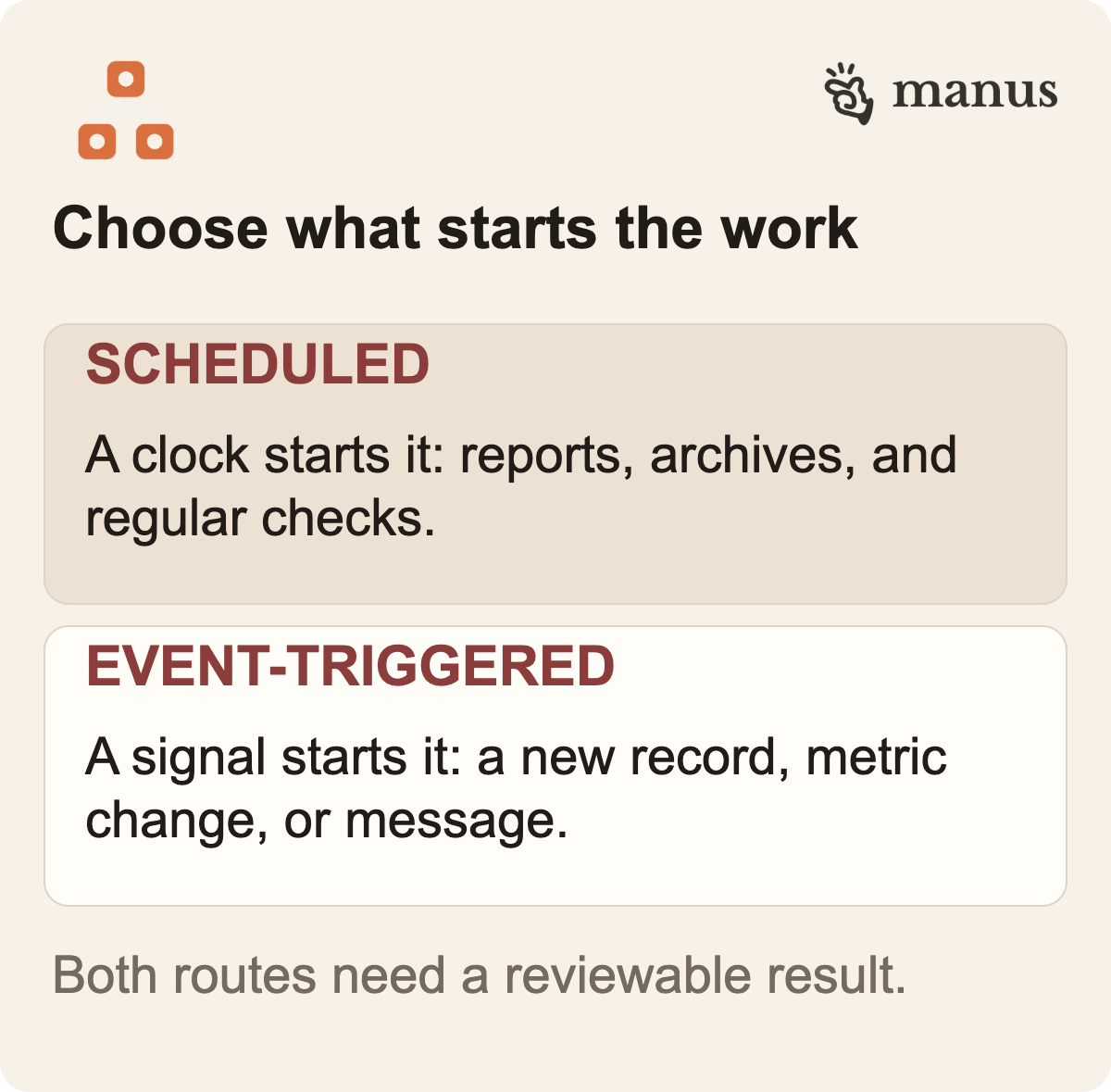
A scheduled task begins because time passed. “Every Monday at nine, assemble a draft status report” is a clock-based instruction. An event-triggered workflow begins because a relevant signal arrives. “When a new project record appears, collect its specified fields and prepare a draft summary for its owner” is event-based.
A schedule can still be the better choice. Weekly reporting, a monthly reconciliation, or a regular archive may have a natural rhythm. An event trigger is useful when waiting for the next scheduled check creates avoidable delay or when someone currently has to notice the same signal and copy it into another system. If neither condition matters, an event-driven system may add complexity without removing a real step.
There is also a middle option: keep the scheduled job and automate only what happens after a person identifies an item. That can be sensible when incoming events are noisy, connectors are inconsistent, or false starts cost more than a few minutes of waiting. The goal is to remove the specific handoff that consumes attention, not to adopt the newest trigger type.
For teams that use Notion as a source workspace, Rise Productive's guide to a live Notion CMS, CRM, and database separates the source, synchronization layer, and destination. That model can help define which Notion update should count as a signal.
 View image detail
Separate the trigger from the work it authorizes
A trigger answers, “When should the task start?” It does not define what a run may do or how the team knows it finished correctly. Those are separate design decisions. They matter more when the workflow can reach messages, customer records, money, or public-facing content.
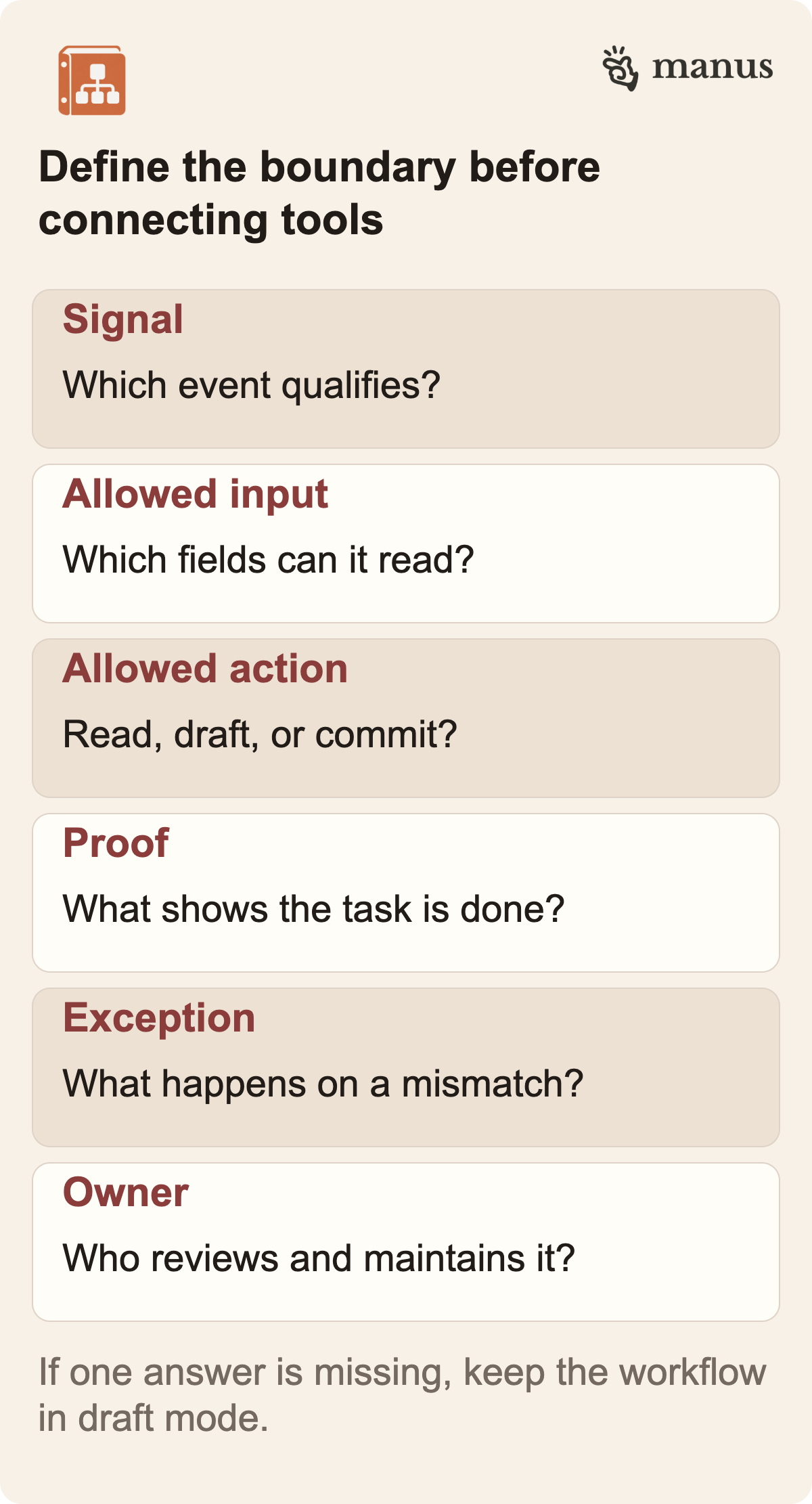
Write the task as a short contract before opening the connector settings:
- Signal: what exact event should start the work, and which similar events should be ignored?
- Allowed input: which fields, files, or records may the run inspect?
- Allowed actions: may it only summarize, may it create a draft, or may it change an external record?
- Completion evidence: what visible artifact proves that the job reached the intended state?
- Exception: what should happen when a required field is missing, the event is ambiguous, or a connected service fails?
- Owner: who sees the result, handles the exception, and notices if the automation stops working?
This is not paperwork for a theoretical future. It is the definition that lets you distinguish a useful run from a task that merely completed without an error. If the requested output is a customer-ready reply, “the agent produced text” is not a complete success condition. The reply may still have the wrong account, promise an unavailable service, or cite information outside the approved source. A safer first test might create a draft containing only the relevant record and a cited reason, then leave sending to the owner.
A signal can fire more than once or arrive while earlier work is unfinished. Before launch, test whether the trigger exposes an event ID or another way to reject duplicates, and what happens after a timeout. If it does not, choose a low-consequence trigger where a duplicate is easy to spot. The word “automation” does not establish delivery or retry behavior.
 View image detail
Pick a job that can be inspected
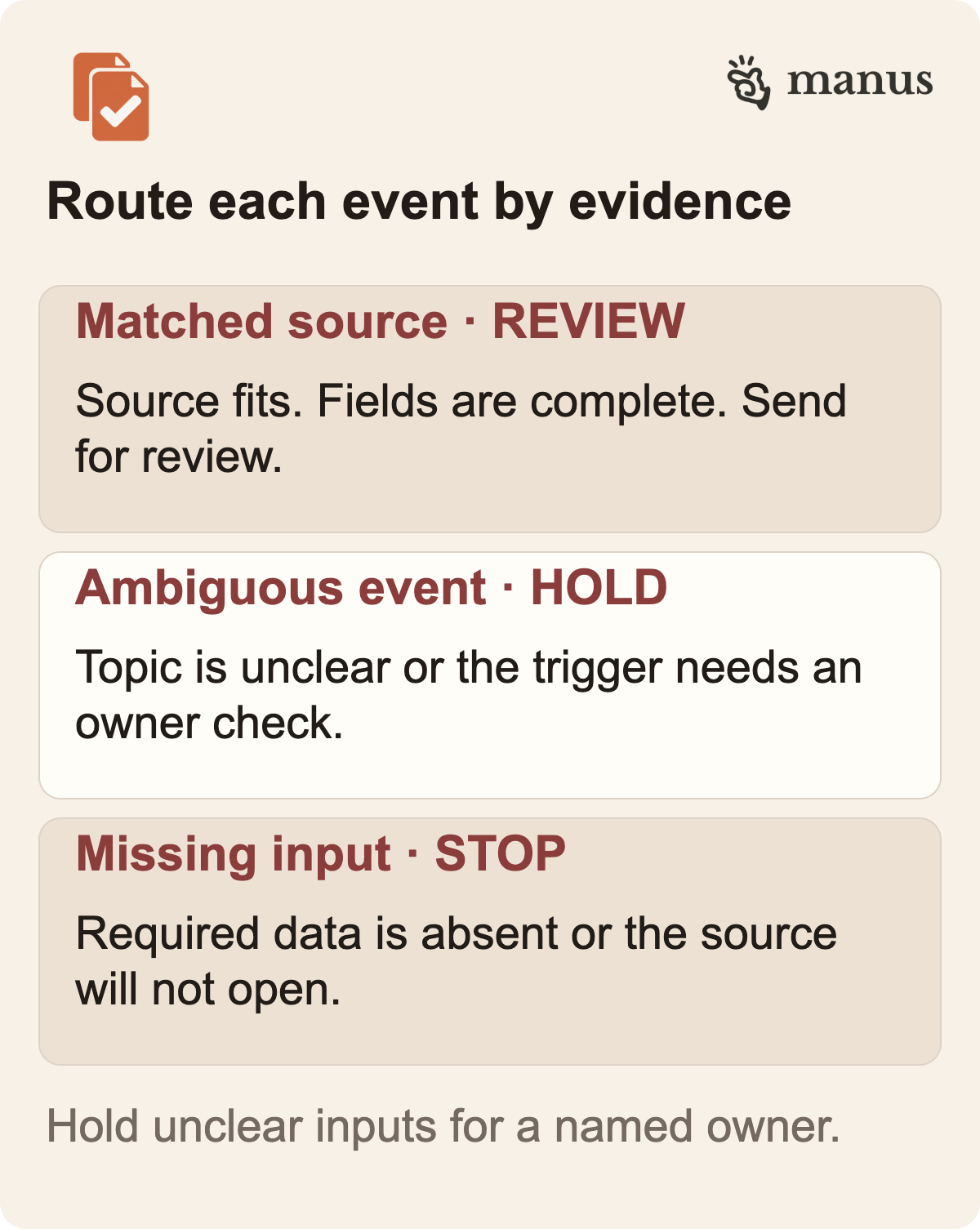
Start with a task that already has a recognizable input and a result you can check against something concrete. New public product announcements might arrive through a monitored feed. A first experiment could prepare a source-linked summary for an editor, rather than write and publish an article. A team could compare the incoming announcement's title and source URL against a review queue, then send only a draft card to the content owner.
That example is a proposal, not a Manus test. It illustrates a useful boundary: the system may collect a known source, label a candidate, and draft a short handoff. A person decides whether the event deserves coverage, verifies the original announcement, selects the argument, fact-checks the article, reviews images, and approves publication. The automation removes repeated collection work without claiming that relevance, accuracy, editorial judgment, or public trust can be delegated by default.
A separate small-business example could be a vendor-invoice intake. When a message arrives with a known invoice type, the agent could extract a vendor name, invoice date, amount, and purchase-order reference into a review record. The acceptance check would confirm that the values match the attached original. A human would resolve any mismatch before accounting software changes. This is a scenario for evaluation, not a claim about a built-in Manus connector or an observed result.
For a marketing report, an ad-performance signal might start a draft explanation when a metric crosses a threshold. But the threshold itself needs a definition, a comparison window, and a rule for missing data. A one-day fluctuation may not mean what a weekly trend means. If the automation sends an alert every time a number changes, it has not eliminated work; it has built a more reliable way to interrupt someone.
The task should be frequent enough that improvement matters and stable enough that a reviewer can recognize success. If the work happens once a year, a checklist could be less expensive to maintain. If every request arrives in a different shape, fix intake first. Even if an agent can handle varied inputs, that flexibility does not show that an unknown business process is ready for unattended execution.
 View image detail
Decide where the run should live
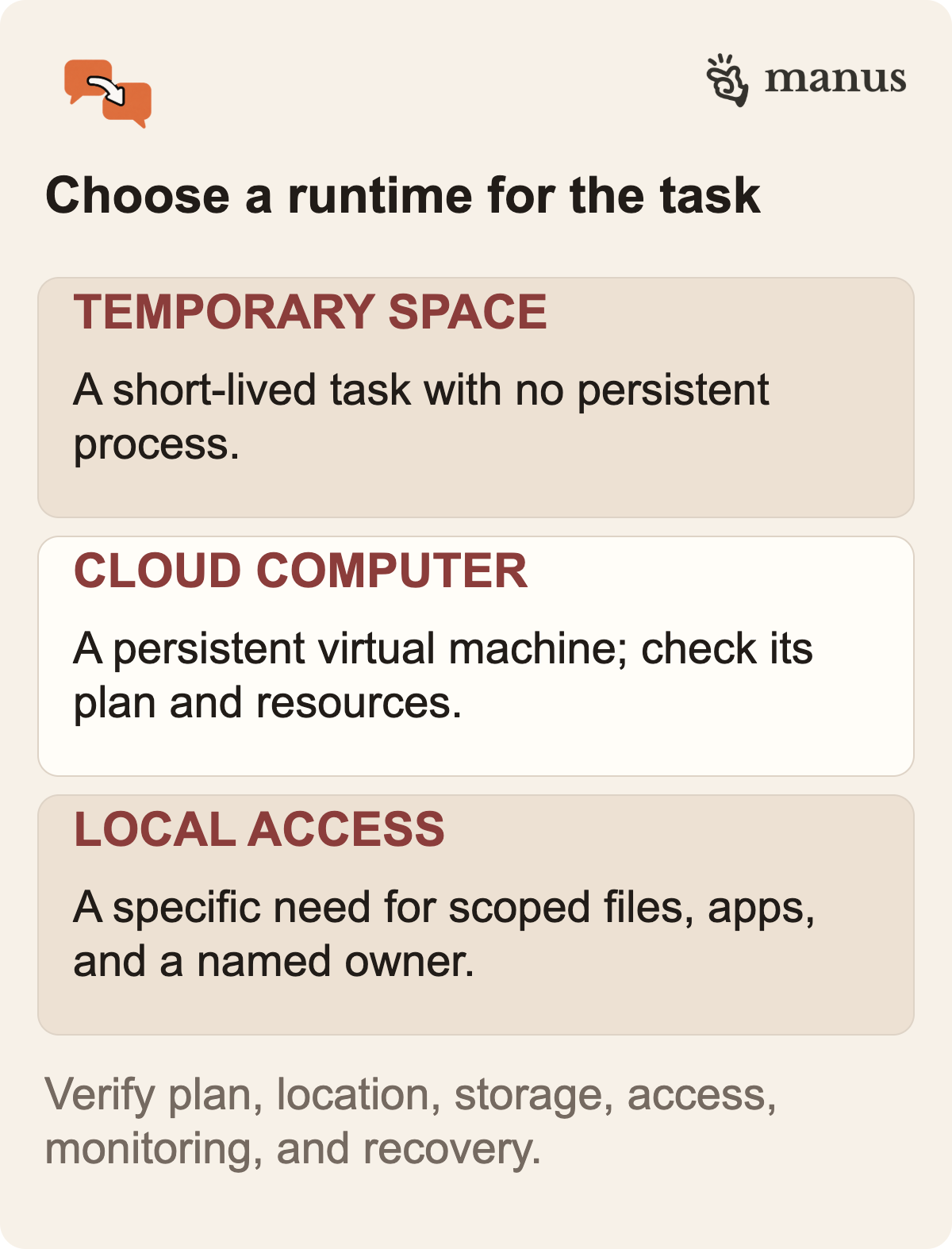
First decide whether the task can finish in a temporary session or must retain state and run when nobody is logged in. The Manus Help Center, dated June 5, 2026, describes Cloud Computer as a purchasable environment with persistent files and processes, so the product predates Manus 2.0. In its September 28 announcement, Manus says an Automation needs somewhere to run around the clock and presents Cloud Computer as a permanent home for one. That is the vendor's positioning, not a service-level commitment. The Help Center overview distinguishes the virtual machine from a temporary task sandbox and the local “My Computer” connection.
A short research task that returns a document may fit a temporary environment. For an Automation that must stay available when nobody is logged in, Manus points to Cloud Computer; confirm which plan and configuration the workflow requires. A task that needs files on an employee's workstation is different from one that operates in the cloud. The cited pages do not establish the exact account price, resources, data location, reliability commitment, recovery options, or regional availability. Check the settings and contract before buying or promising continuous operation.
Persistence alone does not establish reliability. Ask what state is stored, who can access it, how updates are applied, and how an operator can tell that the process stopped. “Always on” does not mean a task is monitored, idempotent, resilient to service changes, or covered by a documented uptime guarantee.
The Manus Cloud Computer setup guide describes selecting a plan, location, and storage, then accessing the machine through a web terminal or SSH. It also describes CPU, memory, and storage metrics. A buyer still needs a plain-language explanation of administration, backups, storage limits, and who owns connected credentials before relying on a specific configuration.
 View image detail
Make permissions smaller than the ambition
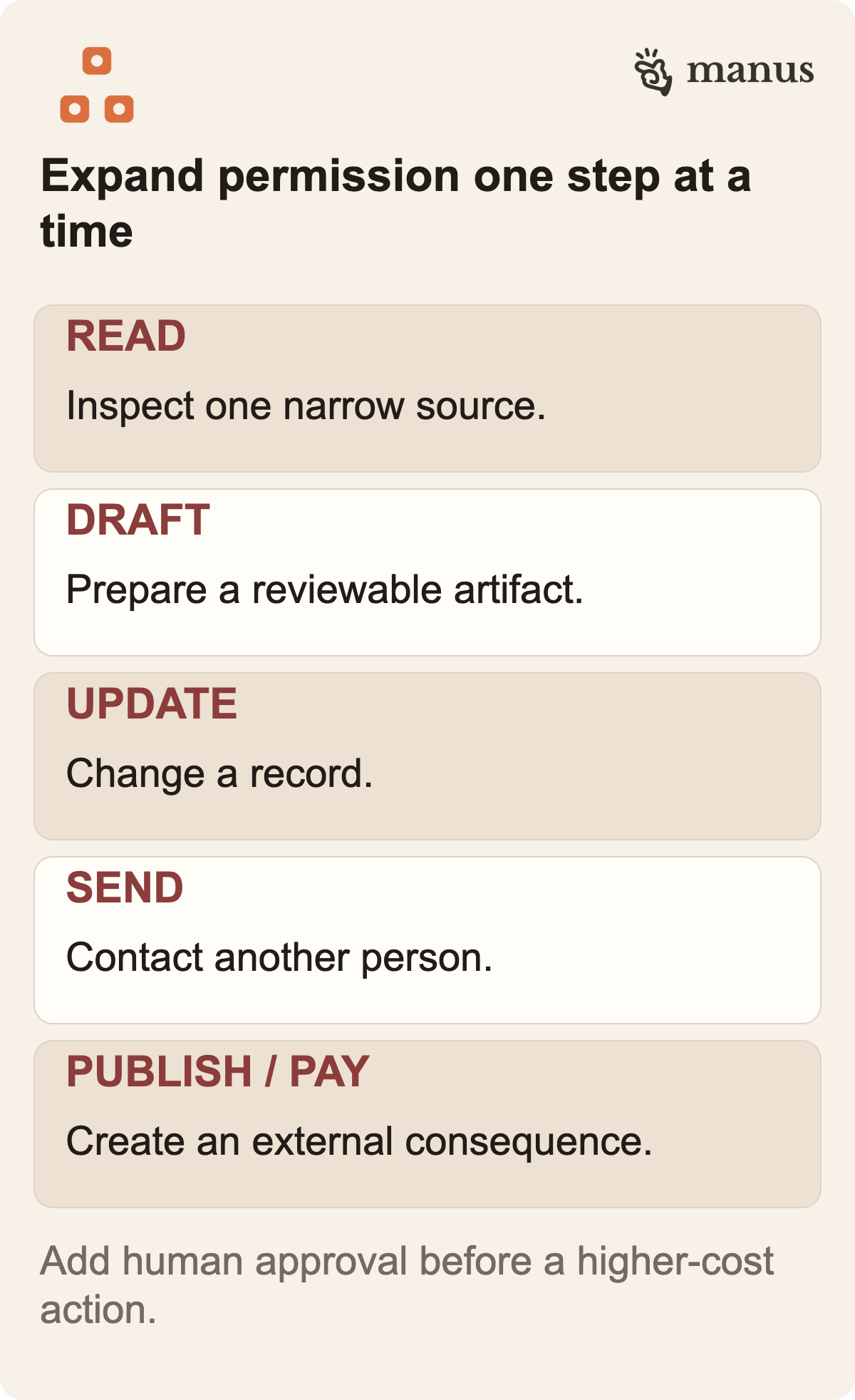
The easiest way to overscope an automation is to describe a desired outcome and let the connector list decide its access. Instead, give the workflow the smallest set of services and data needed to test its first step. If a first version only needs to draft a summary from a single event, it probably does not need permission to send messages, change a project status, update a contact record, or publish content.
The exact permission controls available in Manus should be verified in the connected account. The practical design principle is broader than one vendor: separate “read,” “draft,” and “commit” authority. Read access can still expose sensitive information, so scope it too. Draft access can create clutter or disclose data in a shared destination. Commit access can alter a record or send a message. Publishing and spending create a different failure cost again.
For each action, ask what can go wrong and how a human would reverse it. A duplicate draft is easy to remove. A message sent to a customer may not be retractable. A payment, deletion, or public statement may create cost beyond the system's credit usage. The higher the recovery cost, the more valuable it is to keep a separate approval step. Quick setup does not justify broad permissions.
Small permissions also make a test easier to diagnose. If a run reads one folder, processes one event type, and writes to one review destination, a failed result has a smaller search area. If it connects half the company's tools at once, a change in the output could come from the trigger, source material, connector, prompt, runtime, or a hidden side effect. Narrow scope reduces exposure and helps identify what caused an outcome.
 View image detail
Measure accepted work, not activity
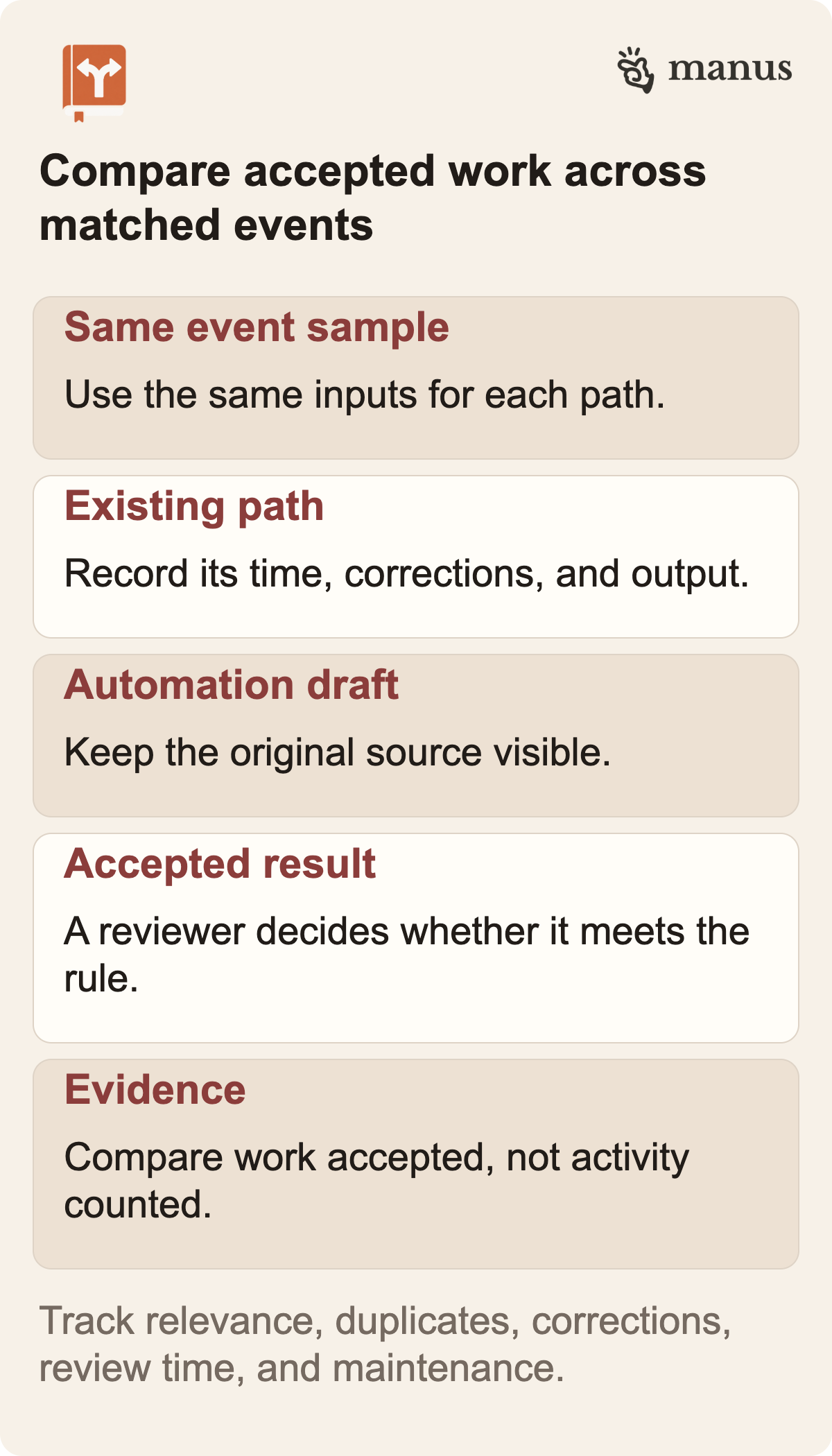
A trigger count, completed-task badge, token metric, or attractive summary does not tell you whether the process is worth keeping. Measure an output the team would accept. Compare a sample of the same event type under the current process and the proposed workflow.
Before the test, define the quality check. For a product-change digest, the item must use an original source, distinguish a launch from a staged rollout, include access conditions, and provide a link a reviewer can open. For an invoice intake, fields must match the source document and the exception queue must preserve a mismatch. For an ad alert, the date range, baseline, threshold, and missing-data rule must be visible. These are examples of test contracts. Use the ones that fit your actual process.
Track both accepted outputs and the effort around them. Record the number of relevant events and duplicates, missing or incorrect fields, corrected runs, reviewer time, diagnosable failures, and maintenance. Did the owner spend less time assembling context, or did the work move into reviewing a longer draft? A useful pilot includes the cost of the person who checks it, not only the vendor's compute charge.
Rise Productive's analysis of what an accepted AI task really costs makes the same point: review, retries, and recovery can change the economics that a token-rate calculation alone misses.
The proposed measurement is simple: keep the old path available, route a bounded sample through the new path, and compare only matched events. If you cannot run the two paths side by side, keep a representative baseline with timestamps and accepted outputs. Do not calculate a savings percentage from an estimate that does not include setup, review, exception handling, service fees, and the time spent maintaining the integration.
 View image detail
Use a stop rule before the first event arrives
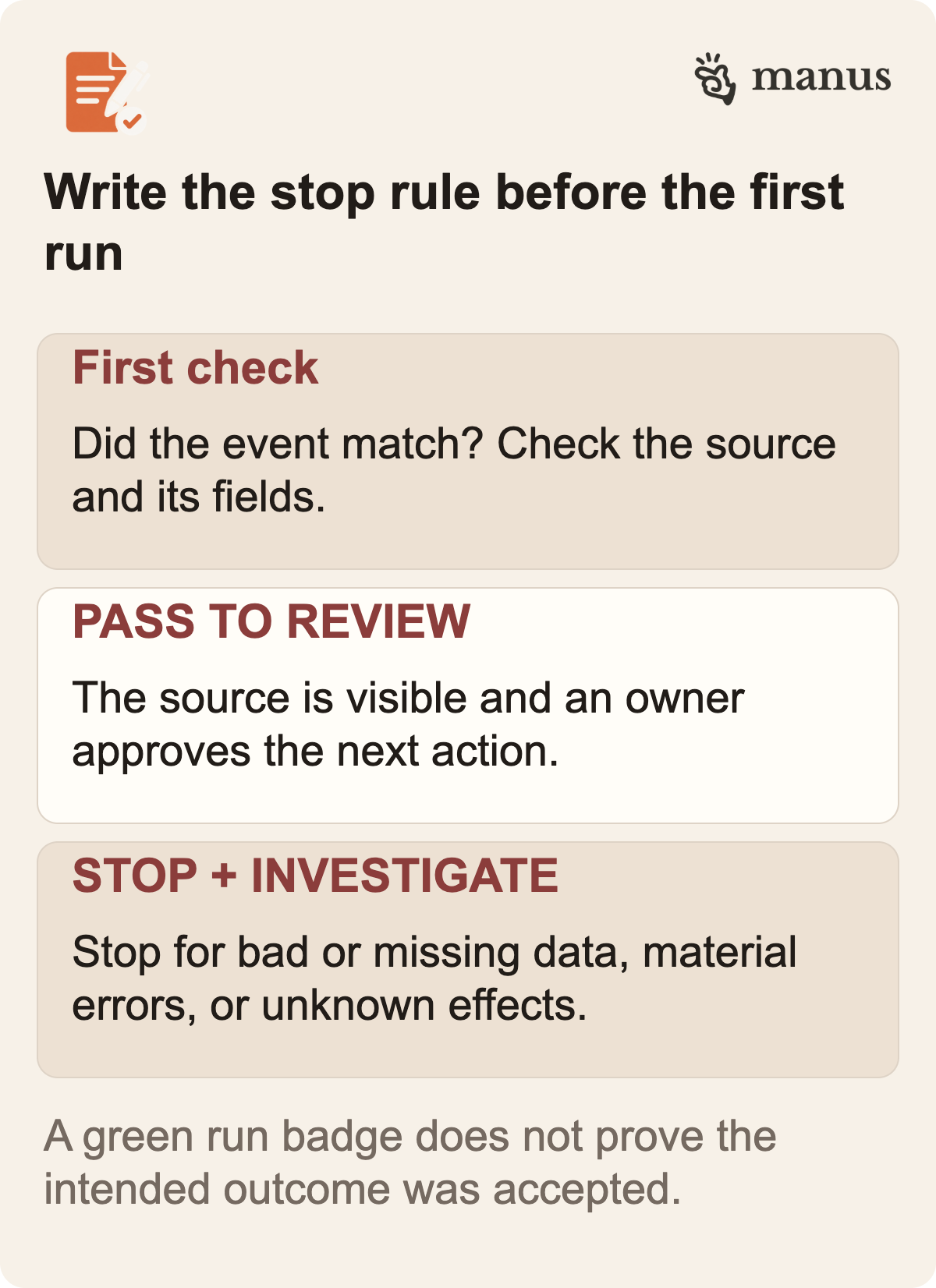
A pilot should have a finish line and a stop rule. The finish line says what has to work to expand the test. The stop rule says what causes you to pause, disable a trigger, or return to the current process.
For example, a low-risk internal digest might need to show the correct event, source, date, and summary in a review queue for a defined sample. A run that misses a source or produces an unsupported claim would stay a draft and be corrected before the workflow expands. A notification process might stop if it creates too many false alarms or if the owner cannot find the underlying record. A workflow that changes an external record might begin with a human confirmation until repeated results show that the normal path and the rollback are understood.
The numbers for this test should come from the process owner, not a generic article. Ten events may be enough for a low-risk format check and nowhere near enough to establish reliability for a consequential workflow. A monthly task may require more calendar time to encounter its normal exceptions. If the source rate is low, do not act as though a handful of runs samples the whole job. State the sample and the boundaries of the conclusion.
Stop if the owner changes, the source format changes, permissions expand, or a connector begins returning different data. A previously reviewed output does not prove the new version still behaves the same. Also stop if the system makes a mistake that could materially affect a customer, financial record, or public claim. Investigate the cause before restarting. A schedule or trigger should not silently resume after a failed test because a dashboard turned green again.
This is where logging earns its keep. A useful record should identify the event, the source state, the workflow version, its output, the reviewer decision, and any exception. The product's exact history and export features need current account verification. Whatever it provides, decide how long records should be retained and who can read them. Keep the minimum useful evidence, not every piece of connected data forever.
 View image detail
A decision guide for Manus Automations
- The work belongs at a regular time: Starting choice: Keep or improve the scheduled job; What to verify: Whether timing is the real bottleneck
- Someone repeatedly notices the same event, then copies known fields: Starting choice: Test an event trigger with a draft-only result; What to verify: Trigger filters, duplicate handling, source accuracy, human owner
- A task needs to stay available after the session ends: Starting choice: Evaluate the purchasable Cloud Computer; What to verify: Price, plan, region, persistent data, administration, monitoring, recovery
- Inputs vary too much to inspect automatically: Starting choice: Standardize intake first; What to verify: Required fields and exception definitions
- A mistake can send, publish, delete, commit, or spend: Starting choice: Keep approval before that action; What to verify: Permission scope, reviewer visibility, audit trail, reversal path
- Nobody can define what “done” looks like: Starting choice: Do not automate yet; What to verify: Agree on an accepted outcome first
The table helps decide what to test; its rows are workflow recommendations. The announcement describes event triggers and presents Cloud Computer as a permanent home for an Automation that must run around the clock. The actual account and connected service determine which settings are available.
The practical first pilot
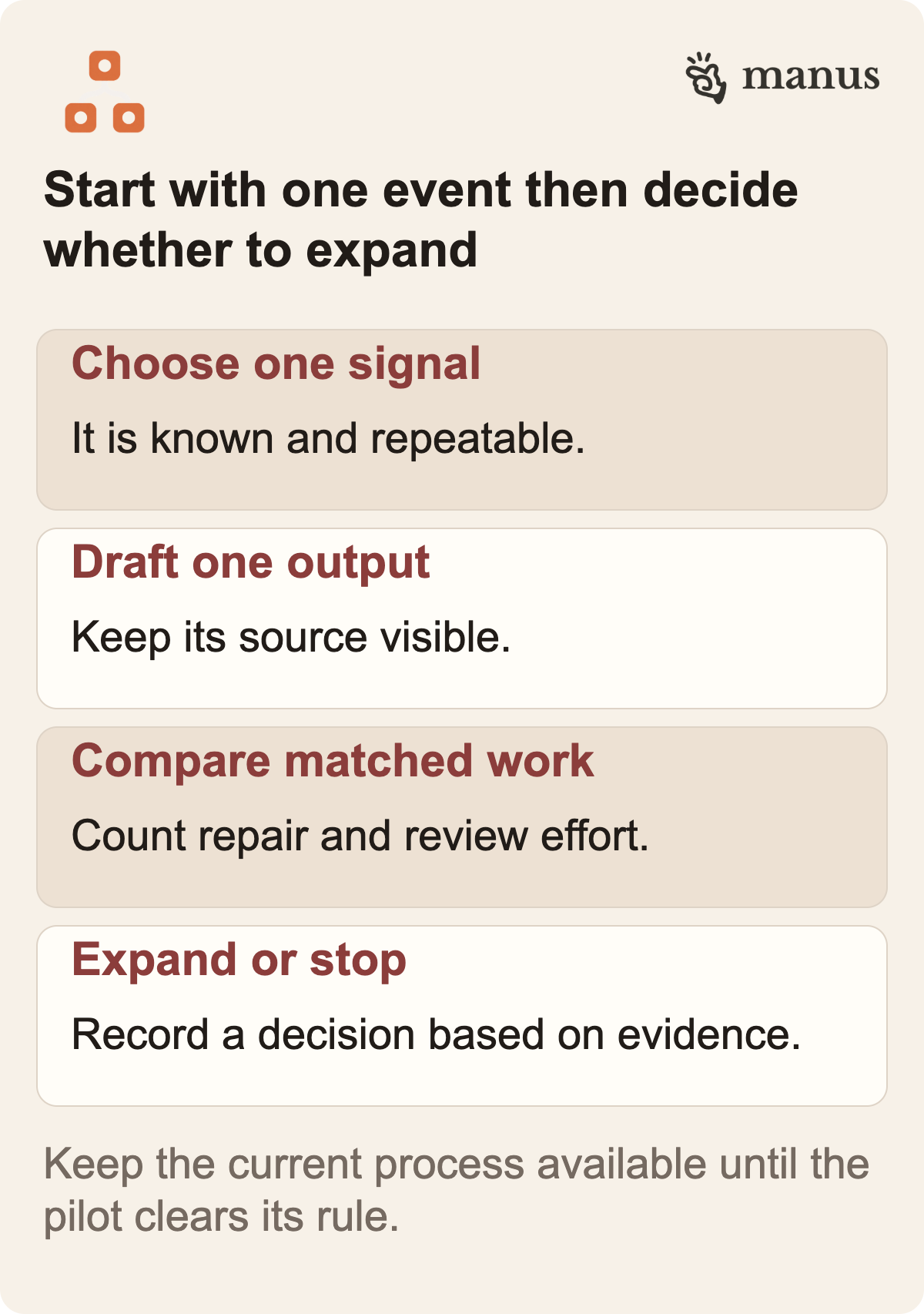
Pick one internal, reversible task that already has a measurable input and a reviewer. Write down its normal path and two or three likely exceptions. Choose one event to trigger it. Connect only the service needed to receive that event and the destination needed for a draft. Decide who reviews it and where they will see the source and the result. Keep any customer-facing, financial, permission-changing, or publishing action outside the automation until the review boundary is explicit.
Run that version alongside the current process. Compare matched inputs. Record missing fields, duplicate starts, source mismatches, corrections, reviewer time, and the output the team actually accepts. Then ask whether the automation removed a handoff or merely added another queue. If review time rose or exceptions kept appearing, keep the test narrow until the cause is understood. If accepted outputs improve while the review burden stays manageable, consider the next smallest permission or event, one at a time.
 View image detail
If a candidate fails the frequency, input-stability, judgment, consequence, or maintenance check, pause before connecting a trigger. Keep an automation only when it removes a repeatable handoff and leaves its owner a result they can inspect. When the next person needs to revise the creative output itself, see the companion guide to when to keep a Manus Studio editable project.
Frequently asked questions
What can start a Manus 2.0 Automation?
Manus's September 28, 2026 announcement lists connected-service events such as a new email, an advertising-performance change, a calendar event, a Slack message, or a Notion update. Confirm the available services, filters, permissions, and trigger behavior in the account you plan to use.
Does an event trigger prove the workflow finished correctly?
No. A trigger describes when the task begins. Define what an accepted result looks like, where the output appears, how exceptions are surfaced, and who reviews it.
When does a Cloud Computer make sense?
Manus describes it as a purchasable persistent virtual machine for projects that need to keep running. Confirm price, resources, location, access, monitoring, recovery, and ownership before relying on one.
Should an automation publish or send on its own?
Only after the exact permissions and failure consequences have been evaluated for that workflow. For an initial pilot, a draft and visible human approval provide a clearer test boundary.
Checked for this article
Sources
Keep going
Related notes.
Automation and Agents
Cursor Security Review: How to Triage AI Findings Safely
Cursor Security Review reports vulnerabilities on pull requests. Learn how to verify a finding, test a proposed fix, and keep human security ownership clear.
Read the article
Automation and Agents
Cursor Rollouts: How to Monitor a Pull Request Through Production
Cursor Rollouts connects a pull request to deployment signals and reports a status for each environment. Here is the setup and review work that makes those signals useful.
Read the article
Automation and Agents
Supabase $150M Raise and Turso: What AI Builders Should Check
Supabase’s financing and Turso acquisition plan raise a practical question for AI builders: which agent state belongs locally, which needs sync and what makes a result ready for production?
Read the article