
Automation and Agents
How to Build Async Tool Calling into Gemini 3.8 Live Voice Agents
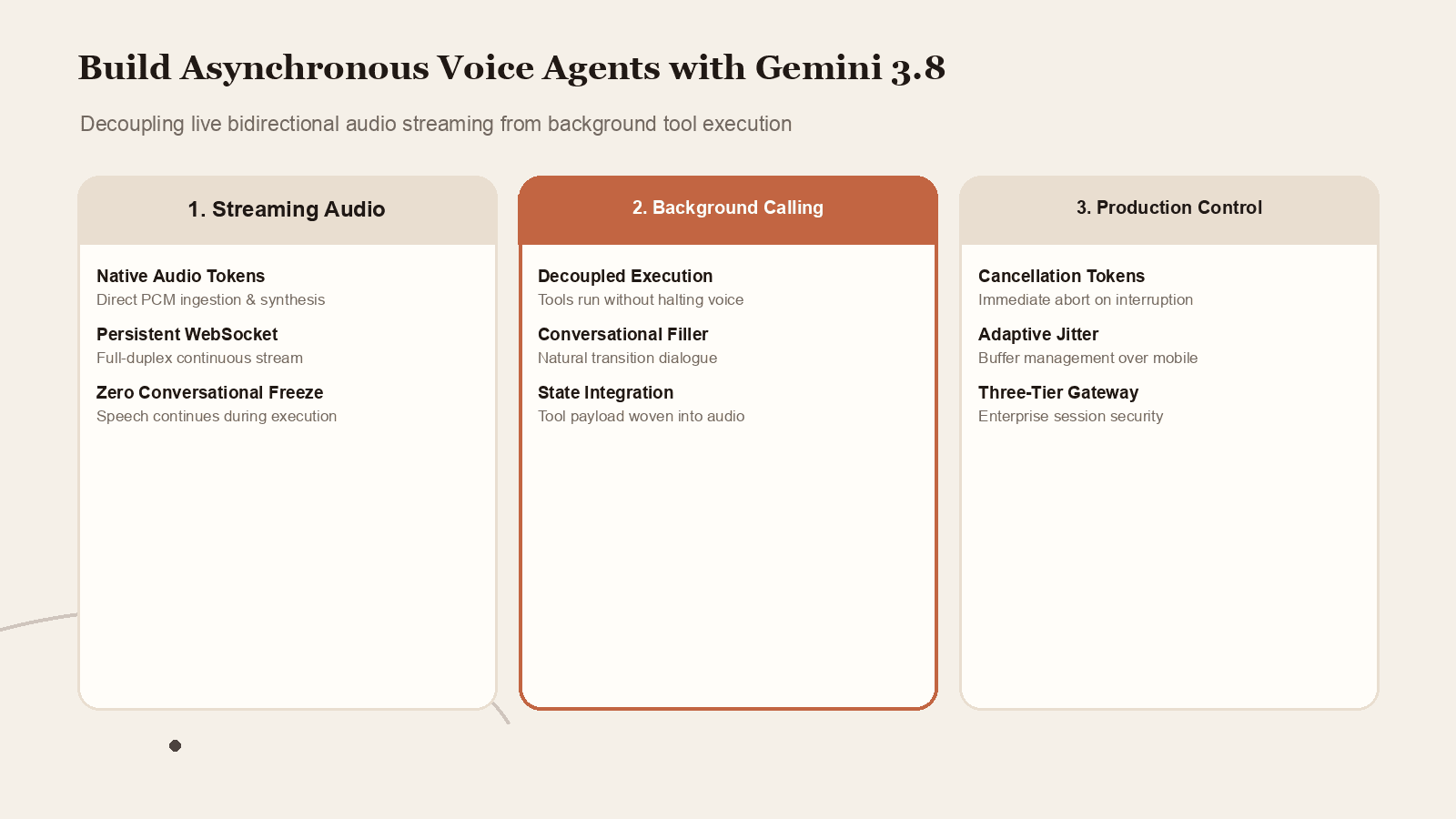
Traditional voice agents freeze when calling external APIs. Here is how to architect continuous bidirectional audio with Gemini 3.8 Live background tool execution.
On this page
- The Architectural Shift: Native Bidirectional Audio Streaming
- 1. Unified Multimodal Audio Tokens
- 2. Dual-Track Inference Pipeline
- 3. Asynchronous Execution State Ingestion
- 4. Acoustic Barge-In and Interruption Pruning
- Defining Tool Schemas and Function Declarations
- Strict Schema Definition
- Categorizing Fast vs Long-Running Tools
- The Mechanics of Conversational Filler and Dialogue Pacing
- System Prompt Engineering for Background Execution
- Filler Tone Modulation
- End-to-End WebSocket Session Architecture
- The Recommended Three-Tier Architecture
- The WebSocket Protocol Sequence
- Code Pattern: Implementing Asynchronous Tool Handling in TypeScript
- Interruption Handling and Cancellation Token Propagation
- 1. Client-Side Speech Detection (VAD)
- 2. Gateway Cancellation Token Abort
- 3. Server Turn Truncation
- State Synchronization Across Concurrent Audio and Tool Pipelines
- 1. The Monotonic Turn Counter
- 2. Contextual Buffer Locks
- 3. Graceful Topic Recovery Protocols
- Testing and Simulating Variable Latency in Development Sandboxes
- Simulating Artificial Delay Profiles
- Automated Conversational Stress Testing
- Production Optimization: Buffering, Jitter, and Audio Codecs
- Audio Codec Selection and Compression
- Client Jitter Buffer Management
- Conclusion: The Future of Ambient Conversational AI
- Sources
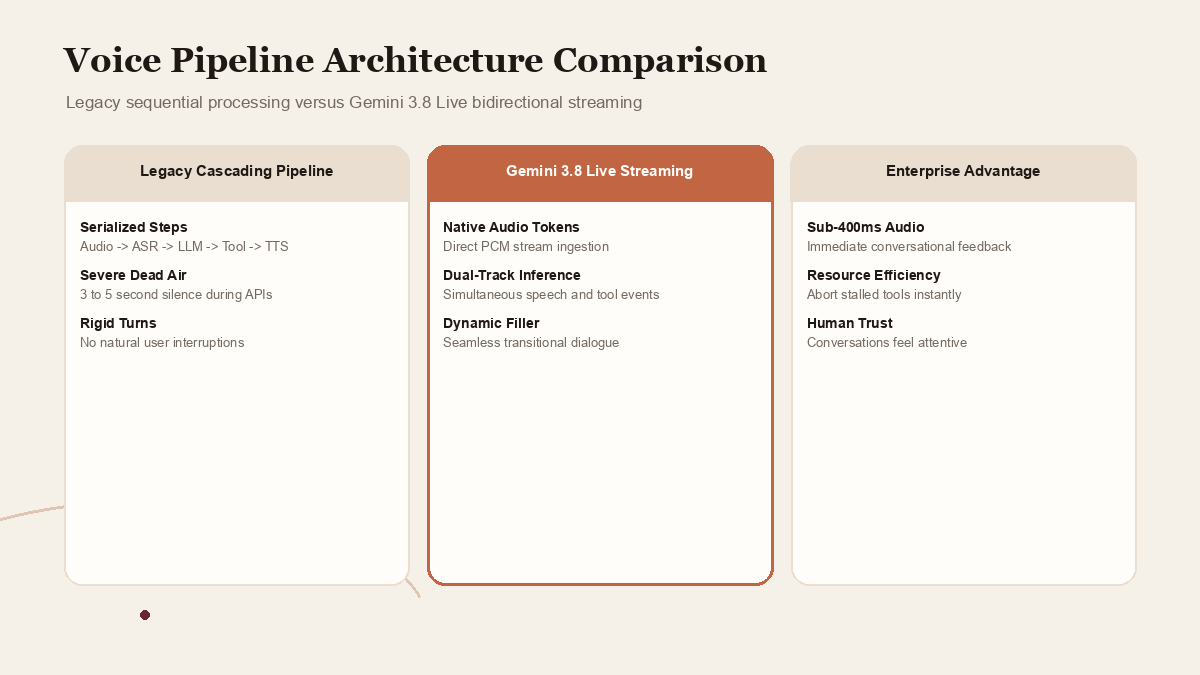
Voice interfaces have historically suffered from an awkward, unnatural conversational cadence. In traditional voice agent architectures, user speech is converted to text via automated speech recognition (ASR), passed to a large language model to generate a response and identify function calls, executed against external backend tools, and finally converted back into synthetic voice via text-to-speech (TTS). This serialized, cascading pipeline creates severe latency bottlenecks. If a user asks a banking voice bot to check account balances or initiate a flight booking change, the system routinely goes silent for three to five seconds while remote APIs execute. In human conversation, five seconds of dead air feels like an eternity, signaling a disconnected call or a confused listener.
With Gemini 3.8 Live, Google introduces a paradigm shift: native, bidirectional audio streaming paired with asynchronous background tool calling. Rather than converting audio back and forth through disconnected transcription layers, Gemini 3.8 Live processes raw audio tokens directly through a persistent WebSocket connection. Crucially, the model can initiate and monitor external tool execution in the background while simultaneously maintaining continuous, natural conversational speech with the user. If an API request requires three seconds to fetch external database records, the agent can acknowledge the request, provide contextual filler, clarify user preferences, and seamlessly weave the completed tool output into its ongoing vocal response without dropping the audio stream.
Building production-grade voice agents with asynchronous tool execution requires a sophisticated understanding of real-time streaming state, audio packet buffering, function invocation schemas, and cancellation token management. This guide provides engineering teams with a comprehensive implementation manual for architecting, building, and deploying asynchronous tool calling voice agents with Gemini 3.8 Live.
 View image detail
The Architectural Shift: Native Bidirectional Audio Streaming
To understand why asynchronous tool calling is transformative, developers must understand the technical architecture of Gemini 3.8 Live. Previous generations of conversational AI relied on discrete request-response cycles. Even streaming language models typically delivered text chunks that client-side audio engines had to buffer, synthesize, and play out in sequence.
Gemini 3.8 Live eliminates this fragmentation through four foundational mechanisms:
1. Unified Multimodal Audio Tokens
Gemini 3.8 Live operates directly on native audio tokens. User speech is sampled at 16 kHz or 24 kHz pulse-code modulation (PCM), packed into binary WebSocket frames, and ingested directly by the model. The model generates audio responses as raw PCM frames that stream back to the client with sub-400-millisecond latency. Because the model processes pitch, inflection, tone, and pacing natively, it detects user pauses, hesitancy, and emotion far more accurately than text-based ASR engines.
2. Dual-Track Inference Pipeline
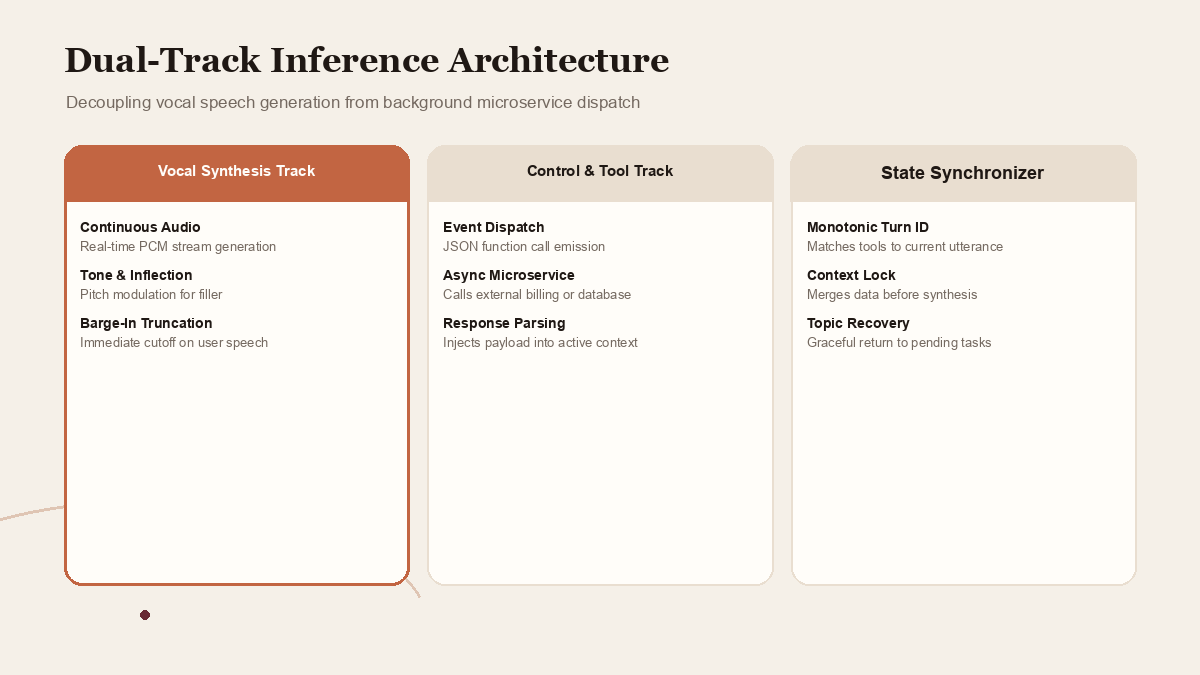
While traditional models freeze text generation when emitting a function call payload, Gemini 3.8 Live decouples conversational dialogue generation from tool dispatching. The model maintains two parallel inference tracks: an audio synthesis track that sustains continuous spoken interaction, and an event-driven tool execution track that emits structured JSON function calls over the WebSocket control channel.
3. Asynchronous Execution State Ingestion
When an external tool completes its computation, the client application transmits the function response back over the control channel. Rather than forcing a hard context reset, Gemini 3.8 Live ingests the returned data into its active context window dynamically. The model synthesizes the newly available information into its upcoming speech tokens, transitioning smoothly from conversational holding dialogue to specific, data-grounded answers.
4. Acoustic Barge-In and Interruption Pruning
In natural spoken dialogue, humans frequently interrupt one another. If a user speaks while the model is outputting audio, the Gemini 3.8 Live client immediately detects the incoming acoustic energy, transmits an interruption signal to the server, truncates the server-side audio generation buffer, and clears the client playback queue. This real-time interruption handling ensures that the agent feels attentive rather than robotic.
 View image detail
Defining Tool Schemas and Function Declarations
Asynchronous tool calling begins with explicit, highly structured function declarations. When establishing the initial WebSocket session handshake with the Gemini Live API endpoint, developers provide an array of supported tools within the session configuration payload.
Strict Schema Definition
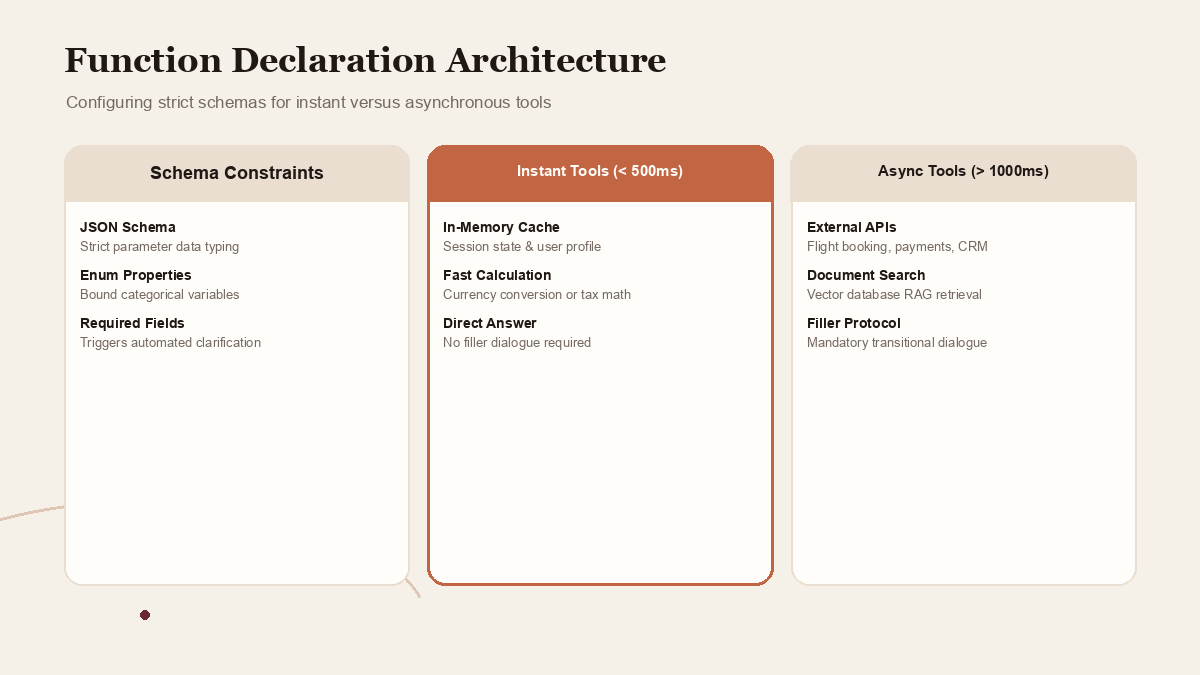
Function parameters must adhere to strict JSON Schema specifications. Because the model invokes functions in real time while speaking, vague or ambiguous property descriptions lead to hesitation, erroneous parameter extraction, or redundant clarification requests.
Developers should specify:
- Precise data types (string, integer, boolean, array).
- Explicit enumeration constraints for categorical variables.
- Clear, semantic descriptions outlining the operational purpose of each parameter.
- Explicit
requiredproperty arrays ensuring that missing variables trigger automated conversational clarification before tool dispatch.
Categorizing Fast vs Long-Running Tools
Not all backend tools behave identically. To architect an optimal user experience, categorize tools into two operational classes:
- Instantaneous Lookup Tools (< 500 ms): Fast, in-memory operations, local caching lookups, or lightweight database queries. For these operations, the model can execute the tool and return the grounded answer directly without requiring conversational filler dialogue.
- Asynchronous Long-Running Tools (> 1,000 ms): External partner APIs, payment gateway verifications, complex document searches, or heavy statistical calculations. For these operations, developers must configure conversational filler behaviors to keep the user engaged while waiting for the payload.
 View image detail
The Mechanics of Conversational Filler and Dialogue Pacing
The defining technical challenge of asynchronous voice agents is managing the "filler window", the gap between tool dispatch and tool return. If the agent goes dead silent, the user assumes the call has dropped. If the agent repeats generic phrases like "Please wait while I check that" on every turn, the conversation feels mechanical and frustrating.
Gemini 3.8 Live solves this problem through intelligent dialogue pacing and dynamic filler generation.
System Prompt Engineering for Background Execution
To ensure natural conversational pacing, developers must instruct the model on how to handle asynchronous gaps in its system prompt:
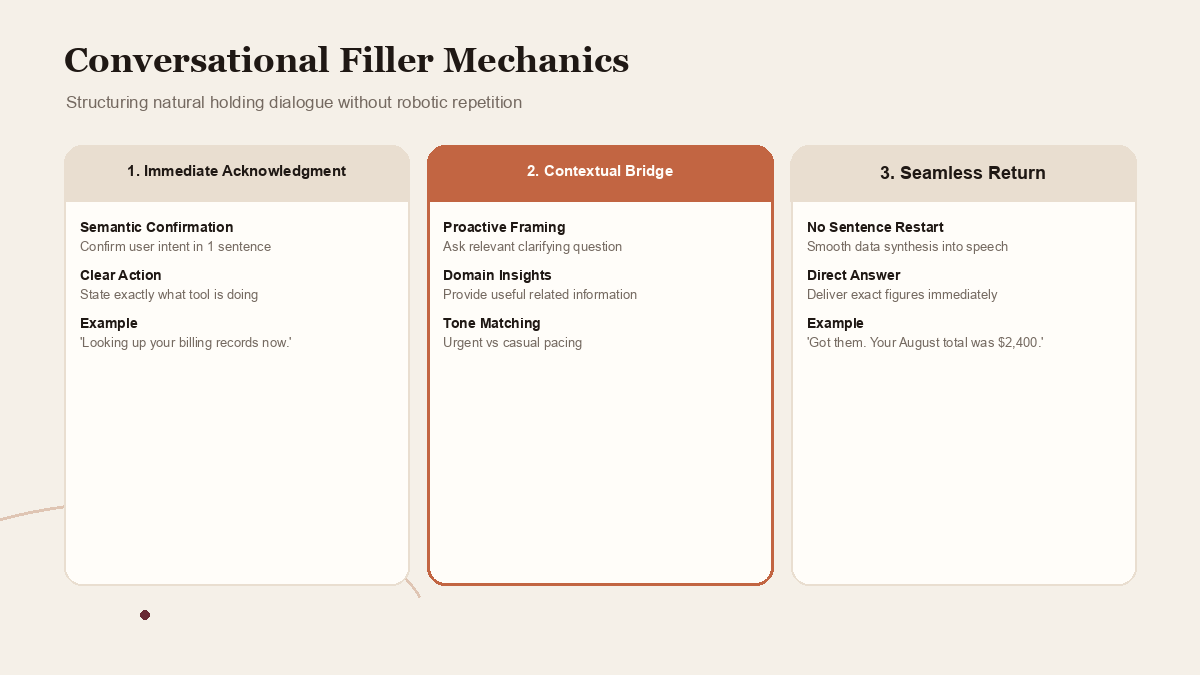
- Immediate Semantic Acknowledgment: The agent should confirm comprehension of the core request in a single natural sentence. For example: "I will look up your last three invoices right now."
- Organic Transitional Dialogue: If the background tool is expected to take several seconds, the agent should proactively offer helpful context or ask a relevant secondary question: "While I pull those records from the billing portal, are you looking specifically for the software subscription charges, or the consulting services?"
- Seamless Context Incorporation: When the client transmits the tool result back to the model, the agent should transition smoothly without restarting the sentence: "Got them. Your August invoice was two thousand four hundred dollars, and July was identical."
Filler Tone Modulation
Pacing must match the urgency of the conversation. In emergency roadside assistance or fraud alert workflows, conversational filler should be clipped, professional, and reassuring: "Pulling up your GPS coordinates now. Stay on the line." In casual customer support or retail shopping, filler can adopt a warmer, conversational cadence.
 View image detail
End-to-End WebSocket Session Architecture
Building a reliable Gemini 3.8 Live voice application requires managing a persistent, stateful WebSocket connection between the client device, an intermediate application server, and the Google Gemini Live API.
The Recommended Three-Tier Architecture
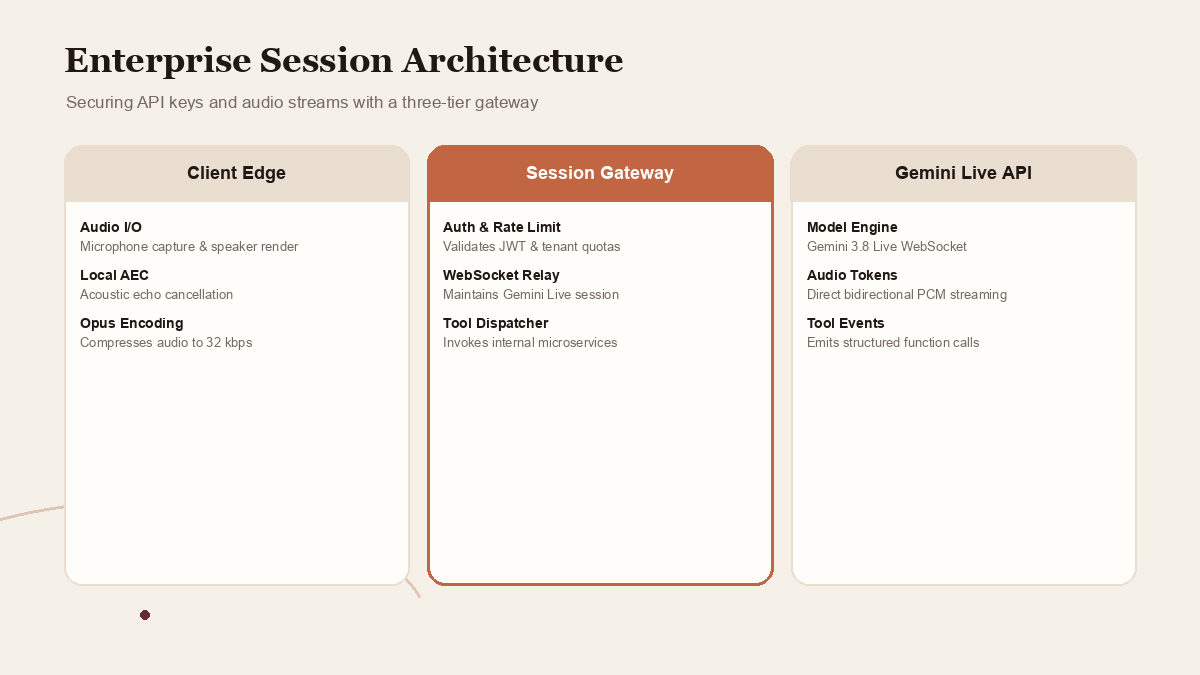
Direct browser-to-Google connections should be avoided in enterprise production because exposing API keys on client devices violates basic security protocols. Instead, organizations should deploy a three-tier architecture:
- Client Edge (Web, iOS, Android, or Telephony): Captures microphone input, handles local acoustic echo cancellation (AEC), chunks PCM audio into 20-millisecond frames, and renders incoming server audio.
- Enterprise Session Gateway (Node.js, Go, or Python): Terminates client WebSockets, enforces enterprise authentication, validates rate limits, manages session encryption, and orchestrates backend enterprise tool execution.
- Gemini Live Gateway: Maintains the authenticated, low-latency streaming connection to Google infrastructure.
The WebSocket Protocol Sequence
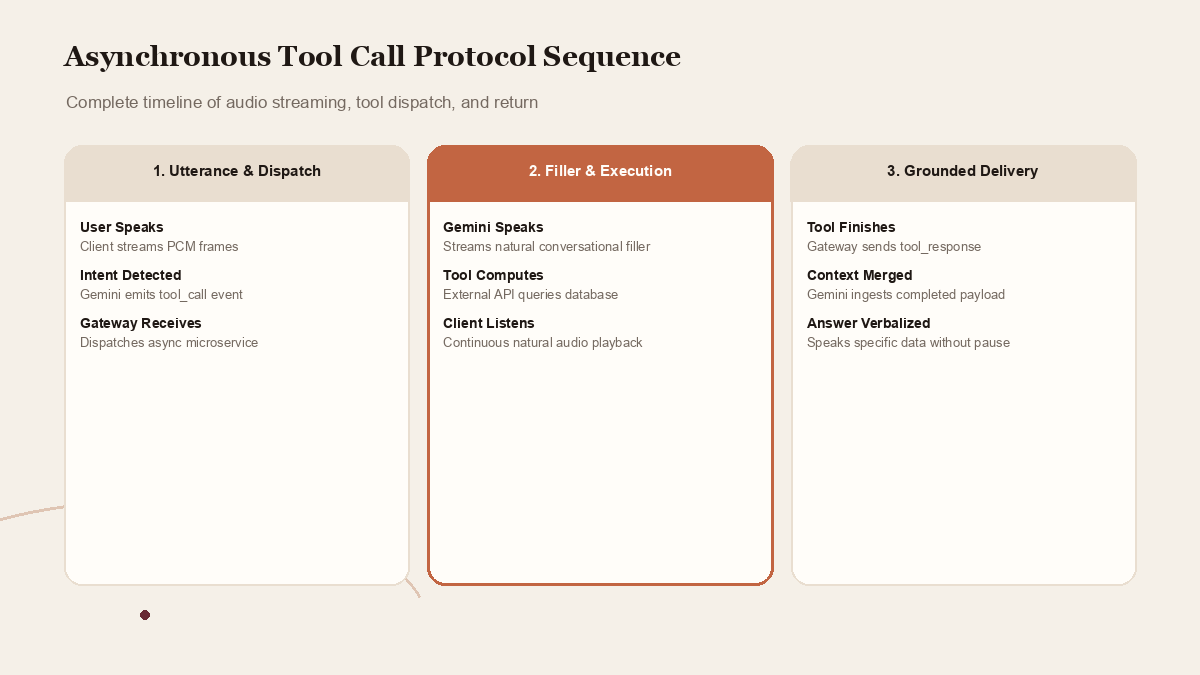
The complete session lifecycle follows a deterministic sequence:
- Session Handshake: The client connects to the gateway and exchanges authentication credentials. The gateway establishes a secure WebSocket connection to
wss://generativelanguage.googleapis.com/ws/...and sends asetupframe containing model parameters, system instructions, voice preferences, and tool declarations. - Bidirectional Audio Stream: As the user speaks, binary PCM audio chunks stream continuously from client to server. The server processes audio packets and streams back binary PCM response frames.
- Tool Call Emission: When the model determines that an external action is required, it emits a
tool_callJSON message over the control channel containing the function name, unique call ID, and extracted arguments. - Parallel Execution: While the model continues to stream conversational audio, the enterprise gateway dispatches the tool call to internal enterprise microservices.
- Tool Response Return: Upon completion of the backend microservice, the gateway sends a
tool_responseframe containing the matching call ID and the JSON data payload. - Audio Grounding: The model ingests the tool response and weaves the facts directly into its continuous spoken output.
 View image detail
Code Pattern: Implementing Asynchronous Tool Handling in TypeScript
The following structural pattern demonstrates how an enterprise session gateway orchestrates asynchronous tool execution while maintaining continuous audio streaming with Gemini 3.8 Live:
```typescript
import { WebSocket } from 'ws';
interface ToolCall {
id: string;
name: string;
args: Record<string, unknown>;
}
export class GeminiVoiceSession {
private geminiWs: WebSocket;
private clientWs: WebSocket;
private pendingTools: Map<string, AbortController> = new Map();
constructor(clientWs: WebSocket, apiKey: string) {
this.clientWs = clientWs;
this.geminiWs = new WebSocket(wss://generativelanguage.googleapis.com/ws/v1alpha/models/gemini-3.8-live:stream?key=${apiKey});
this.initializeSession();
}
private initializeSession() {
this.geminiWs.on('open', () => this.sendSessionSetup());
this.geminiWs.on('message', (data: Buffer | string) => this.handleGeminiMessage(data));
this.clientWs.on('message', (data: Buffer | string) => this.handleClientMessage(data));
}
private sendSessionSetup() {
const setupFrame = {
setup: {
model: 'models/gemini-3.8-live',
generationConfig: {
responseModalities: ['AUDIO'],
speechConfig: { voiceConfig: { prebuiltVoiceConfig: { voiceName: 'Aoede' } } }
},
tools: [{
functionDeclarations: [{
name: 'getAccountBalance',
description: 'Fetch current checking and savings account balances for verified user.',
parameters: {
type: 'OBJECT',
properties: { accountType: { type: 'STRING', enum: ['checking', 'savings', 'all'] } },
required: ['accountType']
}
}]
}]
}
};
this.geminiWs.send(JSON.stringify(setupFrame));
}
private handleGeminiMessage(data: Buffer | string) {
if (Buffer.isBuffer(data)) {
// Forward raw PCM audio directly to client playback buffer
this.clientWs.send(data);
return;
}
const payload = JSON.parse(data.toString());
if (payload.toolCall) {
for (const call of payload.toolCall.functionCalls) {
this.executeBackgroundTool(call);
}
}
}
private async executeBackgroundTool(call: ToolCall) {
const controller = new AbortController();
this.pendingTools.set(call.id, controller);
try {
// Dispatch background tool execution asynchronously without blocking audio
const result = await this.dispatchEnterpriseAPI(call.name, call.args, controller.signal);
// Inject completed tool payload back into the active Gemini session
const responseFrame = {
toolResponse: {
functionResponses: [{
response: { output: result },
id: call.id
}]
}
};
this.geminiWs.send(JSON.stringify(responseFrame));
} catch (error) {
this.sendToolError(call.id, error);
} finally {
this.pendingTools.delete(call.id);
}
}
private handleClientMessage(data: Buffer | string) {
if (Buffer.isBuffer(data)) {
// Stream user microphone PCM audio to Gemini
this.geminiWs.send(data);
} else {
const msg = JSON.parse(data.toString());
if (msg.type === 'INTERRUPT') {
// User interrupted: abort pending background tools and notify Gemini
for (const [id, controller] of this.pendingTools.entries()) {
controller.abort();
}
this.pendingTools.clear();
this.geminiWs.send(JSON.stringify({ clientContent: { turnComplete: true, interrupted: true } }));
}
}
}
private async dispatchEnterpriseAPI(name: string, args: Record<string, unknown>, signal: AbortSignal): Promise<unknown> {
// Enterprise microservice integration logic with abort signal support
return { balance: 4520.50, currency: 'USD', status: 'active' };
}
private sendToolError(id: string, error: unknown) {
const errorFrame = {
toolResponse: {
functionResponses: [{
response: { error: 'Service temporarily unavailable. Suggest trying again later.' },
id
}]
}
};
this.geminiWs.send(JSON.stringify(errorFrame));
}
}
```
 View image detail
Interruption Handling and Cancellation Token Propagation
In voice interfaces, user interruptions are an inevitable, core component of natural communication. When a user asks an agent to perform an action and then immediately changes their mind ("Actually, cancel that, look up savings instead"), a naive system continues executing the original tool and speaking the original answer.
To build an intuitive agent, developers must propagate cancellation tokens across all system boundaries:
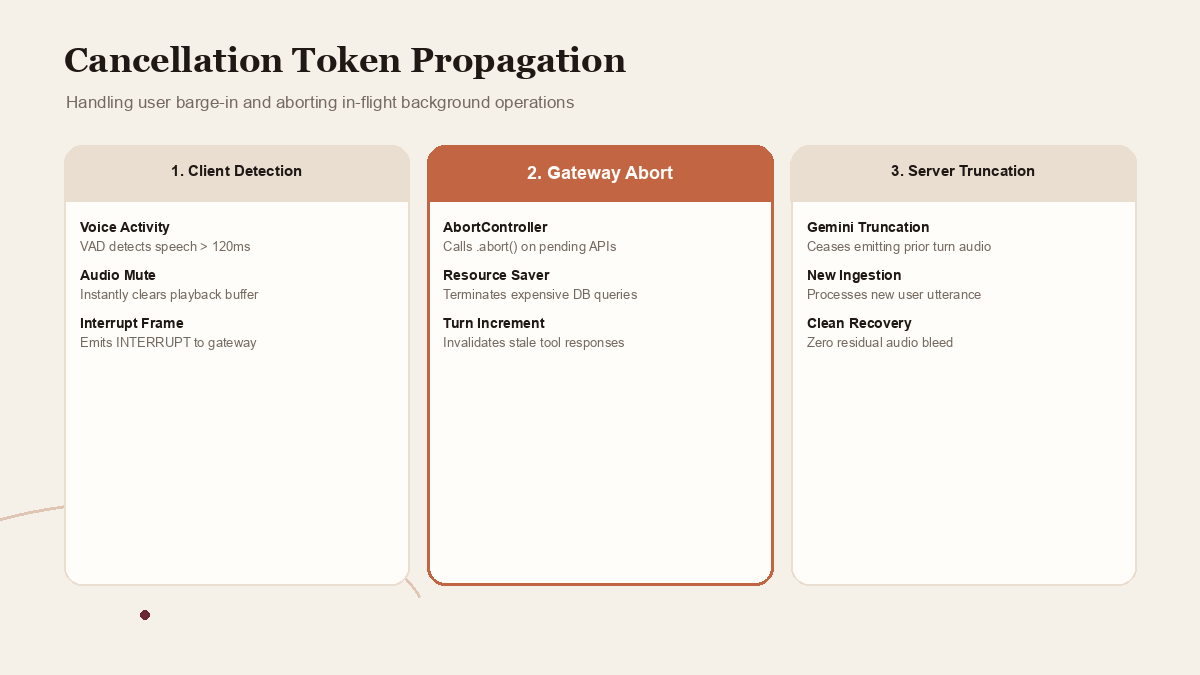
1. Client-Side Speech Detection (VAD)
The client device runs local Voice Activity Detection (VAD). The moment user acoustic energy exceeds the background noise threshold for more than 120 milliseconds during agent speech, the client triggers an interruption event:
- Instantly halts local audio playback buffer.
- Emits an
INTERRUPTcontrol message to the session gateway.
2. Gateway Cancellation Token Abort
Upon receiving the interruption signal, the enterprise session gateway immediately calls .abort() on the AbortController linked to any actively running background microservice calls. If an expensive database query or external payment API was underway, terminating it saves server resources and prevents race conditions.
3. Server Turn Truncation
The gateway forwards the interruption signal to Gemini 3.8 Live. The model immediately ceases emitting audio frames for the prior turn, ingests the user's new spoken input, and begins reasoning on the revised conversational context.
 View image detail
State Synchronization Across Concurrent Audio and Tool Pipelines
Managing conversational state becomes exponentially more intricate when audio generation and tool execution run concurrently. In serialized architectures, conversational turns are atomic: the user speaks, the server processes, the tool executes, and the model replies. At no point do two computational tracks alter the conversation state at the same instant.
In Gemini 3.8 Live, concurrency is fundamental to the user experience. While the model is speaking, the user may interject, a background tool may return data, or a secondary network event may occur. To prevent cognitive dissonance in the voice agent, developers must implement a centralized session state manager that enforces three synchronization invariants:
1. The Monotonic Turn Counter
Every distinct user utterance increments a global session turn counter. When an asynchronous tool is dispatched, it captures the current turn counter value as immutable metadata. When the tool finishes execution, the session gateway verifies that the captured turn counter matches the currently active turn. If the user spoke or interrupted while the tool was running, the turn counter has incremented, signaling that the returned data may no longer match the user's immediate cognitive focus.
2. Contextual Buffer Locks
When a background tool returns critical facts, such as account balances, booking confirmation numbers, or medical appointment times, the session gateway briefly acquires a context lock on the active inference pipeline. This lock ensures that the incoming data payload is merged into the model's working memory before the next audio synthesis packet is computed, preventing race conditions where the agent utters a generic statement immediately before verbalizing the actual data.
3. Graceful Topic Recovery Protocols
If a user changes topics while a tool is executing, the system must not abruptly abandon the original task without acknowledging it. For example, if a user requests a flight status check, but immediately follows up with a question about baggage policies, the agent can answer the baggage question and then smoothly re-introduce the completed flight data: "By the way, that flight from Chicago landed ten minutes ago at Gate B12."
Testing and Simulating Variable Latency in Development Sandboxes
Developing voice agents on high-speed corporate fiber networks often produces a false sense of security. In laboratory environments, APIs return in 150 milliseconds and WebSockets experience zero packet jitter. In the real world, users call from moving vehicles, crowded coffee shops, or unstable cellular connections.
To ensure production resilience, engineering teams must establish latency simulation testbeds prior to deployment:
Simulating Artificial Delay Profiles
Configure intermediate proxy layers that inject synthetic delays into background tool execution:
- Fast Profile (200 ms): Simulates optimal cache hits. Validates that the agent does not output unnecessary conversational filler.
- Moderate Profile (1,800 ms): Simulates normal enterprise microservice response times. Verifies that conversational filler sounds natural and well-paced.
- Degraded Profile (4,500 ms): Simulates database locks or third-party partner outages. Verifies that the Tier-3 timeout fallback executes cleanly without audio dropouts.
Automated Conversational Stress Testing
Run automated audio test suites that feed pre-recorded caller speech files through the WebSocket gateway while varying acoustic background noise, speech cadences, and sudden interruption events. By analyzing the resulting audio recordings with automated speech evaluators, teams can objectively measure filler naturalness, interruption reaction time, and dead-air frequency across thousands of simulated calls.
Production Optimization: Buffering, Jitter, and Audio Codecs
Deploying real-time voice agents across public mobile networks introduces real-world network turbulence. High packet loss, variable latency jitter, and mobile handoffs can degrade conversational fidelity unless properly managed.
Audio Codec Selection and Compression
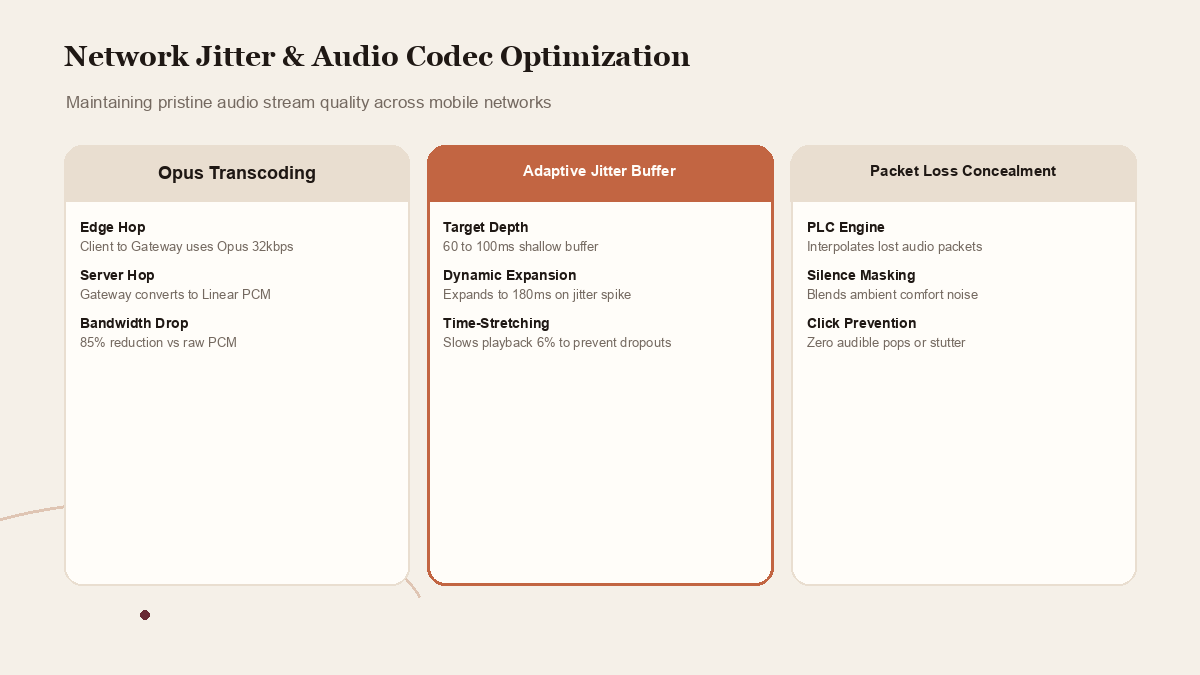
While raw 16-bit linear PCM provides maximum fidelity for local testing, streaming uncompressed PCM over cellular networks requires 256 to 384 kbps of continuous upstream and downstream bandwidth. In production, teams should deploy Opus compression over the client-to-gateway hop:
- Bandwidth Reduction: Opus reduces required bandwidth to 24 to 32 kbps while preserving pristine speech intelligibility.
- Transcoding at the Gateway: The enterprise gateway transcodes incoming Opus packets to linear PCM before forwarding to Gemini, and transcodes outgoing Gemini PCM to Opus before streaming to the client.
Client Jitter Buffer Management
To prevent audible clicks, pops, and stuttering during playback, client applications must implement an adaptive jitter buffer:
- Target Buffer Depth: Maintain a shallow buffer of 60 to 100 milliseconds of audio.
- Dynamic Expansion: If network packet arrival variance spikes, expand the buffer depth up to 180 milliseconds to prevent underruns.
- Time-Stretching: When the buffer nears depletion, apply subtle acoustic time-stretching (slowing playback by 5 to 8 percent) to mask gaps without altering pitch.
 View image detail
Conclusion: The Future of Ambient Conversational AI
Gemini 3.8 Live represents the maturation of conversational voice from rigid, turn-based IVR systems into fluid, highly responsive digital coworkers. By decoupling real-time speech generation from asynchronous tool execution, developers can build agents that feel genuinely intelligent, attentive, and capable.
Success in this new medium requires engineering discipline. Designing strict function schemas, mastering conversational filler techniques, implementing three-tier session gateways, and enforcing rigorous cancellation token propagation separates fragile prototypes from durable, enterprise-ready systems. As voice becomes the primary interface for ambient computing, the teams that master these asynchronous streaming patterns will define the next generation of human-computer interaction.
Sources
- Google Official Announcement: Gemini 3.8 Live: Continuous Voice Streaming and Background Tool Execution
- Google DeepMind Research: Asynchronous Tool Integration in Real-Time Bidirectional Audio Models
Checked for this article
Sources
Keep going
Related notes.
Automation and Agents
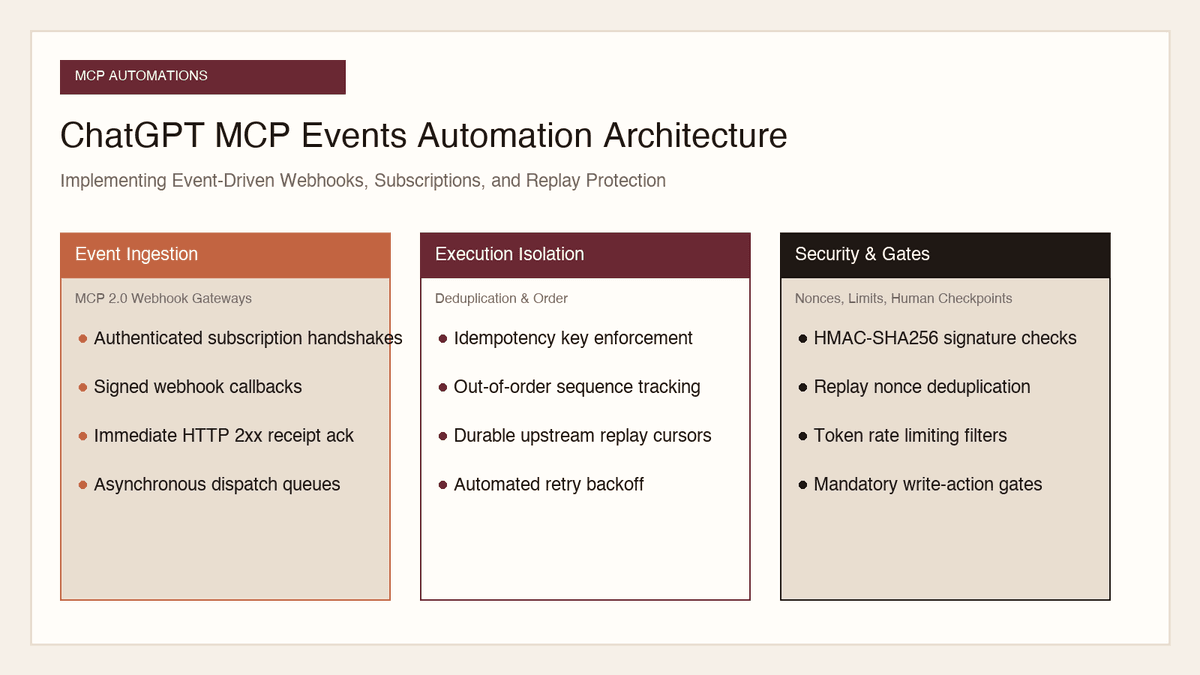
How to Implement MCP Events in ChatGPT: Event-Triggered Automations
Autonomous conversational agents no longer need to rely on wasteful polling loops. Here is how to implement event-triggered automations using ChatGPT MCP Events.
Read the article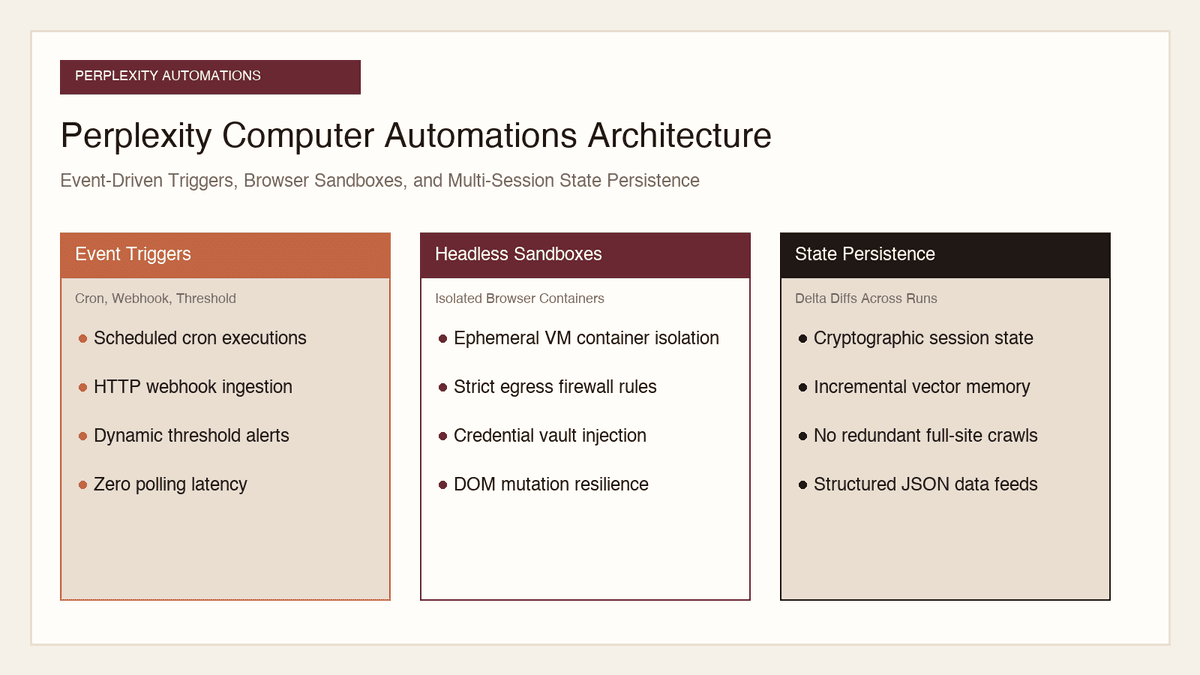
Automation and Agents
How to Build Recurring Web Automations with Perplexity Computer
Web scraping scripts break whenever a layout shifts. Here is how to build durable, recurring web automations using Perplexity Computer and persistent state.
Read the article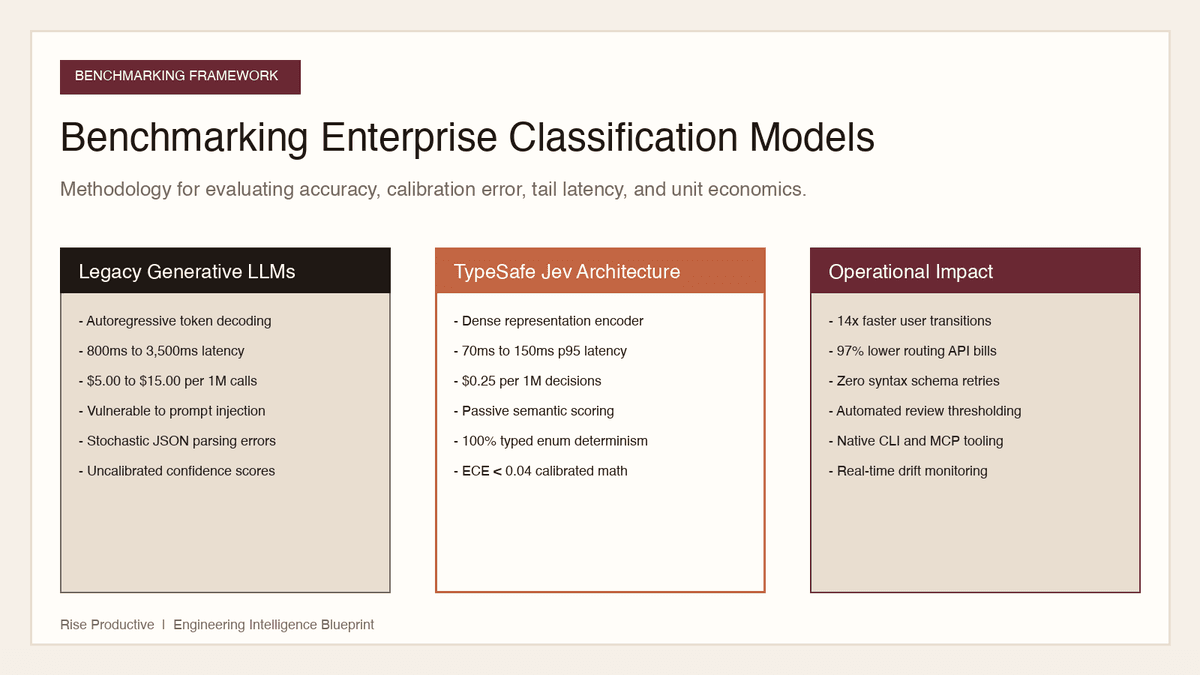
Automation and Agents
How to Benchmark Classifier Models: Latency, Cost, Determinism
Evaluating AI classifiers requires looking beyond static accuracy. Here is how to benchmark probability calibration, latency percentiles, and unit economics.
Read the article