
Automation and Agents
Unity Codex Plugin: What to Automate First in a Unity 6 Project
Unity's official Codex plugin brings engine-written skills into your agent. The smart first move is one bounded, repeated task in an existing Unity 6 project, with installation, Editor connection and output checked separately.
On this page
- What the official plugin actually changes
- Choose a first task with a testable finish
- Read the project before the prompt
- Prove each connection separately
- A reusable first-task brief
- Measure work accepted, not how fast text arrives
- Stage parallel work where inputs are independent
- Expand only after the stable loop
- Pick the task, then the prompt
On September 16, 2026, Unity announced an official plugin for OpenAI's Codex that launched with 31 skills written by the engine's own team. The obvious temptation is to open a fresh session and ask for a whole game. That request gives the agent a large, loosely defined scope. Whether it produces work your team can keep is a different question, and it's the one that matters when you're running a small studio, building client apps or shipping on a tight schedule.
The short answer is to start with one bounded, repeated task inside an existing Unity 6 project, where you already know roughly how long the work takes and what "done" looks like. An installed plugin proves the plugin is installed. It doesn't prove the agent can reach your running Editor, and it certainly doesn't prove the result is right. Those are three separate checks, and a good first pilot treats them that way.
This article is for teams deciding where to point the plugin first. Nothing here comes from a Rise test of the Unity Editor, the plugin or a shipped game. The facts come from Unity's own announcement and documentation, linked where they appear. The task examples, briefs and worksheets are proposals you can adapt, not results anyone measured.
Key takeaways >- The plugin bundles Unity-written skills; control of a running Editor goes through the separate Unity CLI and Pipeline package.- Pick a first task that repeats, has stable inputs and finishes with a check someone else can run.- Verify installation, Editor connection and task output as three distinct steps.- Judge the pilot by accepted work, including review and repair, rather than by how fast the first draft appears.
What the official plugin actually changes
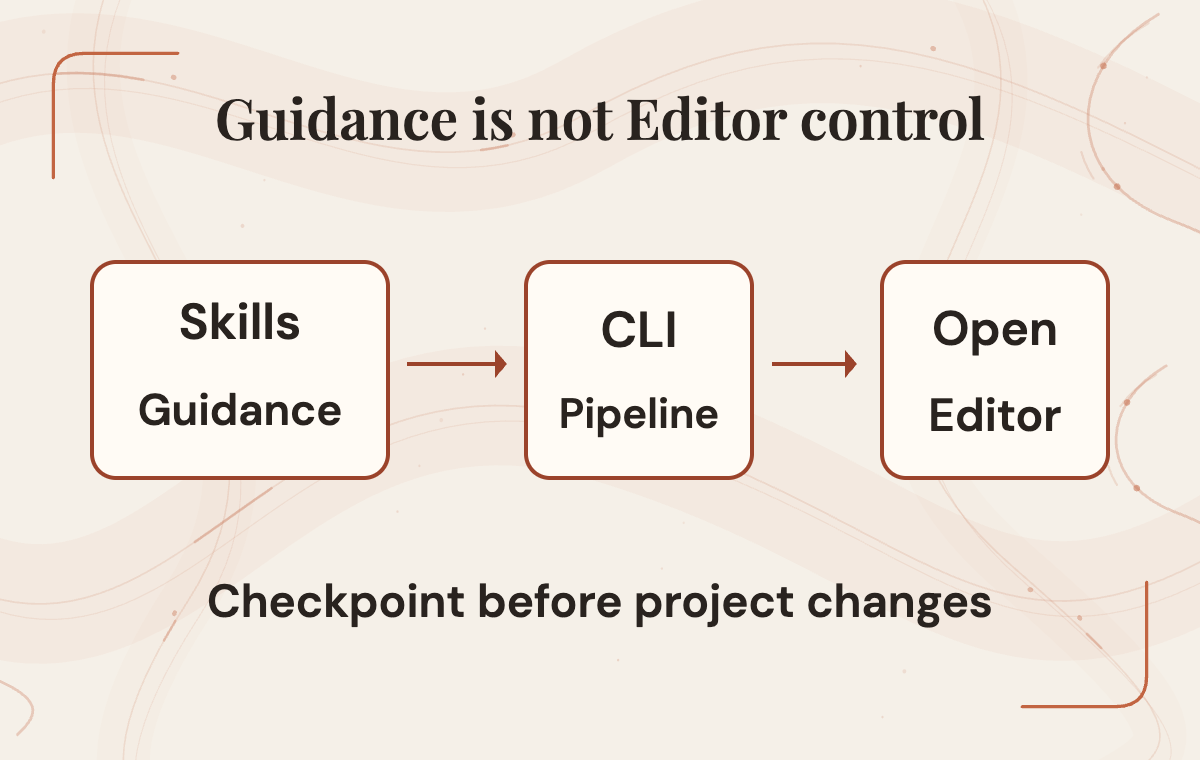
It helps to separate three layers, because the announcement centers on one and depends on the other two. The first layer is guidance. Unity's skills tell an agent how the engine expects work to be done across tasks including UI, graphics, audio and localization. Unity also publishes those skills in a public repository. Its README recommends the official plugin for Codex and Claude users and notes that the same skills are bundled inside it. Unity maintains that repository and doesn't accept outside pull requests, so treat it as a reference you can read, not a community wiki you can patch.
The second layer is the Unity CLI, which manages Editor installs and modules. Unity labels it experimental, and the Hub installs it automatically. Check whether it is already present on your machine. It wasn't introduced alongside the Codex plugin. The third layer is the Unity Pipeline package, which lets the CLI control an open Editor through a local HTTP connection. Pipeline requires Editor 6.0 or later, and the plugin itself targets Unity 6 and newer according to the plugin overview. That same page clears up a common confusion: this is an agent plugin, not an Asset Store item or a Package Manager package.
Here's the part worth reading twice. The plugin README says the agent can change scripts, scenes and assets directly, can run C# inside the open Editor, and warns that project change logs and Editor undo are incomplete. Unity recommends making a version-controlled checkpoint before work begins. That isn't a scary hypothetical somebody dreamed up. It's the vendor describing how the tool operates. Save a version-controlled checkpoint through your team's normal process before allowing project changes.
So what actually changes for a team? The agent gains access to current, engine-owned guidance, plus a documented route into a running Editor. Unity presents the plugin as a way to move faster with fewer engine mistakes, but the announcement doesn't publish a comparison benchmark. Read that as Unity's expectation. Your own pilot is where it becomes evidence, or doesn't.
 View image detail
Choose a first task with a testable finish
The best first task isn't the most impressive one. It's the one where you can tell, without a long debate, whether the agent succeeded. Four questions sort candidates quickly. How often does this work come up? Are the inputs stable, meaning the same kinds of files arrive in the same places each time? Can you describe acceptance in a sentence someone else could verify? And if the result is wrong, how painful is recovery?
Repetition matters, but it isn't enough on its own. A task that repeats weekly but changes shape every time turns each run into a fresh negotiation, and the brief never stabilizes. A task that repeats monthly with identical inputs and a clear finish can be a better pilot, because comparable runs let you see whether the same brief produces acceptable work again.
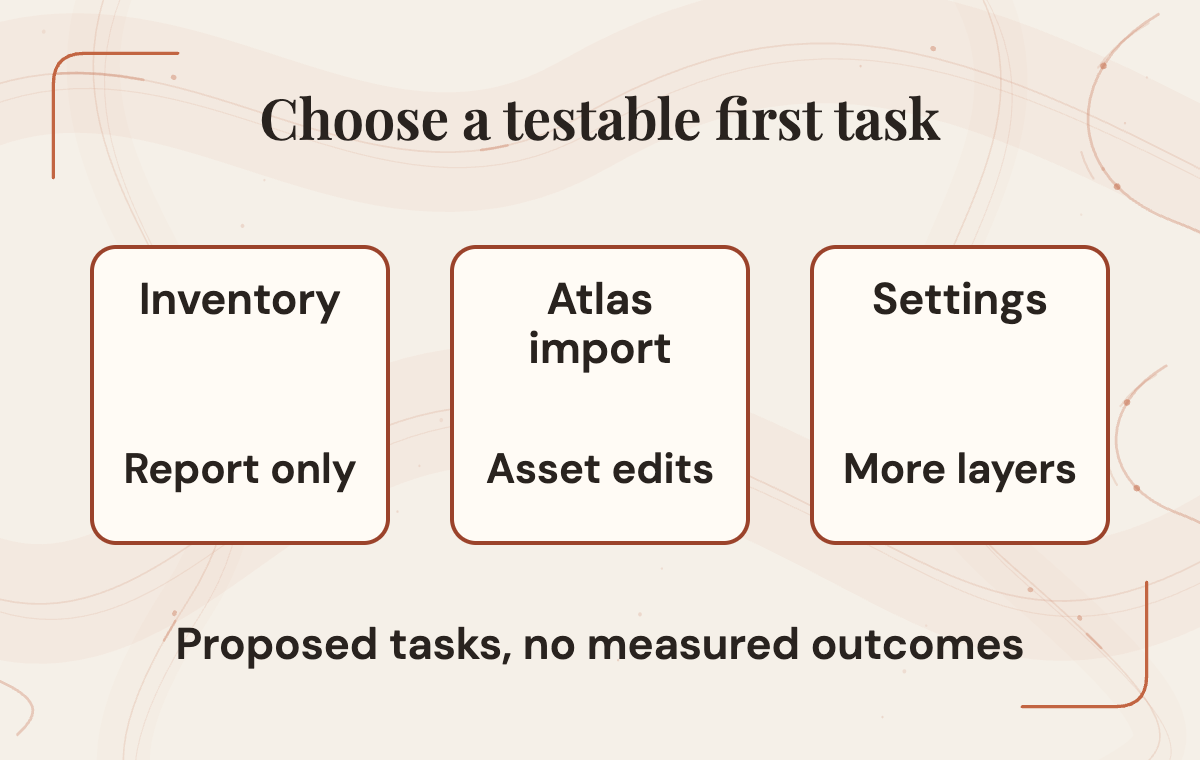
Consider three proposed candidates for an existing Unity 6 project. The first is importing a new sprite atlas into the project's established folders and naming conventions, with import settings that match the atlases already there. The second is a read-only inventory of audio mixer groups and the scenes that reference them, delivered as a report rather than a change. The third is building a settings screen in whatever UI framework the project already uses, from assets the team supplies.
- Audio mixer inventory: Repeats?: Whenever audio is reviewed; Stable inputs: Existing mixers and scenes; Finish check: Report matches what's in the project; Recovery if wrong: Discard the report
- Sprite atlas import: Repeats?: Each art drop; Stable inputs: Same art pipeline and folders; Finish check: New atlas matches existing settings and naming; Recovery if wrong: Revert the import
- Settings screen: Repeats?: Per project or major update; Stable inputs: Approved art and existing UI framework; Finish check: Controls work, navigation works, tests pass; Recovery if wrong: Revert scene and prefab changes
The audio inventory is the gentlest start because it writes nothing to the project. If the report is wrong, discard it and record the review time. The atlas import touches assets but offers a crisp comparison: the new files should look like the old ones. The settings screen has a wider scope than the other proposed tasks because it combines layout, input, scene wiring and art direction. It makes a good second task once the loop works.
Notice what's missing from this list: "prototype a new game mode," "refactor the inventory system" or "make the UI better." Those requests need a more specific finish line before they become useful pilot briefs. Creative direction is still your team's job. The pilot's job is to remove a stretch of repetitive engine work so the people with taste and judgment get more time to use them.
 View image detail
Read the project before the prompt
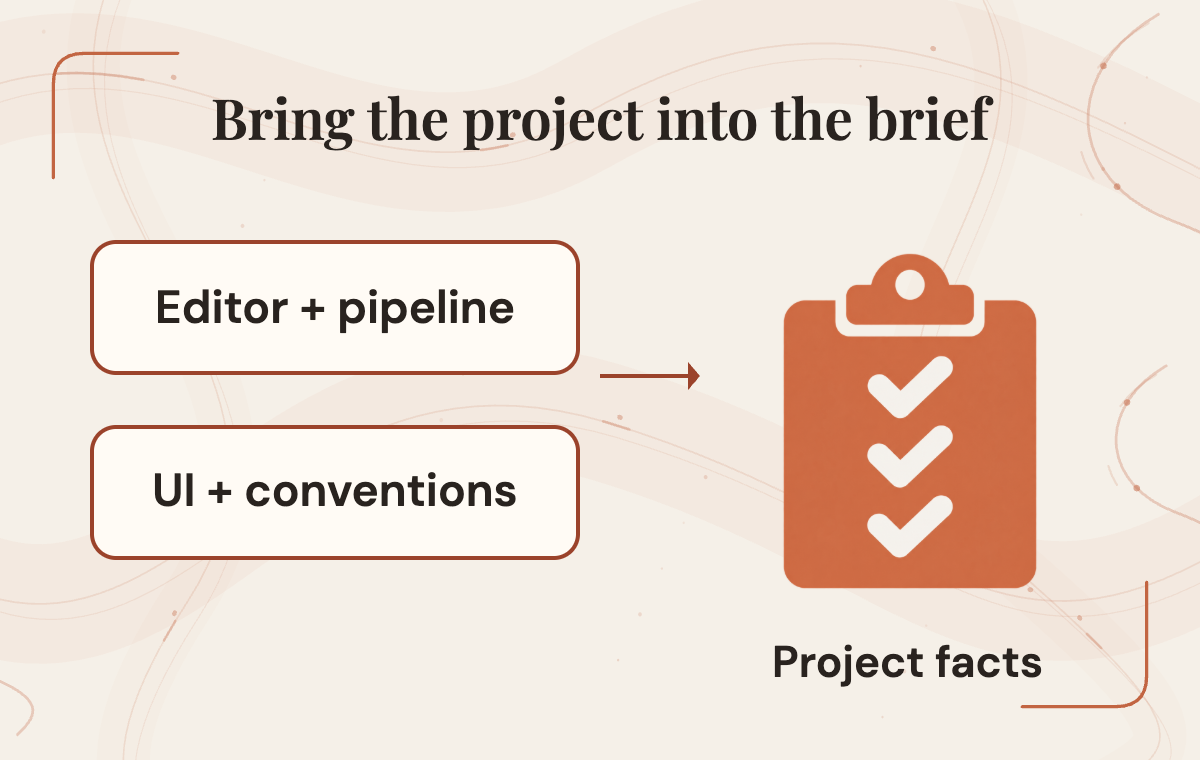
An agent with excellent engine guidance still knows nothing about your project until it looks. Before writing a prompt, capture the facts it would otherwise guess: the exact Editor version, the render pipeline, the UI framework in use, packages that matter for the task, folder and naming conventions, and any existing tests the result should pass. Writing these down gives the reviewer a way to spot a wrong assumption before it spreads into project changes.
Unity's best-practice guidance points in the same direction. It advises naming the UI framework explicitly, asking the agent to read the relevant references, including enough pipeline detail for the work to be automated, and invoking a specific skill by name when the agent doesn't select it on its own. That last point is practical. If a request about a URP material doesn't trigger the URP guidance, saying so directly is cheaper than debugging an answer built on the wrong foundation.
The UI framework deserves extra care because Unity's own pages frame the choice differently. The plugin documentation recommends UI Toolkit for new projects and says existing uGUI projects should specify uGUI. Unity's UI system comparison, reached through a 6.0 manual path, displays tables labeled for a later version and leans toward uGUI for runtime use. Each page serves its own purpose. Taken together, though, they mean "which framework is better" has no blanket answer you should hand to an agent.
For a pilot, the practical move is to record the framework the project already uses and state it plainly in every brief. Whether a project should move from one framework to another is a separate decision with its own tradeoffs, and it deserves the team's attention rather than arriving as a side effect of a default written for new projects. When guidance seems to conflict, read the documentation for your actual Editor version rather than whichever page a search returns first.
This step also leaves behind something reusable. The same project snapshot can open every future brief, so the second and third tasks start with context instead of rediscovering it.
 View image detail
Prove each connection separately
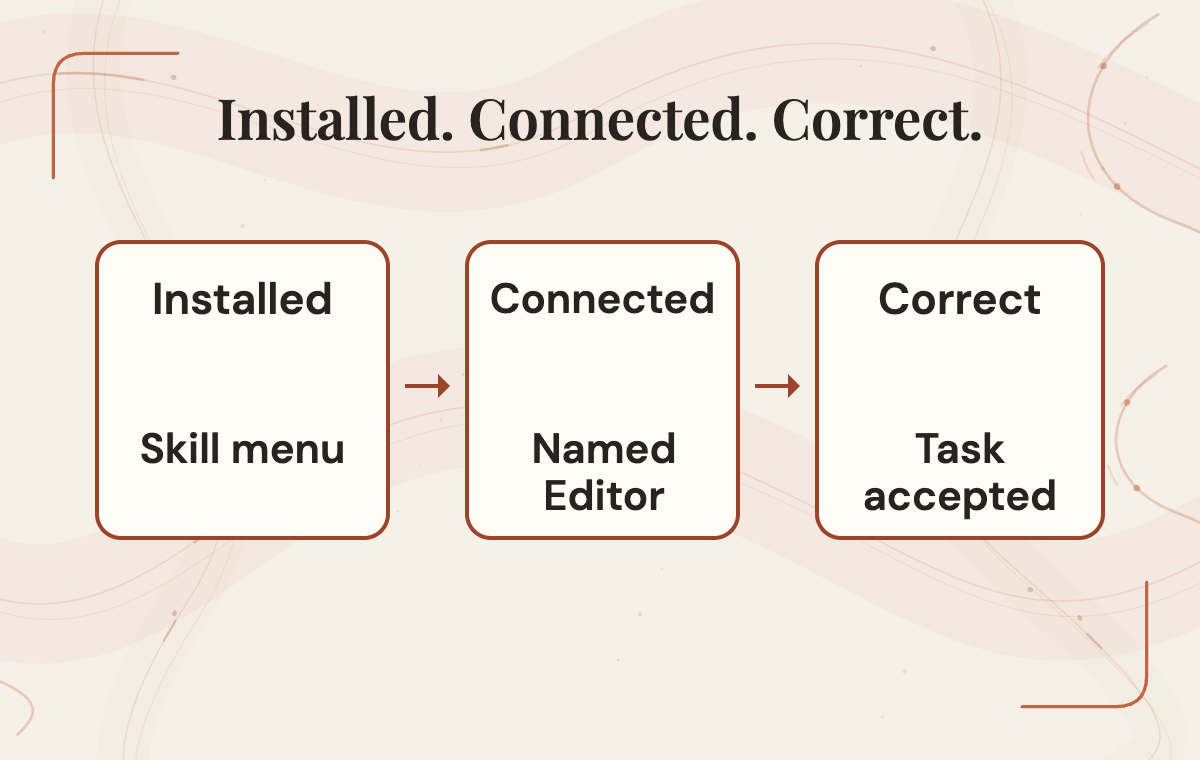
Installation, Editor connection and task behavior fail in different ways, so check them in order. Unity's Codex setup guide describes adding the marketplace, adding the plugin, then starting a fresh session and confirming two things: the /unity: skills menu appears, and the plugin is listed as installed and enabled. That's a solid installation check. It tells you Codex can see Unity's guidance. It says nothing yet about your Editor.
The Editor connection is the second rung. According to the Pipeline package documentation, the project must be open in Editor 6.0 or later with the Pipeline package installed, after which the Editor recompiles and the running instance can be listed. When more than one Editor is open, command discovery supports a --project-path option, and it's worth using deliberately. An agent connected to the wrong open project can make perfectly reasonable changes in the wrong place, and that mistake looks fine until somebody opens the other scene. Because the CLI overview notes the Hub installs the CLI automatically, check what's already on the machine before installing anything a second time.
The third rung is behavior: does the task output pass the acceptance check you wrote earlier? This is the only rung that answers the business question, and it depends on the first two being solid.
Treat the ladder as a diagnostic map rather than a ritual. If the skills menu doesn't appear, the problem lives in installation, and there's no reason to touch the Editor yet. If the menu appears but no Editor is listed, look at the open project, the Editor version and the Pipeline package. If both connections work and the output is still wrong, the issue is the brief, the guidance or the task choice. Resist turning any one fix into a universal remedy. "Restart everything" might clear a problem once and teach you nothing about which layer broke.
These steps come from Unity's current documentation. Rise hasn't run them, and commands can change between releases, so read the pages on the day you install.
 View image detail
A reusable first-task brief
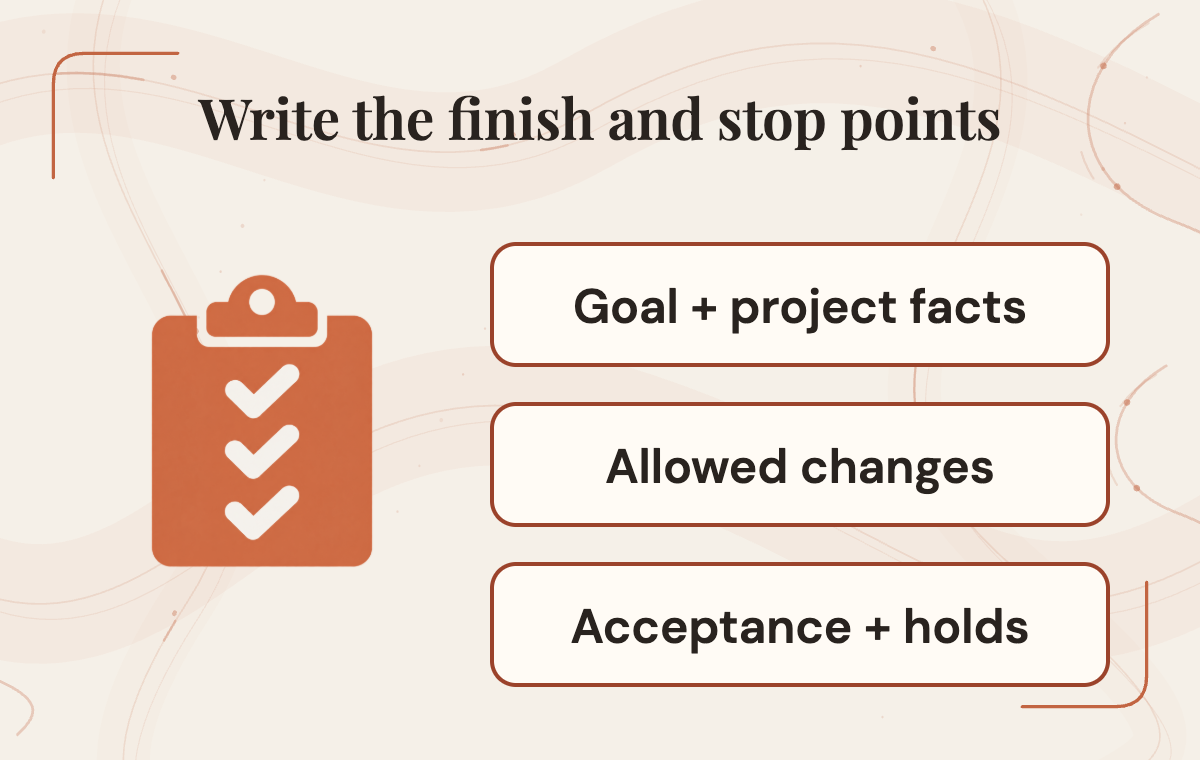
A good brief does what a good ticket does for a new contractor. It says what to build, where changes are allowed, what counts as finished and when to stop and ask. Here's a proposed brief for the settings screen candidate, scoped to an existing uGUI project. It illustrates structure; it isn't a tested prompt or a guaranteed result.
Open with the goal in one sentence: build a settings screen with volume sliders for the existing music and effects mixer groups, plus a back button that returns to the main menu. Then add the project facts from your snapshot, especially the Editor version and the requirement that the screen use uGUI to match the existing menus. Name the skills you expect to apply. When the brief lists them, a skipped skill becomes visible instead of silent.
Next come the boundaries. List the folders the agent may create or modify, such as a new settings prefab folder and one menu scene, and say that any change outside them requires a stop. Name the single Editor instance and project path the agent should connect to. Supply the art the team has approved, and say that a missing asset gets a clearly marked placeholder and a note rather than a generated or borrowed image. That last rule protects both the art direction and your rights to what ships.
Acceptance should be checkable by someone who didn't write the brief. Proposed checks: the sliders adjust the named mixer groups, the back button returns to the main menu scene, the new prefab follows existing naming conventions, no files changed outside the allowed list and existing tests still pass.
Finally, write the hold conditions. The agent should stop and report if a required asset is missing, if the task appears to need a framework change, if tests fail after its changes or if it can't confirm it's connected to the named project.
Hold conditions make the boundaries enforceable: they tell the agent what to report instead of guessing. A hold condition turns a confident wrong turn into a question, which is a much cheaper thing to receive at the end of a session.
 View image detail
Measure work accepted, not how fast text arrives
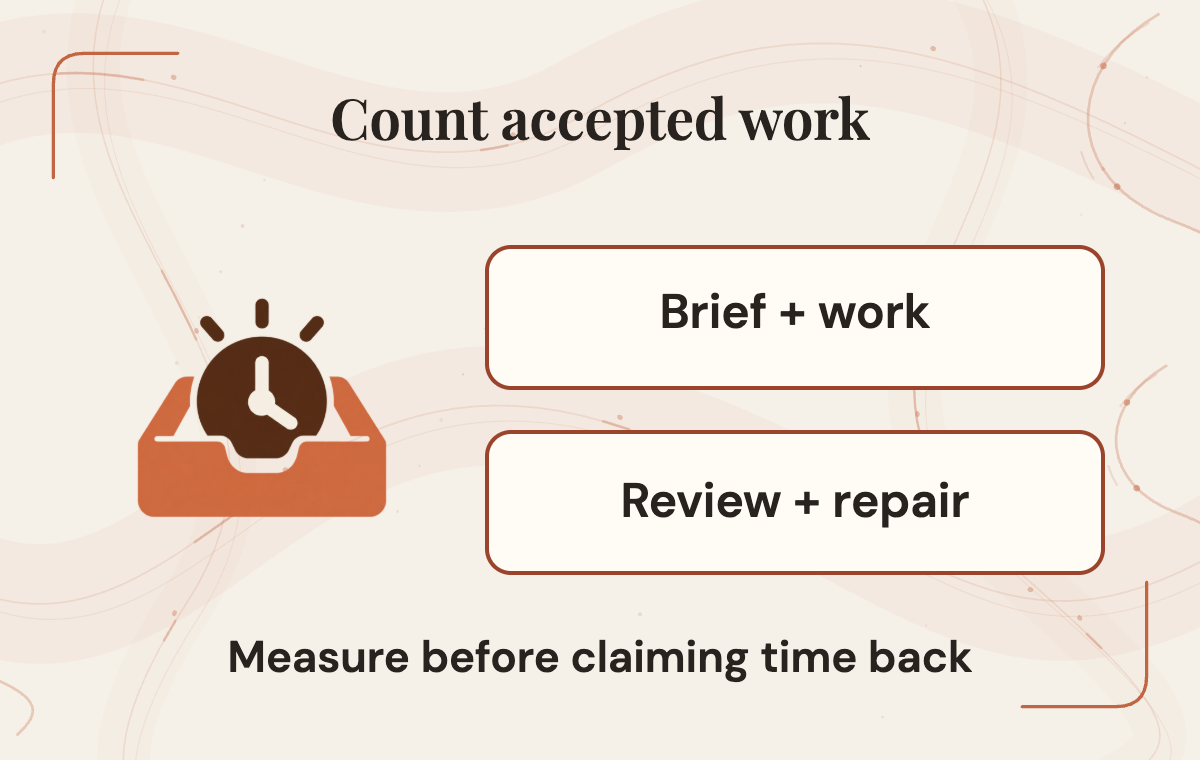
An agent can produce a settings screen quickly. The meaningful measure is how long it takes to get a settings screen your team accepts, and that includes the parts nobody puts in a demo: writing the brief, reviewing the changes, repairing what's off and rerunning tests. A fast first draft that needs an afternoon of cleanup can lose to the manual process. A slower draft that passes review cleanly can win comfortably. Without a baseline, you can't tell which one you have. The same question applies to unattended coding and its review boundary: how much work remains before someone accepts the change?
Before the pilot, record how the team handles this task today. If someone imported the last few atlases by hand, roughly how long did each take, and how often did a reviewer send one back? If that history doesn't exist, time the next manual run honestly instead of reconstructing it from memory. Memory tends to flatter whichever method you already prefer.
During the pilot, track the same categories for the plugin run. Count brief preparation time so you can see whether reusing it actually reduces preparation work. Keep review time separate from repair time, since a review that finds nothing is a very different signal from one that triggers a long fix. Record which files changed and whether any fell outside the allowed list. Note test results before and after.
- Brief or setup time: Current process: ; Plugin pilot run: ; Notes:
- Hands-on or agent working time: Current process: ; Plugin pilot run: ; Notes:
- Review time: Current process: ; Plugin pilot run: ; Notes:
- Repair time: Current process: ; Plugin pilot run: ; Notes:
- Files changed outside scope: Current process: ; Plugin pilot run: ; Notes:
- Tests passing before and after: Current process: ; Plugin pilot run: ; Notes:
- Accepted by reviewer?: Current process: ; Plugin pilot run: ; Notes:
Leave the cells blank until real runs fill them. A worksheet full of estimates is a forecast pretending to be evidence, and it nudges the adoption decision toward whatever the estimator hoped would happen. Two or three comparable runs tell you more than one impressive session, and they also reveal whether the brief is settling down or whether every run needs a fresh rescue.
This comparison is where the time-back claim gets tested. If accepted work genuinely gets cheaper, those hours can go toward the parts of a game that depend on people: feel, balance, art direction and relationships with players or clients. If it doesn't get cheaper, you've learned that on a low-stakes task, which is the best possible place to learn it.
 View image detail
Stage parallel work where inputs are independent
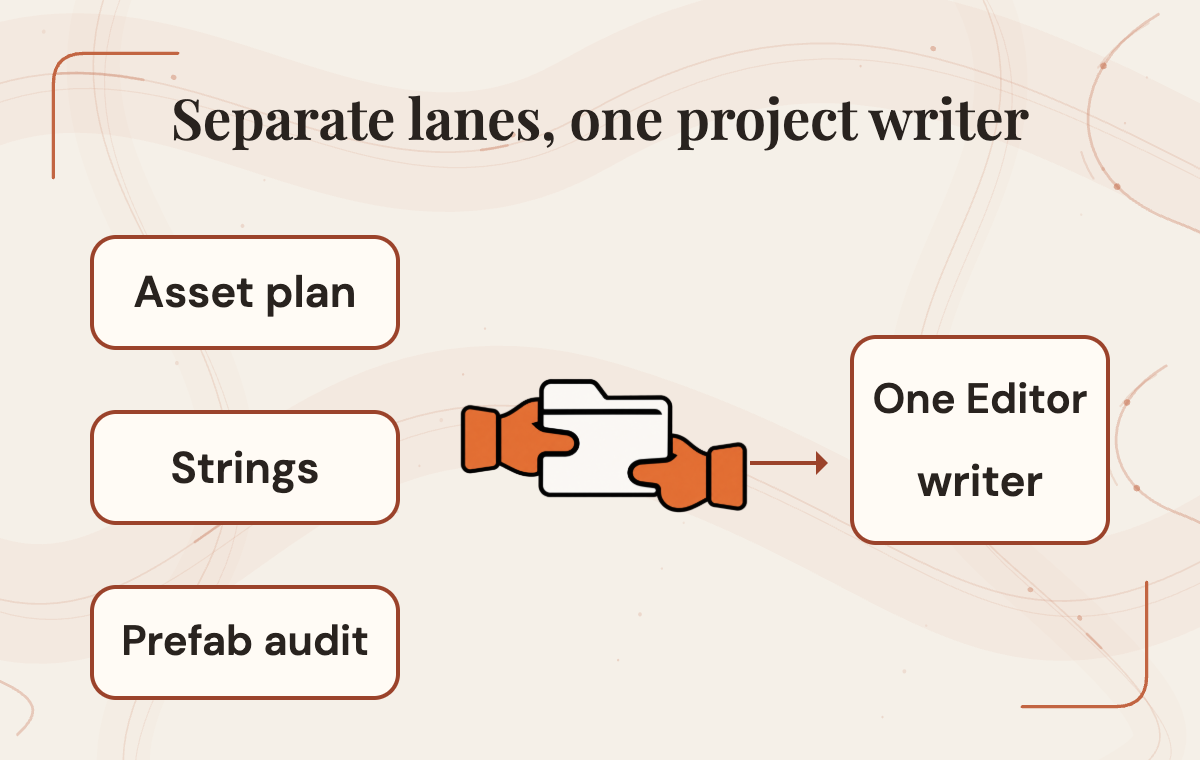
Once one task works, the natural next thought is running several agents at once. That can work, provided you divide the work by what each lane writes, not just by topic. Two lanes modifying the same open Editor can step on each other in ways that are hard to see afterward.
Rise's recommendation is one goal per ownership lane, and only one lane writing to any given Editor. This is a coordination choice, not a documented Unity limitation. Nothing in the materials cited here says multiple agents can't work at the same time. It's simply much easier to trace a problem when every change has exactly one owner.
Plenty of work has independent inputs and can run side by side safely. One lane can plan the assets a new screen needs and check which already exist. Another can draft localization strings for human review. A third can do a read-only pass over the existing menu prefabs and flag inconsistencies. These lanes should write separate outputs outside the shared project, which reduces the chance of conflicting project edits. The single writing lane then takes their outputs as inputs, and its brief references them by name.
Handoffs need a trail. Each lane should record what it read, what it produced and which files it touched, so a reviewer can follow any change back to its source. The team reviews any merge through its usual version-control process, and the writing lane starts from a saved checkpoint. If something goes wrong, that record helps identify the changes to restore or repair; a checkpoint does not guarantee every effect is reversible.
The point isn't maximum parallelism. It's keeping the speed of independent work while making sure shared project state changes through a single, reviewable path. A small team gets more from fewer surprises than from one more agent humming in the background. For the broader approval boundary when an agent uses interfaces, see where a computer-use agent should stop.
 View image detail
Expand only after the stable loop
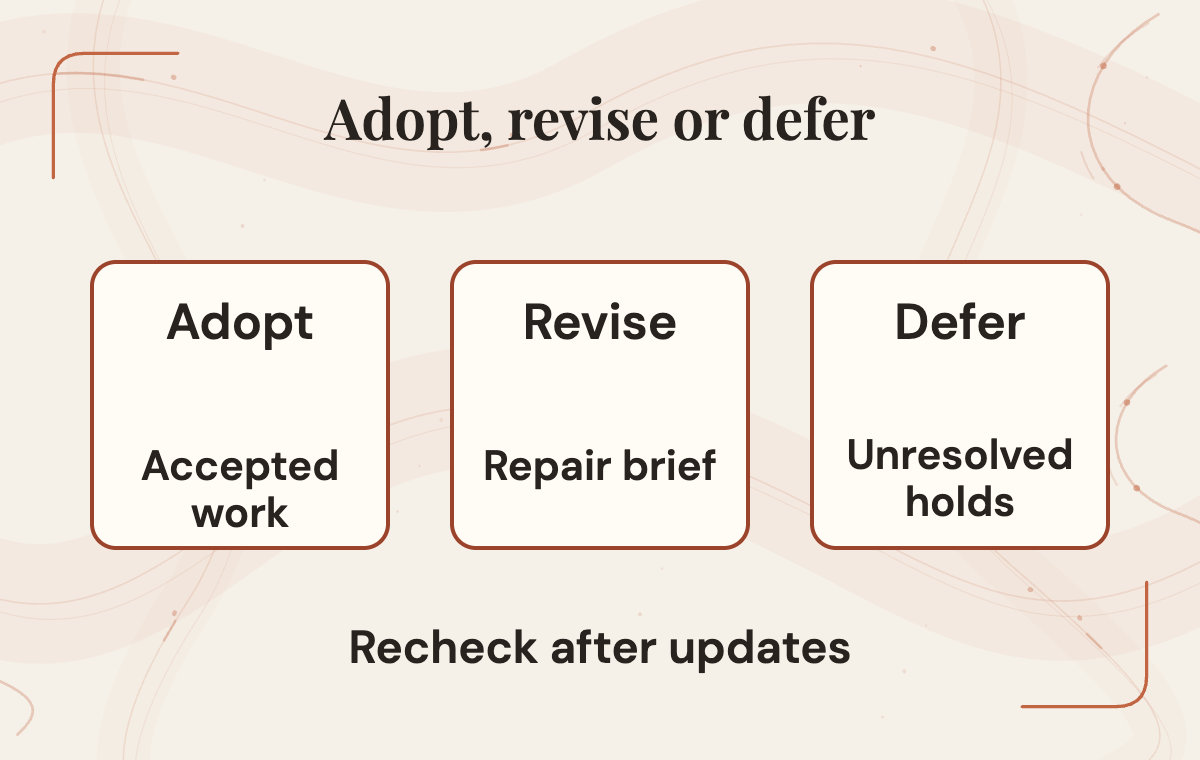
After a few comparable runs, make a decision with three possible outcomes. Adopt when the task passes acceptance consistently, review stays light and the worksheet shows accepted work costing less than the baseline. Revise when results are close but the same problems keep recurring, which usually points at the brief, the project snapshot or skill selection. Defer when the task keeps needing heavy repair or keeps tripping hold conditions. That's a sign the task was the wrong first choice, or that the guidance doesn't yet cover this corner of your project.
Deferring isn't failing. A deferred task with clear notes is more useful than an adopted one nobody trusts. Write down the reason, so a future plugin update or a better brief has something specific to beat.
When a task is adopted, expand along the same evidence path. Pick the next candidate with the same four questions, reuse the project snapshot and adapt the existing brief rather than starting over. Raise the stakes gradually: a read-only report, then asset changes with crisp comparisons, then scene and UI work with richer acceptance checks.
Maintenance belongs in the plan from the start. The 31-skill figure describes the launch, and the version string shown in the plugin README is an example, not a version every install will receive. Skills, commands and recommendations will change. After an update, recheck the setup guide and best-practice page, rerun one known task as a regression check and revise the brief if the guidance shifted. The plugin is released under the Unity Companion License, and the README points to Unity's brand guidelines, which matters if you plan to show or describe the tooling publicly.
 View image detail
Pick the task, then the prompt
The most useful first move with Unity's Codex plugin is choosing a task, not polishing a prompt. Name one repeated job in your existing Unity 6 project. Confirm your path through installation, Editor connection and behavior. Write acceptance criteria someone else could check, then run a bounded pilot against a real baseline.
If the pilot works, you'll have a reusable brief, a project snapshot and real evidence about accepted work. If it doesn't, you'll know which layer to fix or which task to defer, and the saved checkpoint gives you a reference for recovery while you investigate. Either way, the creative calls stay with your team, which is exactly where they belong.
For a web-application counterpart to this pilot, see Base44 Base Code: choosing a first change. Its project requirements differ from Unity, so carry across the review questions rather than the setup instructions.
Rise Productive has no sponsorship or affiliation with Unity Technologies or its affiliates. Unity and its logo are trademarks or registered trademarks of Unity Technologies or its affiliates in the United States and elsewhere.
Checked for this article
Sources
- Unity, "Unity plugin for Codex" announcement, September 16, 2026Unity Technologies
- Unity Technologies, Unity skills repository READMEUnity Technologies
- Unity Documentation, Unity plugin for Codex setupUnity Technologies
- Unity Documentation, About the Unity pluginUnity Technologies
- Unity Technologies, Unity agent plugin READMEUnity Technologies
- Unity Documentation, Unity CLI overviewUnity Technologies
- Unity Documentation, Unity Pipeline packageUnity Technologies
- Unity Manual (6000.0 path), Comparison of UI systems in UnityUnity Technologies
Keep going
Related notes.
Automation and Agents
Cursor Security Review: How to Triage AI Findings Safely
Cursor Security Review reports vulnerabilities on pull requests. Learn how to verify a finding, test a proposed fix, and keep human security ownership clear.
Read the article
Automation and Agents
Cursor Rollouts: How to Monitor a Pull Request Through Production
Cursor Rollouts connects a pull request to deployment signals and reports a status for each environment. Here is the setup and review work that makes those signals useful.
Read the article
Automation and Agents
Manus 2.0 Automations: How to Test Event-Triggered AI
Manus 2.0 can start AI tasks from events in connected services. Test one workflow, verify its permissions and judge the result.
Read the article