
AI in Practice
ChatGPT Sites Plugins: How to Scope MCP Tools Before You Share
A ChatGPT Site can host a supported plugin, but the useful question is what its tools should be allowed to do. Here is a practical contract-and-test process before you share.

On this page
- At a glance
- A Site is the front door, not the whole permission model
- Start with the job, then make the tool smaller
- Write down the tool contract
- Separate capability from authority
- Design the data path, not just the prompt
- Make read paths and write paths visibly different
- Test the ordinary and the awkward cases
- Publishing, enabling, sharing, and installing are separate steps
- Keep an inventory after launch
- A small pilot you can run this week
- Frequently asked questions
- Does adding a plugin mean the Site can see every connected app?
- Are MCP tools read-only?
- Can a Site run the connected-app work in the background?
- Does a successful demo mean the workflow is safe to share?
- What should I publish first?
- The decision to make
- Sources and further reading
ChatGPT Sites can host supported plugins, giving a shared workspace Site a way to call tools through an MCP server. That changes what a Site can do. It does not answer the more important design question: what should the Site be able to do, with which data, and under what conditions? TechCrunch's launch coverage and Simon Willison's event notes also described the feature, but neither source is a hands-on security test. TechCrunch · Simon Willison's live notes.
The safest useful starting point is a small tool contract. Define the task, the narrowest data the task needs, the side effects a tool may cause, and the checks that must pass before a coworker uses it. Then test those boundaries with sample data before you share the Site. OpenAI's current documentation says a plugin tool may read data or make changes, while connected-app access in the described Sites flow is tied to the visiting coworker's own account and is read-only. Those are different permission paths, and neither statement is a blanket security guarantee. OpenAI's Sites guide and plugin-hosting guide describe the product behavior; the controls you configure and the tool you build determine the actual workflow.
This article is for the builder who owns that workflow. It is a practical design and review method, not a certification of any Site, MCP server, connector, or organization configuration. For a related example of scoping an agent connection, see our guide to Notion agent MCP connections and approval boundaries.
The short answer: Give the Site only the smallest tool surface that solves one defined job. Keep read and write capabilities visibly separate, test with sample data under ordinary member access, and do not treat publication or sharing as evidence that a tool is correctly scoped.
At a glance
- A Site-hosted plugin tool can be designed for reading or for changes, while the documented visitor connected-app flow has separate, read-only boundaries.
- Name each tool after a narrow task, list the exact inputs and outputs, and make any side effect explicit.
- Test missing access, ambiguous requests, cancellation, and source failures before inviting a group.
A Site is the front door, not the whole permission model
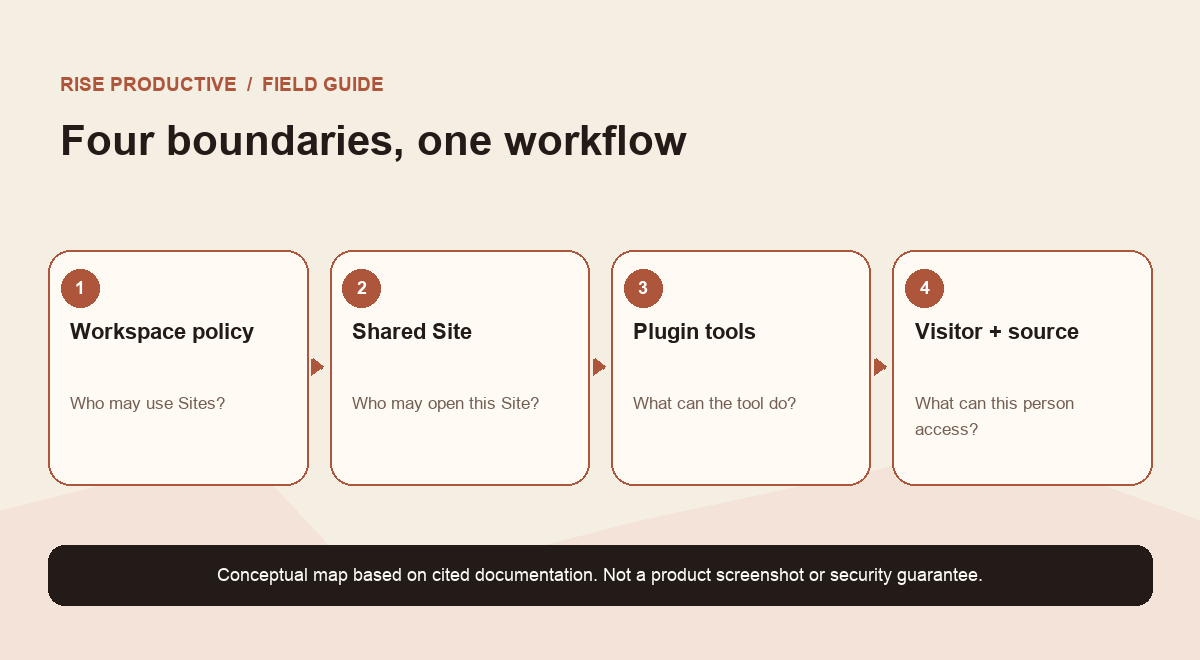
The terms are easy to blur together. A Site is the shared ChatGPT workspace experience. A plugin is the app-like connection that a Site can host when the integration is supported. The plugin may expose an MCP server: a service offering named tools that the model can call. A tool is a specific operation, such as finding a record or preparing a draft. A connected app is a separate source account that a visitor may connect. The visitor is the coworker using the Site, and the workspace is the organization boundary that governs who can use Sites and plugins.
Why define all that? Because each noun can lead to a different kind of access. A tool can have broad technical capability. A visitor's connected account can have its own limited access to the source service. A workspace administrator can enable or disable product surfaces. A Site owner can share a particular Site. The source service can still enforce its own policy. If a team says only “the Site has access,” it has skipped the details that determine whose access is involved and whether a tool can change anything.
OpenAI's announcement says coworkers can use the same app while bringing their own connected data and permissions. The official Help documentation adds more specific conditions: the Site must be private to the workspace, the visitor must be a workspace member, and the connected-app behavior described is read-only and tied to interaction, not a scheduled background task. At the same time, plugin tools may be designed to read or make changes. Keep these statements in separate boxes in your design notes. Do not simplify them into “everything is read-only” or “the Site can act as the visitor.”
 View image detail
Start with the job, then make the tool smaller
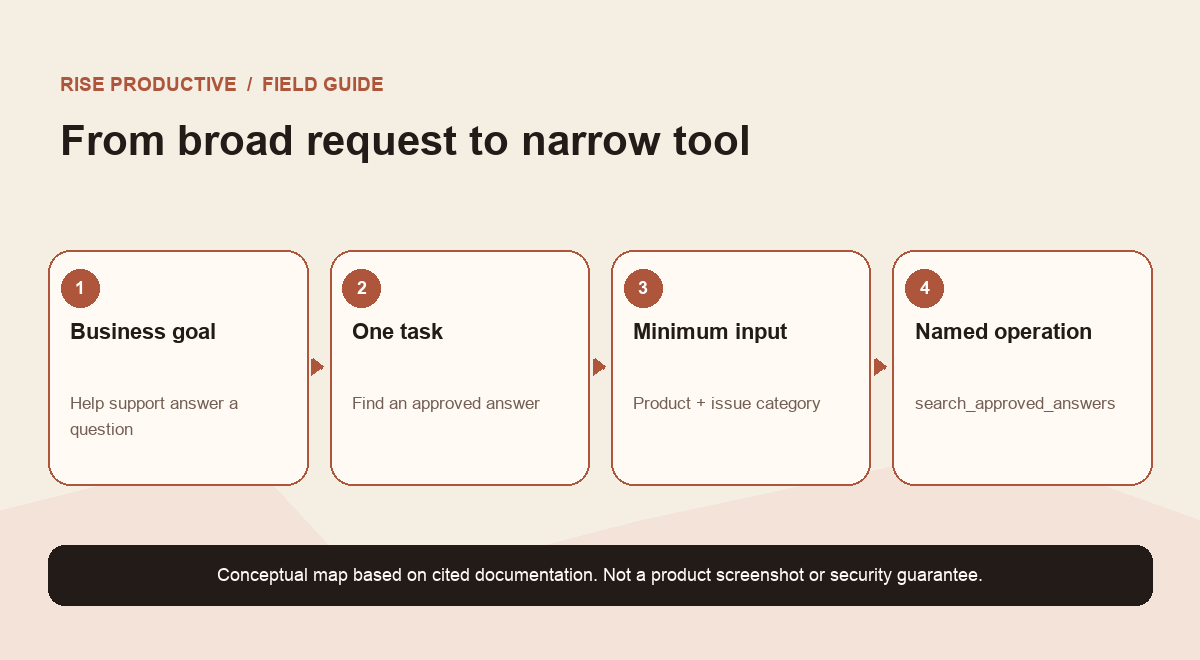
Write one sentence describing the job the Site should help with. For example: “Help a support lead find the latest approved answer for a customer question and draft a response for review.” That sentence describes an outcome, not a permission. Next list the minimum inputs needed to produce it. Perhaps the tool needs a product name, an issue category, and a date range. It probably does not need every conversation, every customer field, or permission to send a reply.
Now list the possible operations as verbs. “Search approved answers” is different from “read all conversations.” “Prepare a reply draft” is different from “send a reply.” “Show account status” is different from “change billing status.” A narrow tool name makes the boundary easier to inspect. It also gives the user a clearer mental model: the system is looking up a specific kind of answer, not receiving an unexplained capability to “manage support.”
The smallest useful tool set might be a read-only search plus a draft generator that returns text to the chat. A later iteration might add a write operation, but it should be a distinct tool, with a distinct name, separate required inputs, and a clear confirmation step. That design does not eliminate risk. It makes the decision visible enough to test.
For a fictional support team, start with the request “help us manage customer conversations.” That phrase is too broad to become a tool contract. A narrower first tool could be search_approved_answers(product, issue_category), returning an approved response and its review date. A separate prepare_reply_draft(question, approved_answer_id) could return wording without sending it. If the team later decides it needs sending, that is a new side effect to assess, name, scope, and test. The example is a design exercise, not a report about a real team or product deployment.
 View image detail
Write down the tool contract
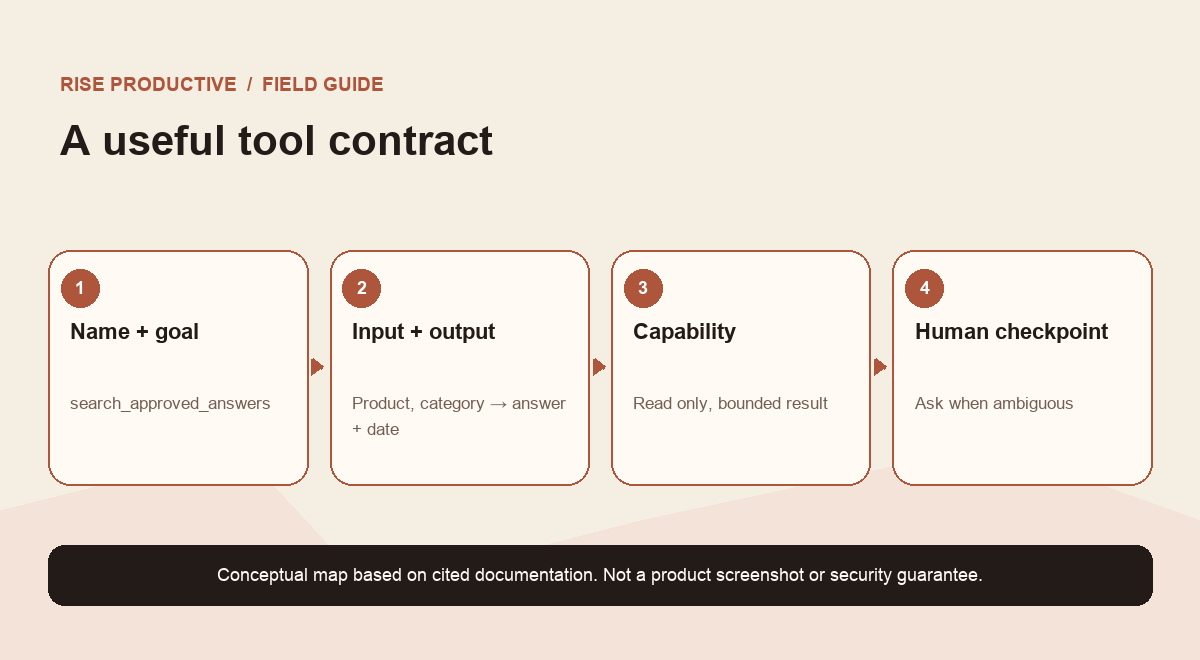
Before you publish or share, put each tool in an inventory. A compact contract can answer eight questions:
- Tool name: What to write down: A verb and object, such as
search_approved_answers. - User goal: What to write down: The single job this operation supports.
- Inputs: What to write down: Required fields, allowed formats, and maximum scope.
- Data returned: What to write down: The exact fields the model may see, with sensitive fields excluded.
- Capability: What to write down: Read, draft, or write. Avoid a vague “manage” label.
- Side effect: What to write down: What changes in the source system, if anything.
- Confirmation: What to write down: Which action requires a human to review or confirm.
- Failure behavior: What to write down: What happens when access is missing, results are ambiguous, or the source fails.
The contract is useful even if one person writes the integration. It gives a reviewer something concrete to compare against the implementation and test results. If the tool description promises “search only,” the implementation should not quietly update records. If the tool returns just the approved article and its review date, it should not return a complete customer profile as a convenience. If an operation can send, delete, approve, or publish, the contract should say so plainly.
For every input, ask whether it is truly needed. For every output, ask whether the model needs the field to answer the question. A source system may return a large object by default. The wrapper can often reduce that object to the few fields needed for the task. Data minimization here is a design choice: request less, return less, and keep the task useful.
For every side effect, ask whether the user can understand the consequence before it happens. If the action affects an external record, show a preview of the intended change and make the final action explicit. An assistant-generated suggestion is not the same as an approved change. The review step belongs in the workflow, not merely in a warning sentence.
 View image detail
Separate capability from authority
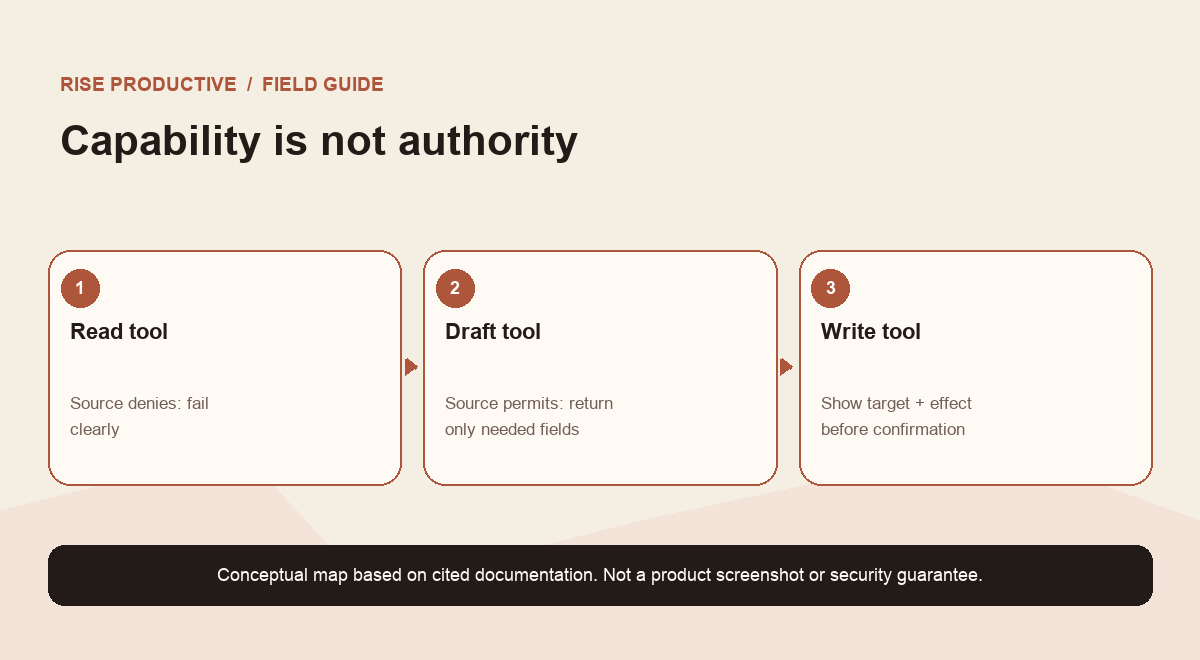
A tool's capability describes what the integration can do. Authority describes whether a particular request, user, and source account are allowed to do it. The two overlap, but they are not identical. An integration might technically contain a write operation, while the connected account used in a specific Sites interaction is only permitted to read. A tool might be read-only, but still expose more data than the user should see. A Site might be shared with a member who cannot access the underlying source. These are different tests.
Use a simple matrix when reviewing a proposed tool:
- Read: Visitor/source authority: Source denies access; Review question: Does the tool return a clear denial without leaking cached data?
- Read: Visitor/source authority: Source permits access; Review question: Are returned fields limited to the task?
- Draft: Visitor/source authority: Visitor can read, cannot write; Review question: Does the output remain a draft, with no hidden source change?
- Write: Visitor/source authority: Source denies access; Review question: Does the action fail closed and explain how to request access?
- Write: Visitor/source authority: Source permits access; Review question: Is the target, effect, and confirmation clear before submission?
Do not treat an access error as proof that the system is safe. The test should verify what the user sees, whether partial results are exposed, whether an operation is retried, and whether a side effect occurs despite an error. For writes, inspect the source after the test. For reads, use synthetic records with unique markers so the reviewer can detect accidental disclosure of data outside the intended scope.
 View image detail
Design the data path, not just the prompt
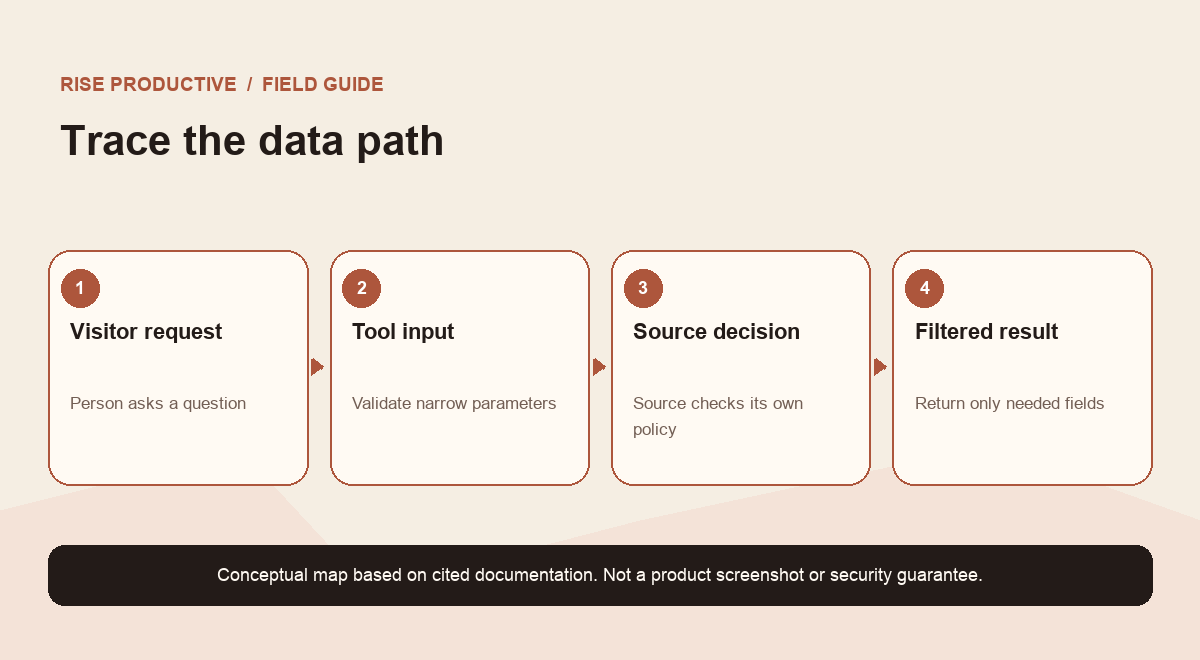
An MCP tool is not made safe by a carefully worded prompt alone. Consider the whole path: a person asks a question, the model interprets it, a tool receives structured inputs, the integration authenticates or calls a source, a result returns, and the model presents the result. If there is a write, a proposed operation travels back through that chain. Each boundary deserves an owner and a test.
Start by drawing the path in plain language. Mark where the visitor's identity is checked. Mark which service holds the source permission. Mark whether the Site owner or plugin operator holds a separate credential. Mark what the model receives and whether the interaction can change a source record. If you cannot explain whose token is used and what it can reach, you are not ready to share the workflow.
The drawing is not a substitute for a security review or vendor documentation. It is a way to expose unanswered questions. Ask whether the plugin server stores credentials, whether output is logged, how the source scopes are bounded, who can change the integration, and how a revoked connection behaves. Use the official product docs and your organization's own security process for the answers. Do not infer product behavior from an illustrative diagram.
 View image detail
Make read paths and write paths visibly different
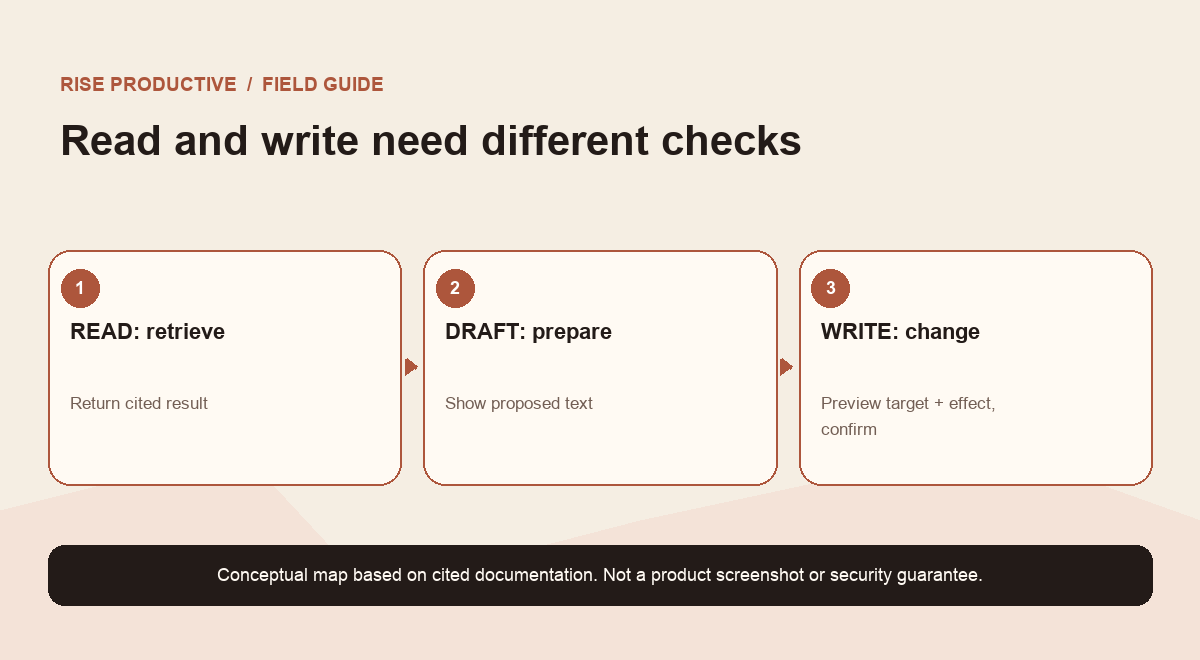
Many useful workflows begin with retrieval. Search an approved handbook. Find a public status record. Summarize a record the current user can already view. These are still worth reviewing for overbroad output, but the result can often remain informational.
Writes require a different standard. A tool that creates a draft, updates a CRM record, sends a message, or changes a setting has an effect beyond the conversation. First ask whether the workflow can stop at a proposed change. If a write is necessary, separate it from the read tool. Name the operation precisely, require the minimum fields, validate them in the server, show the target and intended result, and require a deliberate confirmation appropriate to the consequence. A confirmation should be more than “continue?” It should identify the action and the object it affects.
Use the least consequential alternative that still solves the real problem. If the goal is to help a coworker prepare a response, returning a draft may work. If the goal is to close a repetitive workflow, a write might be justified later after a pilot. Do not begin with a broad capability because you may want it someday.
 View image detail
Test the ordinary and the awkward cases
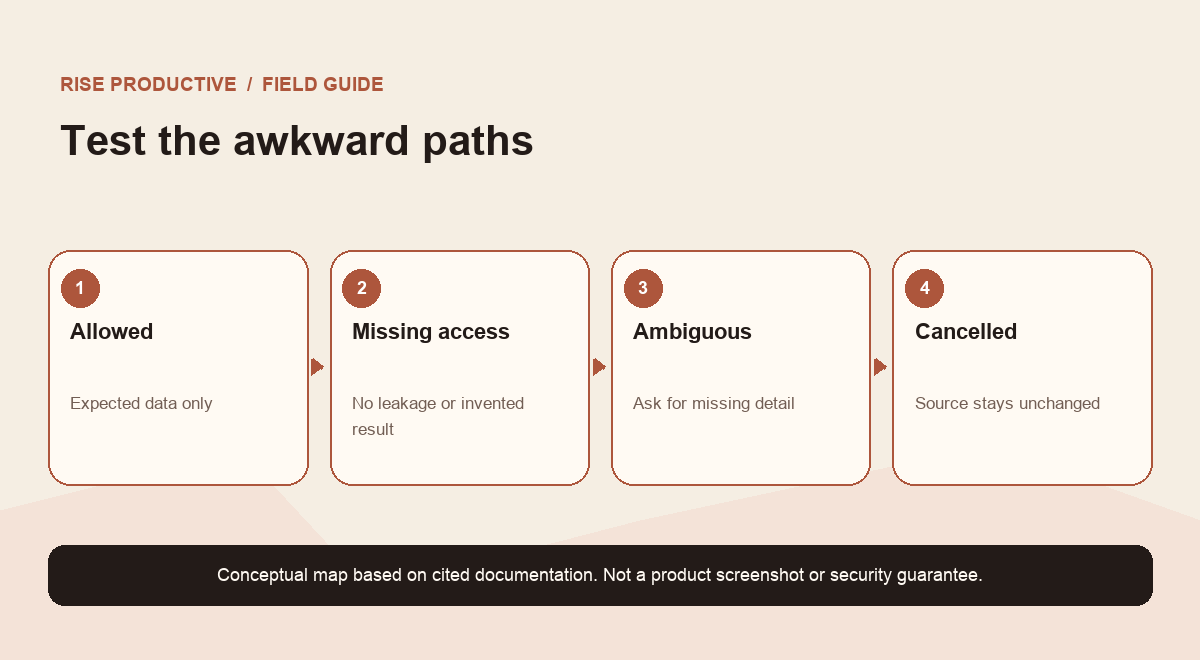
Testing only the happy path gives a false sense of coverage. The owner account often has broad access, familiar context, and knowledge of how to phrase the request. A regular member may have less access, no connected account, or a different role in the source service. Test with sample data under the membership conditions that the official product flow requires, and do not use real customer content for a first pass.
Build a small case set before sharing:
- Clear, allowed read: What success looks like: Returns only the fields and records in the contract.
- Ambiguous request: What success looks like: Asks for the missing input instead of broadening the search.
- Missing connector: What success looks like: Says access is not connected and does not invent a result.
- Denied permission: What success looks like: Returns a clear denial, with no cached or partial sensitive content.
- Out-of-scope record: What success looks like: Does not reveal the synthetic marker placed outside the allowed set.
- Duplicate result: What success looks like: Labels ambiguity and lets the user choose rather than selecting silently.
- Service timeout: What success looks like: Gives a bounded retry or honest failure; no hidden action.
- Write request: What success looks like: Shows the exact target and proposed change before confirmation.
- Cancelled write: What success looks like: Leaves the source unchanged.
- Repeated request: What success looks like: Does not duplicate a write unless the user intentionally submits again.
Have someone who did not build the tool run the test using ordinary member access. Give them the contract, not a script that tells them how to make every test pass. Record what they expected, what happened, and evidence from the source system. If a test fails, update the implementation or narrow the promised task, then run the case again. A successful prompt response is not proof that the integration's source-side behavior was correct.
 View image detail
Publishing, enabling, sharing, and installing are separate steps
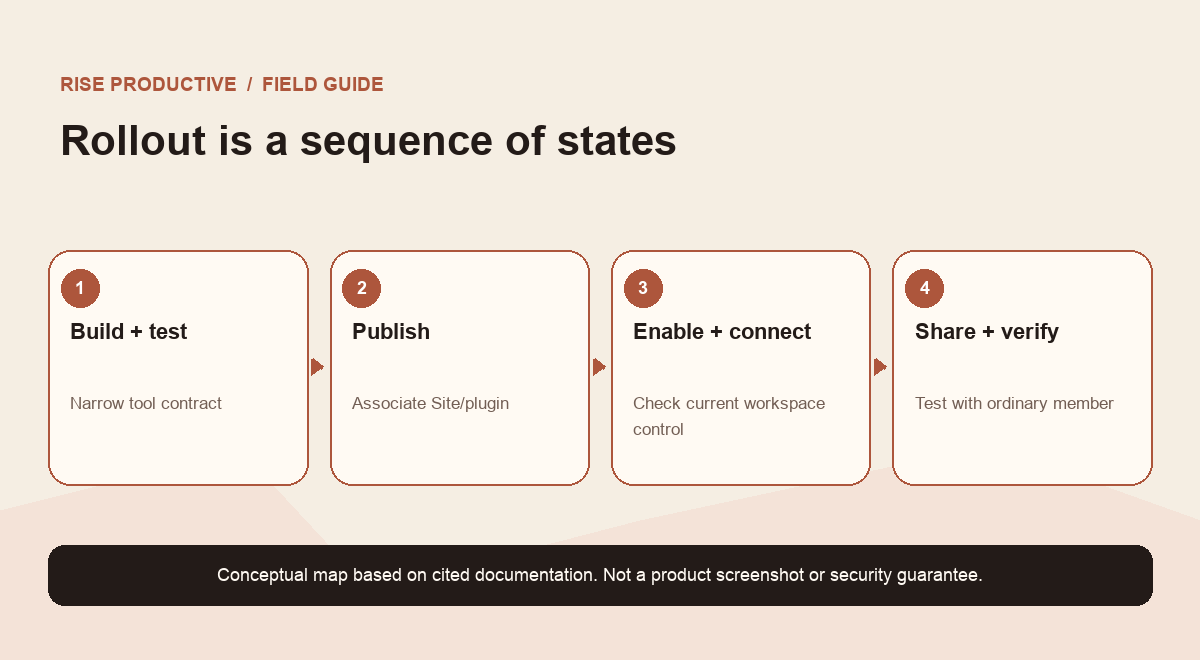
OpenAI's hosting guide describes a setup sequence in which the Site owner specifies the data and actions, tests tools with sample data, and publishes the Site to create the associated plugin. When tools change, republishing is part of the process. Plugin installation or connection is separate from sharing the Site. Workspace administrators also have product-level controls. The exact controls and defaults depend on the product and workspace configuration, so confirm the current UI and documentation before rollout.
Use precise verbs in your rollout checklist:
- Build the plugin and tools.
- Test the contract and source behavior with sample data.
- Publish the Site/plugin relationship as documented.
- Enable the relevant workspace capability if an administrator must allow it.
- Install or connect the plugin where required.
- Share the Site with the intended workspace members.
- Verify the intended person can use the intended path, and an unauthorized test path fails as expected.
These steps describe different states. A published Site does not prove that the source data is available. A shared Site does not grant a visitor permission in the connected app. An enabled plugin does not establish that every tool is appropriately scoped. An administrator setting does not replace an individual's consent or the source service's own permissions. Keep a small state checklist so the team can diagnose which layer is missing instead of repeatedly changing broad settings. For the neighboring question of what a shared ChatGPT workspace preserves, see ChatGPT Space and shared work.
 View image detail
Keep an inventory after launch
The contract is a living record. Give each tool an owner and a date for review. When someone adds a field, changes a source scope, alters a write operation, or switches authentication, repeat the tests that cover that boundary. Remove tools nobody uses. Retire stale credentials according to your organization's security process. Check whether the Site's description still explains the data and actions in plain language.
For a pilot, you do not need a massive governance binder. You do need enough evidence to answer: what task is this for, what data does each operation touch, who owns it, what can it change, how was the denied path tested, and where does the user ask for help? If an answer is missing, record it as an open issue instead of quietly treating a guess as a control.
The more consequential the action, the more review the team should put around it. A read-only search over a small approved knowledge base has a different impact from a tool that sends external messages or edits sensitive records. That is why “one plugin” is not a sufficient unit of review. Review its tools and tasks individually.
A small pilot you can run this week
Choose one low-impact use case with a known source of truth. Define one read tool that accepts a narrow query and returns only approved records, with a source name and last-updated date. Do not add writes to the first pilot. Use synthetic entries and a test member account. Check a valid search, a vague search, no access, an absent connector, an out-of-scope record, and a source outage. Have a second person record what they can and cannot see.
If the test is clean, share the Site with a small intended group and ask them to report confusing answers or surprising access. Keep a simple log of the tool version, test date, reviewer, observed outcomes, and unresolved limitations. Do not expand the connector or audience merely because the demo worked. Expand only when the next task is clear and its contract has passed the same review.
This approach makes a Site useful without pretending a new interface changes the underlying rules. The Site can make a workflow easier to reach. The MCP tool contract tells the integration what to do. The visitor's connection and source permissions determine what their path can reach. Workspace and Site controls determine who can participate. A deliberate pilot helps the team see how those pieces actually behave together.
Frequently asked questions
Does adding a plugin mean the Site can see every connected app?
No. A supported plugin exposes the tools it is designed to provide. OpenAI's current documentation describes connected-app access in the Sites flow as the visiting coworker's own access and says the visitor must be a workspace member using a private-to-workspace Site. Check the current product documentation and your tenant settings. Do not infer broad access from the word “plugin.”
Are MCP tools read-only?
Not necessarily. OpenAI's Sites Help documentation says plugin tools may read data or make changes. Separately, it describes the visitor's connected-app access in this flow as read-only. The technical capability of the tool and the authority of a visitor/source connection are different questions. Review both.
Can a Site run the connected-app work in the background?
The current Help documentation describes this connected-app flow as interaction-time, not for scheduled background tasks. Do not design a background job around that capability without a separate supported mechanism and current documentation.
Does a successful demo mean the workflow is safe to share?
No. A demo proves only the path it exercised. Test denied access, ambiguous requests, disconnected accounts, side effects, cancellation, and ordinary member behavior. Then follow your organization's security review for the data and actions involved.
What should I publish first?
Start with a narrow, read-only task that has a clear source of truth and synthetic test data. Keep the first pilot small. Add write capabilities only if the real job needs them and after the write-specific contract and confirmation path are tested.
The decision to make
Before sharing a ChatGPT Site with a plugin, write down its smallest useful job and the exact contract for each tool. Make data returned, side effects, confirmation, and failure behavior visible. Test with sample data and an ordinary member. Treat product controls, visitor access, and source-system permissions as separate layers. Then share a pilot whose behavior you can explain and verify.
That is a better launch criterion than “the plugin connected.” The useful thing is not simply a Site that can call tools. It is a Site whose tool boundaries fit the job, whose failure paths have been tested, and whose owner knows what must be reviewed when the workflow changes.
Sources and further reading
Checked for this article
Sources
Keep going
Related notes.
AI in Practice
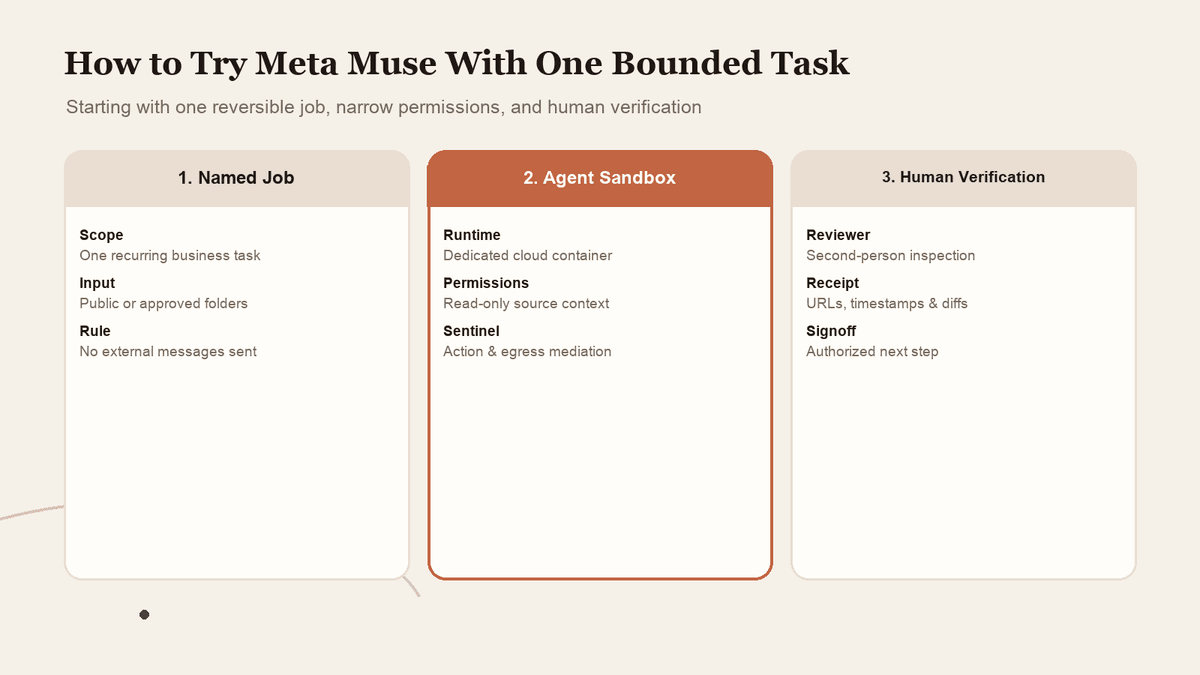
How to Try Meta Muse With One Bounded Task and Limited Access
A personal agent can look useful long before you know whether you should connect everything. Start with one reversible job, narrow permissions, and verified completion.
Read the article
AI in Practice
ChatGPT Sites and Connected Apps: Who Can See What?
A shared Site does not make every coworker\x27s source account the same. Map the separate controls, test a normal member\x27s path, and make access understandable before rollout.
Read the article
AI in Practice
Cloudflare Auto Router: Is Cheaper Model Routing Worth the Trade-Off?
Cloudflare reports lower costs with trade-offs in task success. Read the benchmark limits and decide whether your workload merits a pilot.
Read the article