
AI in Practice
Claude Managed Agents Auto Permissions: How to Pilot Them Safely
Understand what Claude Managed Agents auto permissions decide and how to pilot them without mistaking evaluation for human approval.
On this page
- How to read this article
- What does auto actually authorize?
- How is auto different from always_allow and always_ask?
- Where does auto apply, and where does it not?
- How do you set auto, and what are the defaults?
- What do the event fields show?
- What does terminal session access change about the pilot?
- Why do identity and credentials still matter?
- How should a team pilot auto permissions?
- Step 1: Inventory every tool and its current policy
- Step 2: Remove what the pilot doesn't need
- Step 3: Classify tools by consequence
- Step 4: Configure per tool, not by blanket default
- Step 5: Put host-side authorization on custom tools
- Step 6: Use disposable resources and dedicated credentials
- Step 7: Apply configuration changes deliberately
- Step 8: Capture and classify outcomes
- Step 9: Staff the pause lane
- Step 10: Review and decide
- Which tools should get which policy?
- What can a pilot prove, and what can't it?
- Frequently asked questions
- Does auto mean a human approves each tool call?
- Is auto on by default in Claude Managed Agents?
- Does auto cover custom tools?
- If I change a permission policy, do running sessions pick it up?
- Can I rely on evaluated_permission as an audit log?
- Key takeaways
Short answer: In Claude Managed Agents, the auto permission policy has the server evaluate each enabled agent-toolset or MCP-toolset call before it runs. It does not put a person in the loop. Each call gets one of three outcomes. It runs, it is denied, or it pauses so a person can approve it. A human decides only when the outcome is a pause. A denial classified as high risk can't be overridden by a client confirmation. Calls the evaluator allows run without anyone reviewing them first.
That difference is what a pilot has to plan around. When a dashboard says a tool call was "evaluated," nobody has necessarily looked at it. This guide covers what Anthropic's documentation says auto does, where it stops applying, how to read the event data it produces, and how to run a pilot that tests real behavior without treating the evaluator as a human approver.
Anthropic added this capability in a Claude Platform release-note entry dated September 10, 2026, together with a terminal command for attaching to running sessions (Anthropic release notes). Anthropic's current documentation describes Managed Agents as a beta. Details may change, so check the live documentation before you rely on any field name or default given here.
TL;DR-autois a per-call server evaluator, not a reviewer. It looks at the tool, the input and the session content so far, then allows, denies or pauses the call (Anthropic).- A person is involved only on a pause. Allowed calls run without review. High-risk denials can't be overridden by a client confirmation (Anthropic).- It isn't on by default, and it doesn't cover everything. The agent toolset defaults toalways_allowand MCP toolsets default toalways_ask. Custom tools run in your application and fall outside these policies entirely (Anthropic).- Agent-level changes reach new sessions. An idle existing session can also be updated through the session operations API (Anthropic).- Pilot it as a control layer, not a guarantee. Scope tools narrowly, keep explicit confirmation on consequential operations, test on disposable resources, and check identity and host-side authorization separately (OWASP guidance; Rise interpretation).
For a related view of where human review belongs in unattended agent work, read our guide to where human review should stay in unattended agent work.
How to read this article
This piece draws on three kinds of claims, and each is labeled where it matters:
- Anthropic product facts come from Anthropic's Permission policies page, CLI documentation and release notes. They describe how the product is documented to behave. They are not results of our own testing. Rise did not run an authenticated Managed Agents session for this article.
- OWASP guidance comes from the OWASP AI Agent Security Cheat Sheet. It is general security guidance for agent systems, not an assessment of Anthropic's product.
- Rise interpretation is our reasoning about how a team should use these facts. It is marked as such and is not a measured result.
We have no performance numbers, safety rates or comparisons between policies to report, because none were measured.
What does auto actually authorize?
auto authorizes the server to decide, call by call, whether an enabled tool call runs, stops or waits for a person. According to Anthropic's Permission policies documentation, when a tool is set to auto, each call to a server-executed agent-toolset or MCP-toolset tool is evaluated before it runs. The evaluation considers the tool, the input to that call, and the session content up to that point. The result is one of three outcomes (Anthropic, Permission policies):
- Allow: the call runs.
- Ask: the call pauses and waits for approval, as it would under
always_ask. - Deny: the call is blocked. Anthropic's documentation says a high-risk denial cannot be overridden by a client confirmation.
What auto does not authorize matters just as much. It does not make an allowed call safe. Anthropic describes it as an evaluation without human review and warns that an allowed action may have effects that cannot be reversed. It does not give a person a chance to review allowed calls before they execute. It also doesn't widen or narrow which tools the agent has. It only decides what happens when the agent calls a tool that is already enabled.
One input distinction matters when your app builds a session. Anthropic says text sent in user.message counts as the sender's intent and can change a later auto outcome. Tool output, fetched pages, MCP responses and messages between threads are considered as content but not treated as intent. If your app relays untrusted end-user text through user.message, the server treats that text as your intent too. Keep tools on always_ask when an end user must not steer an action without review (Permission policies).
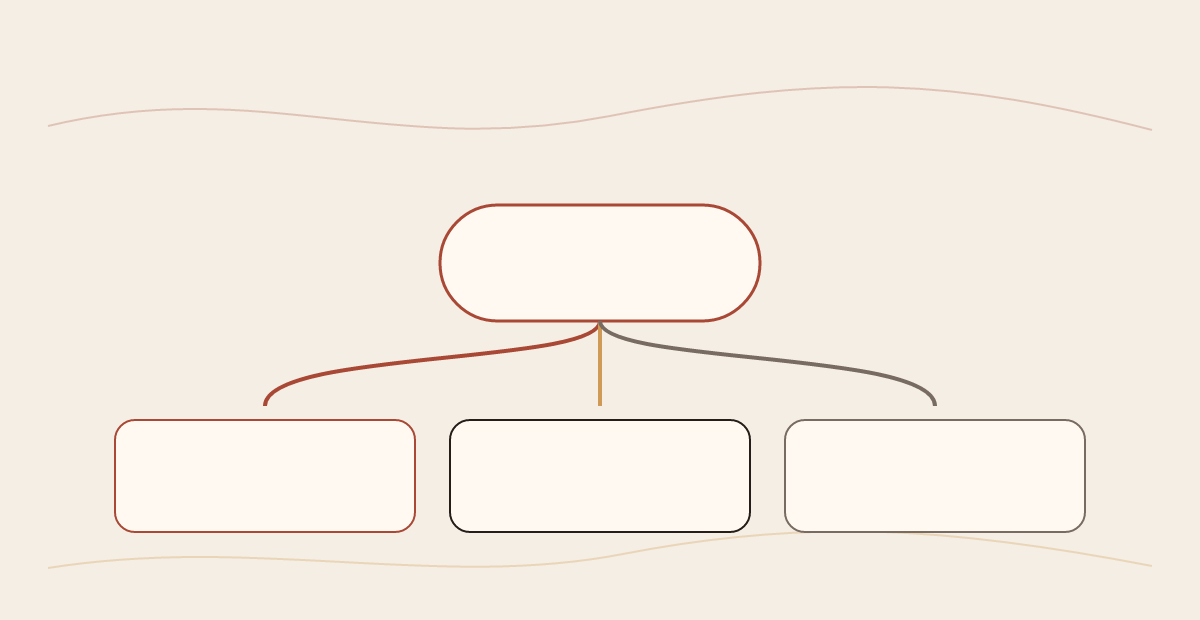
Rise interpretation: The simplest model is a gate with three exits, staffed by an automated evaluator. A person stands at only one of those exits. If your internal process says "a human approves agent actions," then auto is a different process, and your documentation should say so.
 View image detail
How is auto different from always_allow and always_ask?
auto adds a per-call decision between the two fixed policies. Under always_allow, enabled calls run. Under always_ask, calls pause for approval. Under auto, the server decides for each call which of those behaviors applies, and it can also deny outright (Anthropic, Permission policies).
always_allow: What happens to an enabled call: Runs; Where a person decides: Nowhere before execution; Documented default for: Agent toolset (agent_toolset_20260401)always_ask: What happens to an enabled call: Pauses for approval; Where a person decides: On every call; Documented default for: MCP toolsetsauto: What happens to an enabled call: Server evaluates, then runs, pauses or denies; Where a person decides: Only on calls evaluated as "ask"; Documented default for: Not a default. You must set it.
Source: Anthropic Permission policies documentation, inspected 2026-10-01. Check current defaults before configuring.
Anthropic's documentation also says an indeterminate evaluation under auto results in a pause. So uncertainty sends the call to a person instead of letting it run.
Rise interpretation: The change has a different meaning depending on where you start:
- From
always_allow(the agent-toolset default),autoadds friction. Some calls that would have run will now pause or be denied. - From
always_ask(the MCP default),autoremoves friction. Some calls that would have waited for a person will now run without one.
These are opposite changes in human oversight, and a pilot should treat them separately. Moving MCP tools from always_ask to auto gives up review on some calls. Moving agent-toolset tools from always_allow to auto adds a checkpoint. In planning documents, "we turned on auto" is too vague. Write down which policy each tool moved from.
 View image detail
Where does auto apply, and where does it not?
auto applies only to server-executed tools in the agent toolset and MCP toolsets. Anthropic's documentation says custom tools are executed by the host application and fall outside Managed Agents permission policies (Anthropic, Permission policies).
That boundary has practical consequences. If your agent can call a custom tool that writes to your database, sends email or moves money, no Managed Agents policy (auto, always_ask or anything else) decides whether that call executes. Your application decides. Your application therefore needs its own authorization check for each custom tool, sized to how consequential the action is.
Three more boundaries are worth recording in your pilot plan:
- Only enabled tools are evaluated.
autodecides what happens when an enabled tool is called. It does not decide which tools are enabled. Tool scope is a separate configuration choice. - Tools that are not enabled behave differently. Anthropic documents that calls to tools that are not enabled are denied without an
evaluationobject. A denial with no evaluation detail attached is not necessarily an evaluator decision. - Agent-level configuration affects future sessions. Updating the agent's tools or policies affects sessions created afterward. Existing sessions keep their earlier configuration unless you update that session itself. Anthropic's Session operations documentation allows an idle session's tools and MCP servers, including permission policies, to be updated mid-session. The session must be idle; the supplied arrays replace the current arrays, so preserve every tool and server entry you still need.
Rise interpretation: The boundary between agent-level and session-level updates is easy to miss. Someone changes the agent configuration and assumes existing sessions changed too. They did not. To make a running session idle, Anthropic says to send a user.interrupt event by itself and wait for the session to become idle. A session-level update replaces the full tools and MCP server arrays, so preserve all entries and verify the current API requirements before sending the request.
 View image detail
How do you set auto, and what are the defaults?
According to Anthropic, auto is not on by default. You can set it as the default for a whole toolset or on individual tools. The documented defaults are always_allow for the agent toolset (agent_toolset_20260401) and always_ask for MCP toolsets (Anthropic, Permission policies).
This guide doesn't reproduce configuration syntax, because the product is in beta and the exact request shape should come from the live documentation. The design question is the same either way: should auto be a toolset-wide default, or a per-tool exception?
Rise interpretation: For a first pilot, per-tool configuration is easier to defend. It forces someone to name every tool that is moving to auto and justify each one. A toolset-wide default is shorter to write, but it can move a newly added tool onto auto without anyone deciding that. When you do use a toolset default, pair it with explicit per-tool overrides that keep consequential operations on always_ask.
This matches the direction of OWASP's guidance. The OWASP AI Agent Security Cheat Sheet recommends least-privilege tool grants, scoping permissions per tool, and explicit authorization for sensitive operations (OWASP, AI Agent Security Cheat Sheet). OWASP does not mention Anthropic's product. The fit between its guidance and per-tool auto configuration is our inference.
What do the event fields show?
Under any permission policy, each agent.tool_use and agent.mcp_tool_use event carries top-level evaluated_permission. Most also include an evaluation object whose type identifies the policy. Under auto, it records the server's determination and a reason_code for ask or deny (Anthropic, Permission policies).
The documentation adds two caveats that client software should handle:
- Tolerate unfamiliar evaluation details. Anthropic says clients should handle unrecognized
evaluation.typeorreason_codevalues (Permission policies). Rise practice: route unfamiliar values to a review bucket instead of treating them as allow. - The
evaluationobject isn't always there. Calls to tools that aren't enabled are denied without one; historical events recorded before the object was added may also lack it.
Rise interpretation: what the fields are good for, and what they aren't.
The fields are good for:
- Counting how often each outcome occurs, per tool, during a pilot.
- Spotting tools that pause so often that
autoadds little overalways_ask, or tools whose denials need investigating. - Routing "ask" outcomes to the right person quickly.
The fields are not, by themselves:
- A complete, immutable compliance log. They are session events. If your organization needs tamper-evident audit records, build that retention separately.
- Guaranteed on every record of every age or event type. Events recorded before Anthropic added the
evaluationobject may lack that object. For those historical events, Anthropic says to interpret top-levelallowasalways_allowandaskasalways_ask; custom-tool events carry neither field. - Proof that an allowed call was safe or correct. Rise interpretation: an
allowrecords the evaluator's decision, not the outcome or reversibility of the action.
When you write parsing code, read top-level evaluated_permission as the documented allow, ask or deny outcome. Rise practice: route unexpected data to a "needs review" bucket rather than treating it as allow. Log missing evaluation objects as a distinct case so they don't disappear into your counts.
OWASP recommends logging agent decisions, tool calls and outcomes for high-risk actions (OWASP AI Agent Security Cheat Sheet). Session event fields can support that work, but they are not a substitute for a retention and integrity design.
 View image detail
What does terminal session access change about the pilot?
A person can connect to a hosted Managed Agents session to observe it and answer a pending approval, but the connection is not a review gate for calls that auto already allowed. Rise interpretation: Anthropic's CLI documentation describes the local ant process connecting to a hosted session and making requests; it does not document exposing the operator's local shell to the agent. Keep the permission decision and the operator's live view as separate controls. The companion guide, How to Supervise a Claude Managed Agents Session from the Terminal, covers CLI operation, thread visibility, messages, interrupts and detachment.
 View image detail
Why do identity and credentials still matter?
Permission evaluation decides whether a call runs. It doesn't decide whose authority the call runs with. If an agent's tools connect to systems through shared or overly broad credentials, a call that the evaluator correctly allows can still reach more than it should.
One self-selected survey provides context. In a September 30, 2026 article, VentureBeat reported results from the August 2026 wave of VB Pulse's Agentic Security and Identity tracker: 137 respondents at organizations with 100 or more employees. Among the 37 organizations that said they had production agents and enforced runtime-scoped permissions, 22 said some or most of their agents still shared credentials (Louis Columbus, VentureBeat). VentureBeat notes that the sample was self-selected and isn't representative of all enterprises.
The survey's scope limits what it can show. It covers respondents' agent practices, not the behavior of Claude Managed Agents, and it does not establish a causal link. It does show that, among these respondents, enforcing permissions and giving agents separate identities were not the same thing.
Rise interpretation: Treat permission policy and identity as two separate pilot questions:
- Is this call allowed to run? That is the policy layer (
auto,always_ask,always_allow). - If it runs, what can it reach, and who is accountable for it? That is the credential and resource layer: dedicated agent identities, narrowly scoped tokens, and resource boundaries in the downstream systems.
A pilot that tests only the first question can look clean while the second remains open.
 View image detail
How should a team pilot auto permissions?
Run the pilot as a structured test of policy behavior on resources you can afford to lose, with human confirmation kept on anything consequential. The steps below combine Anthropic's documented behavior with OWASP's guidance. The sequence itself is a Rise recommendation, not an Anthropic or OWASP procedure.
Step 1: Inventory every tool and its current policy
List each tool the agent can reach, sorted into three groups: agent toolset, MCP toolsets, and custom tools. Record the policy each one currently uses. Remember that the documented defaults differ: always_allow for the agent toolset and always_ask for MCP. Mark custom tools as "host-authorized," since Managed Agents policies don't govern them.
Step 2: Remove what the pilot doesn't need
Start from least privilege, as OWASP recommends (OWASP). Disable tools that are not required for the pilot task. This applies OWASP's least-privilege guidance; it is not a claim that reducing the tool count changes the evaluator's accuracy.
Step 3: Classify tools by consequence
Sort the remaining tools into three bands. This is a Rise working classification. Adjust it to your environment.
- Low consequence: read-only or easily reversed actions on disposable resources. These are candidates for
auto. - Moderate consequence: writes that can be undone with some effort. Keep these on
always_askuntil the team has documented why unreviewed execution is acceptable for the specific tool and resource. - High consequence: irreversible changes, external communications, financial actions, permission changes, or anything touching production data. Keep these on
always_ask, or don't enable them in the pilot.
OWASP recommends human approval and independent validation for high-impact actions (OWASP). Under auto, a call that the evaluator allows doesn't reach a person. Keeping always_ask on high-consequence tools ensures they always do.
Step 4: Configure per tool, not by blanket default
Apply auto only to the specific tools and resources the pilot has justified. If you use a toolset default, add explicit always_ask overrides for tools that still need a person to decide before execution. Record the before-and-after policy for each tool.
Step 5: Put host-side authorization on custom tools
For each custom tool, add or confirm an authorization check in your application. Base it on the action and the resource, not on whether a Managed Agents policy exists.
Step 6: Use disposable resources and dedicated credentials
Point the pilot at sandbox data, test accounts and resources you can delete. Give the agent its own credentials, scoped to those resources. Don't reuse a person's or a team's shared token. That way, a correct "allow" can't reach production even if something goes wrong.
Step 7: Apply configuration changes deliberately
An agent-level policy update affects sessions created afterward. Anthropic separately documents updating an existing session while it is idle; that request replaces the complete tools and MCP-server arrays. To move a running session toward idle, Anthropic says to send a user.interrupt event by itself and wait for the session to become idle. Preserve the full arrays and record which configuration each run used.
Step 8: Capture and classify outcomes
Collect evaluated_permission values per tool, along with reason codes for ask and deny outcomes. Handle unknown values and missing evaluation objects as their own categories. Review a sample of allowed calls after they run, since those are the ones no person saw beforehand.
Probe the decision path before expanding. The cited Permission policies page describes outcome labels but does not give an input-level rule that predicts whether a particular call auto will allow, deny or pause. Treat these as controlled probes, not expected product guarantees, and record the observed event and the resulting change in the disposable target:
- For a call your team intends to allow, check both the event outcome and the actual resource change.
- Exercise a denial path using an already documented high-risk example only in a sandbox. Confirm that the denied call did not execute and that the session outcome is understood.
- Exercise the approval workflow with
always_ask, where a pause is documented, and test allow, deny and deny-with-reason handling. Do not claim this predicts anautopause. - Compare a narrowly scoped operator message with untrusted instructions placed in tool output. Keep the actual untrusted text out of your own
user.messageevents; inspect whether the recorded outcome changes. - Route one custom-tool call through the host application's own authorization and audit path. It is outside the Managed Agents permission policy.
Write down which outcomes were observed and which were not. A pilot may never naturally encounter an auto denial or pause, and that absence is not proof those paths work.
Step 9: Staff the pause lane
Name the person or service that owns each ask outcome, how a pending decision will be surfaced, and what happens when nobody responds. Anthropic says an ask waits indefinitely. The terminal companion explains the operator-view option and its limits.
Step 10: Review and decide
At the end of the pilot, review per-tool outcomes, any denials you didn't expect, and a sample of allowed actions. Decide tool by tool whether to keep auto, go back to always_ask, or remove the tool. Write the decision down along with its reasoning.
 View image detail
Which tools should get which policy?
Base the policy on consequence and reversibility, not on how often the tool is used. The matrix below is a Rise starting point built from OWASP's general guidance on least privilege and high-impact actions. It isn't an Anthropic recommendation. Adapt it to your environment.
- Read-only on disposable data: Reversible?: N/A; Suggested starting policy:
auto; Extra control: Sample allowed calls after the fact - Writes to sandbox resources: Reversible?: Yes; Suggested starting policy:
auto; Extra control: Dedicated scoped credential; check outcomes - Writes to shared or team resources: Reversible?: Partly; Suggested starting policy:
always_askduring pilot; Extra control: Reconsiderautoonly after review - External messages, payments, permission changes, deletions: Reversible?: No; Suggested starting policy:
always_askor not enabled; Extra control: Independent validation (OWASP) - Any custom tool: Reversible?: Varies; Suggested starting policy: N/A (outside Managed Agents policies); Extra control: Host application authorization
Rise interpretation: The last row is the one teams are most likely to miss. A custom tool sits outside the policy system entirely, so the matrix can't assign it a policy. Its control has to live in your code.
 View image detail
What can a pilot prove, and what can't it?
A well-run pilot can show how the auto evaluator classified your tool calls, on your tools and tasks, during the pilot period. That is useful evidence for per-tool policy decisions. It's also limited.
Rise interpretation: A server-side permission evaluation, a session transcript and an operator connection don't by themselves establish any of the following:
- That resources were scoped correctly in downstream systems.
- That the agent ran under a dedicated identity and not a shared one.
- That custom tools were authorized by the host application.
- That allowed actions executed safely or produced correct results.
- That changes can be rolled back.
- That your deployment meets any regulatory or compliance requirement.
Each of those needs its own control and its own evidence. Anthropic's documentation describes what the policy layer does. OWASP describes what a broader control set should include. Your pilot connects the two for your own environment, and it can't be broader than what you actually tested.
Behavior may also change. Managed Agents is documented as a beta, and Anthropic says client software should tolerate new policy and reason values. Recheck the documentation before you extend a pilot conclusion to production, and rerun the relevant steps after significant platform updates.
Frequently asked questions
Does auto mean a human approves each tool call?
No. Under auto, the server evaluates each enabled agent-toolset or MCP-toolset call, and a person is involved only when the outcome is "ask." Allowed calls run without human review, and high-risk denials can't be overridden by a client confirmation, according to Anthropic's Permission policies documentation.
Is auto on by default in Claude Managed Agents?
No. Anthropic documents always_allow as the default for the agent toolset (agent_toolset_20260401) and always_ask as the default for MCP toolsets. You set auto explicitly, either as a toolset default or on individual tools.
Does auto cover custom tools?
No. Anthropic's documentation says custom tools run in the host application and fall outside Managed Agents permission policies. Your application has to authorize custom tool execution itself.
If I change a permission policy, do running sessions pick it up?
An update to the agent configuration affects sessions created afterward. A running session keeps its existing configuration unless you update that session itself. The session-level update is for idle sessions and replaces the full tools and MCP server arrays. Anthropic says to send a user.interrupt event by itself and wait for the session to become idle before updating a running session.
Can I rely on evaluated_permission as an audit log?
Not on its own. Anthropic documents evaluated_permission on agent and MCP tool-use events under any policy. Events recorded before the evaluation object was introduced may lack that object; custom-tool events carry neither field. New policy and reason values may appear. Rise recommends treating the field as operational evidence and keeping a separate, durable audit record if your organization requires one.
Key takeaways
autois an automated per-call evaluator with three outcomes. A person appears only in the "ask" lane.- Switching to
autoadds checkpoints for agent-toolset tools (defaultalways_allow) and removes human review for some MCP calls (defaultalways_ask). Record which change you made for each tool. - Custom tools, credentials and downstream resource scope sit outside the policy, so they need their own controls.
- Pilot per tool on disposable resources with dedicated credentials, and record whether a change is agent-level or an idle-session update. Keep
always_askwhere prior review is required. - Pilot evidence supports per-tool decisions. It doesn't establish safety, rollback or compliance.
Checked for this article
Sources
Keep going
Related notes.
AI in Practice
How to Try Meta Muse With One Bounded Task and Limited Access
A personal agent can look useful long before you know whether you should connect everything. Start with one reversible job, narrow permissions, and verified completion.
Read the article
AI in Practice
ChatGPT Sites and Connected Apps: Who Can See What?
A shared Site does not make every coworker\x27s source account the same. Map the separate controls, test a normal member\x27s path, and make access understandable before rollout.
Read the article
AI in Practice
ChatGPT Sites Plugins: How to Scope MCP Tools Before You Share
A ChatGPT Site can host a supported plugin, but the useful question is what its tools should be allowed to do. Here is a practical contract-and-test process before you share.
Read the article