
AI in Practice
Grok Voice Transcribe 2.0: Batch or Streaming for Audio Workflows
A practical way to choose between file-based and live transcription, then test quality, timing, correction effort and price on the work you actually do.
On this page
- The short answer
- Two decisions, not one
- What version 2.0 offers, and what the headline does not prove
- Batch transcription fits work that starts with a recording
- Streaming is for text that matters before the conversation ends
- Compare useful output, not only word error rate
- Design a bounded pilot that answers one question
- The October 2 model change
- Decide what the evidence allows
- Make the decision from one accepted job
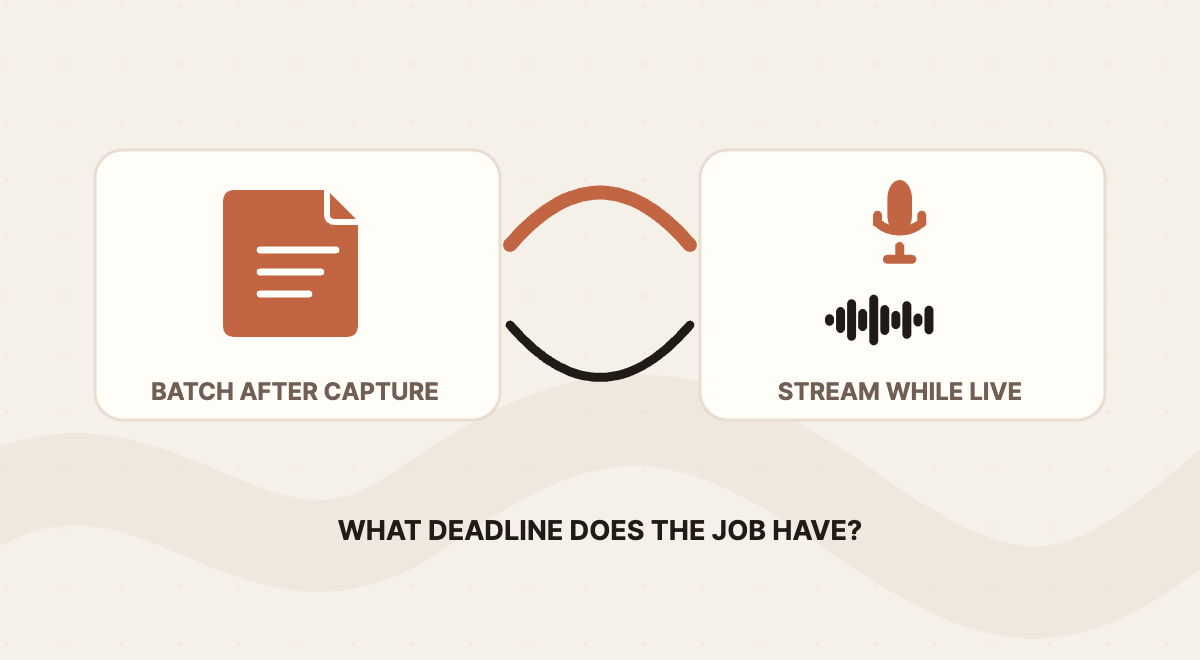
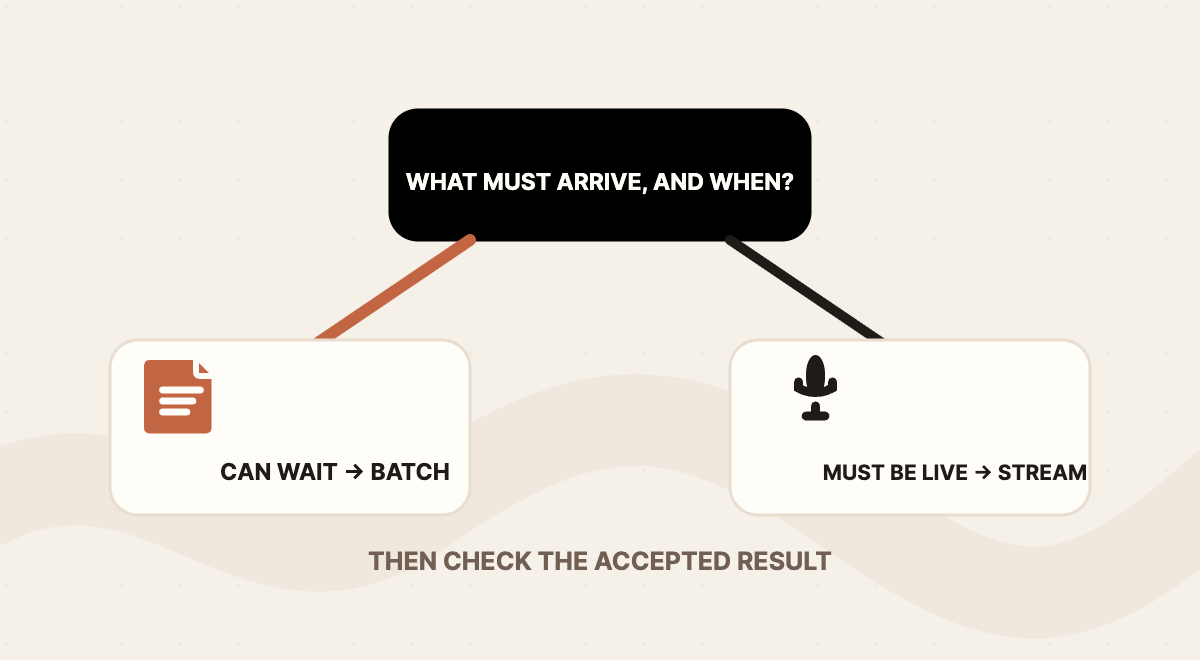
Pick the transcription mode by asking when someone needs words they can trust. If the audio already exists as a file and nobody needs text while the speaker is talking, start with batch. If a caption, an operator or a voice interface needs words during a live conversation, start with streaming. The choice is about deadlines, not about which mode sounds newer or faster.
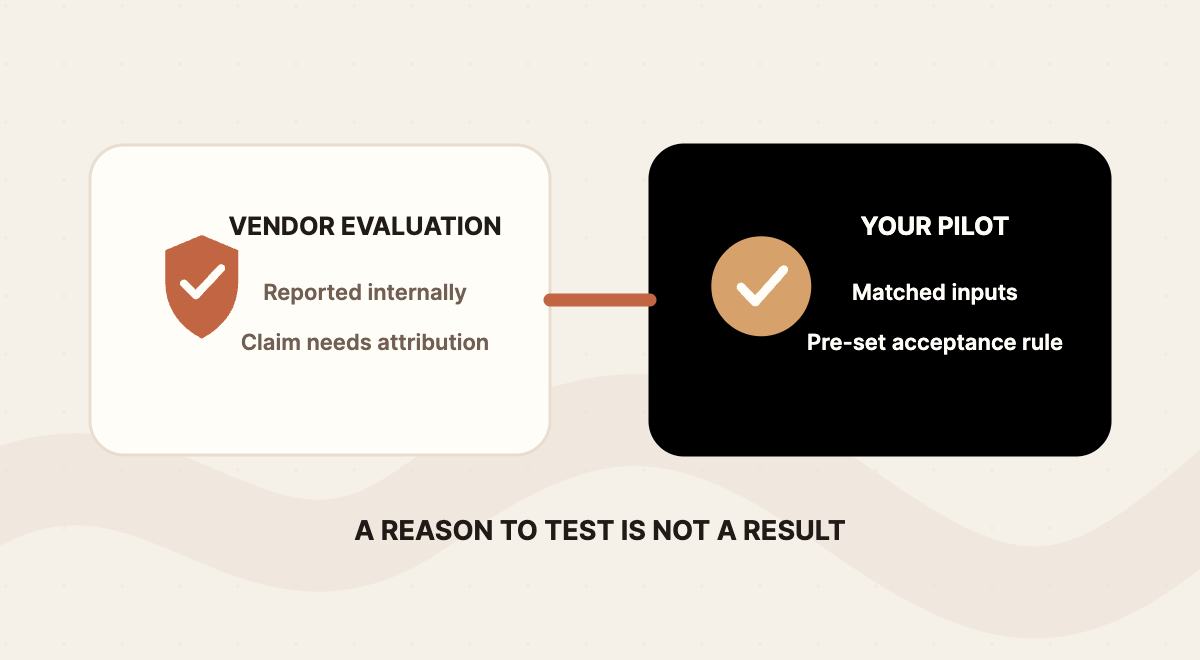
xAI released Grok Voice Transcribe 2.0 on September 18, 2026. The company says the model was twice as accurate as version 1.0 in its internal real-world evaluations, at the same price. That is xAI's own result, not an independent measurement of your calls, interviews or recordings. The launch announcement sets out the claim, the features and the launch pricing.
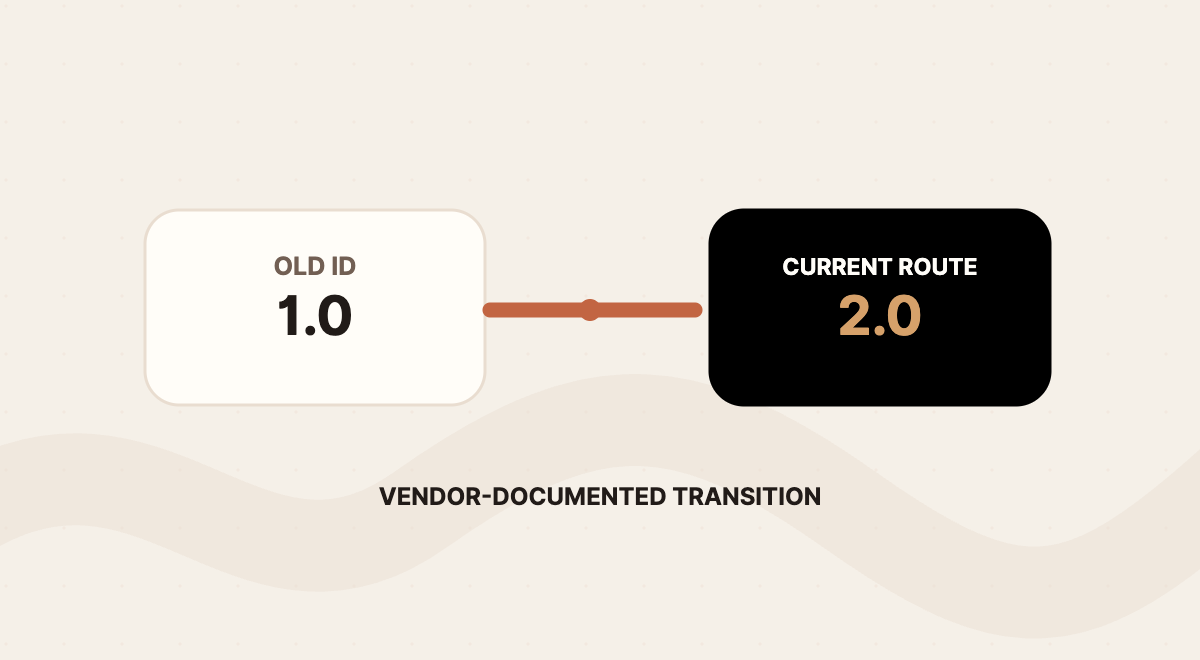
One fact has moved since launch. The September 18 post said 1.0 would be deprecated "in the coming weeks." As of October 2, the current Speech to Text API guide says grok-voice-transcribe-1.0 reaches end of life on October 2, 2026, and requests using that ID are routed to 2.0 at the same price. The guide now lists grok-voice-transcribe-2.0 as the default.
This is a decision guide based on xAI's published materials and one independent benchmark method. I did not run an authenticated API call, an audio test or a client workflow. What follows explains how to make two separate decisions: which mode fits the job, and what your own test results should allow you to do next.
Key takeaways- Batch suits a recording that can wait. Streaming suits text that must arrive during the conversation.- xAI's "2x more accurate" statement comes from xAI's internal evaluations. Treat it as a reason to test, not a result for your audio.- The cheapest audio hour is not automatically the cheapest accepted transcript. Count review time, corrections and rejected transcripts.- If any configuration still names the 1.0 model ID, check it against the October 2 transition.
The short answer
- A saved recording that can be processed after capture: Start with: Batch; First thing to check: Whether the finished transcript meets your must-be-correct fields
- Text that must appear while someone is still speaking: Start with: Streaming; First thing to check: Time to stable text, not just time to the first partial word
- An existing setup that names the 1.0 model ID: Start with: The October 2 transition; First thing to check: Your own regression cases against the routed 2.0 output
Launch pricing listed by xAI (September 18, 2026): batch at $0.10 per audio hour and streaming at $0.20 per audio hour, with diarization, timestamps and key terms included. These are vendor-published rates at research time. Confirm current terms for your account before estimating cost.
 View image detail
Two decisions, not one
Most transcription projects blur two questions together. The first is a mode decision: does this job need words during the conversation or after it? That question can usually be answered on paper, before anyone sends audio to an API, because it depends on the work rather than the model.
The second is an evidence-to-action decision: once you have run the chosen mode on representative audio, what do the results permit? Adopting a mode for a review-only archive is a smaller step than letting transcript text feed a client summary, a CRM field or an automated reply. A pilot that passes for the first purpose may not pass for the second.
Keeping them separate prevents a common mistake. A team picks streaming because it looks responsive, sees fast partial text in a demo, and treats that as proof the transcript is ready to drive the next step. Speed answered the first question. It said nothing about the second.
Start by writing the job in testable terms. "Transcribe our calls" is too broad. "Produce a searchable record of completed support calls by the next morning" has a deadline and a destination. "Show a live caption during a client call" has a different success condition. The mode follows from that sentence.
What version 2.0 offers, and what the headline does not prove
xAI's launch lists the feature surface: batch and streaming modes, word-level timestamps and confidence, speaker diarization, up to eight independently transcribed channels, up to 100 key terms for biasing, text formatting, filler removal and smart turn detection. The current API guide is the place to confirm how each one works in a given mode.
Those features help define a pilot. Product names and client jargon make key terms worth testing. Calls recorded with each speaker on a separate channel make channel handling worth testing. A live interface makes partial results and turn detection worth testing. None of them guarantees that an extracted name, amount or commitment is correct.
The "twice as accurate" claim needs its subject attached. xAI says its internal evaluation used four sets, and it reports short-phrase word error rate falling from 20.6 percent to 6.8 percent. That is a vendor result, not an independent test and not a Rise test. It may be relevant if your audio resembles short spoken phrases. It does not tell you how 2.0 handles a noisy forty-minute interview with three speakers and a dozen product names.
 View image detail
Batch transcription fits work that starts with a recording
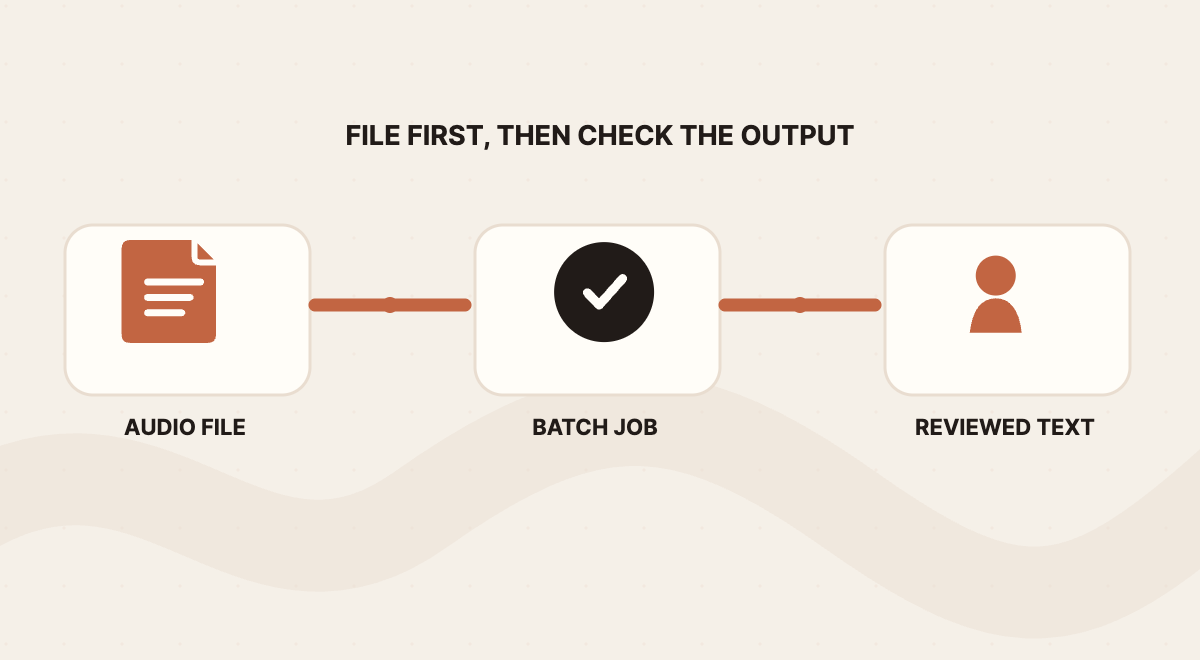
Batch is the file-first route. The current guide documents a REST request that accepts either an uploaded file or a url, with a 500 MB limit for uploaded files. It supports common container formats as well as raw audio formats, and raw formats require extra format parameters. Responses document word-level timings, and speaker labels are available as an option.
The value of batch is that the work can happen after capture ends. A creator might send each finished interview to a transcript queue, check names and timestamps, then draft show notes. An agency might prepare a reviewed call summary before the next client meeting. An operations team might build a searchable archive of completed calls. These are workflow ideas, not reports of a system Rise has built or tested.
Separating capture from transcription gives the operator control at a useful point. Before sending a file, someone can confirm consent, language and settings. After the result comes back, a bad name or missing segment has a clear recovery path: find the timestamp, check the original audio, correct or rerun, and keep the recording as the evidence.
Two settings deserve a test in batch work that handles numbers. The format option can normalize spoken numbers, currency and units into written form when used with a language parameter. That makes "twelve hundred dollars" easier to read and parse. It does not confirm that the speaker said twelve hundred rather than two hundred, so amounts still need checking against audio when they matter.
Batch is the wrong fit when value depends on an immediate response. If a person has to answer during the call, a transcript that arrives afterward can support documentation and review, but it cannot act as a live caption.
 View image detail
Streaming is for text that matters before the conversation ends
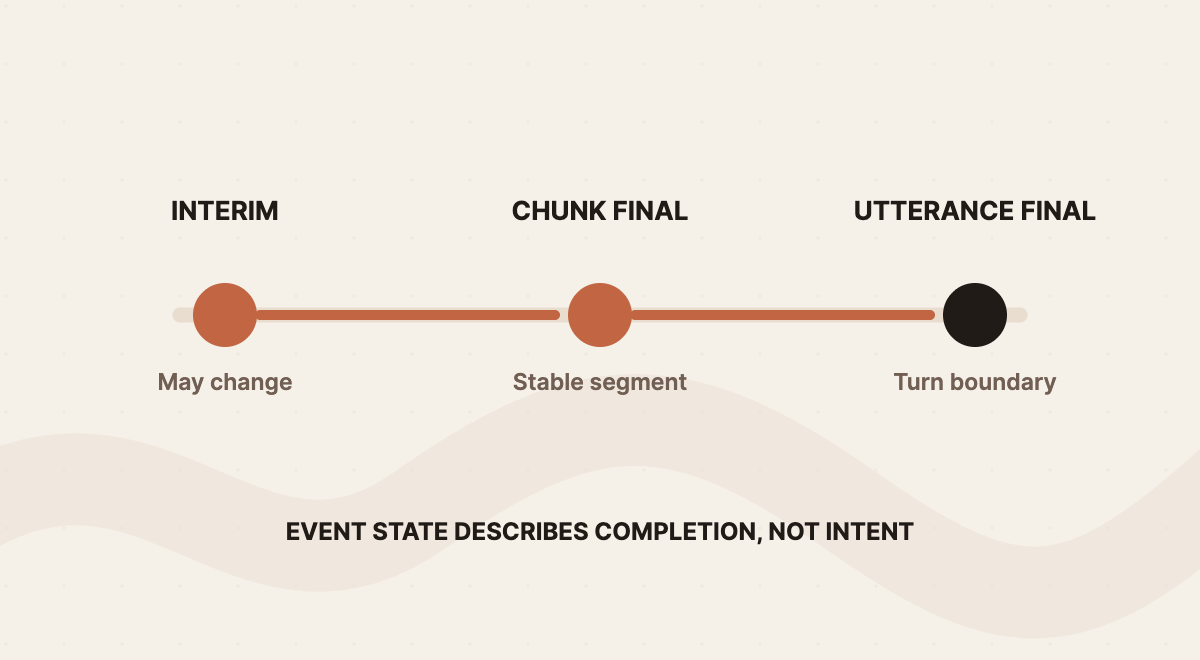
Streaming uses a WebSocket connection. The client sends audio in frames and receives transcript events back. The current guide describes three text states, and they are the most practical detail in the documentation:
- Interim text may change. When interim results are enabled, events can arrive about every 500 milliseconds.
- Chunk-final text locks a portion of speech. It does not mean the speaker has finished the thought.
- Utterance-final text marks a completed utterance under the configured rules. Smart Turn adjusts when that happens, and a timeout can force an utterance-final event so the system does not wait indefinitely.
"Final" here describes the event, not the quality. A finalized utterance can still contain a wrong name. The interface tells the application which text may change. It does not tell the application whether the text is right.
That distinction shapes the product. A live caption can show interim words in a distinct style, then commit them when a final event arrives. If a critical number changes between interim and final without any visual signal, a reader may trust the wrong version. A timeout prevents endless waiting, but it also means the product has to decide what to do with an incomplete thought.
Streaming also asks more of the integration. xAI advises routing WebSocket connections through a backend so the API key stays out of client-side code. That is a vendor security recommendation, not a full privacy or access model. The application still has to handle connection setup, audio format, interruptions, errors and the display of changing text.
For channels, the guide documents channel-indexed events and a multichannel mode for PCM audio, and it lists Opus multichannel as unsupported. If your calls arrive as separate agent and customer channels, confirm the encoding before assuming the setup will work.
One test settles whether streaming is earning its place: name what depends on the early text. If the honest answer is nothing, a live connection adds moving parts without changing the result. A team gains no time by running a live system and then treating its output like a file job.
 View image detail
Compare useful output, not only word error rate
Word error rate is a reasonable starting measure, but it averages away the errors that cost the most. A misspelled company name may be trivial in an internal archive and expensive in a client record. A transcript can score well overall and still drop a "not" that reverses a commitment. A speaker attribution error can assign a decision to the wrong person.
Timing needs the same care. Artificial Analysis explains that its AA-WER Streaming benchmark measures word error rate alongside latency at two points after detected end of speech: the first transcript-bearing event, which may be partial or final, and the first final-denoted transcript. Both latency measurements start when end of speech is detected, not when the recording begins. Its dataset mix includes diverse accents, domain language and difficult acoustic conditions, and it notes that leaders differ by dataset. That method is useful for designing your own test. It does not validate xAI's internal evaluation or say which model suits a particular agency's recordings. See the Artificial Analysis methodology.
The lesson for a pilot is direct. If you compare one route's first partial word with another route's finished transcript, you are comparing different things. Time each state separately and label it.
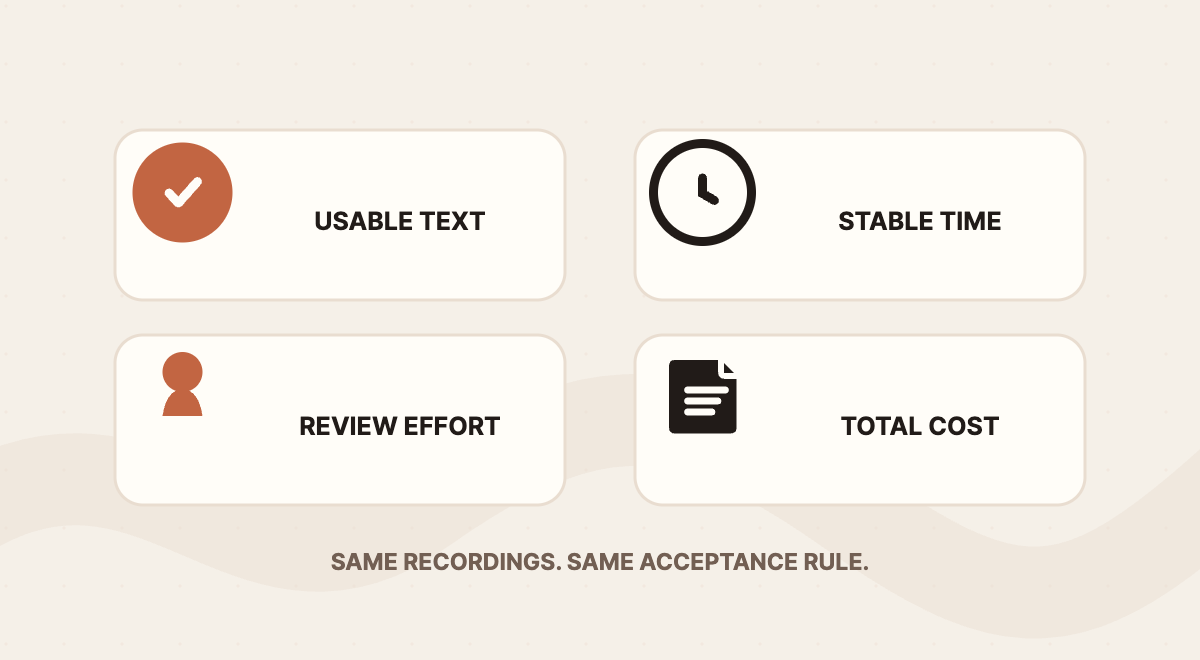
The business measure that ties this together is cost per accepted transcript. Write the formula before collecting results:
(transcription charges + tool and storage fees + the reviewer and repair time you choose to value) ÷ transcripts that meet the written acceptance rule
Keep every rejected or escalated attempt's API charges and review time in the numerator. Count only accepted transcripts in the denominator, and report rejected and escalated counts beside the result. This keeps the work spent on unusable outputs visible. For a hypothetical example, a route at $0.10 per audio hour that sends every third recording back for full replay may cost more per accepted transcript than one at $0.20 that rarely does. Neither outcome can be assumed without a test. Rise's AI task cost comparison makes the same point about text-model token prices. The units differ, but the question is the same: what did one accepted piece of work actually require?
 View image detail
Design a bounded pilot that answers one question
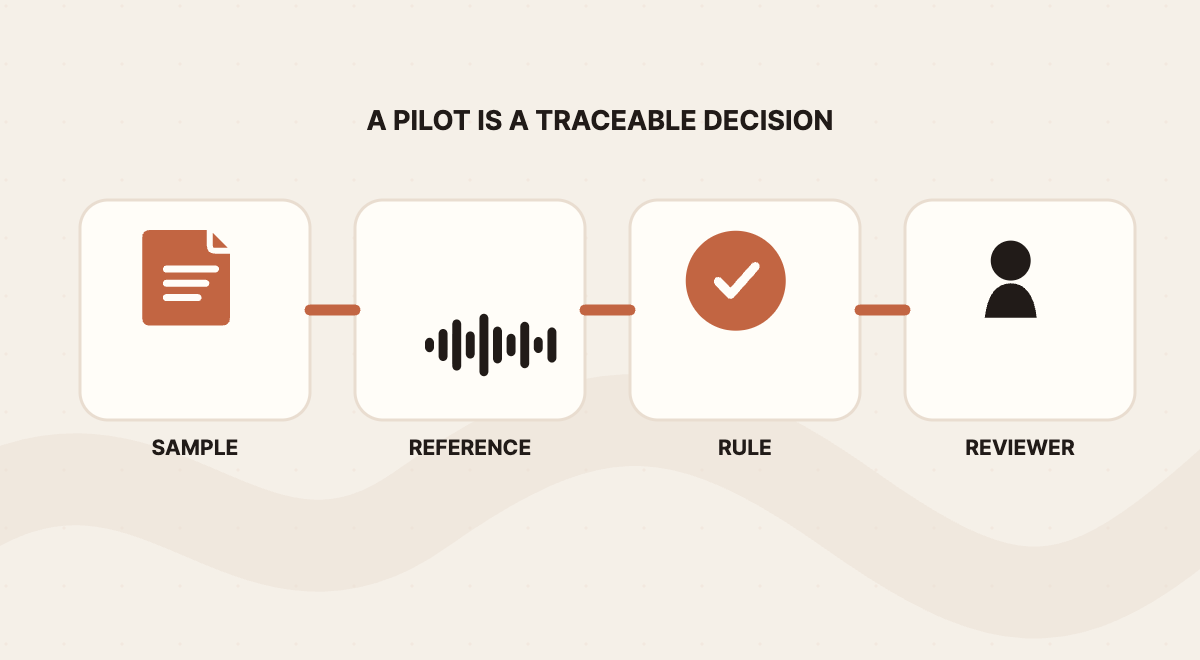
Start with one workflow and a small, deliberate sample. Do not average meetings, voicemails, podcasts and support calls together. Use audio the organization is allowed to process, decide who may listen to it, and prepare a human-checked reference transcript for each clip.
Write the acceptance rule before generating any transcript. Which words must be exact? Which fields need a person to verify them against audio? Do timestamps matter? Does speaker identity matter? What latency is acceptable? Can partial text appear to a user, or must the interface wait for an utterance-final event? Which errors stop the workflow?
Then measure separately rather than collapsing everything into one "accuracy" score:
- Text quality: word errors against the reference, plus specific errors in names, amounts, dates, negations and commitments.
- Timing: for streaming, first visible text, first chunk-final text, utterance-final text and total workflow completion.
- Correction effort: reviewer minutes, replays, corrections per recording and unresolved cases.
- Task completion: whether the transcript produces the fields or document the job needs.
- Cost: vendor rate plus observed review and rework, with the sample and rate date.
- Risk: whether any wrong field could trigger an external action, and whether the workflow stopped first.
A short failure list keeps the review consistent across samples. Tag each error as one of: misheard term or name, wrong number or amount, wrong speaker or channel, dropped or reversed meaning, late stable text, or a formatting change that altered meaning. The tags show whether a problem belongs to one condition, such as noise, or to the route as a whole.
Here is a proposed ten-sample worksheet for one defined job. Fill it in before comparing routes, and keep failures and escalations visible.
- 1: Condition to represent: Ordinary reference case; Must-be-correct fields: ; Batch result and correction time: ; Streaming final result and correction time: ; Accepted, retest or reject:
- 2: Condition to represent: Background noise; Must-be-correct fields: ; Batch result and correction time: ; Streaming final result and correction time: ; Accepted, retest or reject:
- 3: Condition to represent: Names or specialist terms; Must-be-correct fields: ; Batch result and correction time: ; Streaming final result and correction time: ; Accepted, retest or reject:
- 4: Condition to represent: Numbers, dates or amounts; Must-be-correct fields: ; Batch result and correction time: ; Streaming final result and correction time: ; Accepted, retest or reject:
- 5: Condition to represent: Two speakers; Must-be-correct fields: ; Batch result and correction time: ; Streaming final result and correction time: ; Accepted, retest or reject:
- 6: Condition to represent: Accent or language variation; Must-be-correct fields: ; Batch result and correction time: ; Streaming final result and correction time: ; Accepted, retest or reject:
- 7: Condition to represent: Interruption or self-correction; Must-be-correct fields: ; Batch result and correction time: ; Streaming final result and correction time: ; Accepted, retest or reject:
- 8: Condition to represent: Short or ambiguous response; Must-be-correct fields: ; Batch result and correction time: ; Streaming final result and correction time: ; Accepted, retest or reject:
- 9: Condition to represent: Separate channels, when available; Must-be-correct fields: ; Batch result and correction time: ; Streaming final result and correction time: ; Accepted, retest or reject:
- 10: Condition to represent: Known failure or high-consequence edge case; Must-be-correct fields: ; Batch result and correction time: ; Streaming final result and correction time: ; Accepted, retest or reject:
Adapt the conditions to the work and apply the same acceptance rule to every route. If the job only has one realistic mode, compare it with your current process rather than inventing a competitor.
 View image detail
The October 2 model change
For anyone maintaining an existing integration, the transition is an inventory task. Search configuration files, scheduled jobs and wrappers for grok-voice-transcribe-1.0. The current guide says requests using that ID are now routed to 2.0 at the same price, so a request may keep succeeding while its output changes.
That is why a successful response is not a passed test. Run a saved set of known cases through the current route, compare them with earlier output and your acceptance rule, and check anything a downstream parser depends on. If the integration can name 2.0 directly, make that change through your normal release process and record which model produced each result. Test names and account numbers directly rather than trusting an average.
 View image detail
Decide what the evidence allows
With the mode chosen and the worksheet filled in, the second decision begins. The pilot does not answer "is Grok Voice Transcribe 2.0 good?" It answers what this transcript, for this job, is allowed to do next.
- Must-be-correct fields pass and correction time is acceptable: What it supports: Using the route for this job with the planned review step; What it does not support: Removing review, or extending the route to other kinds of audio
- Overall text is good but names or amounts fail: What it supports: Review-only uses such as search or rough notes; What it does not support: Passing those fields into records or client documents
- Streaming partials are fast but stable text arrives too late: What it supports: Provisional captions clearly marked as provisional; What it does not support: Treating early text as a confirmed instruction
- Results vary sharply by condition: What it supports: A narrower scope covering the conditions that passed; What it does not support: One average figure across all audio
- The source of errors cannot be identified: What it supports: Simplifying the workflow and retesting; What it does not support: Expanding the pilot
The table is a starting point, not a ranking of vendors or modes. A different workload can reverse the answer, and the same team may reasonably use batch for a podcast archive and streaming for live captions.
Voice agents raise the stakes further, since a transcript there can trigger an action rather than wait for a reader. That deserves its own treatment. The short version is that a consequential action should wait for finalized text, checked names and numbers, and a person's approval.
The opportunity is real but unmeasured. A checked, timestamped transcript can let someone draft notes or a follow-up without replaying the same call to find one decision. Whether that saves time depends on what the pilot shows about correction and review. The five-test guide to deciding what work is worth automating is a useful frame: name the task, check how often it repeats and how stable its inputs are, mark where judgment still matters, and give failures an owner.
 View image detail
Make the decision from one accepted job
Grok Voice Transcribe 2.0 offers a recorded-file route, a live route and a model transition that took effect on October 2. Having both routes available is not a reason to adopt both.
Choose one job. Name its deadline and the fields that must be right. If a finished file is enough, start with batch. If text has to arrive during the conversation, test streaming and time the first partial text separately from stable text. Run both through the same acceptance rule, count every rejected transcript, and let the result decide what the transcript may do next.
The number that matters is not audio processed per dollar. It is the cost of a transcript someone can rely on for the work it was meant to support.
Checked for this article
Sources
Keep going
Related notes.
AI in Practice
How to Try Meta Muse With One Bounded Task and Limited Access
A personal agent can look useful long before you know whether you should connect everything. Start with one reversible job, narrow permissions, and verified completion.
Read the article
AI in Practice
ChatGPT Sites and Connected Apps: Who Can See What?
A shared Site does not make every coworker\x27s source account the same. Map the separate controls, test a normal member\x27s path, and make access understandable before rollout.
Read the article
AI in Practice
ChatGPT Sites Plugins: How to Scope MCP Tools Before You Share
A ChatGPT Site can host a supported plugin, but the useful question is what its tools should be allowed to do. Here is a practical contract-and-test process before you share.
Read the article