
Automation and Agents
How to Use Siri AI's Personal Context With Clear Boundaries
Cross-app context can make a personal assistant more useful, but it also raises a practical question: what information does this task need, and where should a person take over?

On this page
- What personal context changes about the task
- Start with a job, not a broad invitation
- Separate access from permission to act
- Use the smallest useful context
- Make verification part of the request
- Protect the human decision in ambiguous moments
- A proposed three-run pilot
- Keep context useful without making it open-ended
A personal assistant becomes useful when it can find context you would otherwise have to gather yourself. That same ability makes it important to define a task before asking it to act. With Siri AI, start by naming the result you want, the information it may need, and the point where you will review its work. Ask it to prepare or retrieve first. Keep sending, sharing, deleting, purchasing and other consequential actions under your control until you understand the current behavior and can verify the outcome. Before adding an assistant to a repeated process, use Rise Productive’s five-part test for what work is worth automating to check that the task is stable enough to delegate.
Apple describes Siri AI as able to draw on personal context across messages, email, photos and other apps, answer questions about what is on screen, and take actions across apps. Its examples include finding a family member's suggestion in Messages, locating a recipe in email, and adding ingredients to a Reminders list. Apple also describes drafting email from scratch and editing or sharing photos. Those are product claims and demonstrations from Apple, not tasks we have tested.
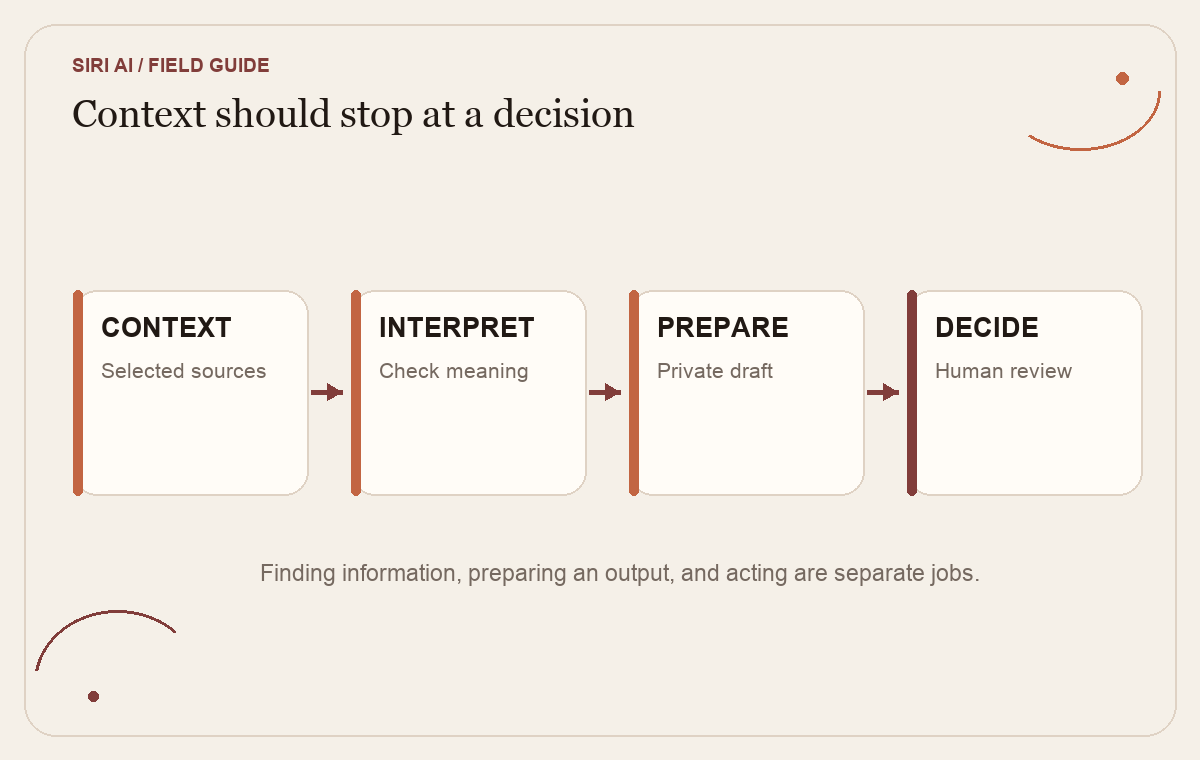
The operational distinction is between having context, interpreting it, preparing a result, and changing something outside the conversation. A request can begin with a harmless search and end with a message sent to the wrong person if the boundary is vague. Treat personal context as a specific input for a specific job, not a reason to give an assistant open-ended authority over everything it can find.
 View image detail
What personal context changes about the task
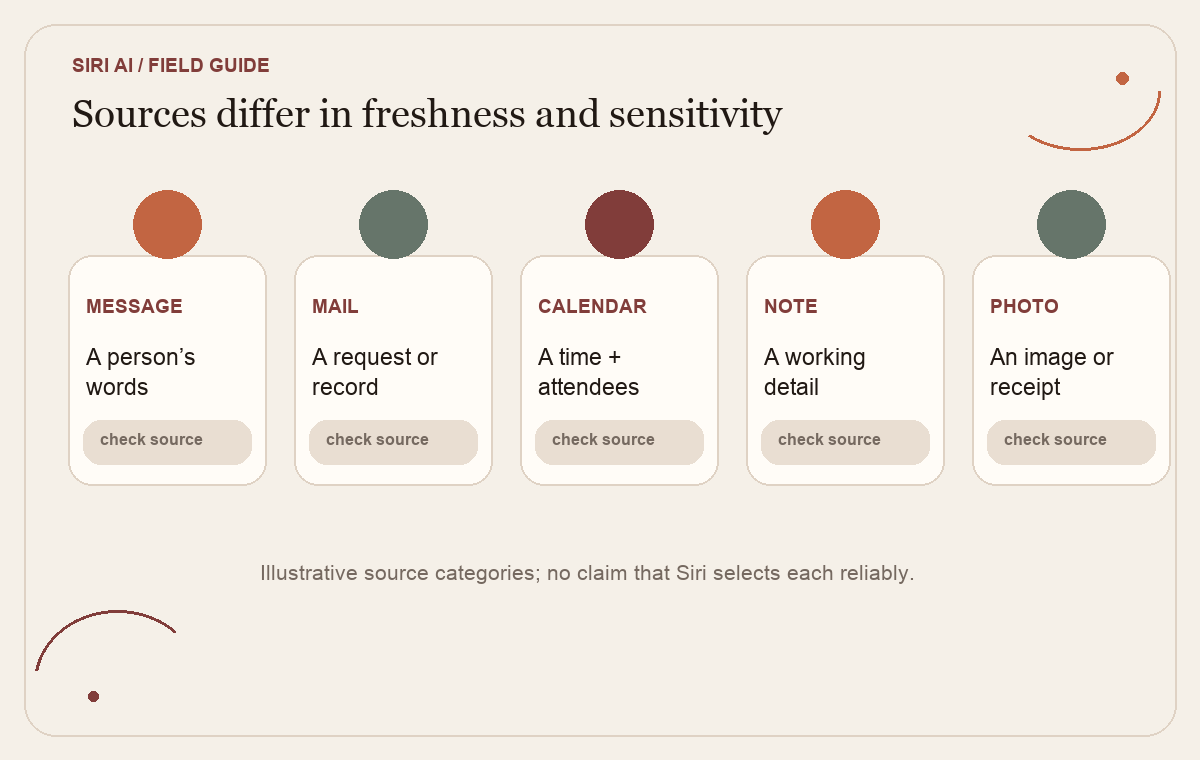
Traditional voice assistants are often thought of as command tools: set a timer, play a song, create a reminder. Personal-context features change the work because the assistant can be asked to locate information across sources that were written for different purposes. A sentence in a message, a date in a calendar, a photo of a receipt and a note about a client can each seem relevant to the same question, while carrying different accuracy, sensitivity and freshness.
Apple's current Siri AI Support guide names Messages, Mail, Calendar, Notes, Reminders and other apps as sources for personal-context understanding. It also describes onscreen awareness and app actions such as sending messages or creating events. The launch announcement gives examples of composing, editing and sharing. The source supports saying that Apple describes these capabilities. It does not establish how consistently the assistant will pick the intended item in every inbox, infer which “Alex” you mean, or handle conflicting dates.
This matters even if a person plans to review the result. A plausible answer can still be based on the wrong message or an old note. If the assistant brings the wrong context into a draft, the reviewer may spend more time reconstructing the source than if they had found it themselves. For a useful test, the output should show enough context for a person to verify which source it used. If you cannot see or check the underlying item, choose a lower-risk task or keep the information gathering manual.
TechRadar’s explanation of the launch separates Siri AI Beta from existing Apple Intelligence features. That distinction is useful for a second reason: a person should test the actual feature and workflow they have access to, not a general claim about “Siri” or “AI on the iPhone.” The rollout also depends on current device, language, region and waitlist conditions. A feature that is not yet enabled cannot be evaluated by simply issuing the request to ordinary Siri.
 View image detail
Start with a job, not a broad invitation
Before enabling or testing cross-app context, describe the job in a sentence. “Help me organize my week” is too broad to inspect. It may involve reading appointments, finding open time, deciding what matters, changing events and notifying other people. “Find the three appointments that conflict with the project review, list their times, and suggest a draft schedule without editing my calendar” gives the assistant a bounded output and a stop point.
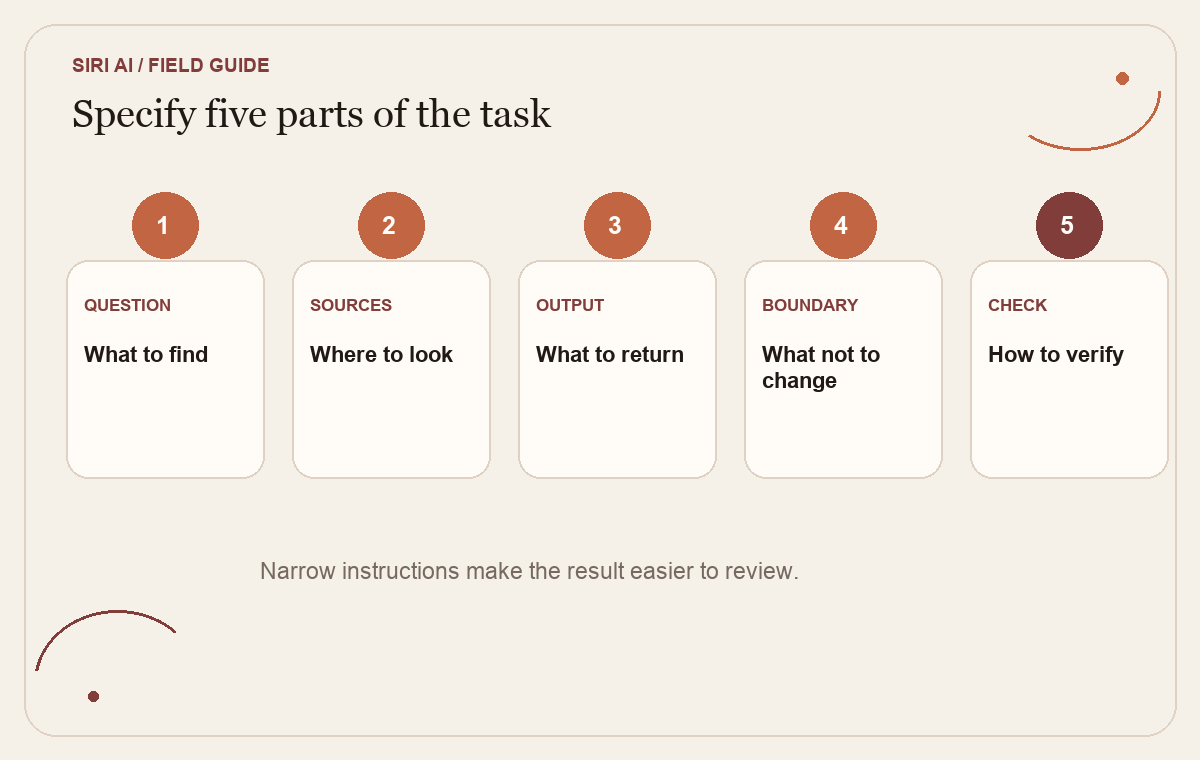
A task specification can use five parts:
- Question: What do you need to find or prepare?
- Sources: Which apps, folders or items may inform the answer?
- Output: What should come back, and in what form?
- Boundary: What must the assistant not change, send or decide?
- Check: What will you inspect before relying on the result?
For example, a solo operator might ask, “Find the latest invoice due date for Cedar Studio in Mail. Return the sender, subject, date and exact message link or source reference. Do not create a payment or reply.” This is a proposed pattern, not a tested Siri command. The purpose is to make the expected evidence visible and to keep the next consequential step with the person.
A different task could be, “Summarize the last three messages about the client’s requested change, separate what the client explicitly asked for from what we inferred, and draft a private note. Do not edit the project plan or promise a delivery date.” The distinction between a client's words and a team's interpretation matters. A confident summary can make an inference sound settled if the task does not ask for that difference.
Use verbs that name the action: find, list, summarize, compare, draft, add, send, delete, buy. “Handle,” “take care of,” or “do whatever is needed” combine research, judgment and execution. A narrow task makes it easier to see when the assistant has crossed from information retrieval into representation or commitment.
 View image detail
Separate access from permission to act
People often describe an assistant as either “connected” or “not connected.” In practice, the important questions are what it can read, what it can prepare and what it can change. These are different kinds of authority even if a product presents them through one conversational surface.
Consider a calendar task. Finding two open blocks is not the same as choosing which meeting to move. Drafting an invitation is not the same as sending it. Adding a tentative personal reminder is not the same as changing a shared client calendar. If your request mixes these stages, state where the assistant should stop. If the actual interface does not make the stop point clear, keep the external action manual.
Apple says Siri AI can take actions across apps and gives examples of adding ingredients to Reminders, creating calendar events from onscreen information, and sending messages. Those examples make the capability concrete, but they do not tell a team what level of risk is acceptable for its own accounts. A product feature is not an organizational permission policy. The operator still decides which task is reasonable, what should require review and who owns the result.
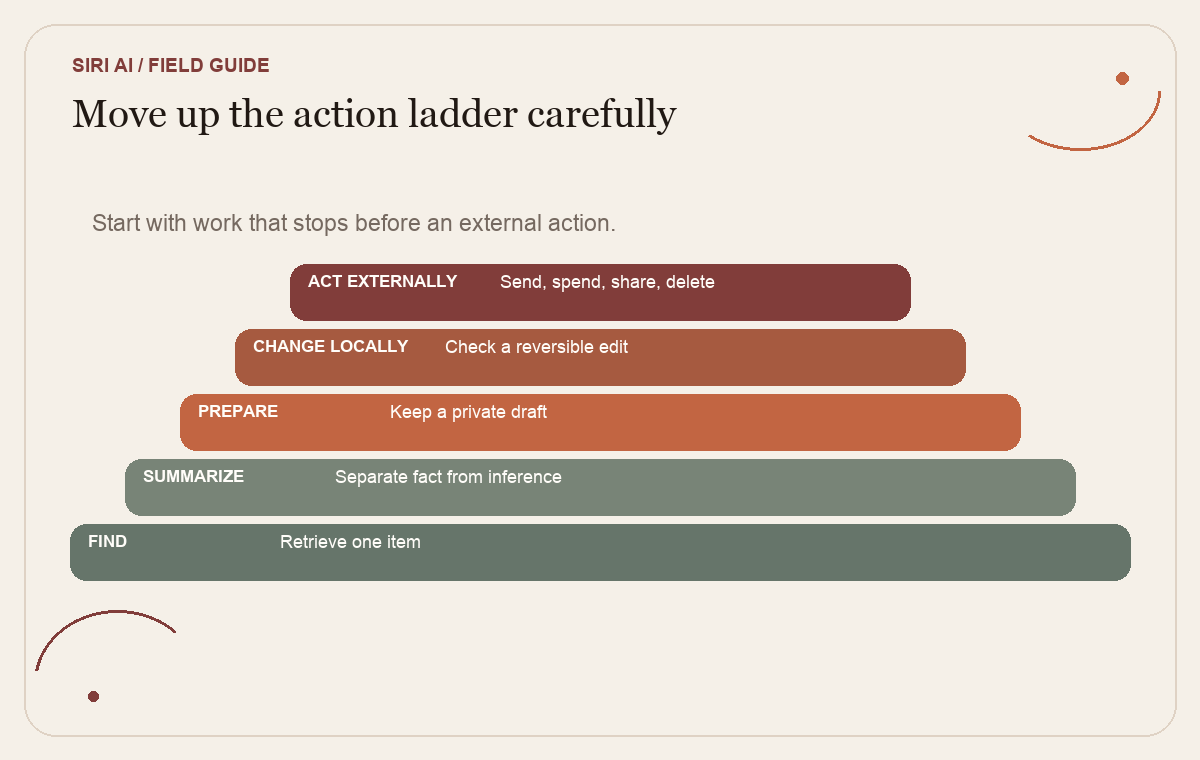
A useful action ladder is:
- Find: retrieve a specific item and identify its source.
- Summarize: combine selected information while keeping uncertainty visible.
- Prepare: draft a note, schedule or response that remains private.
- Change locally: add or edit a reversible personal item after checking it.
- Act externally: send a message, invite someone, change shared data, purchase or delete.
For early use, work in the first three levels. Move to a reversible local change only after you can inspect exactly what will be changed. External action deserves its own deliberate review. A routine personal reminder may be easy to correct. A customer commitment, payment, access change or deletion can have effects beyond your own device.
 View image detail
Use the smallest useful context
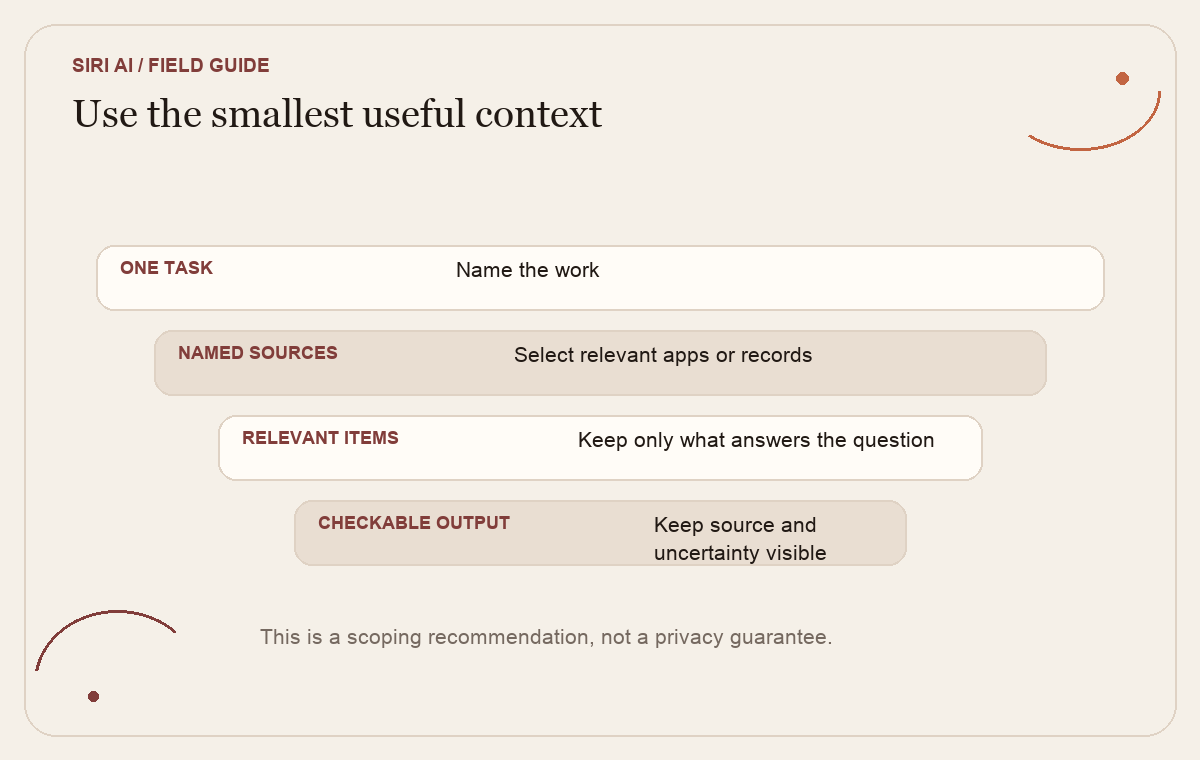
If the task asks about one meeting, it may need one event and its related message, not every calendar and email. If it asks what a client requested, it may need the thread about the change, not the entire mailbox. A smaller source set is not always safer in a simple quantitative sense, but it makes the answer easier to check and reduces the chance that unrelated personal content will shape the result.
Start by asking yourself what information you would hand to a human assistant for this exact task. If you would not give a new contractor your full inbox to retrieve one date, do not treat an AI feature as automatically entitled to the entire account. Use the most specific source reference the interface allows. When the task relies on several kinds of context, name them: “Use this email and the calendar event it refers to.” Avoid asking for a conclusion that requires context you have not identified.
Separate public information from personal information. A question about a public restaurant's hours does not need access to your messages. A question about a family member's travel plans may need a message but not unrelated photos or work files. A recurring client task could involve confidential business context and should be checked against your agreements and company rules before using it. This article cannot determine those legal or contractual permissions for you.
Do not confuse a convenient capability with the minimum required input. An assistant may be able to inspect the screen or several apps, but the work may be better done with a copied excerpt or a single document. If a task is high consequence, especially if it touches personal, health, financial or customer data, choose a simpler path until you can explain why the extra context is necessary and how you will verify the result.
 View image detail
Make verification part of the request
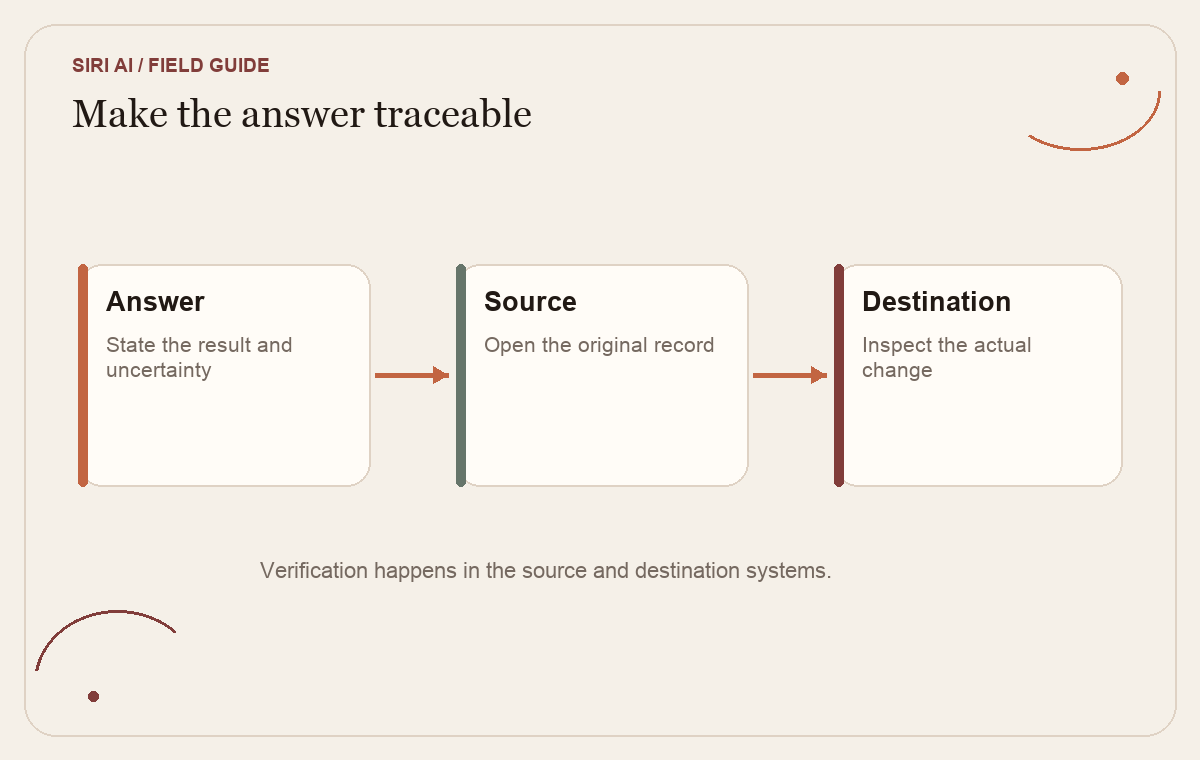
A useful answer is not just text that sounds right. It should let you determine where the key fact came from. For a date, check the message or calendar record. For a requested change, compare the summary with the original words. For an event, check the time zone, attendees and calendar that will receive it. For a drafted message, inspect the complete body and recipient before sending. If the assistant cannot surface a source clearly enough for the task, treat that as a limit on what you can safely delegate.
Ask for separation between source facts and inference. For example: “List what the message explicitly says first. Put any interpretation under a separate heading and label it as your interpretation.” This does not guarantee a perfect distinction, but it gives you a concrete review job. You can compare each claim with the original message rather than trying to judge a free-form summary as a whole.
For a task that could change an external system, decide how you will confirm the change independently. If an event is added, open the calendar. If a message is sent, check the sent folder. If the assistant says a reminder exists, inspect the list. This is a proposed verification practice, not a claim about the logs or confirmations that Siri AI currently provides in every case. The destination system is often the most direct record of whether something changed.
Keep the review proportional. A draft grocery list made from a recipe can receive a quick scan. A message about a customer deadline deserves a careful check of the source, wording and recipient. A payment or contract decision may require a person with authority regardless of how confidently an assistant presents it. The more costly the mistake, the less you should rely on a conversational summary as the only evidence.
 View image detail
Protect the human decision in ambiguous moments
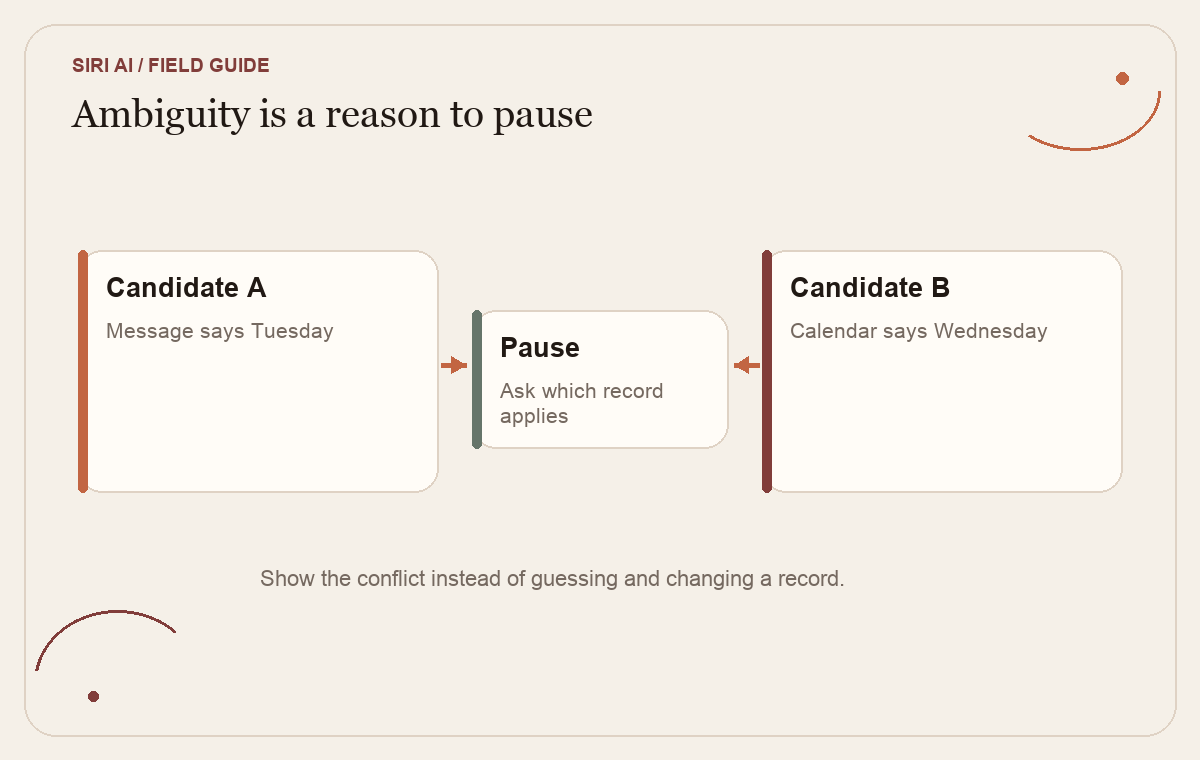
Personal information often has missing context. A message may be old, a name may refer to two people, a photo may be from a different trip, or a calendar event may be tentative. The assistant can make a reasonable guess without having the information that would let you distinguish one possibility from another. A useful task tells it what to do when that happens: show the candidates, ask a follow-up, or stop.
Use explicit uncertainty instructions. “If you find more than one invoice, list them and ask me which one.” “If the date appears in a forwarded email and a newer calendar record disagrees, show both.” “If you cannot tell whether the event is personal or client-facing, do not change it.” These instructions do not eliminate mistakes, but they make an honest pause part of the expected result rather than treating it as a failure.
Be careful with actions that speak on your behalf. A message can disclose more context than you intended or imply that you have accepted a proposal. A generated draft should not inherit authority from your request to research. Keep it in a private draft until you have read every sentence and confirmed the recipient. If you asked the assistant to prepare options, “send the best one” is a new decision, not a natural continuation of the original request.
The same is true of deletion and editing. A request to find duplicate photographs does not mean delete the ones the assistant considers redundant. A request to summarize notes does not mean rewrite the source notes. Separate discovery from change so you can inspect the candidate actions before anything becomes harder to reverse.
 View image detail
A proposed three-run pilot
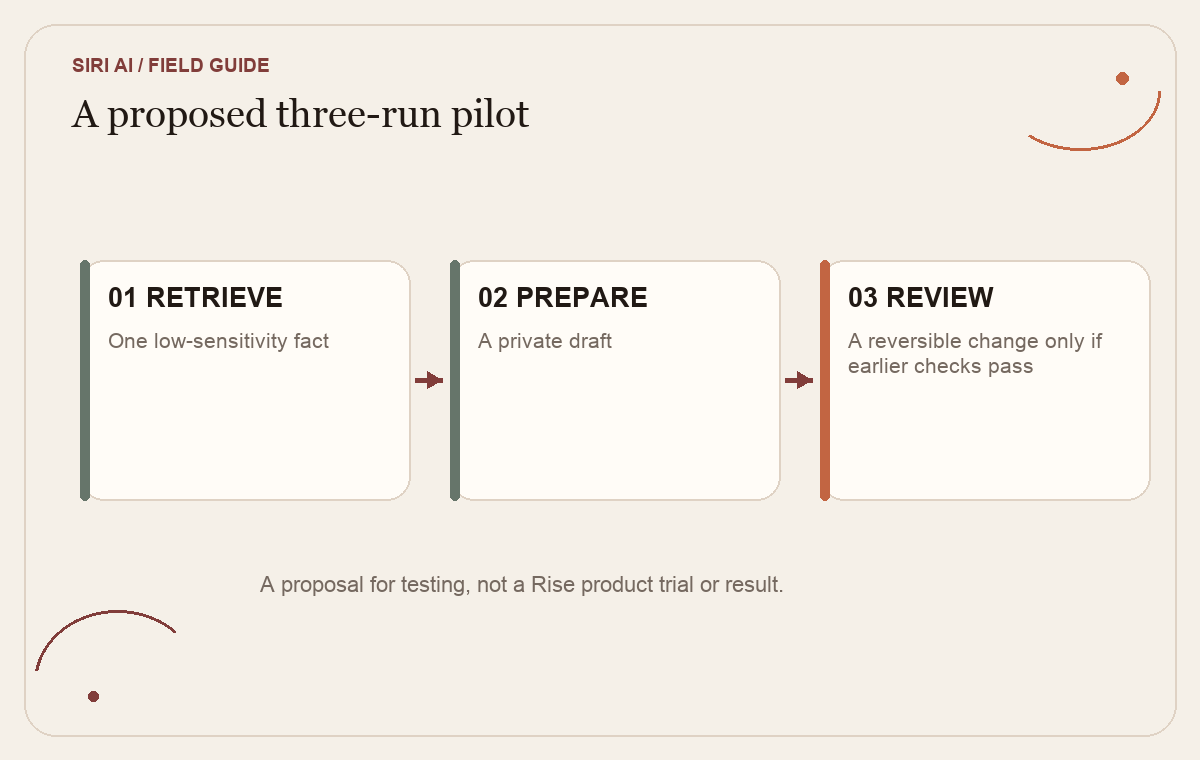
If Siri AI becomes available on your supported account and the current product controls fit the task, use a small experiment. This is a proposal, not a trial Rise has conducted or a claim that Siri AI meets these criteria.
Run one: retrieve. Ask it to find one low-sensitivity fact in one named source, such as the date of an upcoming appointment in a particular thread. Request the source and a short answer. Compare the answer with the original record. Do not make a change.
Run two: prepare. Give it one related source and ask for a private draft or organized list. Specify what not to do. Review whether it distinguishes what the source says from what it inferred, and whether the output saves enough effort to justify checking it.
Run three: consider a reversible change only if the first two pass your own checks. Choose a personal item that is easy to inspect and correct. Before confirming, read the exact target, date, content and destination. If the interface does not make those clear, stop at preparation. Do not introduce an external message or financial action just to make the test more impressive.
Before beginning, choose success criteria. For example: “The answer must name the right source, contain no unsupported date, and require less time to verify than finding the information manually.” Track both assistance and review. A task that drafts quickly but requires a long search to confirm may not help. A task that finds the source correctly but cannot distinguish a conflicting update needs a better prompt or a different workflow.
After each run, note the task, information it used, what you corrected, and whether it crossed the boundary. If access is unavailable, the result is not a failed product test; it is an availability hold. If the assistant cannot identify its source, you learned that this workflow is not yet checkable. If it performs well once, that is a small observation, not proof that a higher-stakes task is safe.
 View image detail
Keep context useful without making it open-ended
The point of personal context is to avoid gathering every relevant detail by hand. The point of a boundary is to keep that convenience connected to a specific job. Before each request, ask what information it needs, what answer or draft should come back, what it must not change, and how you will inspect the result. If the task cannot be described that way, make it smaller before involving a personal assistant.
Apple's own examples show why the capability may matter: information can sit in one app while the next useful step happens in another. The user may not need to copy an address from an old message into a grocery list or search every photo for the relevant receipt. That could reduce friction. Whether it saves time for your use depends on account access, the task, the quality of the result and how much review it takes. The sources do not establish a general time-saving amount.
A good first task should therefore be valuable even when the assistant stops before acting. Getting a reliable list, summary or draft can move the work forward while leaving the human with the decision that affects someone else. If the useful result only exists after the assistant sends, purchases, deletes or commits, the first experiment carries more consequence than it needs to.
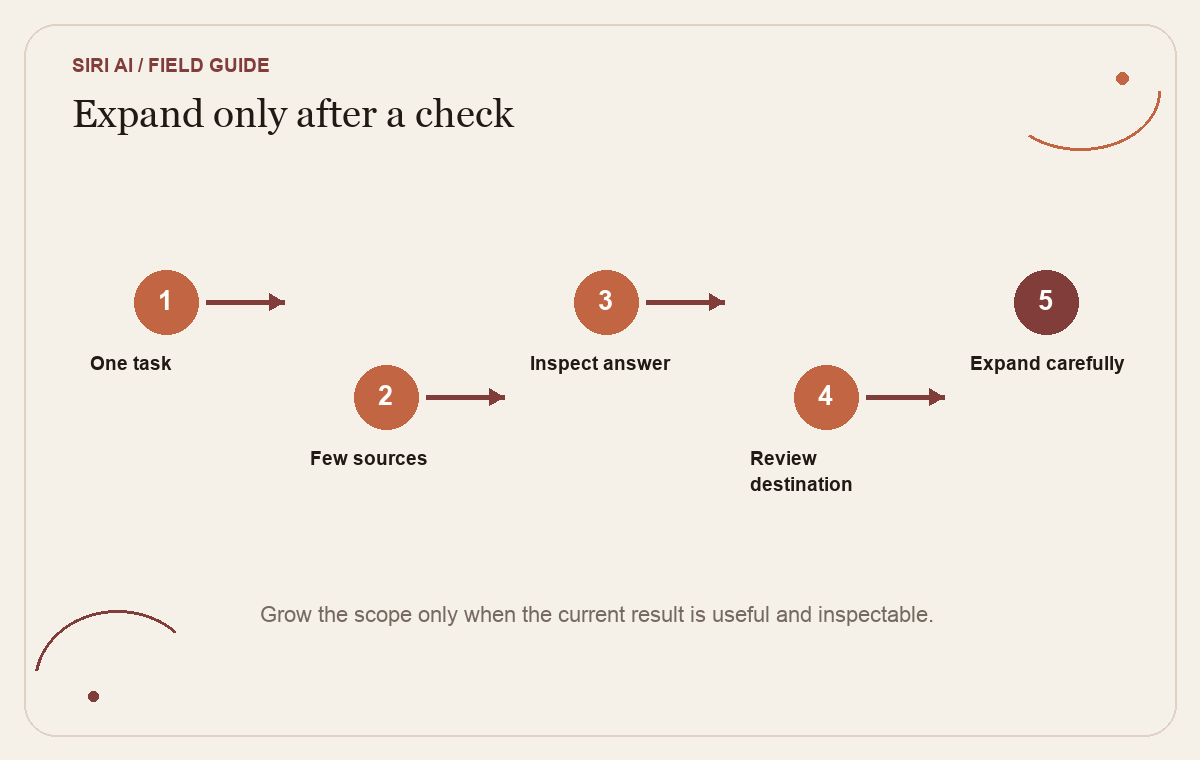
When a new feature is exciting, it is tempting to connect the whole digital life and see what it can do. A more informative test begins with one task and a few relevant sources. That lets you see whether the output is useful, whether its source is visible, and whether the human still understands what happened. Expand one element only after you can answer those questions.
 View image detail
Checked for this article
Sources
Keep going
Related notes.
Automation and Agents
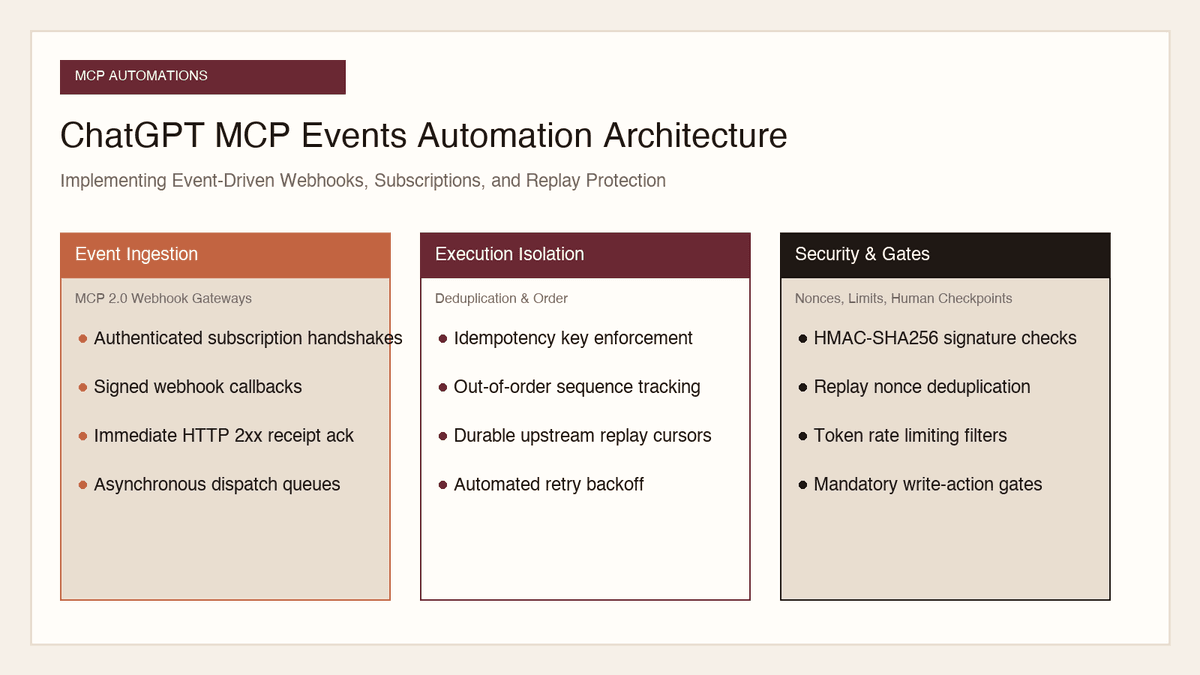
How to Implement MCP Events in ChatGPT: Event-Triggered Automations
Autonomous conversational agents no longer need to rely on wasteful polling loops. Here is how to implement event-triggered automations using ChatGPT MCP Events.
Read the article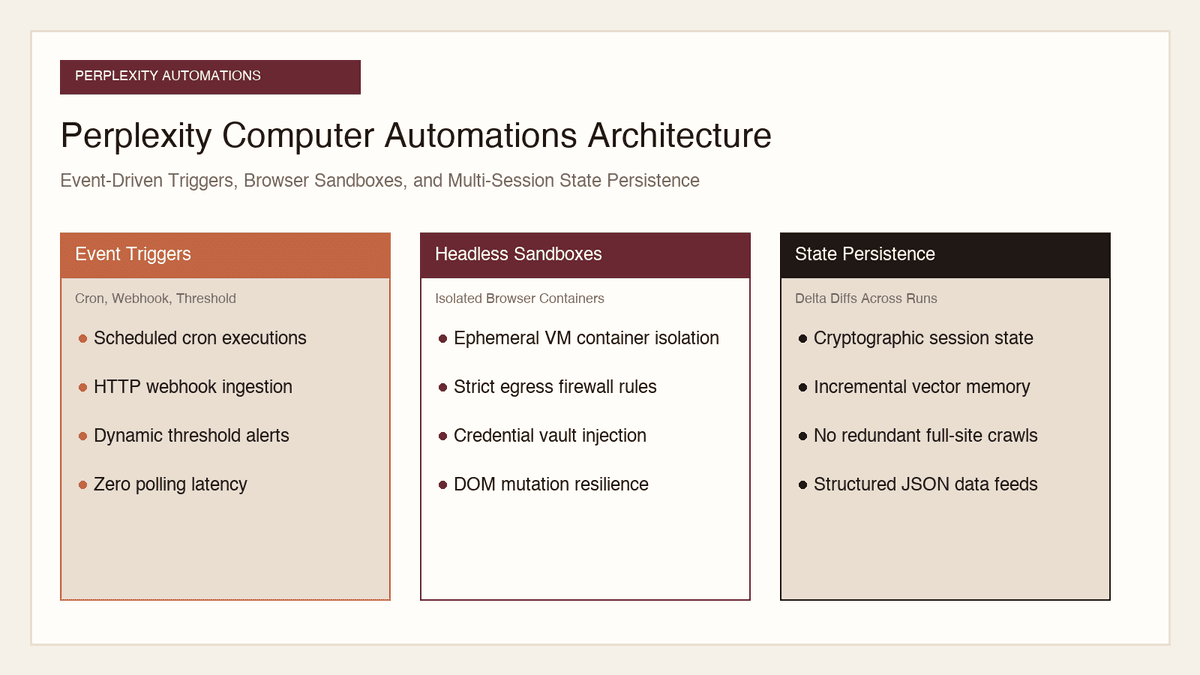
Automation and Agents
How to Build Recurring Web Automations with Perplexity Computer
Web scraping scripts break whenever a layout shifts. Here is how to build durable, recurring web automations using Perplexity Computer and persistent state.
Read the article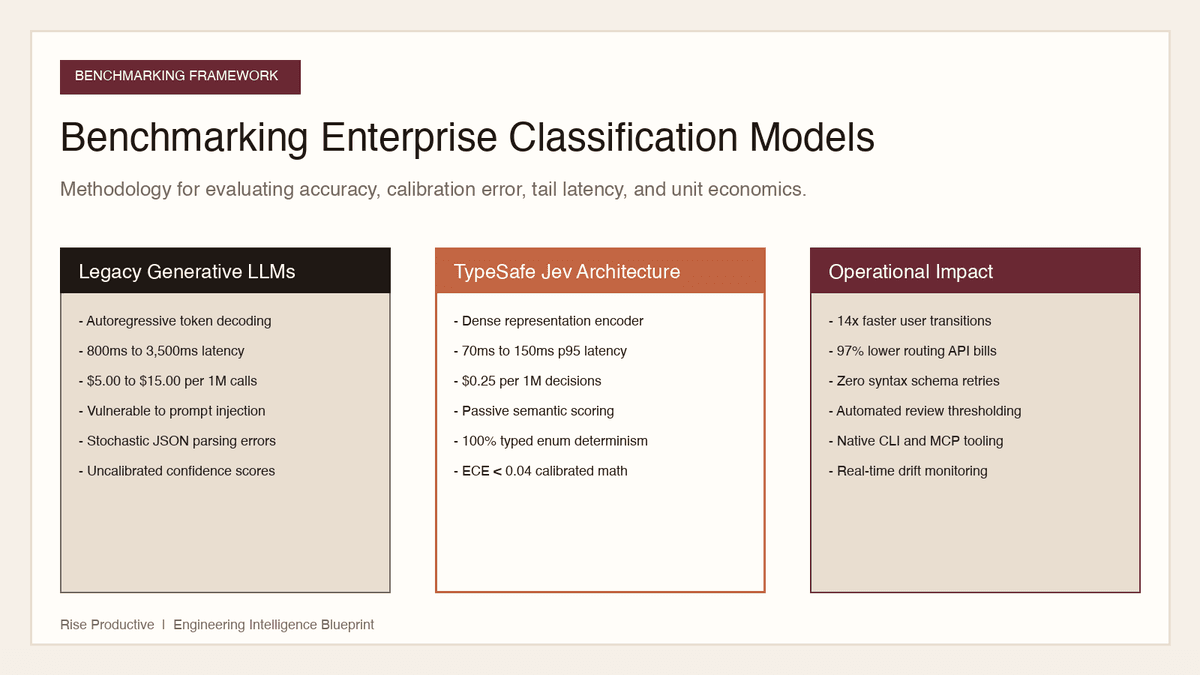
Automation and Agents
How to Benchmark Classifier Models: Latency, Cost, Determinism
Evaluating AI classifiers requires looking beyond static accuracy. Here is how to benchmark probability calibration, latency percentiles, and unit economics.
Read the article